Codex Getting Started Guide: Four Product Forms Explained & AI Coding Tool Comparison

A practical guide to Codex's four forms and how it compares to Claude Code and Cursor for different dev scenarios.
This article breaks down Codex's four product forms — CLI, Web, Plugin, and App — and compares it with Claude Code and Cursor across pricing, stability, and frontend vs. backend suitability. The core advice: don't pick just one AI coding tool. Master all three to stay flexible across teams, projects, and workflows.
The Big Three AI Coding Tools: How Do You Choose?
The AI coding tool market is more vibrant than ever, giving developers an unprecedented range of options. This revolution traces back to the launch of GitHub Copilot in 2021 — it was the first tool to bring LLM-powered code generation into the mainstream developer workflow, proving that AI-assisted programming was not just viable, but practical. In just a few years, the space evolved from simple code completion into a full-blown "AI Agent" ecosystem capable of conversational interaction, multi-file editing, and even autonomous terminal command execution.
But when you take a step back and look at what's actually being widely adopted, the market converges on three tools worth mastering: Cursor, Claude Code, and Codex.
This article draws on a frontend developer's hands-on experience to systematically break down Codex's product forms, how it stacks up against competitors, and which tool fits which scenario. The core takeaway: instead of agonizing over "which one to use," aim to get comfortable with all three — different companies and teams often have different tool preferences, and fluency across multiple AI coding tools is fast becoming a baseline skill for modern developers.
Codex's Four Product Forms
OpenAI Codex started as a code-specialized model released in 2021, serving as the underlying technology behind GitHub Copilot. Through multiple iterations, it has evolved from a standalone model into a comprehensive developer product ecosystem. With the official launch of the Codex App, Codex now exists in four distinct forms:
- CLI (Terminal): A command-line interface built on an Agent architecture, capable of autonomously reading/writing files and executing terminal commands — ideal for developers comfortable in the terminal
- Web (Browser): Use it directly in your browser with no local installation required
- Plugin: Integrated into mainstream IDEs like VS Code, the most familiar form for many longtime users
- App (Desktop Application): A newly launched standalone app that combines Agent capabilities with a visual interface
Among these four, the App is undoubtedly the most feature-complete and the most recommended option. Compared to the old "install a plugin and make do" approach, the Codex App offers far more comprehensive capabilities and integrates seamlessly with traditional development tools like VS Code, enabling a much smoother workflow.
For developers who aren't comfortable with command-line interfaces, the App's graphical UI dramatically lowers the barrier to entry — making it the most accessible starting point for getting into the Codex ecosystem.
Codex vs Claude Code: A Multi-Dimensional Comparison
Many developers naturally compare Codex and Claude Code side by side. The two tools have fundamentally different technical DNA: Claude Code is powered by Anthropic's Claude model, renowned for its ultra-long context window (up to 200K tokens) and rigorous reasoning capabilities; Codex comes from OpenAI and has been deeply optimized through training on large volumes of modern codebases. Here's how they differ across a few key dimensions.
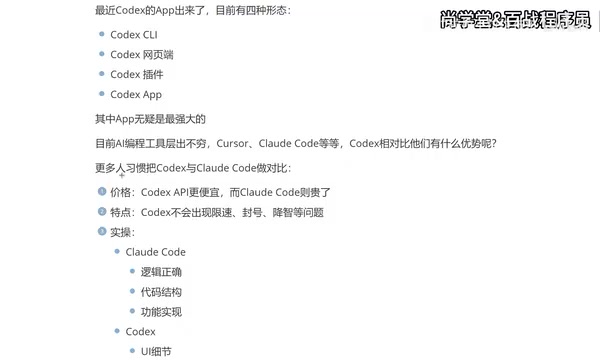
Pricing: Codex Has the Cost Advantage
In terms of raw API call costs, Codex is priced lower, while Claude Code sits on the pricier end. For developers who rely on frequent, long-term API usage, cost is a very real consideration — and Codex has a clear edge here.
Stability: Rate Limiting and Account Bans
Claude Code has a few notable pain points, the most common being rate limiting and account suspension. This stems from Anthropic's strict API rate limit policies — designed to prevent abuse, Claude's call frequency caps are relatively conservative. Codex performs better on stability; most day-to-day usage won't run into these issues.
On the topic of "quality degradation" (where model output quality fluctuates), opinions are mixed: some users report experiencing it with Codex as well, though it hasn't been a noticeable issue in practice. More long-term user data is needed to draw firm conclusions.
Frontend vs Backend: Which Tool Fits You Better
Beyond pricing and stability, the two tools also have noticeably different practical strengths. These differences stem from the underlying models' training data distribution and optimization objectives: frontend development involves heavy emphasis on visual details, CSS styling, animations, and interaction — perception-layer code; backend development prioritizes algorithmic correctness, data structure design, and logical rigor. This naturally leads each tool to excel in different areas.
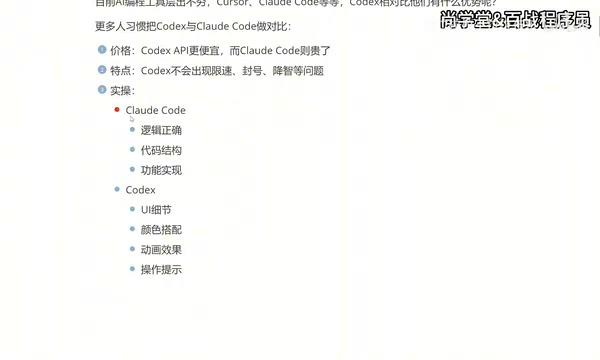
Claude Code: Logic and Structure Oriented
Claude Code excels at logical correctness, code structure design, and functional implementation. Claude's powerful Chain-of-Thought reasoning makes it particularly effective when handling complex business logic, understanding large codebases, and working through architectural design. It shines in scenarios involving intricate business logic, backend architecture, and algorithm implementation — which is why backend developers tend to gravitate toward it.
Codex: UI Detail and Interaction Experience Oriented
Codex, on the other hand, has a much finer touch when it comes to UI details, color schemes, animations, and interactive cues. This is closely tied to its targeted training on large volumes of modern frontend framework code (React, Vue, Tailwind CSS, etc.), enabling it to more accurately understand and generate frontend code that aligns with UI/UX design standards. For App and frontend developers, Codex consistently delivers stronger results in visual presentation and interaction quality.
Based on real-world experience, a rough rule of thumb: Claude Code for backend, Codex for frontend. That said, this isn't an absolute rule — developers should factor in their own context and projects.
One Frontend Developer's Tool Evolution
Tool choices are usually the result of trial, error, and iteration. Here's a real usage journey — hopefully useful for anyone still on the fence.
Phase 1: Cursor (roughly six months)
Cursor is an AI-native IDE developed by Anysphere, built as a deep rework of VS Code. It preserves the full VS Code plugin ecosystem while embedding AI capabilities at the core of the editor. Starting with Cursor and sticking with it for about half a year — the seamless integration of AI capabilities with code editing, file management, and debugging was genuinely impressive. But the biggest drawback was the subscription cost (around $20/month), which adds up to a significant expense for individual developers over time.
Phase 2: Claude Code + Domestic Models
When Claude Code gained traction, it became the next thing to try, along with some domestic Chinese models. Costs came down, but the overall experience left something to be desired. Beyond that, working primarily through a CLI — which is currently Claude Code's main interface — posed a real barrier for developers who aren't comfortable with terminal-heavy workflows, noticeably diminishing the day-to-day experience.
Phase 3: Codex App
The launch of the Codex App turned out to be the turning point. It breaks free from the pure command-line constraint, integrates smoothly with traditional development tools like VS Code, and enables a more complete, fluid AI-powered development workflow.
AI Coding Tool Selection Guide: Master All Three, Don't Pick Just One
The single most important point in this article: don't limit yourself to just one tool.
Whether it's Cursor, Claude Code, or Codex — the recommendation is to get familiar with all of them. The reasons are practical:
- Different companies may give you access to different tool accounts
- Different teams may require specific AI coding tools
- Frontend and backend projects naturally suit different tools
Being fluent with all three is the right skill configuration for today's developers. For complete beginners with no development background, Codex offers a more intuitive and visually rewarding experience on the frontend side, making it a great first tool to try.
Summary
With its lower API pricing, more stable usage experience, and the far friendlier App interface, Codex is becoming the go-to tool for a growing number of developers — especially on the frontend. But no tool is universally superior; what matters is matching the tool to the scenario:
- Logic-heavy backend projects → Claude Code (strong reasoning, long-context handling)
- UI-detailed frontend projects → Codex (deep frontend framework training, visual precision)
- Prioritizing overall IDE experience → Cursor (deeply integrated AI-native development environment)
The truly smart move is to master all three AI coding tools and switch between them based on what each project demands. This keeps you versatile in your work and positioned to stay competitive as the AI programming wave continues to accelerate.
Key Takeaways
Related articles

R&D Is Forking: The Coming Battle Between Token-Abundant and Token-Starved Research
R&D is splitting into token-abundant and token-starved research. Top AI labs are pulling ahead—here's what it means for universities and the future of science.

Atlas World Model Explained: How Next View Prediction Unifies Generation and Reconstruction
The Atlas world model uses Next View Prediction as its core to unify pixel-level generation and reconstruction, offering a new approach to spatial intelligence.

Resumate: A Deep Dive into the Repair-and-Resume Layer for LangGraph Agents
Resumate adds memory-aware checkpointing and idempotent side-effect protection to LangGraph agents, preventing issues like duplicate Stripe charges on retry.