Codex Rebranded as GPT: Installation Guide and Key Changes Explained

Codex rebranded as GPT after a merger — same install flow, same features, plus three new tiered models.
After a product update, Codex was integrated with GPT and rebranded under the unified GPT name. Being redirected to the ChatGPT icon during installation is expected behavior, not an error. The installation process is unchanged, and interface updates are limited to minor renames like "Automation" becoming "Scheduled." The most notable addition is three tiered models: 5.6 for deep reasoning, Terra for balanced everyday coding, and Lula for fast lightweight tasks. Learners can continue following their existing courses without disruption.
Why Did Codex Become GPT?
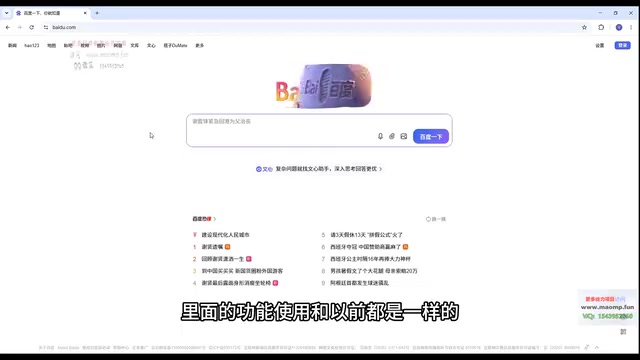
Many users who recently started using Codex have run into a confusing situation: after downloading the installer and opening it, the interface redirects to a ChatGPT app icon, and the name has changed from the familiar "Codex" to "GPT." The immediate reaction for most people is — did I download the wrong installer?
As explained by Bilibili content creator Dayu, this is actually a deliberate product merger. Codex was integrated with GPT as part of an update, and the combined product was rebranded under the unified name GPT. In other words, there's nothing wrong with the installer — being redirected to the GPT icon is expected behavior, not an error. The core functionality and usage logic remain the same as before, so learners have nothing to worry about.
The Installation Process Hasn't Changed
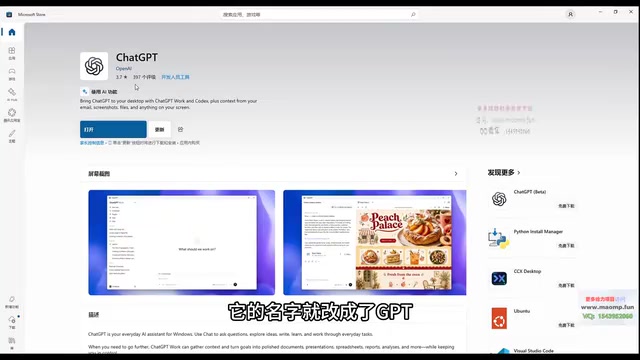
If you're worried you've done something wrong during installation, rest assured: the Codex installer still works perfectly. When you open it, you'll be redirected to the app store, where the app name now appears as GPT — this is normal behavior following the update.
The steps are straightforward: open the installer → get redirected to the app store → click download → complete installation. The name change doesn't affect any part of the download or installation process. The creator specifically noted that many users see the word "GPT" and assume something went wrong with the installer — it's simply a brand name update, so just go ahead and download it.
Interface Updates: New Names, Same Logic
Once installed, you'll notice some minor interface changes, though they're fairly minimal overall. A typical example is the automation feature — the option previously used to create recurring tasks was called "Automation" and has now been renamed to "Scheduled" (or "Arranged").
These changes are purely cosmetic renamings; the underlying functionality and how you use it haven't changed. For users following a structured course, as long as you understand that "the name changed but the feature is still there," you'll be able to map everything back to your existing learning materials without needing to relearn the navigation.
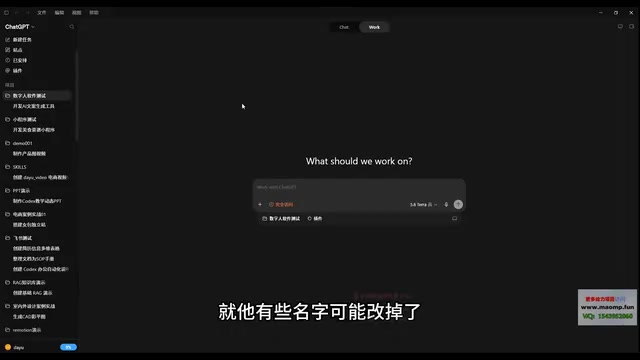
The renaming of "Automation" to "Scheduled" reflects a common task-scheduling capability found in AI coding tools: users can predefine a set of repetitive operations and have the tool execute them automatically based on set triggers or time conditions, without needing to initiate them manually each time. In developer-facing AI tools, this type of feature is typically used for scheduled script execution, periodic data processing, or batch code generation. The new name "Scheduled" more intuitively conveys the idea that a task has been queued into a planned schedule, aligning more closely with the interaction language of calendar and reminder apps — and lowering the barrier to understanding for non-technical users.
How to Choose Among the Three New Models
This update also introduces three new models, each suited to different use cases. Understanding their differences will help you make smarter choices in real-world development:
Deep Reasoning Model (5.6)
Designed for complex tasks and scenarios that require deep reasoning. When dealing with long logical chains or multi-step programming and analysis tasks, this model delivers stronger reasoning capabilities.
Balanced Model (Terra)
Built for everyday workflows with well-rounded capabilities. For most routine coding assistance and daily tasks, this model is the safe default choice, balancing performance with efficiency.
Lightweight Model (Lula)
Ideal for simpler tasks, with its standout feature being faster response times. When a task isn't particularly complex and you prioritize instant feedback, the lightweight model delivers a smoother, more responsive experience.
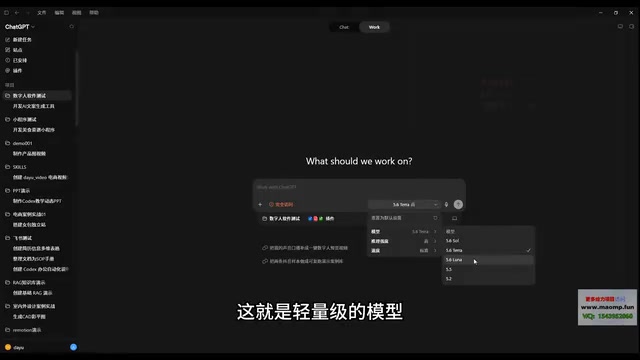
This "tiered model" design philosophy aligns with the direction that mainstream AI tools are heading — rather than relying on a single large model for every need, tasks are distributed based on complexity and response requirements, striking a balance between compute cost, speed, and output quality.
In the AI tools space, a "tiered model" strategy has become standard practice. The underlying logic is this: while large reasoning models are highly capable, each call incurs significantly higher compute costs and response latency compared to lightweight models. For scenarios that only require completing a single line of code or answering a simple question, invoking a heavyweight model is a waste of resources. As a result, major AI providers including OpenAI, Anthropic, and Google have all adopted similar product tiering — using models of varying parameter scales or reasoning depths to cover the full spectrum of needs, from rapid responses to deep analysis. The key factor when choosing is task complexity: if the task requires multi-step logical reasoning (such as architecture design or algorithm debugging), go with the heavy reasoning model; for frequent, simple completions or Q&A, the lightweight model's speed advantage translates into a noticeably better user experience.
Practical Advice for Learners
Overall, this update has limited impact on users currently learning Codex. The key takeaways are: the installer works fine, being redirected to GPT is expected, the core functionality is unchanged, some menu items have been renamed, and three new tiered models are now available to choose from based on your needs.
For beginners looking to create with AI-assisted coding and work toward independent development, the most important thing is not to be put off by surface-level name changes. Keep following your original course at your own pace — when you see "GPT," just know it's the same Codex you've been learning, and you'll transition smoothly into the next stages of your learning journey.
Related articles

GPT-Next Leak, Gemini 4 Argon Imminent: AI News Roundup
GPT-Next leak suggests extreme efficiency; OpenAI's 28-day shipping pledge boosts speed 50%; Gemini 4 Argon nears release; Anthropic subscription value report sparks debate.

GPT-Next Leaked, Gemini 4 Argon Speeds Up, Fable 5.5 May Launch Today
OpenAI's GPT-Next model leaks, expected to be extremely low-cost and possibly part of the 28-day release plan; Gemini 4 Argon internal testing accelerates, NanoBanana 2.1 is live; Semi Analysis tests show Claude Max's equivalent API value is about 5 times that of ChatGPT Pro; Fable 5.5 may launch today.

Gemini 4 Argon Launches Globally: Key Highlights from the AI Daily Brief
Google opens Gemini 4 Argon globally across Pro and Ultra subscriptions and the API, and demonstrates robot control. This article rounds up open-source models, Agent infrastructure, cost transparency, and safety governance updates.