Codex Renamed to GPT: Installation Confusion and the Three New Models Explained

Codex is now GPT — here's what changed, what didn't, and how to pick the right new model.
OpenAI officially merged Codex into GPT, causing confusion among users who saw the app icon change during installation. This article clarifies that it's not an error — the installer still works, and the workflow is unchanged. The "Automation" feature was renamed to "Scheduled," and three new models were introduced: 5.6 for deep reasoning, Terra for balanced everyday use, and Lula for lightweight speed. Beginners can continue following their course as usual.
Why Did Codex Turn Into GPT After the Update?
Recently, many learners who were setting up Codex for AI-assisted programming ran into a shared moment of confusion: after opening the Codex installer, the app icon that appeared was ChatGPT's. Many assumed they had downloaded the wrong package or that something had gone wrong.
Bilibili creator Dayu addressed this issue directly in his latest course: this is not a mistake — it's the result of a significant product merger. According to him, Codex was integrated with GPT in a recent update, and as part of that merger, Codex was officially renamed to GPT. In other words, the app name you see has changed from Codex to GPT, which is a deliberate adjustment by OpenAI, not an installation error.
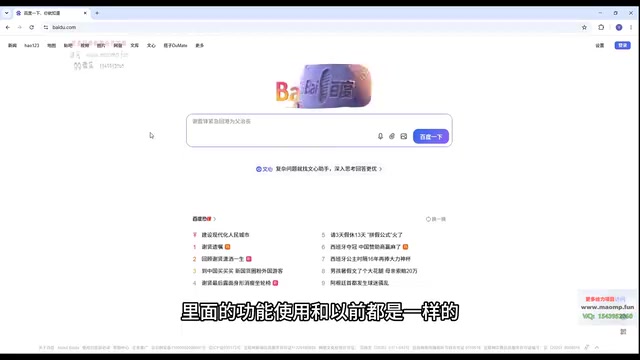
If you're worried you downloaded the wrong thing, don't be. The original Codex installer still works fine. When you open it, it will redirect you to the app store, where the app is now listed as GPT. Just download it — the functionality remains the same.
Codex was originally launched by OpenAI in 2021 as an AI model purpose-built for code generation, serving as the underlying engine for tools like GitHub Copilot. Built on the GPT architecture and fine-tuned for coding scenarios, it could understand natural language descriptions and generate code in multiple programming languages. As the GPT model family continued to grow more capable, code generation was deeply integrated into the main GPT product line, making it less necessary to maintain Codex as a separate brand. This merger reflects OpenAI's broader strategy of consolidating specialized tools under the GPT umbrella — a pattern commonly seen as large AI platforms mature and streamline their product offerings.
The Installation Process Hasn't Really Changed
Despite the name change, the overall installation and download logic is essentially the same. Dayu emphasized that users can follow the original course steps to complete the installation, and upcoming lessons will walk through the download and setup process in detail.
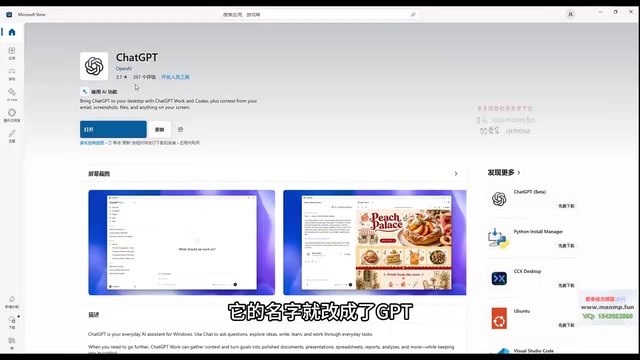
A word of advice for beginners: don't let UI differences caused by a product rename throw you off. It's common practice for software companies to rename products or consolidate product lines during iteration cycles — core functionality is typically preserved. As long as you download from official channels, you'll be fine.
Interface Changes: A Few Renamed Features
The updated app has some minor interface differences compared to the previous version, though the overall usage logic aligns with the course content.
One notable change is the "Automation" feature. In the old version, if you wanted to create recurring tasks, you'd access them through the "Automation" entry. In the new version, this feature has been renamed to "Scheduled." The name is different, but the purpose is identical — it still handles repetitive, time-based tasks.
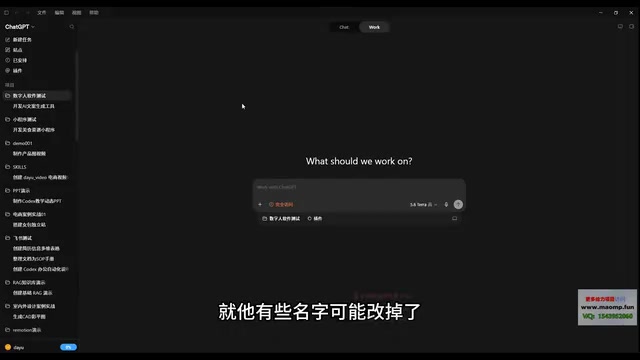
This kind of change is a good reminder to focus on what a feature does rather than memorizing menu labels. When UI text changes, understanding the underlying function helps you quickly map it to what you already know.
Three New Models: Choosing the Right One for the Job
This update also introduces three new models. Dayu gave a brief breakdown of each to help users match the right model to their task:
Deep Reasoning (5.6)
The first model, numbered 5.6, is designed for deep reasoning and complex tasks. When you're dealing with long logical chains or problems that require careful, step-by-step thinking, this is the model to reach for.
Balanced General-Purpose (Terra)
The second model, called Terra, offers well-rounded capabilities suited for everyday work. For most standard scenarios, it strikes a balance between performance and responsiveness, making it a reliable choice for day-to-day development.
Lightweight and Fast (Lula)
The third model, Lula, is a lightweight option built for simpler tasks. It responds faster and shines in situations where speed matters more than depth.
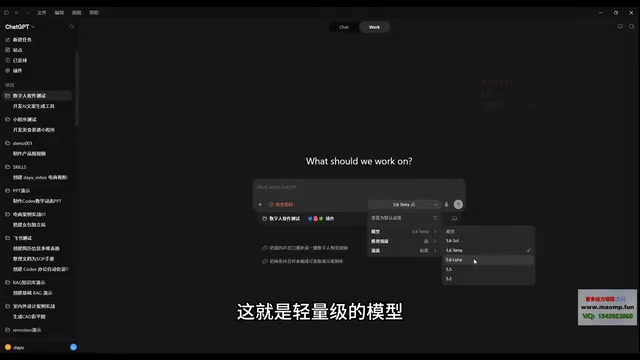
Used together, these three models let you find the optimal trade-off between reasoning depth, general capability, and response speed — use 5.6 for complex problems, Terra for everyday tasks, and Lula for quick, simple requests.
Tiered model strategies have become standard practice in the AI tools space. Companies like OpenAI and Anthropic typically maintain three product lines simultaneously: a flagship reasoning model, a standard model, and a lightweight model — targeting high-precision complex tasks, general everyday use, and low-latency simple requests, respectively. The logic behind this layered design is straightforward: stronger reasoning capability comes with higher compute costs and longer response times. For tasks that don't require deep reasoning, using a lighter model saves resources and delivers a smoother experience. In practice, developing the habit of matching your model choice to task complexity is more efficient than defaulting to the same model for everything.
Takeaway: The Rename Doesn't Affect Your Learning Path
For beginners following along with an AI programming course, the key changes from this update can be summed up in three points: Codex has been merged and renamed to GPT; some feature names have been adjusted; and three new models with distinct strengths have been added. Everything else — the overall workflow and course content — stays the same.
In short, don't panic when you see the app is now called GPT. Your installer is correct. Just keep following the course at your own pace. Understanding the reasoning behind each tool update, rather than getting tripped up by surface-level changes, is what it really means to get a handle on AI development tools.
Related articles

Free Unlimited Claude Code Solution: Agnes AI + CC Switch Setup Guide
No paid subscription needed — pair the free AI platform Agnes AI with the open-source tool CC Switch to provide a backend for Claude Code, enabling unlimited free calls to text, image, and video models. This guide covers the full setup, test results, and usage boundaries.

A Complete Zero-Cost Guide to Getting Started with Claude Code for Beginners in China
A beginner's guide to Claude Code for users in China: two installation methods (command line and IDE plugin), full configuration steps for replacing the official API with the free domestic LongCat model, and a hands-on demo of building a small tool with natural language, plus tips.

When the NSA Gets Involved: The AI Supply Chain Crisis Behind Open-Source CVEs and API Key Hijacking
Multiple open-source projects disclosed severe CVEs in one day, PHP flaws alarmed the FBI, and Railway and OpenCode were breached with API keys stolen. This article breaks down the vulnerability window, AI-accelerated exploitation, and the AI supply chain crisis behind the API key black market, with a developer defense checklist.