Cognition Devin Desktop Review: Is It Worth Switching After the Windsurf Rebrand?

Windsurf rebrands to Devin Desktop with a multi-agent command center—pricing and privacy boundaries worth watching.
Windsurf's rebrand to Devin Desktop reflects Cognition's repositioning: existing plans, editor, and extensions are preserved, but the home screen becomes the Agent Command Center, shifting focus from "AI-assisted editor" to "multi-agent task dispatcher." Pricing is Free, Pro at $20/month, and Max at $200/month, with free-tier limits described only in prose. Cloud agents send code off-device, and even local agents send requests to the chosen model, so privacy settings need proactive checking. Software Reviews gives it 8.5/10, but reviewers note that despite a good interface, they still want stronger models—showing model capability matters as much as UI. Existing users can migrate with low risk; those seeking the strongest models should test on a small scale first.
Windsurf's rebrand to Devin Desktop has sparked a lot of discussion in the AI coding community. An editor brand that many developers had already embraced suddenly changed its name—a move that reflects Cognition's rethinking of the product's positioning. I've gone through the official documentation, pricing pages, and third-party reviews to answer a more practical question: what exactly changed with this rebrand, and what does it mean for existing and new users?
The Product Logic Behind the Rebrand: From Editor to Agent Command Center
According to the official FAQ, this rebrand doesn't involve any changes to existing users' plans or pricing—current Windsurf users keep their entitlements. That's standard practice for a rebrand, but it does address users' most immediate concern.
The real change is in the main interface. Cognition calls Devin Desktop the "next generation" of Windsurf, keeping the editor, extensions, and settings, but making the Agent Command Center the home screen. This interface is essentially a kanban board for dispatching tasks to multiple coding agents simultaneously. In other words, the product's center of gravity has shifted from "an editor that helps you write code" to "a control center for managing multiple agents doing the work."
What's notable about this shift is the change in interaction model. Traditional AI editors are single-turn conversational: you write a prompt, the model completes or modifies code, and you continue. The Agent Command Center, by contrast, assumes a parallel, task-level workflow: you queue up several tasks, agents each make progress, and you review and coordinate. This model demands stronger task decomposition skills and is closer to how real engineering teams divide work.
Coding Agent is the core concept behind this product pivot. Unlike traditional code completion tools (such as early Copilot), an agent can take a task description, autonomously plan steps, read and write multiple files, run commands, and iterate until the task is complete or human intervention is needed. Windsurf's original positioning was closer to an "AI-assisted editor," while Devin Desktop's Agent Command Center treats multiple such agents as resources that can be scheduled in parallel—shifting the user's role from "person who writes code" to "coordinator who assigns tasks and reviews results." This model demands greater clarity and granularity in task descriptions: a vaguely defined task handed to an agent often requires multiple rounds of rework, making it slower than doing it yourself.
Pricing Structure and the Gray Area of Free Tier Limits
A third-party breakdown of Cognition's pricing page shows a free tier at $0, Pro at $20/month, and Max at $200/month. This tiering sits in the mid-to-high range for AI coding tools—especially the Max tier, which approaches the annual subscription cost of some heavy-duty development tools.
More noteworthy is how the free tier's limits are described. The pricing page uses prose rather than specific numbers to describe how "light" the free allowance is, which means users can't easily tell before subscribing when they'll hit the cap—they can only figure out the boundaries through actual use. For individual developers, this uncertainty is itself a hidden cost.

From a product strategy perspective, this vagueness may be deliberate—it encourages users to get started and convert naturally once they've formed a usage habit. But for budget-conscious users, I'd recommend running a few real tasks on the free tier before committing to a paid plan, to observe how quickly the allowance is consumed.
Code Privacy Boundaries Once Agents Go to the Cloud
When agents run in the cloud, code leaves your local machine. This was specifically flagged in the livestream, because many users lack a clear understanding of how AI coding tools handle their data. Even locally running agents send requests to the model you've chosen, and training and retention policies depend on your current plan's settings.
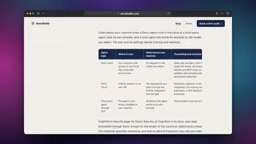
This means privacy protection isn't a single switch but a set of configuration items you need to check proactively. For teams handling sensitive codebases, before enabling cloud agents, you should confirm the terms regarding data training and retention in your plan settings. This information is usually tucked away in secondary menus within the settings page and is easy to overlook.
Data training and retention policies are two key dimensions for assessing the privacy risks of AI coding tools. "Training" refers to whether the provider uses your code or conversations to improve its models; "retention" refers to how long request content is stored on servers and whether it can be reviewed by humans. Most commercial plans offer a "not used for training" option, but retention periods may still range from days to weeks for abuse detection or troubleshooting. Enterprise plans typically offer stricter zero-retention terms. For teams with sensitive codebases, beyond checking settings, you should also confirm whether the provider holds compliance certifications such as SOC 2 and whether it supports additional data masking through an API gateway.
The Gap Between Review Scores and Real Experience
Software Reviews gives it a score of 8.5 out of 10 based on 58 reviews—a strong result among comparable tools. But scores are only a reference point; actual experience depends on your use case.
XDA's Parth Shah offered a representative assessment in his review: he was impressed by Devin Desktop's agent-first approach and excellent conversation view, but found himself instinctively looking for stronger models. This detail points to an easily overlooked issue—while the editor or control interface experience matters, the strength of the underlying model is equally decisive. No matter how smooth the interface, if the model struggles with complex tasks, users will find workarounds.

This also explains why review scores and individual experiences often diverge. An 8.5 reflects an overall impression, but in practice, model capability, task complexity, and codebase size all significantly affect satisfaction.
Model routing and substitutability is another angle for understanding the review gap. Many AI coding tools aren't locked to a single model—they let users switch between models from multiple providers (such as Anthropic, OpenAI, and Google) or automatically route based on task type. This means the same product can perform very differently under different model configurations, and a reviewer's experience often depends on the default model and account permissions at the time of review. Parth Shah's comment about "instinctively looking for stronger models" shows that users have independent expectations for the model layer—the interface and orchestration logic are the product's moat, but model capability is a substitutable upstream variable, and the two should be evaluated separately.
Who Should Migrate and Who Should Wait
For existing Windsurf users, the risk of this rebrand is low: plans are unchanged, the editor, extensions, and settings are all preserved, and the added Agent Command Center is worth trying. If parallel multi-agent dispatch fits your workflow, this upgrade is a natural next step.
For users who prioritize the strongest model capabilities, I'd recommend running a small-scale test before deciding. Reviewer feedback already shows that model choice largely determines a tool's ceiling, and this is the part most worth verifying before subscribing.
Devin Desktop isn't a tool for everyone. It suits developers who are willing to break down tasks, hand them to multiple agents working in parallel, and focus on reviewing and decision-making themselves. If your workflow relies more on fine-grained line-by-line control, or if you have a hard requirement that code never leaves your local machine, then before migrating, it's worth thoroughly understanding the privacy settings and model options.
Related articles

9 AI Subscription Plans Compared: The Real Cost Per 100M Tokens Revealed
Bilibili creator tests 9 AI subscription plans from Volcano, Alibaba, Tencent, Baidu, Zhipu, Xiaomi, MiniMax and more, converting them all to real cost per 100M tokens, breaking down fixed-quota vs. three-tier coefficient billing and how caching, time-of-day discounts, and window limits affect actual quota.

Vibe Coding for Beginners: Expressing Intent Instead of Handwriting Code
What is Vibe Coding? A 137-episode Bilibili course defines it: the core is expressing intent, not writing code. This article analyzes Vibe Coding's productivity logic, target audience, and entry expectations to help beginners decide if it's worth learning.

LangChain Beginner's Guide: An Agent Development Roadmap from LangGraph to Deep Agents
Clarify the encapsulation relationship among LangChain, LangGraph, and Deep Agents, and master the learning path and selection logic for agent development frameworks—suitable for beginners in large model development.