Complete Beginner's Guide to AI Manga Dramas: From Script to Character Design

Three free tools + a universal prompt framework to create AI manga dramas from scratch.
This article breaks down Bilibili creator Chuyi's complete AI manga drama workflow, focusing on script writing and character design. Using just three tools — Jimeng, Doubao, and CapCut — beginners can produce finished videos with free-tier features. The key to scriptwriting is the three-element prompt framework (identity, requirements, format), with three generation methods to choose from. Character design must ensure cross-shot consistency and tonal match; reference images are the most reliable way to lock in a visual style. Both scripts and character designs require mandatory human review before production.
AI manga dramas are emerging as a new frontier in content creation. With the rapid advancement of large models like Gemini 3 and GPT Image, converting a novel into cinematic storyboards, generating consistent character designs, and exporting a finished video with one click is no longer exclusive to professional teams. Bilibili creator Chuyi recently broke down a complete AI manga drama production workflow in their latest tutorial — even someone who has never touched video editing can independently produce a finished piece.
This article is based on that tutorial, focusing on the two most foundational steps: script writing and character design.
Only Three Core Tools — Basic Features Are All Free
Many people assume making AI manga dramas requires installing dozens of complex software programs. In reality, you only need three core tools, and all basic features are free.
- Jimeng (即梦): Handles static image and dynamic video generation. The free tier is more than sufficient for short story practice; if you plan to consistently update a long-running series of dozens of episodes, a membership is also reasonably priced.
- Doubao (豆包): The "content brain" of the entire workflow — writing scripts, developing settings, and refining copy all happen here. Every creative method in the tutorial can be executed in Doubao.
- CapCut (剪映): Used at the end to stitch generated videos together, add subtitles, layer in music, and export the final product. It's simple enough to pick up after watching a couple of walkthroughs.
The complete learning system is broken into seven modules: script and character settings, image generation, animation effects, audio/video production, CapCut finishing, monetization, and publishing/operations. This article focuses on the two most critical modules.
AI Script Writing: Master the Three-Element Universal Prompt Framework
"AI-written scripts are unusable" is the most common complaint from beginners — but the problem usually isn't the AI. It's that you're not asking the right questions. The tutorial distills a universal three-element prompt framework:
The Three-Element Framework
First: Character identity setting. Give the AI a professional label so it thinks from an expert perspective. Writing a modern workplace drama? Set the role as "a veteran urban drama screenwriter with 20 years of experience." Writing children's content? Set it as "a seasoned children's picture book author." The more precise the identity, the more professional the output.
Second: Specific requirements. Spell out the genre, length, style, key points, and background setting — don't make the AI guess. The more specific you are, the more precise the output.
Third: Output format requirements. Tell the AI exactly what format you want upfront to avoid repeated revisions later. For example: "Output 15 storyboard shots, each corresponding to 4 seconds of footage, including visual description, dialogue, and camera movement."
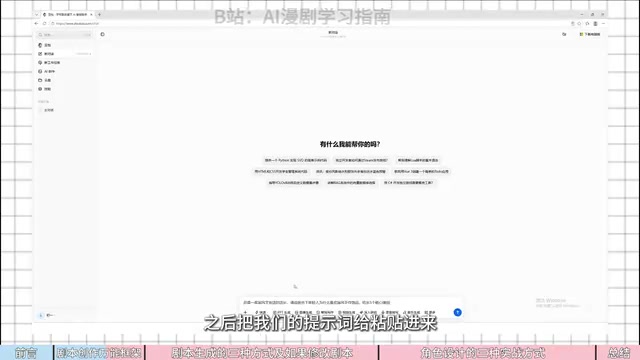
The tutorial validates the power of identity setting with a concrete example: asking the same question — "Why do young people love traditional Chinese handcraft?" — yields completely different results depending on the assigned identity. With the AI set as "owner of a Chinese cultural creative shop," the answers center on cultural emotional resonance, personal expression, and emotional value from an operational perspective. Switch to "ordinary consumer" and the answers shift to aesthetics for photos, uniqueness, and vibe. Same question, entirely different output.
This three-element framework is essentially a practical application of role-based prompting. Large language models absorb vast amounts of text from diverse professions and perspectives during training. By assigning a specific identity to the model, you effectively activate the knowledge distribution associated with that domain, making the output better aligned with the professional habits and mental frameworks of that field. The "output format" element corresponds to the technique of structured output — explicitly defining fields like shot number, duration, and framing means the model's output can directly feed into downstream tools (such as Jimeng's storyboard input), reducing the need for manual reformatting. For beginners, the greatest value of this three-element framework is that it transforms the vague internal desire of "I want something like this" into structured instructions the model can reliably respond to, dramatically reducing the back-and-forth.
Three Script Generation Methods: From Fast to Reliable
The tutorial offers three script generation approaches, which can be chosen flexibly based on your needs.
Method 1: Generate a Complete Storyboard Script Directly
The biggest advantage is speed — one step, done. Ideal for rushing a draft or a quick proposal. Use the three-element framework to fire off a single prompt, such as: "Assume you are a top-tier healing-style illustrator. Create a short film script set in a coastal fishing village — 15 shots, each no longer than 4 seconds" — and you'll get storyboards right away.
The downside is equally obvious: the language tends to be overly flowery. Abstract descriptions like "fragments of golden light dancing on gentle ripples" can't be interpreted by AI video generators. The fix is to append an instruction: "Keep descriptions plain and concrete, minimize abstract metaphors, to make it easier for AI to generate imagery."
Method 2: Write the Story First, Then Break It Into Storyboards
This is the tutorial's most recommended approach — logically sound with fewer errors. First have the AI write a complete, self-contained story of 400–500 words with a clear narrative arc, then break it into storyboards after verifying the logic.
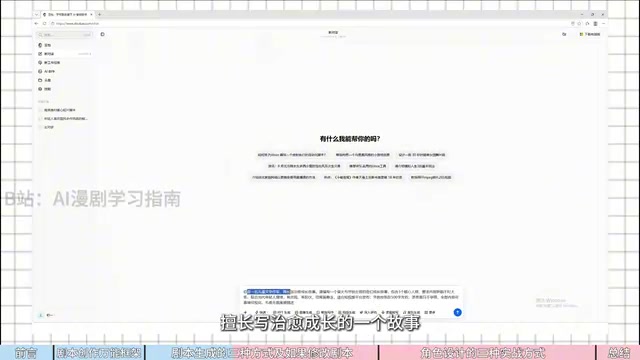
The key is to read through the story carefully after it's generated and check for any logical inconsistencies. Once confirmed, have the AI create the storyboards — the output will include shot numbers, duration, visual descriptions, framing type, character actions, sound effects, and dialogue, with each shot kept to around 4 seconds. Storyboards generated this way have coherent narrative logic and grounded visual descriptions, with far fewer pitfalls than Method 1.
Method 3: Adapt a Viral Framework Through Secondary Creation
The most reliable approach with the highest likelihood of results — ideal for those building an account or pursuing monetization. Viral frameworks have already been market-validated. All you need to do is swap out the characters, settings, and props to create an entirely new story. The risk is low and growth comes faster. In practice, copy a viral story into a new conversation and ask the AI to "reference the framework of the story above, replace the characters, setting, and core props, and create a brand-new healing growth story" — preserving the viral pacing without copying or infringing.
Recommendation: Beginners should start with Method 2; those wanting to grow an account quickly should use Method 3; for a rushed first draft, Method 1.
Always Review Scripts Manually
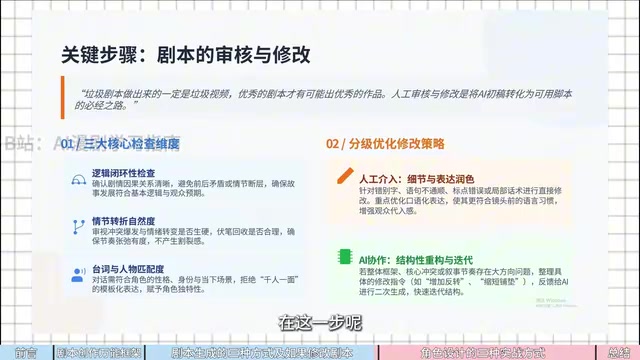
The tutorial repeatedly emphasizes: a bad script will always produce a bad video. A single episode of a short drama is only one to three minutes long with just a few hundred to a thousand words of copy — reading it takes only a few minutes. Fix small details directly; for bigger structural issues involving core conflicts or pacing, compile specific revision instructions (like "add a plot twist" or "shorten the buildup") and feed them back to the AI for a second pass. Don't skip this step. Discovering script problems after all the visuals are done means rework that wastes both time and money.
Character Design: The Key to Fixing Inconsistent Faces
The biggest headache for beginners making short dramas is face inconsistency — the same character looks completely different from one shot to the next, instantly breaking immersion. Character design serves two core purposes:
- Consistency: The same character's hairstyle, outfit, and facial features must remain consistent across different scenes. A character can't have a high ponytail in one shot and bangs in the next.
- Atmosphere matching: Healing stories call for soft, Q-style character designs; mystery stories call for cool, realistic aesthetics. The visual style must match the story's tone.
Three Character Design Methods
Method 1: Script-driven prompt generation. The most effortless approach. Upload your finalized script to Doubao, have the AI first extract all characters (check for any omissions), then have it design Q-style character appearance prompts in the role of a "top character designer." Make sure to copy both positive and negative prompts into the image generation dialog. Use Doubao to save costs, or use Jimeng's model for better quality.
Method 2: Define style with reference images. If you've found a visual style you love but can't describe it in words, just upload the reference image for the AI to learn from and then generate the character. For inspiration, open Jimeng's "Inspiration" section and search keywords, or screenshot something you like and give it to Doubao, asking it to "generate a character referencing the drawing style of this image, with style completely consistent with the reference."
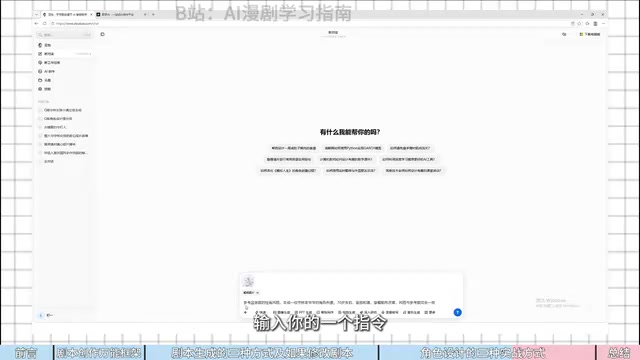
The tutorial notes that characters generated with reference images match the original art style far more closely than pure text descriptions. If you want to maintain a consistent visual style throughout the entire piece, reference images are the most controllable method.
Method 3: AI-assisted rapid ideation. Best for early-stage brainstorming. No need for a script or reference image — just give a direct instruction (e.g., "Generate a 2D watercolor Q-style image of a 10-year-old girl") for fast, flexible iteration. Keep tweaking details like hair color and clothing until you're satisfied.
Recommendation: Use Method 3 just to determine an output direction; use the first two methods for finalizing designs. Regardless of which method you choose, clarify your art style before generating — whether it's 2D illustration, CG animation, or watercolor — and prioritize reference images when available. "A reference image is worth more than 100 lines of prompt text."
The root cause of inconsistent faces in AI-generated images is that mainstream diffusion models treat each generation as an independent sampling process with no inherent "character memory" across images. Tools like Jimeng and Midjourney typically constrain visual consistency by injecting reference image feature vectors into the generation process using techniques like style transfer or IP-Adapter. This explains why the tutorial repeatedly emphasizes that reference images are more controllable than text descriptions — text relies on the model's semantic interpretation of words, which leaves room for ambiguity, while reference images provide visual feature vectors directly, creating more precise constraints. In practice, beyond reference images, maintaining the same conversation context, not switching model versions, and fixing the random seed are also common auxiliary methods for preserving character consistency.
Key Takeaways
The entire methodology boils down to three principles:
- Use the universal formula for script writing: The three-element framework eliminates endless back-and-forth with AI.
- Unify visual style and atmosphere in character design: Ensure character visuals are highly aligned with the story's setting, balancing visual recognizability and emotional resonance.
- Manual review is non-negotiable: Both scripts and character designs must pass a human quality check.
For beginners working on storyboards, writing the full story before breaking it into shots effectively lowers the barrier and builds experience. For those wanting to grow an account quickly, adapting viral frameworks through secondary creation dramatically cuts the time investment. As the tutorial concludes: "Creativity comes from accumulation; execution beats empty ideation." Experience only builds when you start writing your first script.
Related articles

Free Unlimited Claude Code Solution: Agnes AI + CC Switch Setup Guide
No paid subscription needed — pair the free AI platform Agnes AI with the open-source tool CC Switch to provide a backend for Claude Code, enabling unlimited free calls to text, image, and video models. This guide covers the full setup, test results, and usage boundaries.

A Complete Zero-Cost Guide to Getting Started with Claude Code for Beginners in China
A beginner's guide to Claude Code for users in China: two installation methods (command line and IDE plugin), full configuration steps for replacing the official API with the free domestic LongCat model, and a hands-on demo of building a small tool with natural language, plus tips.

When the NSA Gets Involved: The AI Supply Chain Crisis Behind Open-Source CVEs and API Key Hijacking
Multiple open-source projects disclosed severe CVEs in one day, PHP flaws alarmed the FBI, and Railway and OpenCode were breached with API keys stolen. This article breaks down the vulnerability window, AI-accelerated exploitation, and the AI supply chain crisis behind the API key black market, with a developer defense checklist.