Complete Guide to Building a Local RAG Knowledge Base with DeepSeek R1

A hands-on guide to building a local private RAG knowledge base with Ollama, DeepSeek R1, Nomic, and Cherry Studio, plus effectiveness analysis.
Addressing LLM hallucination in specialized domains, this article explains RAG (Retrieval-Augmented Generation). Based on a Bilibili creator's step-by-step tutorial, it breaks down the index/retrieve/generate workflow and details how to build a local private knowledge base with Ollama, DeepSeek R1 7B, Nomic Embedding, and Cherry Studio. Tests show the 7B model fails even with context, while a cloud API reasoning model performs much better — proving the underlying model sets RAG's ceiling.
Large language models are stunning on general questions, but the moment they touch a specialized domain, they tend to "make things up" — that's the hallucination problem. RAG (Retrieval-Augmented Generation) is currently one of the most practical solutions. Based on a step-by-step tutorial from a Bilibili creator, this article breaks down how to build a local, private RAG knowledge base from scratch using Ollama, DeepSeek R1, the Nomic embedding model, and Cherry Studio.
Why Do We Need RAG? The Root of LLM Hallucination
The creator gets straight to the pain point: LLMs are strong at reasoning through general problems, but when faced with specialized questions, their answers are often vague — or even wildly off-base hallucinations. A hallucination is when the model doesn't actually have the relevant knowledge in its training data, yet still forces out an answer that looks accurate but is actually wrong.
The core idea of RAG is "look up the material first, then answer." It retrieves relevant information from a large knowledge base, then combines it with the model to generate a high-quality response. Compared with asking the LLM directly, RAG has clear advantages in fighting hallucination, managing local files, and keeping data secure — especially suited to privacy-sensitive enterprise or personal scenarios.
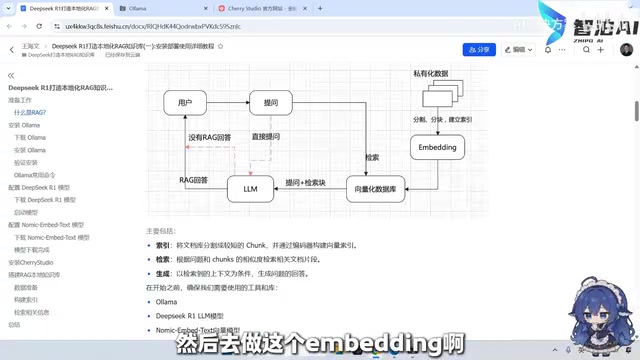
Breaking Down the RAG Workflow: Index, Retrieve, Generate
The video uses a single flowchart to explain the entire RAG pipeline. Without RAG, a user's question goes straight to the LLM, and the model answers from its internal knowledge. With RAG, the process becomes three steps:
- Index: Local private data (PDF, Word, Excel, TXT — even video and audio) is split into chunks, vectorized through embedding, and stored in a vector database.
- Retrieve: When the user asks a question, relevant snippets are first retrieved from the vector database, rather than throwing the question directly at the LLM.
- Generate: The retrieved snippets and the user's question are combined into a context and fed into the LLM together, and the model generates a synthesized answer based on that content.
The creator emphasizes that the similarity-matching mechanism in the retrieval step is critical — chunk quality and retrieval strategy directly determine the accuracy of the final answer. This is also the part that needs the most tuning when deploying RAG in practice.
Embedding is a key step in the RAG pipeline. It uses an embedding model to map text snippets into high-dimensional numerical vectors, so that semantically similar texts end up closer together in vector space. Nomic Embedding is this kind of model — it converts split document chunks into vector representations. The vector database then stores these vectors and supports efficient similarity search (such as cosine similarity). When the user asks a question, the system vectorizes the question the same way, then finds the closest snippets in the database. The quality of the embedding model directly affects retrieval recall and accuracy, so choosing an embedding model that matches your domain is an important part of RAG tuning.
Chunking strategy determines the granularity at which text is split. Common approaches include fixed-length chunking, paragraph- or heading-based chunking, and overlapping chunking. Chunks that are too large may introduce noise, while chunks that are too small may lose context. The number of retrieved snippets (i.e., the number of referenced chunks) controls the context length fed to the LLM — more snippets mean richer context but also greater inference burden and latency. These parameters need to be balanced and adjusted for the specific scenario.
Tool Selection: Four Components, Each With Its Role
Building a local RAG knowledge base requires four core tools:
- Ollama: A tool for running LLMs locally, with easy download and installation, and support for mainstream systems including Windows.
- DeepSeekAd R1: The 7B version is chosen as the local inference model.
- Nomic Embedding: A text vectorization model responsible for turning document chunks into vectors.
- Cherry Studio: A client platform that integrates multiple LLM service providers, supporting knowledge base management, MCP tool invocation, and more.
The creator specifically notes that if you haven't downloaded a model before, Ollama's run command will automatically trigger the download and start it; the embedding model only needs the pull command to download — no need to run it.
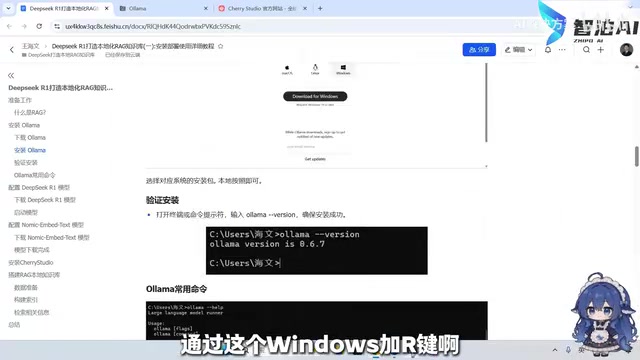
Ollama is an open-source local LLM runtime framework that wraps up the complexity of model downloading, loading, and inference, offering both a command line and an API. Users can run various open-source models (such as Llama, DeepSeek, etc.) with a single command, and it supports custom model files. Its run command starts a model (automatically pulling it if not downloaded), pull only downloads the model without running it, list shows local models, and ps shows running models. Ollama lowers the barrier to local deployment, letting non-expert users quickly experience LLMs.
DeepSeek R1 is a family of reasoning models released by DeepSeek, available in different parameter sizes (such as 7B, 32B, etc.). The 7B version is suitable for lightweight local deployment, but its reasoning ability is limited; larger parameter versions or cloud APIs provide stronger logical reasoning and knowledge application. The R1 series emphasizes chain-of-thought reasoning and performs better on complex problems, but requires more compute resources.
Cherry Studio is a client application that supports multiple model service providers, integrating chat, knowledge base management, MCP tool invocation, and other features. It lets users uniformly configure models from different sources (local Ollama or cloud APIs) and switch between them easily. Its knowledge base feature supports document import, automatic chunking, vectorization, and retrieval-augmented Q&A, simplifying the process of building RAG applications.
Hands-On Steps: From Installation to Creating a Knowledge Base
Install Ollama and Verify
Download the installer for your system from the Ollama official website; installation is like any ordinary software. After installation, press Win+R to open the command line, enter ollama --version to confirm the version (0.6.7 in the creator's demo), then use ollama --help to see common commands such as create, run, stop, push, list, ps, etc.
Pull the DeepSeek R1 and Nomic Models
Run ollama run deepseek-r1:7b in the command line — the first run will automatically download the model. Then use ollama pull nomic-embed-text to download the embedding model. The creator notes that the 7B model has limited reasoning ability; if answer quality isn't ideal, you can switch to a model with more parameters or call an API.
Configure Cherry Studio
Download Cherry Studio from the official website (generally the x64 version). After opening it, the interface includes a chat assistant and a settings gear icon. In settings you can configure MCP tools, model services, knowledge bases, and more. The creator says it supports the vast majority of LLM service providers on the market and is feature-rich.
Create a Knowledge Base and Import Data
Click the knowledge base button, add a new knowledge base and name it (e.g., "Course Test"). For the embedding model, you can choose the default SiliconFlow or the local Ollama Nomic model — as long as it's consistent. The number of requested document snippets is adjustable; maxing it out enriches context but slows things down, so the creator suggests testing with default values first.
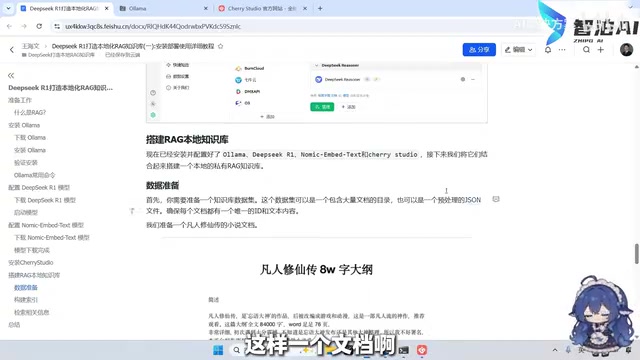
When adding files, a very wide range of formats is supported. The creator deliberately picks a novel PDF to simulate non-standard-format data from real business environments. After import, the system automatically handles chunking and vectorization with no manual intervention.
Test Results: The 7B Model Isn't Enough — Switching to an API Makes an Immediate Difference
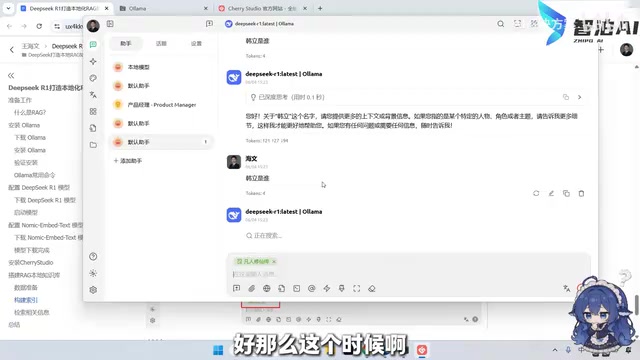
The creator first asks a question using the local DeepSeek R1 7B model and finds it can't answer correctly. After adding the knowledge base, the system references 30 snippets as context, but the 7B model still gives a wrong answer. The creator explains: the model's response depends on reasoning ability, and a model with too few parameters can't reason it out even when given the material.
Then switching to the official API's reasoning model (referred to in the video as "gibbsake's resonance"), with the same 30 referenced snippets, the model thinks and returns a basically correct result, including core data such as age and events. This shows that RAG's effectiveness depends heavily on the underlying model's capability — small models suit lightweight scenarios, while professional applications should use stronger models.
Key Takeaways and Applicable Boundaries
Several lessons can be drawn from this hands-on test: the barrier to local RAG deployment really is low — the Ollama + Cherry Studio combination lets non-expert users get started; but the 7B small model struggles with professional Q&A — RAG can provide context, but it can't make up for weak reasoning ability.
For scenarios with high privacy requirements where data must not leave the local machine, this solution is worth trying; if you're after answer quality, pairing with a cloud API or a larger-parameter model is recommended. The creator also notes that chunking strategy, the number of retrieved snippets, and the choice of embedding model all affect the final result — in real deployment, you need to tune these for your own data.
At the end of the video, the creator says they'll continue sharing more RAG-related content and welcomes comments in the comment section.
Related articles
 Tech Frontiers
Google Omni 1.2 Flash: 15-Second AI Video at Just $0.07 per Second
Google DeepMind releases Gemini Omni 1.2 Flash: 15-second video, 720p at $0.07/sec (30% cheaper), multi-turn editing without regeneration, draft upscaling to 4K.
 Tech Frontiers
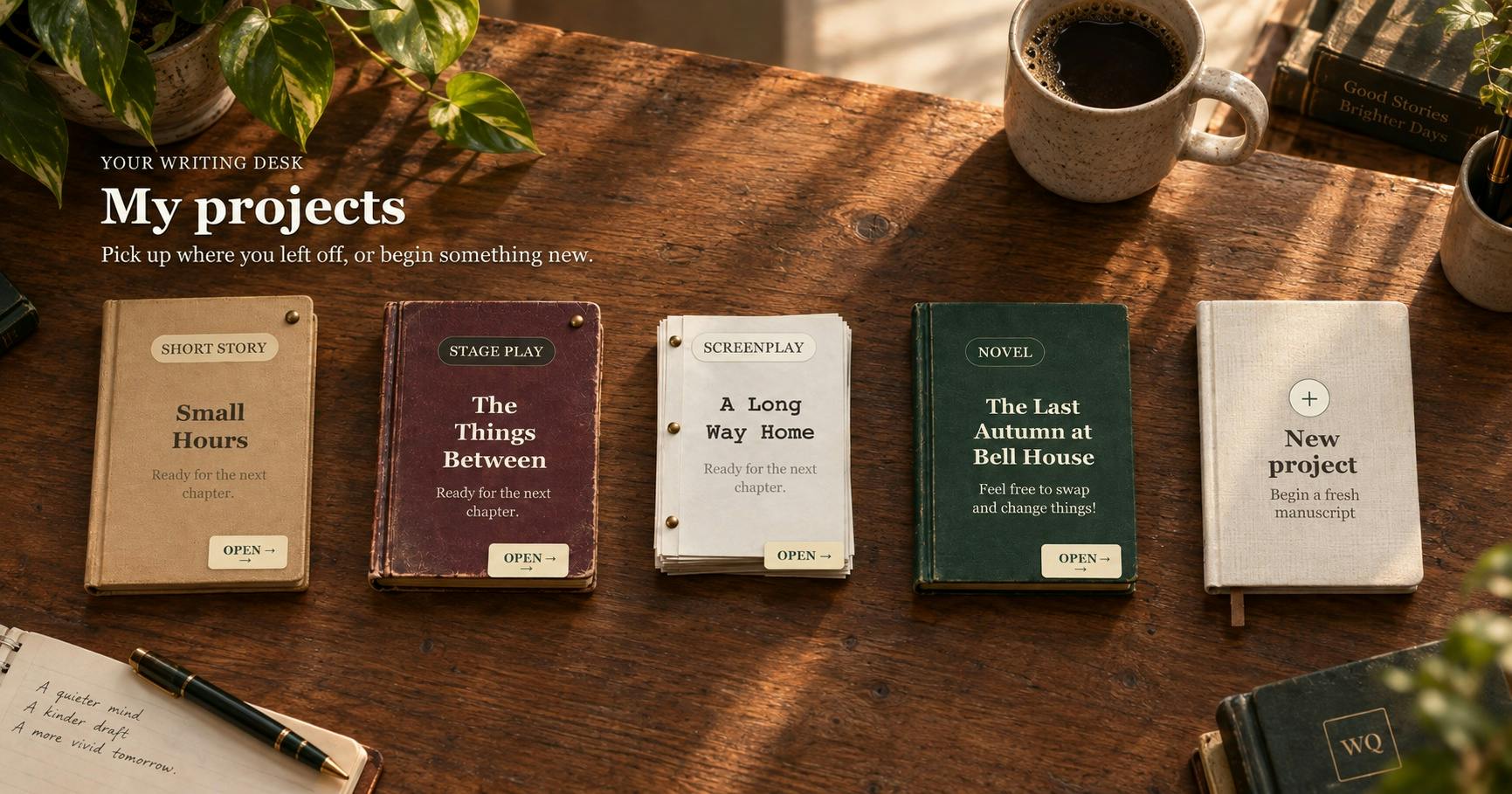
No AI Ghostwriting: Writer's Quarter Reinvents Novel Writing with a Visual Workbench
The Writer's Quarter is an AI-free novel writing and planning tool that unifies character building, story planning, and manuscript writing in one visual workbench. This article analyzes its positioning, target users, and differentiated value amid the rise of AI writing tools.
 Tech Frontiers
Fleeep: A Unified Inspiration Collection Notes App for Creatives
Fleeep is a notes app for creatives that unifies screenshots, bookmarks, saved posts, and inspiration into one calm, cross-device, offline-capable space. This article analyzes its positioning, differentiation, and target users.