Complete Guide to Building Your Hermes AI Employee: From Claude Code Deployment to Automated Social Media

How to deploy the Hermes AI agent framework using Claude Code and make it a real working AI employee.
This guide walks through building a Hermes AI agent — using "Bob" as a real-world example that manages ad accounts, handles multi-platform DMs, and runs 35 around-the-clock scheduled tasks. The recommended stack includes Hetzner (€4–6/month) over conventional web hosts, GitHub + Supabase + Composio as the core infrastructure, Unipile for social media DMs, and Doppler for secrets management. The entire deployment is handled through Claude Code natural language commands — no manual server logins required. The honest takeaway: installation is trivial, but turning an AI agent into a genuinely productive "employee" requires months of iterating on skills, tools, and rules.
What Is Hermes and Why It's Worth Building
Hermes is a well-regarded AI agent framework — essentially a free GitHub repository you can install. Point Claude Code at the repo, and it will automatically handle the installation and spin up a visual dashboard where you can monitor files, models, and scheduled tasks.
Creator LeeJNJ (who runs several eight-figure software and agency businesses) demonstrated his Hermes agent named "Bob": it manages ad accounts, posts on social media, replies to comments, and handles all DMs on Instagram and LinkedIn. Bob runs on a Mac mini, executing 35 around-the-clock scheduled tasks in real time — everything from morning briefings and daily reviews to calendar previews and social media reports.
The core philosophy here is worth emphasizing: you almost never need to log into the Hermes dashboard. All configuration, debugging, and adding new skills and scheduled tasks happens directly through the Claude Code terminal you're already using.
Claude Code is Anthropic's command-line AI coding assistant. It can read and write local files, execute terminal commands, and call external APIs — essentially an AI agent that operates within a real computing environment. What sets it apart from ordinary chat-based AI is its "tool-calling" capability: it doesn't just suggest code, it actually executes operations. This is precisely what allows it to automatically read GitHub repos, SSH into remote servers, configure environment variables, and launch services — compressing what would normally be a manual deployment process into a few natural language instructions. The ease of use that Hermes offers depends heavily on Claude Code's "agentic execution" capabilities, rather than any inherent technical complexity in the framework itself.
Deploy on Hetzner, Not the "Convenience Trap" of Web Hosts
Plenty of sponsored videos will teach you to set up Hermes on platforms like Hostinger with a single click — but the author points out there's a catch: in the name of convenience, you typically end up with an underpowered server controlled by the platform, with higher long-term costs to boot.
His recommended option is Hetzner — a VPS platform popular among developers, priced at roughly €4–6 per month per server, with no annual contracts and the ability to scale up anytime at minimal cost. Many hosting companies are essentially just reselling Hetzner at a markup.
The setup process is straightforward:
Getting Your API Token
- Register a Hetzner account and enter your billing information
- Go to your default project → Settings → Security → API Tokens
- Create a token and hand it to Claude Code
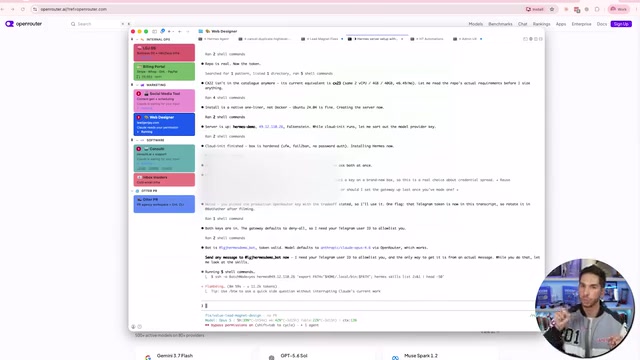
Once you have the token, point Claude Code at Hetzner's API documentation and simply tell it: "I want to build a Hermes agent, here's the GitHub repo, and here's my Hetzner key." It will automatically select a server configuration optimized for Hermes, set up SSH keys, and log into the server to complete the installation. The author's demo used a server with 8GB RAM — considerably more powerful than what most web hosts provide.
Configuring AI as a "Real Employee"
The author's core recommendation: treat your agent like an actual team member. He set up a dedicated Gmail account, phone number, and Slack account for Bob so it operates as an independent identity for all tasks — making it easy to trace every action back to its source and fix issues when they arise.
On top of that, an effective Hermes setup requires three layers of infrastructure:
- GitHub Repository: For pushing code, skills, and updates to the agent (the author's repo is called Bob Command Center)
- Supabase Backend: Free, gives the agent persistent memory so it can remember code and updates
- Composio: A free tool integration platform with built-in integrations for GitHub, Supabase, Google Calendar, Slack, Zoom, QuickBooks, and many more
Composio's value lies in eliminating the tedious process of building your own developer apps and managing various API keys. You simply click "Connect" to integrate these tools into your agent — and you can even sync multiple accounts (the author connected 5 different Gmail accounts).
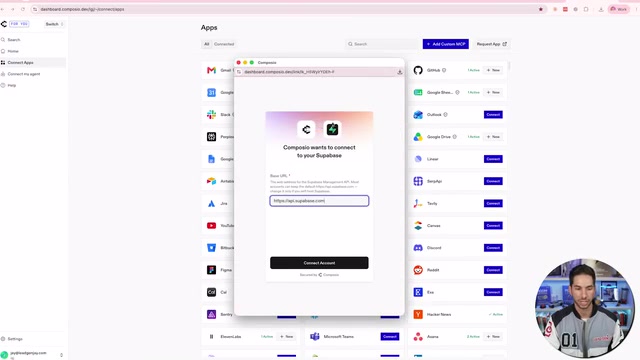
The author also mentions using Doppler for centralized API token management, avoiding the problem of repeatedly pasting keys into AI conversations and triggering "key leaked, needs rotation" warnings. Doppler connects to Vercel to distribute keys across all application frontends.
Supabase is an open-source Backend-as-a-Service (BaaS) platform built on PostgreSQL, offering database, authentication, real-time subscriptions, and file storage — with a free tier that's more than adequate for personal projects. In Hermes's architecture, it acts as the agent's "long-term memory": after each task, the AI can write results, context, and history to Supabase and read them back on the next run, effectively bypassing the context window limitations of a single LLM conversation. Without persistent storage, the agent starts each session with amnesia — unable to accumulate experience or maintain consistency across tasks. Composio, meanwhile, is a tool integration middleware layer designed specifically for AI agents. It handles the tedious work of OAuth authorization, token refresh, and API format adaptation upfront, so developers just click to connect rather than manually managing developer apps and keys across every platform.
The Key to Breaking Through Social Media Automation: Unipile
While Composio covers most foundational needs, it has one notable weakness — social media DMs and comments. Instagram connections are unreliable, and actions like replying to DMs older than 24 hours or commenting on others' posts are beyond Composio's capabilities, leaving only unstable browser automation as a fallback.
The author's solution is Unipile: it maintains API connections to social platforms in a unique way, at a very low cost (priced per account). Whether you need to reply to LinkedIn DMs, respond to older Instagram messages, or connect WhatsApp, Facebook Messenger, Telegram, and various email accounts, Unipile manages it all in one place. It excels precisely at the DM and comment reply use cases where no other good solution exists.
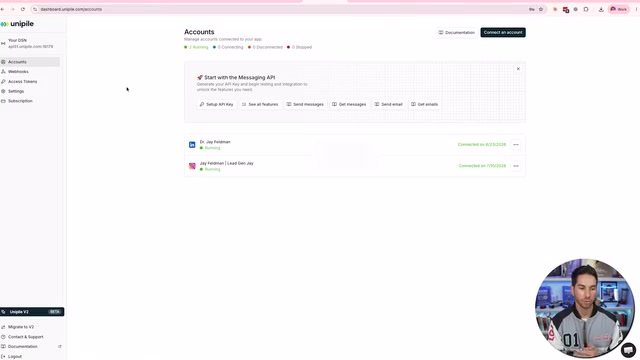
For posting content, the author uses Upload Post to sync across Stories, Instagram, Facebook, X, and other channels. Image and video generation is handled through the 4A (Fal.ai) integration inside Composio.
Communication Channels and LLM Selection
How do you talk to your agent? Hermes supports multiple channels including Telegram, Discord, Slack, and WhatsApp. For most people, Telegram is the simplest: use BotFather to send /newbot, follow a few steps to create a bot and get your token, then hand that token to Claude Code to sync with Hermes.
If you want iMessage but don't have a Mac mini, the author recommends Photon Codes — it lets AI agents communicate with you via iMessage, and offers a free plan with a free number.
Which model should power it? The author's Bob runs on the fully loaded $200/month Codex plan, but he readily admits regular users don't need that at all — a $20 ChatGPT subscription runs it smoothly and you'll barely make a dent in your usage quota. You can also connect via an Anthropic API key or OpenRouter account to access any model (including cheaper open-source options). His top recommendation is syncing directly with a ChatGPT subscription for the most seamless experience.
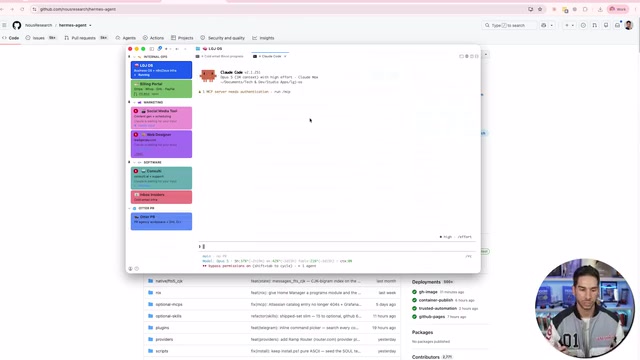
The author also suggests setting up a shortcut command like /Bob or /Hermes inside Claude Code so it automatically SSHes into the server with saved credentials — meaning you never have to log into the VPS or dashboard again.
The Hard Part: Making Your Agent Self-Improve
The author repeatedly emphasizes: the setup is the easy part — making it profitable and useful is the real challenge. He shared a self-improvement mechanism: have the agent review all messages from the past 24 hours at the end of each day, identify areas for improvement, and use those insights to deliver better results the next day.
A truly effective AI system is built from three things working in concert:
- Skills: Refined prompts, edge case handling, and rules
- Tools: What it can access and how to use it correctly
- Rules: "If this, then that" conditional logic
The reason Bob can manage ad accounts isn't because of simple integrations — it's because of tools, rules, and prompt combinations refined over six months of continuous iteration. The author acknowledges this system evolved from OpenCloud/Cloud Channel (now renamed the Hermes agent) through ongoing development.
This is also where the tutorial is most honest: installation takes just three sentences to Claude Code, but turning an AI employee into something that genuinely performs requires extensive optimization, repeated practice, and accumulated trial and error.
The "daily self-improvement mechanism" the author describes corresponds to a design pattern in AI agent development known as the Reflection Loop: having the agent enter a "metacognitive" mode after tasks complete, reviewing its own behavior, identifying failures or inefficiencies, and using those findings to update its own instruction or rules files. The logic mirrors a human employee writing a work retrospective — but the critical challenge is that the quality of an AI's self-assessment depends heavily on prompt design. If the evaluation criteria are vague, the reflection output may be superficial or even reinforce incorrect behavior. Truly effective reflection loops typically need to be anchored to quantifiable output metrics (such as reply rates or conversion rates) rather than relying on the model to subjectively judge "where it could do better." This explains why the author emphasizes six months of iteration: the value of rules and skills files lies precisely in the edge-case handling logic distilled from real failures.
Related articles

Frontend to AI Agent Development: A Frontline Architect Explains Career Paths and Opportunities
A frontline AI architect explains the industry changes and practical paths for frontend developers transitioning to AI Agent development: why pure frontend jobs are disappearing, why Agent + full-stack has become mainstream in hiring, and three transformation routes—Agent development engineer, FDE, and remote contracting—along with corresponding learning strategies.

How to Choose an AI Agent Development Course: Five Pitfall-Avoidance Guidelines
A mechanical-engineering career changer's two-year pitfall-tested checklist for screening AI Agent development courses: complete delivery pipeline, resume-worthy projects, real development perspective, update frequency, and coaching feedback—with concrete judgment methods and pitfall-avoidance tips.

Coze AI Agent Building for Beginners: A Zero-Code AI Agent Development Guide
Coze, ByteDance's one-stop AI application development platform, supports zero-code drag-and-drop AI agent building. This article outlines Coze's core concepts, three advantages, differences between the domestic and international versions, and the distinction between agents and apps, helping beginners quickly get started with AI Agent development.