Complete Guide to Claude Code Desktop: Access DeepSeek Domestic Models Without an Account

How to run Claude Code Desktop account-free and integrate the DeepSeek domestic model at low cost.
A complete guide to Claude Code Desktop: install it, enable developer mode for account-free use, integrate DeepSeek via CC Switch's local routing, apply Chinese localization, and configure custom Skills—all achievable in ten minutes, even for beginners.
Why Choose the Desktop Version + Domestic Models
Claude Code is an AI programming assistant launched by Anthropic, renowned for its powerful code comprehension and generation capabilities. Anthropic was founded by former OpenAI members, with "responsible AI development" as its core philosophy. Claude Code's key strength lies in its extremely long context window and its ability to understand codebases holistically—it can track call chains across files and understand project architecture, rather than merely completing single lines of code.
This extremely long context capability doesn't come easily. The attention mechanism of traditional Transformers has O(n²) complexity, meaning computation grows quadratically as context length increases—this is the fundamental reason early large models limited context to 4K-8K tokens. Understanding this bottleneck requires starting with the self-attention mechanism itself: when computing the representation of each token, the Transformer must compute relevance scores with all other tokens in the sequence, causing both computation and memory usage to grow as O(n²) with sequence length n. Taking a 100,000-token codebase as an example, raw self-attention would require computing 10 billion token-pair relevances, far exceeding the memory limit of a single GPU.
Anthropic broke through this limitation with a combination of techniques: Sparse Attention only computes local token pairs or important token pairs filtered by heuristic rules, drastically reducing computation; Sliding Window Attention lets each token attend only to context within a fixed window, reducing complexity to O(n·w) where w is the window size; and position encoding extrapolation techniques (such as ALiBi and RoPE) solve the performance degradation problem when a model performs inference beyond its trained length. Among these, RoPE (Rotary Position Embedding) encodes positional information as vector rotation angles, allowing the model to maintain awareness of relative positional relationships even when facing inputs exceeding trained sequence lengths; while ALiBi (Attention with Linear Biases) directly adds a penalty term proportional to distance into attention scores. Both enable length extrapolation at inference time without retraining. This combination of techniques extends the Claude series' context to hundreds of thousands or even millions of tokens, enabling it to process an entire code repository in a single conversation.
It's worth mentioning that long context capability itself carries hidden risks: researchers found that when the input sequence is extremely long, the model's attention to information located in the middle systematically declines—a phenomenon known as the "Lost in the Middle" effect. Its root cause lies in the "positional bias" of the Transformer's attention mechanism: in training data, the most relevant information often appears at the beginning of the sequence (such as system prompts) or the end (such as the most recent user input), causing the model to learn higher attention weights for the first and last positions during pretraining. When the sequence is extremely long at inference time, middle-position information is gradually "diluted" across multi-layer attention computations, and its gradient signals are relatively weak—this effect begins to become significant in inputs exceeding 20K tokens and is especially prominent at the 100K token level. This means that even if the context window is large enough, the positional distribution of information within the window equally affects the model's actual comprehension quality. This is why excellent code indexing strategies (placing the most relevant files at the beginning and end of the context) are more important than simply expanding the context. Compared with tools like GitHub Copilot, Claude Code is better at handling complex tasks requiring multi-step reasoning, such as refactoring, debugging, and generating test cases.
Its Agent mode further allows automatic execution of terminal commands, reading and writing files, and calling external tools, forming a complete autonomous programming workflow. The underlying implementation of Agent mode is based on the "Tool Use" mechanism, which allows the model to actively call external capabilities during a conversation. This paradigm originates from the ReAct (Reasoning + Acting) framework—proposed by Google Research in 2022. Its core insight is: pure Chain-of-Thought reasoning is prone to hallucination in multi-step tasks, because the model is merely reasoning within its "imagination" and lacks correction from the real environment; while a pure action sequence lacks interpretability and is difficult to debug and improve. ReAct interweaves reasoning and action: after each action, it observes feedback from the real environment (such as command execution results, file contents, API return values), and uses these observations as new evidence to update the reasoning state, forming a closed loop of "think → act → observe → think again."
It's worth noting that the effectiveness of the ReAct framework has been validated in multiple benchmark tests—experiments in the original paper on benchmarks like HotpotQA (multi-hop reasoning QA) and FEVER (fact-checking) showed that compared with pure CoT reasoning, ReAct reduced the error rate by about 34% on QA tasks requiring information retrieval (note this figure is an average for specific tasks, with smaller improvements for purely closed-form reasoning tasks). This is precisely because each "action" step anchors the model's reasoning to real environmental feedback, fundamentally suppressing the propagation of hallucinations. From a systems engineering perspective, ReAct essentially embeds the large language model into a cybernetic closed loop of perception-decision-execution: the model is no longer an isolated text generator but becomes an autonomous Agent capable of continuous interaction with a real computing environment. The significance of this shift far exceeds tool calling itself—it means the model's "intelligence" can continuously self-correct through iterative feedback with the environment, rather than relying on the perfection of a single inference. This design is especially important in programming tasks requiring interaction with external environments—the model can first write a piece of code, see error messages after execution, and then make targeted corrections, rather than generating all code at once and praying it runs. This can significantly improve task completion rates.
But for domestic developers, directly using the official models presents two major pain points: high account registration barriers, and expensive model invocation costs.
This article focuses on the complete implementation plan for the desktop version of Claude Code, covering installation, account-free usage, Chinese localization, integrating the DeepSeek domestic model, and configuring custom Skills. The entire process can be completed in ten minutes even with zero foundation, making it suitable for developers who want to experience Claude Code's capabilities at low cost.
This tutorial is divided into five core steps:
- Install the Claude Code desktop version
- Enable account-free mode
- Chinese localization
- Integrate the DeepSeek model
- Use custom Skills
Step One: Install the Desktop Version and Enable Account-Free Mode
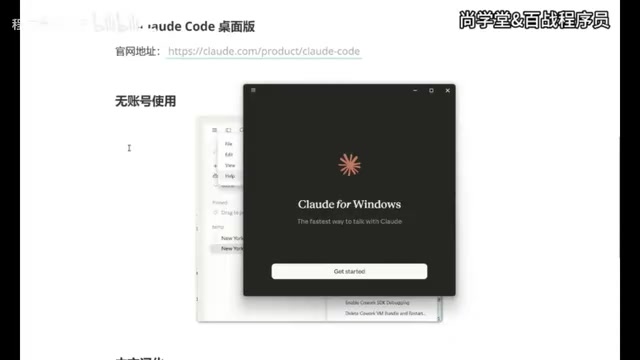
Go to the official Claude Code page, find the "Get Claude Code" entry, hover to expand the various usage methods, and select Desktop, which is listed first. The system will automatically match the download version based on your operating system (Windows or macOS).
The installation process is a standard wizard-style flow—just click "Next" all the way through to complete it. After installation, you'll enter the login screen, which by default requires a Google account to log in—but the core of this tutorial is precisely bypassing this step.
Enable Developer Mode
The key to account-free usage lies in enabling developer mode:
Click the three-horizontal-bar icon in the upper left → go to "Help" → find "Enable Developer Mode" → click to enable and confirm.
Claude Code will automatically restart, and after restarting it enters a configurable state that doesn't require binding an account. This step is the prerequisite for the entire plan to integrate third-party models, and it's also the critical sticking point where many people previously failed to configure.
Technical principle: "Developer mode" essentially unlocks a set of hidden configuration interfaces, allowing users to customize the model endpoint and API Key rather than being forced to use Anthropic's official model service. This mechanism relies on the OpenAI-compatible API protocol—which has become the de facto standard in the LLM industry, its importance similar to the HTTP protocol in web development or the SQL standard in the database field.
The core of the protocol standardizes the request/response format for the
/v1/chat/completionsendpoint, mainly including several key designs: a unified message structure (using role/content fields to distinguish system prompts, user input, and model replies); streaming output (based on SSE, i.e., Server-Sent Events protocol, allowing the model to push output as it generates rather than returning after all generation completes, significantly improving perceived latency—in code generation scenarios, users can start reviewing the first half of the code while the model is still outputting, greatly improving actual usage efficiency); and Function Calling (allowing the model to declare which tool to call and its parameters in structured JSON format within its reply, which is the underlying foundation of Agent mode's ability to automatically execute terminal commands, read and write files, etc.).After OpenAI fully opened this format in 2023, most model providers in the industry today (including DeepSeek, Moonshot, Zhipu GLM, Mistral, etc.) have implemented compatible interfaces. This means that as long as you replace the Base URL and API Key, the client can seamlessly switch model backends without any modification, greatly reducing the cost of ecosystem migration.
The far-reaching significance of this protocol standardization also lies in: it thoroughly decouples "model capability" from "application integration"—developers don't need to worry about the underlying model's weight structure or inference framework, they only need to program against a unified interface, similar to the device driver abstraction of an operating system, which greatly accelerates the iteration speed of the entire LLM application ecosystem. Notably, this "interface standardization" is also quietly changing the competitive landscape of the AI industry: when all models follow the same set of API protocols, the moat of model providers shifts from "binding client ecosystems" to "the model capability itself," forcing each provider to continuously compete on core metrics like performance, cost, and latency—ultimately benefiting developers and end users.
Step Two: Integrate DeepSeek via CC Switch
To let Claude Code use domestic models like DeepSeek, you need to additionally install CC Switch—a tool specifically designed to unify the management of AI tool workflows and support free switching between multiple models. CC Switch's "local routing" feature starts a proxy service locally, forwarding requests sent by Claude Code to the specified model API, while handling details such as authentication and format conversion. This is completely transparent to Claude Code, equivalent to setting up a "model gateway" locally.
Why Choose DeepSeek?
DeepSeek is a series of domestic large language models developed by DeepSeek AI. In 2024, its DeepSeek-V2 and DeepSeek-Coder series achieved results comparable to GPT-4 on international benchmarks, and its extremely low inference cost drew widespread attention.
DeepSeek's low-cost advantage stems from the MoE (Mixture of Experts) architecture it adopts. MoE was first proposed by Jacobs et al. in 1991, and in recent years has been reintroduced into ultra-large-scale language model training by institutions like Google (Switch Transformer) and Meta (Mixtral).
To understand MoE's cost advantage, you first need to understand the problem with traditional "dense models": in a standard Transformer, the processing of each token must pass through all feedforward network parameters. As the model scales up, the computation (FLOPS) and memory consumed per inference grow linearly, making inference for ultra-large-scale models extremely expensive. The core idea of the MoE architecture is to introduce "expert networks": replacing the original single feedforward layer with multiple parallel expert subnetworks, and a lightweight gating network responsible for "routing"—dynamically computing which experts to activate for each input token (usually a Top-K selection, where K is much smaller than the total number of experts). This way, the model has a huge total parameter count (covering diverse knowledge and capabilities), but only activates a small portion of them per inference, greatly reducing computation and memory usage.
DeepSeek-V2 adopts an improved DeepSeekMoE architecture, refining expert granularity and introducing a shared expert mechanism to avoid knowledge forgetting: it has 236 billion total parameters, but only activates about 21 billion parameters per forward inference, greatly reducing GPU memory usage and FLOPS, with inference cost per unit of performance being about 1/5 to 1/10 that of dense models at the same level. This architecture brings another hidden advantage—expert specialization: different experts naturally differentiate into their own areas of expertise during training (such as syntax analysis, mathematical reasoning, code generation), so that when handling code tasks, the routing network tends to activate the code expert group, and inference quality is not inferior to general dense models.
The engineering challenges of the MoE architecture are equally worth noting: load balancing of the gating network is a core problem—if routing decisions are too concentrated, some experts will be continuously overloaded while others remain idle for long periods, wasting computing power. During training, DeepSeek introduced an auxiliary loss function to force balance of the activation frequency across experts: by adding a penalty term to the total training loss, the loss increases when the activation frequency of certain experts is far higher than average, forcing the gating network to learn a more balanced routing strategy. However, this mechanism has hyperparameter sensitivity issues: if the auxiliary loss weight is too large, it interferes with main task learning; if too small, the load balancing effect is limited; in distributed training, where different compute nodes host different experts, load imbalance can also cause some nodes to become communication bottlenecks—this training technique is the key engineering detail that enables DeepSeek to convert MoE's advantages into stable production capability. It is precisely through these technical breakthroughs that DeepSeek's API pricing can be about 1/20 to 1/50 that of OpenAI GPT-4, and DeepSeek-Coder-V2 has long ranked at the forefront of code evaluation leaderboards like HumanEval, making it a strong candidate to replace Claude's official models.
Version Requirements
Be sure to use version 3.15.0 or higher. Older versions of CC Switch do not include configuration support for the Claude Code desktop version. After installation, open the software—if a "Desktop" option and a small computer icon appear at the top, the version is correct.
Configure Local Routing and API Key
The configuration steps are as follows:
- Click "Settings" on the left → "Routing" → find "Local Routing" and enable it
- Return and select "Desktop", click "Add", and select the DeepSeek model
- Go to the DeepSeek API console, create a new Key (you can name it code desktop), copy it, and paste it into the corresponding position in CC Switch
There is an optional item in the configuration worth noting—context size. The context window is the maximum text length a model can process in a single conversation, measured in tokens. Tokens are the basic unit for large language models to process text, split from continuous text by a tokenizer: an English word averages about 1.3 tokens, while for Chinese, due to different encoding methods (usually based on BPE or WordPiece algorithms, with Chinese character combination density lower than English vocabulary), one Chinese character usually corresponds to 1.5-2 tokens.
It's worth noting that the number of tokens directly affects API billing—model providers usually charge based on the total number of input + output tokens, so the longer the context, the higher the cost per invocation, requiring a trade-off between capability and cost. Furthermore, context length is also constrained by the aforementioned "Lost in the Middle" effect; longer context is not always better, and reasonably controlling the information density of input content is equally important.
After checking 1M context, you can extend the context to about 750,000 English words or 500,000 Chinese characters, equivalent to holding hundreds of source code files simultaneously. For programming scenarios, an ultra-long context enables the model to simultaneously "see" cross-module dependencies, complete test cases, and historical change records, providing a noticeably better experience when handling long code and complex projects. It is recommended to check this.
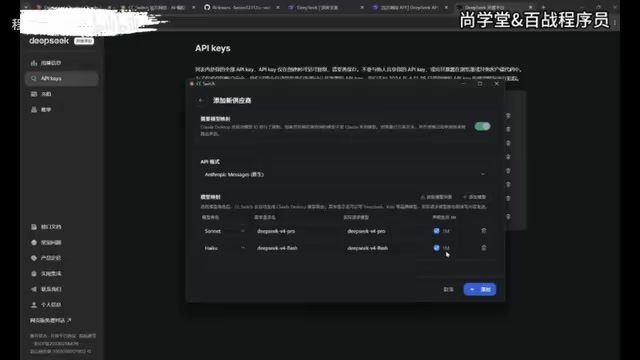
After adding, you must click Start, otherwise the configuration will not take effect. After starting, you can minimize it to the background; clicking close only minimizes it, and the service remains available.
Return to Claude Code to Complete the Integration Configuration
Return to Claude Code and click the three-horizontal-bar in the upper left. You'll see a new "Developer" option, where the "Configure Third-Party" information has been auto-filled. This is precisely the effect of enabling developer mode earlier—no need to manually fill in anything. Just click "Apply" and restart, and Claude Code will automatically integrate DeepSeek.
After restarting, you can converse normally. In the model list, you'll see the Flash and Pro versions as well as the 1M context version. Select the Flash version to start a conversation—receiving a normal reply means the integration was successful.
Step Three: Chinese Localization to Improve the Experience
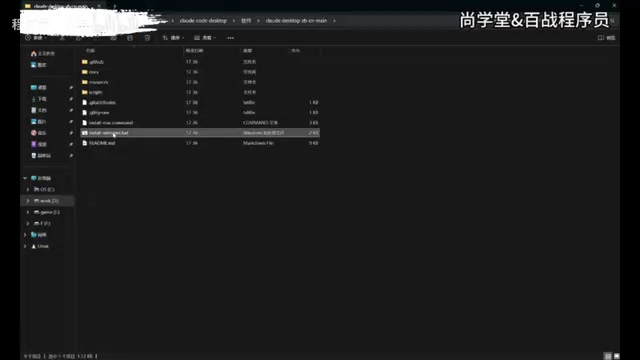
By default, the Claude Code interface is entirely in English, which is not friendly enough for Chinese users. You can download the localization patch provided by the community; the archive contains both Windows and macOS versions.
Localization Steps
After extracting, find the corresponding .bat file (Windows version), double-click to run it, and the program offers five options:
- Install Simplified Chinese
- Install Traditional Chinese
- Install Traditional Chinese (Hong Kong version)
- Uninstall patch, restore original
- Exit
Select "1" and press Enter. The localization process requires closing Claude Code, which the program will handle automatically; it's also recommended to close it manually beforehand. After localization completes, it automatically restarts, and interface elements such as "New Task," "Project," "Scheduled Task," and "Custom" all become Chinese, while historical conversation records are also preserved.
Step Four: Use Custom Skills in the Desktop Version
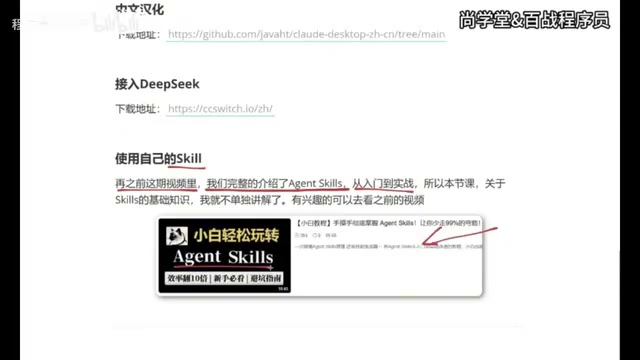
Skills are custom workflow units in Claude Code, essentially a structured Markdown or YAML description file that defines the behavioral logic, output format, and interaction steps the model should follow in specific scenarios.
This design concept originates from the engineering evolution of "Prompt Engineering." Early prompt engineering relied on developers manually adjusting wording based on experience, making it difficult to reproduce and maintain; then frameworks like LangChain and LlamaIndex emerged, introducing the concept of PromptTemplate—parameterizing the variable parts of prompts to achieve template reuse, but still managed in code form, which is unfriendly to non-developers. Skills represent a further step in engineering abstraction: encapsulating "System Prompt + input variables + output constraints + tool call sequence" into version-manageable, distributable artifacts, similar to functions or modules in programming.
This encapsulation brings three key values: first, reusability—the same Skill can be called across different projects without rewriting prompts; second, distributability—Skill files can be shared, forked, and improved like code repositories, forming a community ecosystem; third, maintainability—when the base model is upgraded or business requirements change, you only need to modify the Skill file rather than prompt strings scattered everywhere. In Agent mode, Skills can chain multiple steps: receive user input → call specific tools → output results in a preset format. Multiple Skills can also be chained through an Orchestrator, forming composite workflows similar to software function call chains, achieving a leap from "one-time prompts" to "reusable automated processes."
From a more macro perspective, the Skill mechanism marks that AI tools are evolving toward "software engineering": prompts are no longer temporary inputs scattered in dialogue boxes, but like code are incorporated into an engineering system of version control, continuous integration, and team collaboration. The deeper logic of this trend is: as enterprise AI applications move from "experimental exploration" into the "large-scale production" stage, the quality and consistency of prompts directly affect business results, and prompts lacking engineering management are like source code without version control—difficult for team collaboration, hard to trace online issues, and with unpredictable change scope during model upgrades. The Skill mechanism provides a systematic solution to this pain point, and also foreshadows that the role of "Prompt Engineer" is converging toward one closer to traditional software engineers.
The way to use Skills in the desktop version is significantly different from the CLI. In CLI mode, you only need to place the Skill file in the .claude/skills directory, relying on filesystem path conventions; the desktop version requires installation in the form of an archive, managed through a graphical interface, lowering the configuration barrier and facilitating the distribution and sharing of skills.
The Correct Way to Upload a Skill
- Create a new task, click the plus sign → find "Skills"
- Note: directly clicking "Add Skill" will prompt that organizational authorization is required—this is not the correct path
- Correct approach: click "Manage Skills" → "Add Skill" → "Upload Skill"
Supported formats include .md files, archives, or .skill files. Package the written Skill into an archive and drag it into the upload area to complete installation.
After installation, enter a slash "/" in the dialogue box to call the skill. Taking "help me generate an idea for free beer on the weekend" as an example, the Skill will ask about the output format (poster, text, etc.) according to preset logic, and ultimately generate content conforming to the definition, verifying that the custom capability works properly.
Summary: The Complete Path to Using Claude Code at Low Cost
This plan combines Claude Code's programming and Agent capabilities with the low-cost advantages of domestic models. The overall process can be summarized as:
- Desktop installation + Developer mode: Unlocks custom API endpoints, solving the account-free usage problem
- CC Switch (3.15+) + Local routing: Based on the OpenAI-compatible protocol (
/v1/chat/completionsstandard format), enabling model integration and switching - DeepSeek API + 1M context: Leveraging the low-cost advantage of the MoE architecture activating only some expert parameters per inference, obtaining large context capability at low cost
- Localization patch: Improves the Chinese interaction experience
- Uploading Skills via archive: Engineering reuse of prompt logic, extending custom workflows
For developers deterred by account barriers and usage costs, this path provides a pragmatic alternative. It should be noted that using third-party models and localization patches falls under community practices, and stability and official compatibility may change with version updates. It is recommended to keep an eye on tool version dynamics to avoid configuration failures.
Key Takeaways
Key Takeaways
Related articles
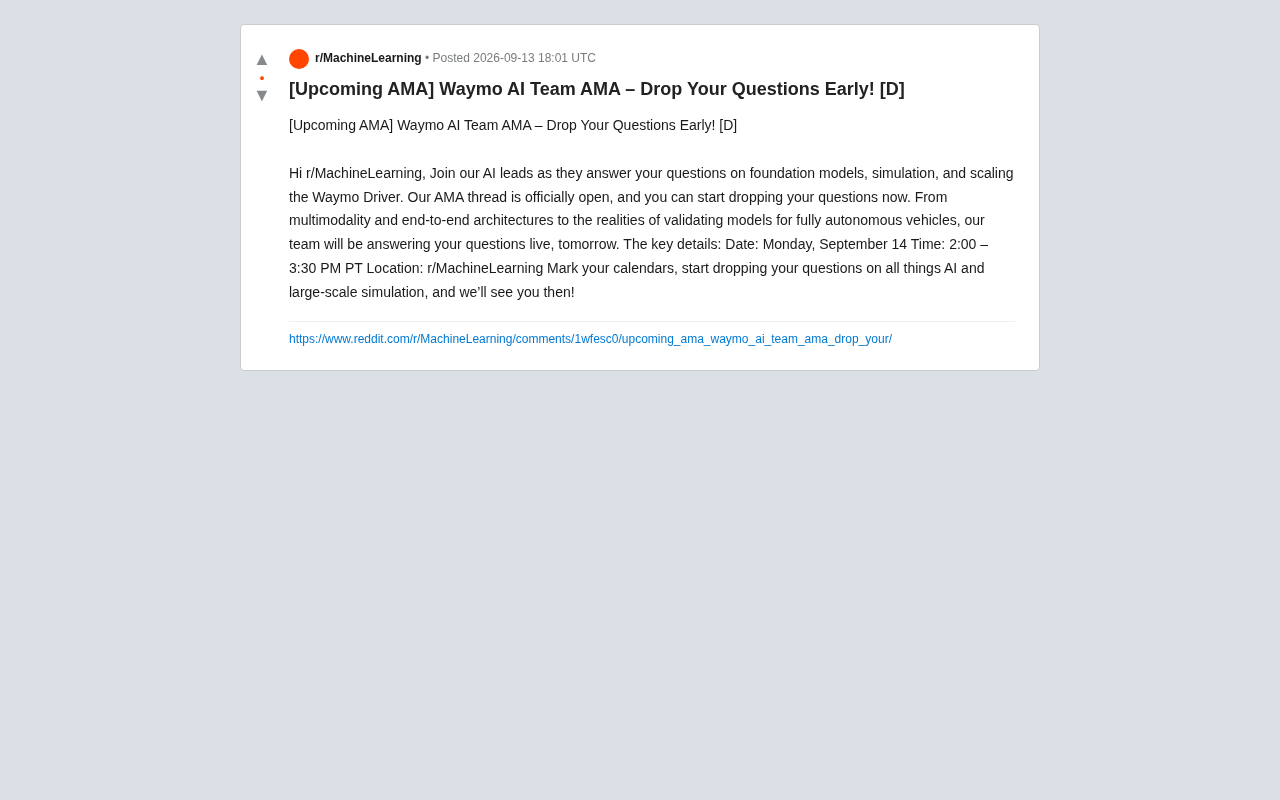
Waymo AI Team to Host AMA: Focusing on Foundation Models and Autonomous Driving Simulation
Waymo's AI technical leads are hosting an AMA on Reddit's r/MachineLearning, covering foundation models, large-scale simulation, multimodality, and end-to-end autonomous driving architectures.
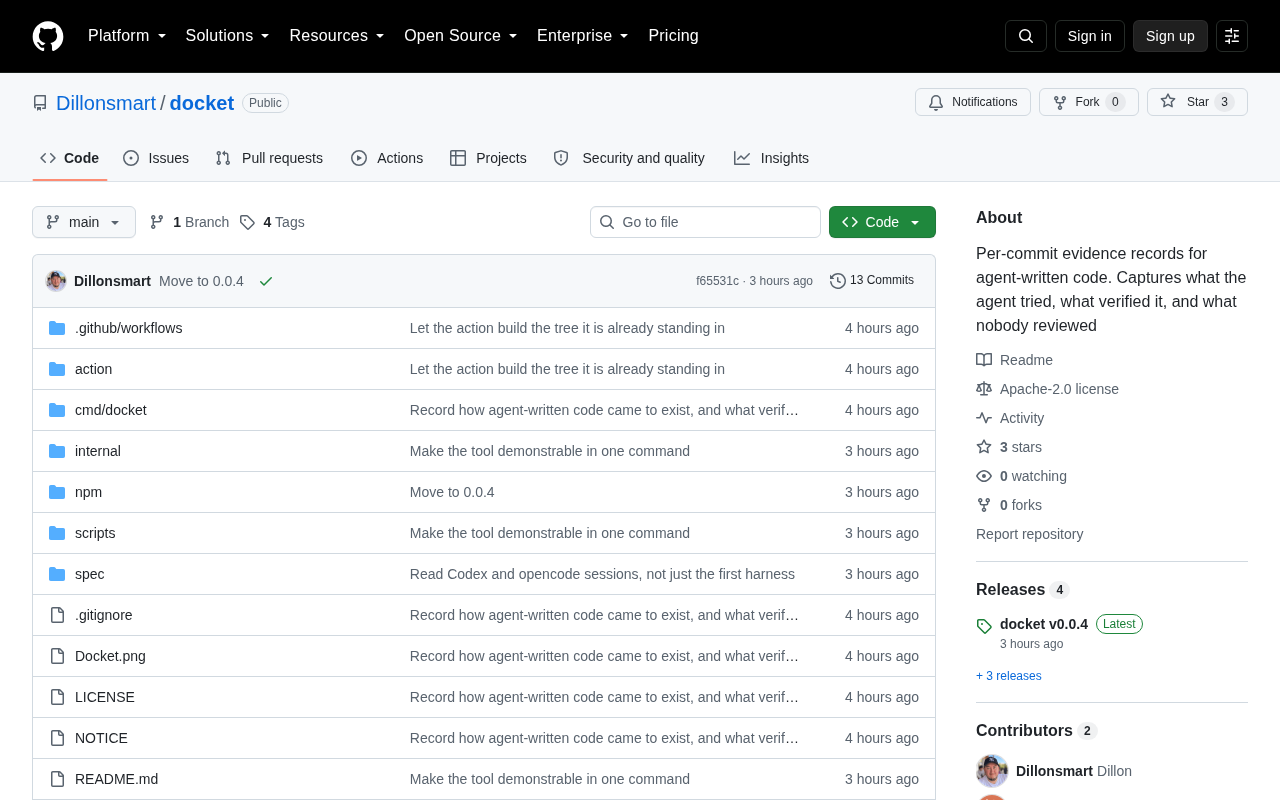
Docket: Building Per-Commit Evidence Trails for AI Agent-Generated Code
Docket builds per-commit evidence trails for AI agent-generated code, making every AI commit traceable, auditable, and verifiable — a pragmatic step in AI coding governance.
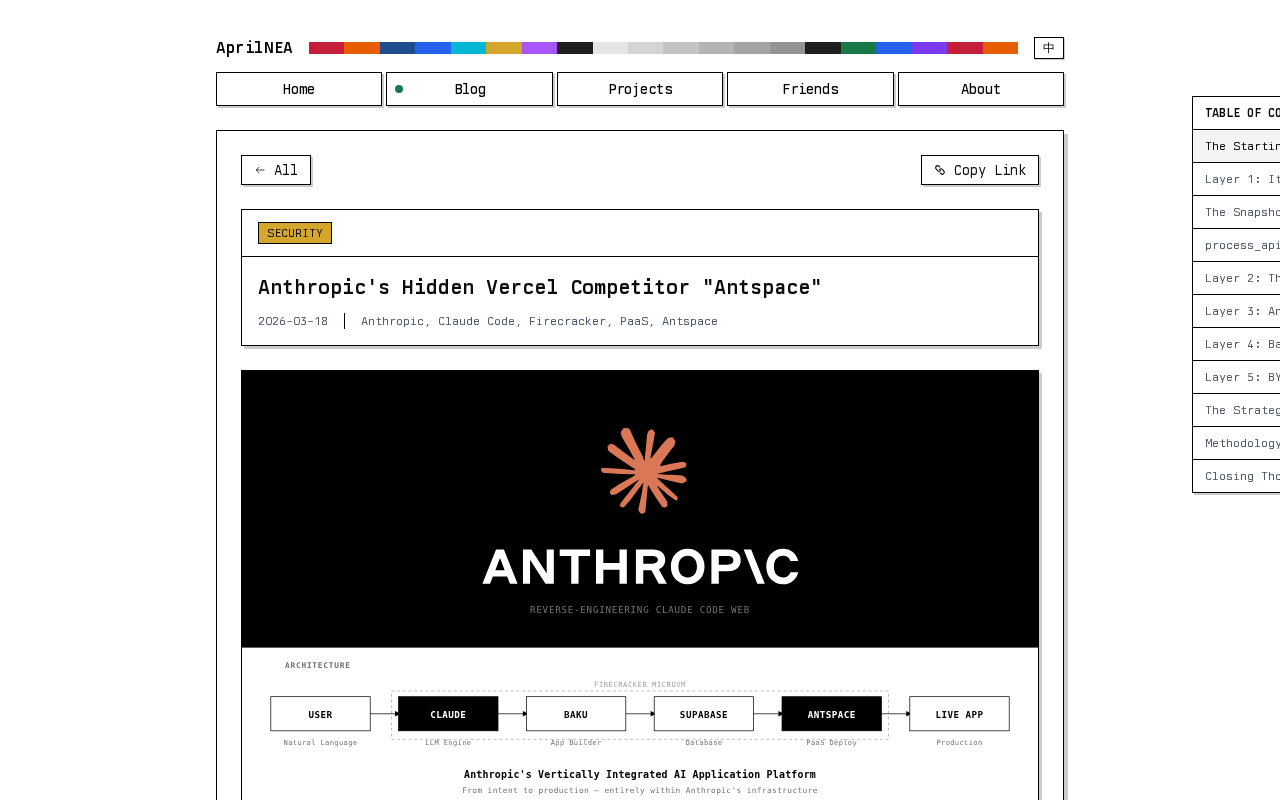
Reverse-Engineering Claude Web's Sandbox: Uncovering Anthropic's Hidden MicroVM
A reverse-engineering analysis of Claude Web's code sandbox reveals Anthropic's likely MicroVM architecture and internal "Antspace" environment, with insights for AI product security.