Continuo: Control Multiple Macs with One Keyboard and Mouse, No Apple Account Needed
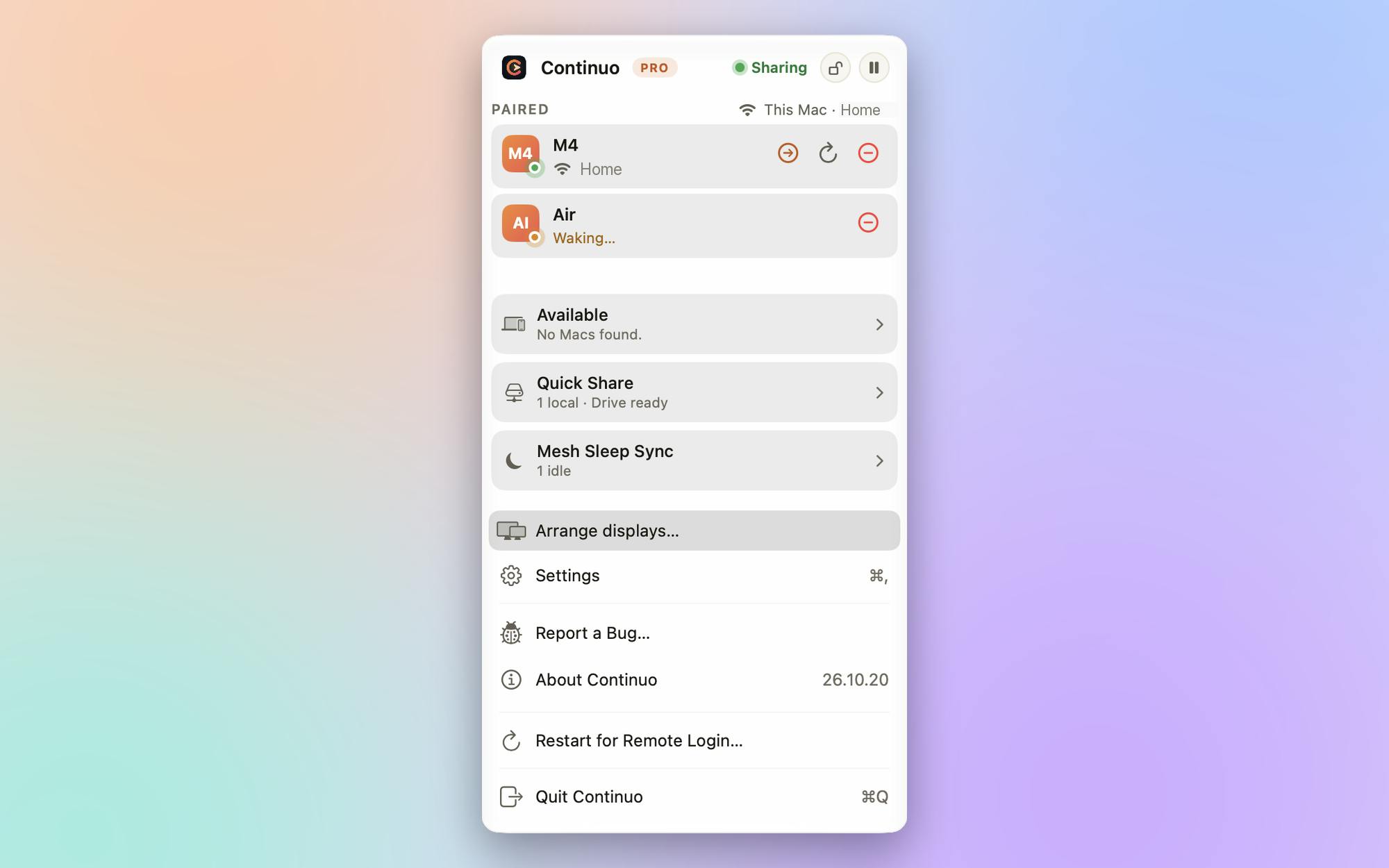
Continuo lets multiple Macs share one keyboard and mouse with three-word pairing—no account, no cloud relay.
Continuo is a Mac productivity tool on Product Hunt that lets multiple Macs share one keyboard, mouse, and trackpad. It pairs with three words, requires no Apple account or cloud relay, and bypasses Universal Control's Apple ID and iCloud dependencies. It preserves native trackpad gestures and adds Screen view for windowed control and cross-screen drag-and-drop. Free for two Macs; Pro is a one-time purchase.
Apple ecosystem users often face an awkward situation: there are multiple Macs on the desk, but one keyboard and mouse set can only control one of them. Although Apple offers Universal Control, it depends on an Apple account and iCloud, making setup fairly demanding. Continuo, recently launched on Product Hunt, aims to solve this problem in a more lightweight way.
Core Mechanism: Three-Word Pairing, No Cloud Relay
Continuo's selling point can be summed up in one sentence: share one keyboard, mouse, and trackpad across multiple Macs on your desk. According to its Product Hunt page, pairing requires no Apple account and does not rely on a cloud relay—devices connect with just "three words."
This stands in sharp contrast to Apple's official Universal Control. While the latter offers a smooth experience, it requires all devices to be signed in to the same Apple ID, have two-factor authentication enabled, and keep Bluetooth and Wi-Fi connected—inconvenient for ad-hoc collaboration, cross-account devices, or enterprise environments. Continuo bypasses the account system and simplifies pairing into an account-free, localized process, lowering the barrier to entry.
Cloud relay refers to device pairing and data traffic being routed through the vendor's cloud servers rather than transmitted directly point-to-point over the local network. Such solutions typically require users to register accounts and authenticate, with pairing information and connection status coordinated by the cloud. The advantage is easier connection across networks and NAT scenarios; the downside is account binding, privacy concerns, and dependence on the vendor's service availability. Continuo claims not to use a cloud relay, meaning device discovery and keyboard/mouse event forwarding should happen on the local network, with pairing information existing only between devices. This eliminates the account system and allows temporary devices or Macs under different account names to interconnect quickly—at the cost of typically requiring devices to be on the same LAN, and potentially needing extra handling in enterprise network isolation or guest Wi-Fi environments.
Native Trackpad Gestures Preserved
A common pain point of multi-device switching tools is lost gestures. Many apps can only forward the mouse pointer, and trackpad actions like pinch-to-zoom or two-finger swipe get downgraded to ordinary scrolling. Continuo claims that "pinches and swipes are passed through as real trackpad gestures," meaning users don't need to change their habits when switching between Macs.
For Mac users who rely heavily on trackpad gestures, this is a detail worth noting. Full gesture preservation means cross-device operation is no longer a "make-do" experience but closer to native.
New Screen View: Control Another Mac in a Window
Continuo also introduces a new feature: Screen view. It can open another Mac's screen directly in a window on the current device and supports drag-and-drop of files between the two screens.
This effectively extends "cross-device keyboard and mouse sharing" into a lightweight remote desktop experience. Compared with Universal Control, Screen view's windowed form is better suited to scenarios requiring frequent side-by-side reference or dragging content—for example, editing a document on one machine while dragging in assets from another.
Pricing: Free for Two Macs, Pro One-Time Purchase
Continuo is free for use with two Macs, and the Pro version is a one-time purchase. This pricing model stands out as restrained in a tool market flooded with subscriptions, especially suitable for individual users and small studios.
According to Product Hunt data, the product currently has 64 upvotes, ranks 19th, and has 7 comments. As a productivity tool from indie developer Hieu Vu, its market validation is still in the early stages.
Competitive Relationship with Apple Universal Control
Continuo is not the first third-party tool to challenge Universal Control, but it has chosen a different path: lower setup costs through an account-free, no-cloud-relay approach, experience consistency through native gesture preservation, and expanded use cases through Screen view.
The trade-offs of this positioning are also obvious. Apple's Universal Control still has inherent advantages in system-level integration, stability, and seamlessness, while Continuo must rely on continuous maintenance by an independent developer to ensure compatibility. For users who don't want to bind an Apple account or who mix Macs under different accounts on their desk, Continuo offers an alternative worth trying.
The product is currently in an early promotional phase on Product Hunt, and its actual experience and long-term stability remain to be verified by user feedback.
Universal Control is a system-level feature available since macOS 12.3 / iPadOS 15.4, allowing one keyboard and mouse to move the cursor and drag files between adjacent Macs and iPads without extra setup. Its implementation relies on the same Apple ID, two-factor authentication, Bluetooth and Wi-Fi both enabled, and proximity detection between devices, giving it lower latency and a more natural cursor-crossing experience at the system level. But precisely because it is tied to the account and iCloud system, it is difficult to enable in cross-account devices, enterprise-managed devices, or scenarios where someone temporarily borrows another person's machine. Third-party tools challenging it can usually only trade off between "account-free, low setup barrier" and "system-level integration," and Continuo's positioning falls right into this gap.
One-line Summary
Continuo lets multiple Macs share one keyboard and mouse with three-word pairing—no account, no cloud relay.
Paragraph Summary
Continuo is a Mac productivity tool launched on Product Hunt that aims to let multiple Macs on a desk share one keyboard, mouse, and trackpad. It pairs devices with "three words," requires no Apple account, and doesn't rely on a cloud relay—bypassing Universal Control's dependence on the same Apple ID, two-factor authentication, and the iCloud system, lowering the barrier for ad-hoc collaboration, cross-account devices, and enterprise environments. The product emphasizes that trackpad gestures like pinch and two-finger swipe are passed through as real gestures rather than downgraded to ordinary scrolling. The new Screen view displays another Mac's screen in a window on the current device and supports cross-screen file drag-and-drop. Pricing is free for two Macs, with Pro as a one-time purchase. Currently, the product has 64 upvotes and ranks 19th on Product Hunt, still in an early promotional phase.
Related articles

Pure-Code Video Generation Tested: Which AI Model Actually Follows Instructions?
A Bilibili creator tested three AI models' pure-code video generation with unified prompts and three revisions each: Xiaonaomao has a high ceiling but lacks stability, GPT 6.2 Extra models well but only follows half the instructions, and OPAS 5.5 remains the benchmark.

GPT-6 Six-Tier Hands-On Test: Astra Ultra Dominates but Bills Double
GPT-6 six-tier test: Astra Ultra sweeps 3:0 in 3D tasks thanks to sub-agents and runs 14% faster, but hidden backend bills make its real cost 2.6x single-threaded.

GPT-6.2 Astra vs Fable 5.2: Huge Cost-Efficiency Gap Across 12 Real-World Tests
Bilibili creator tests GPT-6.2 Astra vs Fable 5.2 across 12 real tasks: Fable wins 7-5 but costs 7.2x more and takes nearly 5x longer. Token efficiency emerges as the key selection metric.