CUA + Claude: Building an Autonomous Desktop AI Agent with Python — A Full Walkthrough

Build a screen-aware, mouse-controlling desktop AI agent with CUA and Claude in Python.
Large language models have long been trapped in a text-only world, unable to interact with graphical interfaces — a key bottleneck for AI automation. This article walks through a hands-on project using the open-source CUA (Computer Use Agent) library and Anthropic's Claude Sonnet to build an autonomous desktop agent that can see the screen and control the mouse. CUA provides a secure cloud-based Linux sandbox; Claude acts as the decision-making brain. Together, via a screenshot-action loop and natural language task definitions, they form a complete agent architecture capable of browsing, researching, and drafting content autonomously.
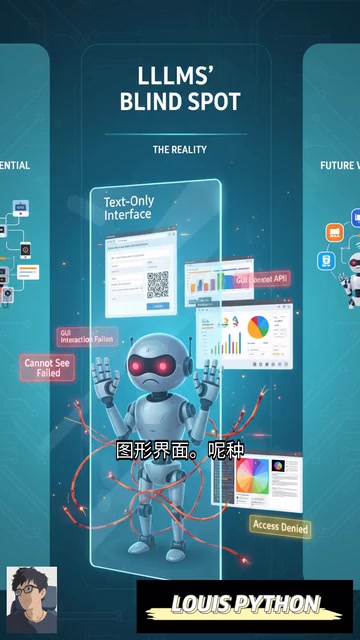
Why Large Language Models Need Eyes and Hands
Large language models are getting smarter by the day, but they remain trapped in a purely text-based world. No matter how large the model or how strong its reasoning, it cannot truly "see" a screen, click a button, or interact with the graphical user interfaces (GUIs) we use every day. This fundamental limitation makes them helpless when it comes to automating real-world workflows — and it's one of the biggest bottlenecks standing between generative AI and practical utility.
In other words, a model that can only output text can't open a browser for you, fill out a form, operate software, or complete any chain of tasks that requires actually "doing" something. To break free of this constraint, the model needs a pair of eyes that can see the screen and a pair of hands that can control the mouse and keyboard. That's exactly the core problem this hands-on project sets out to solve.
What Is CUA (Computer Use Agent)?
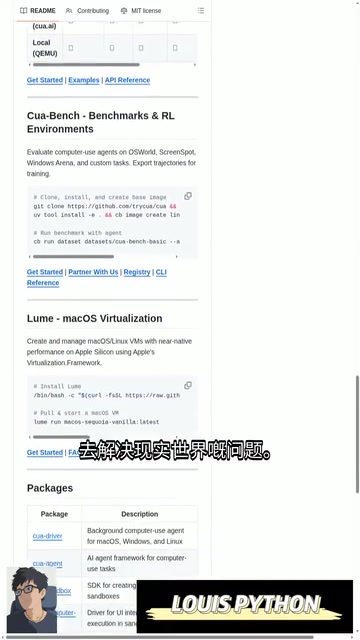
The core infrastructure behind this project is CUA (Computer Use Agent), an open-source library available on GitHub. Its purpose is to transform a purely text-based model like Claude into an "active computer user" that can genuinely operate a machine.
CUA provides a secure sandboxed desktop environment — essentially a cloud-based Linux virtual desktop. Inside this controlled environment, the AI can look at the screen, click buttons, and type text just like a human would. It abstracts away all the underlying complexity of low-level interactions, enabling the agent to operate any software, browse any webpage or website, and autonomously solve real-world problems.
This "sandbox + abstraction layer" design offers two clear advantages: first, safety — all of the AI's actions are isolated within the virtual environment and cannot directly affect your real system; second, generality — the agent is no longer limited to a specific API, but instead "uses" software the way a human would, theoretically covering any application with a graphical interface.
It's worth noting that the multimodal perception capability underlying CUA relies on a screenshot-action loop: at each step, the agent captures the current screen, sends the pixel data to a vision-language model (such as Claude's multimodal version), and the model analyzes the image and outputs the next action instruction (mouse coordinates, keyboard input, etc.), which CUA then maps to the virtual desktop for execution. This is fundamentally different from traditional RPA (Robotic Process Automation) tools: RPA depends on pre-recorded fixed scripts and precise UI element targeting, whereas the CUA approach relies on the model's semantic understanding to "read" the interface, making it theoretically more robust to UI changes. Understanding this loop also explains why the entire system must use asynchronous programming — each screenshot capture and each wait for a page to render represents real I/O latency, and synchronous blocking would bring the entire agent to a halt.
Using Vibe Coding to Quickly Scaffold the Project
Rather than writing all the code from scratch, the author took what's known as the "vibe coding" approach — giving an AI a simple natural-language prompt describing the goal and letting it rapidly generate the project skeleton.
The target prompt used here was roughly: use the CUA library and Claude to create an autonomous desktop agent that browses the web, researches a topic, and drafts a tweet. The value of this approach is that it frees the developer's attention from boilerplate code so they can focus on the higher-level question of "what should the agent do" — a mindset shift that distinguishes agent development from traditional programming.
"Vibe coding" is a development style that has gained popularity in recent years alongside improvements in LLM code generation capabilities. It was coined by OpenAI co-founder Andrej Karpathy in early 2025. The core idea is that a developer describes their intent in natural language, and an AI (such as Claude, GPT-4o, or Cursor) directly generates a runnable code skeleton, which the developer then iterates on — rather than writing from a blank file line by line. This approach significantly lowers the barrier to prototype development and is especially well-suited for quickly validating ideas. However, it carries inherent risks: AI-generated boilerplate may hide security vulnerabilities, incorrect dependency versions, or error-handling logic that doesn't meet production standards. Vibe coding is therefore best positioned as a tool for exploration and prototyping, with rigorous code review still required before any production deployment.
Core Code Breakdown: From Sandbox to Agent
The technical stack for this implementation is straightforward — the key lies in combining a few core modules:
1. Importing Dependencies
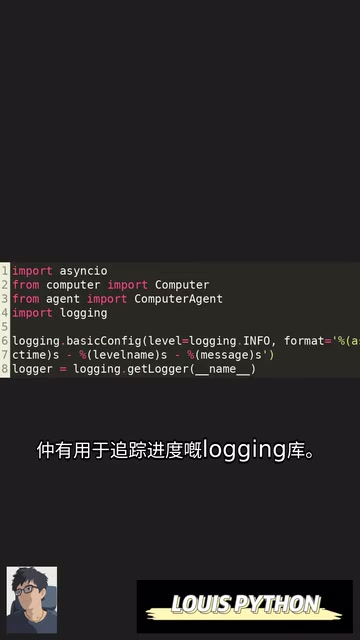
The project starts by importing the necessary modules: asyncio for asynchronous operations, the core Computer and Computer Agent classes from the CUA library, and logging for progress tracking. Async is critical here because screen operations and waiting for pages to load are time-consuming I/O tasks.
2. Initializing the Sandbox
An initialization function sets up the secure cloud-based Linux virtual desktop — the "stage" on which the AI agent freely operates. All clicks, inputs, and browsing take place within this isolated environment.
3. Instantiating the Agent and Connecting Claude
Next, a Computer Agent instance is created, connected to the sandbox, and powered by Anthropic's Claude Sonnet model as its "brain" and decision engine. The sandbox provides the "body," Claude provides the "thinking" — together they form a complete autonomous agent.
4. Defining Multi-Step Tasks in Natural Language
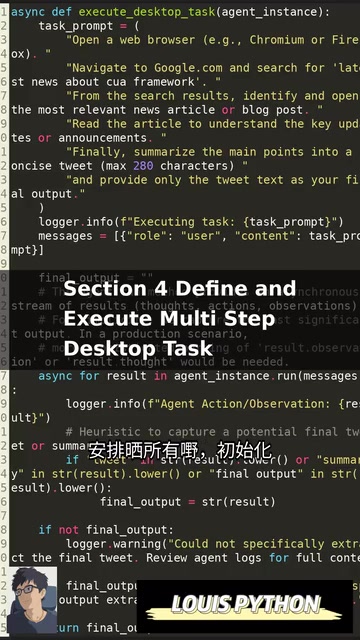
The task is defined entirely in plain English: open a browser → search Google for news about the CUA framework → read an article → produce a summary. This is the most intuitive expression of the agent paradigm — instead of writing instructions like "click at coordinates (x, y)," you hand off the goal the way you'd brief an assistant, and the model handles all the planning and execution on its own.
5. The Main Function Orchestrates Everything
Finally, a main function ties it all together: initializing Computer and Agent, executing the task, and displaying the final result — a tweet drafted based on the web research summary. The entire pipeline runs as a closed loop: from "seeing the screen" to "taking action" to "delivering output."
What Desktop AI Agents Really Mean
Freeing AI from the confines of pure text and letting it run as a truly autonomous desktop assistant represents the accelerating real-world deployment of "Computer Use" as a technical direction. The potential is significant: any repetitive task that currently requires a human to click around on a computer — from web research and data entry to cross-application workflow automation — could theoretically be handed off to an agent.
Of course, at this stage these demonstrations show feasibility more than production-grade reliability. GUI operation stability, error recovery in long-running tasks, and permission control for sensitive actions are all challenges that need to be addressed before real-world deployment. But this minimal CUA + Claude implementation clearly outlines the fundamental architecture of a desktop AI agent: sandbox environment + multimodal perception + LLM-based decision-making + natural language task definition. For developers looking to get started with AI automation, this is a reproducible starting point worth building on.
One of the biggest technical challenges desktop agents face on the road to practical use is the "hallucination action" problem — the model may misread a screenshot and click the wrong area, type the wrong content, or cause a single-step error in a long task chain that cascades through all subsequent steps. Unlike pure text tasks, GUI operation errors are often difficult to detect automatically and hard to roll back: accidentally clicking "Confirm Delete" may be irreversible. This is one of the core research topics currently being pursued in both academia and industry in the Computer Use space, including how to design fine-grained permission sandboxes (restricting the agent to specific applications), how to introduce human-in-the-loop confirmation checkpoints before critical actions, and how to build self-verification mechanisms that can recognize abnormal states and proactively abort a task. CUA's sandbox isolation is the first line of defense in this regard — but it's far from the last word.
Related articles

Free Unlimited Claude Code Solution: Agnes AI + CC Switch Setup Guide
No paid subscription needed — pair the free AI platform Agnes AI with the open-source tool CC Switch to provide a backend for Claude Code, enabling unlimited free calls to text, image, and video models. This guide covers the full setup, test results, and usage boundaries.

A Complete Zero-Cost Guide to Getting Started with Claude Code for Beginners in China
A beginner's guide to Claude Code for users in China: two installation methods (command line and IDE plugin), full configuration steps for replacing the official API with the free domestic LongCat model, and a hands-on demo of building a small tool with natural language, plus tips.

When the NSA Gets Involved: The AI Supply Chain Crisis Behind Open-Source CVEs and API Key Hijacking
Multiple open-source projects disclosed severe CVEs in one day, PHP flaws alarmed the FBI, and Railway and OpenCode were breached with API keys stolen. This article breaks down the vulnerability window, AI-accelerated exploitation, and the AI supply chain crisis behind the API key black market, with a developer defense checklist.