Cursor AI's Two New Features: Secret Leak Prevention and One-Click Deployment

Cursor adds AI secret leak prevention and one-click deployment, evolving into a full-lifecycle dev platform.
Cursor AI has rolled out two significant updates: AI hooks that shift secret leak detection to the editing stage — intercepting API keys and sensitive credentials before they're ever committed — and one-click website deployment that lets developers push projects live without leaving the editor. Together, these features mark Cursor's evolution from a coding assistant into a one-stop development platform covering security and deployment, while raising important questions about platform dependency and portability.
Cursor Is Evolving from an Editor into a Development Platform
For a long time, the role of a code editor was fairly well-defined: it handled writing code, while deployment and security were left to other tools. But two new features from Cursor AI are breaking down that boundary, integrating security protection and website deployment directly into the editor itself. This means developers no longer need to switch between multiple tools — the entire loop from coding and security checks to going live can happen within a single environment.
This direction reflects a clear trend in AI-powered development tools — they're no longer content with being "code-writing assistants." Instead, they're aiming to cover more stages of the development lifecycle. For developers accustomed to a fragmented toolchain, this brings both a boost in efficiency and the possibility of deeper dependency on a single platform.
AI Hooks: Intercepting Secret Leaks Right in the Editor
Cursor's new AI hooks feature is designed to proactively prevent sensitive information from entering public codebases. Accidentally committing secrets like API keys and passwords to code is one of the most common — and most dangerous — mistakes in software development. Once these credentials appear in a public repository, they can be exploited maliciously, leading to data breaches or service abuse.
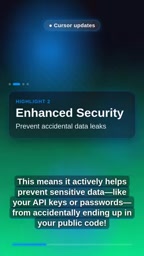
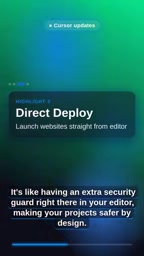
As described officially, the feature acts like a "security guard" built into your editor — detecting and intercepting potential secret leaks as you write code, achieving what might be called "secure by design." Compared to traditional approaches — relying on git hooks, scanning tools in CI pipelines, or manual code reviews — moving this line of defense to the editing stage cuts off problems before they occur, eliminating the awkwardness and risk of discovering a leak only after a commit.
From a security engineering perspective, the earlier a problem is caught in the development chain, the lower the cost of fixing it. Embedding secret detection in the editor is a direct embodiment of the "shift-left" security philosophy.
Traditional secret leak prevention generally falls into two categories: local git pre-commit hooks that scan staged files when a developer runs a commit command, and static scanning tools integrated into CI/CD pipelines (such as GitGuardian or truffleHog) that trigger after code is pushed to a remote repository. The shared limitation of both approaches is that the secret has already entered version control history — even if discovered and removed afterward, an attacker may still retrieve it through historical records. GitHub statistics show that millions of secrets accidentally appear in public repositories each year, and a significant portion are discovered and exploited by automated scanning bots within minutes of being committed. Cursor's AI hooks move detection to the editing stage before code is even committed, fundamentally eliminating the chance for secrets to enter version history rather than attempting remediation after the fact.
One-Click Deployment: From Code to Live Without Switching Tools
Cursor's second update is direct website deployment. Once developers finish their code, they can push a project live directly from the editor with just a few clicks — no need to switch to a separate deployment platform or run complex command-line operations.
The value of this feature lies in simplifying the workflow. Traditional deployment often involves multiple steps: configuring environments, running build commands, connecting to hosting services, and managing deployment config files — all of which can be particularly unfriendly to beginners. By integrating deployment into the editor, developers can focus more energy on actually building the product rather than burning time on tool-switching and procedural tasks.
Of course, the convenience of one-click deployment also means abstracting away deployment details. For simple website projects, this is an enormous efficiency gain; but for complex systems that require fine-grained control over the deployment process, developers still need to understand what's happening under the hood to effectively troubleshoot when something goes wrong.
Editor-integrated deployment isn't a brand-new concept — VS Code's Azure extension and Netlify Drop have offered similar experiences for some time, but they typically exist as standalone plugins requiring additional configuration and account binding. Cursor's integration is closer in spirit to platforms like Replit or Vercel, which take a "code-as-platform" approach — encapsulating the build, packaging, and distribution steps under a unified interface, so users don't need to understand the underlying CDN distribution, SSL certificate configuration, or DNS resolution. This level of abstraction is extremely friendly for prototyping and indie developers, but it also means the hosting environment, resource limits, and pricing structure for the deployed output are determined by the platform, leaving users with relatively less control. When evaluating whether to adopt one-click deployment, understanding the actual hosting infrastructure behind the scenes (e.g., whether it's built on Cloudflare Pages, AWS S3, etc.) can help clarify where it's appropriate to use.
What These Updates Signal
By folding both security protection and deployment capability into the editor at the same time, Cursor is sending a clear message: it wants to become a one-stop workbench for developers, not just a text editor with AI capabilities. This aligns with the broader evolution of AI programming tools in recent years — from code completion, to conversational programming, and now to full-lifecycle integration covering security and deployment.
For developers, this kind of integration lowers the barrier to entry and reduces friction in day-to-day work. The secret leak prevention feature addresses a real, high-cost security pain point; one-click deployment cuts directly through the tedious stretch between "finished writing" and "live in production." Together, they allow the editor to take on responsibilities that were previously scattered across different tools.
It's worth noting, however, that tighter feature integration also means deeper platform lock-in. As more critical steps in the workflow depend on a single tool, evaluating its reliability, security, and portability becomes increasingly important. Regardless, Cursor's latest move further confirms that AI programming tools are transitioning from a supporting role to the core of the development process.
Related articles

Apple HomeView Hands-On Review: Is the $300 Smart Home Hub Worth It?
Apple HomeView hands-on: a $300 smart home hub with facial recognition for quick account switching, but no App Store or voice recognition. Is the wall-mounted version worth it? Should you buy the first generation?

Meta Muse Wonder Launch: What It Means for Meta's Return to the Frontier AI Race
Meta releases Muse Wonder and WonderFull, benchmarks reach the frontier, community feedback is polarized. An in-depth look at Meta's return to the frontier AI race, its personal agent strategy, and Zuckerberg's different path.

Apple Home Smart Home Lineup Leaked: LG and Schneider Team Up, UWB Door Lock on Board
Apple Home ecosystem gains new LG and Schneider devices: UWB smart lock with proximity unlock, 2.5K dual-camera doorbell, privacy indoor camera, and AirPods-like seamless pairing.