Cursor Forcing Fast Mode? A Deep Dive into the 6x Cost Overrun Problem

Cursor's Composer 2.5 reportedly ignores Fast Mode settings, silently consuming 6x the normal usage quota.
A Cursor user discovered that Composer 2.5 continued running in Fast Mode even after explicitly disabling it — through the UI toggle, sub-agent settings, and Rules files. Since Fast Mode consumes 6x the usage quota, this represents a serious loss of cost control. This article explores possible technical causes, why billing transparency matters, and what developers can do to protect themselves.
The Incident: A Silent Speed Upgrade
Recently, a Cursor user reported a puzzling issue on Reddit: their Composer 2.5 model was running noticeably faster even though Fast Mode was turned off. After investigating, they discovered that Composer 2.5 was actually running in Fast Mode — despite the user having explicitly disabled it.
For developers on a tight budget, this is no small matter. According to the user, they had intentionally kept Composer 2.5 in default mode for a straightforward reason: while Fast Mode delivers quicker responses, it comes at the cost of 6x the usage consumption. In their view, paying six times the cost just for speed wasn't worth it. This approach had worked reliably for two months — until it suddenly stopped.
Every Workaround Failed
What makes this case notable is that the user didn't sit idle. They tried multiple approaches to prevent Fast Mode from being force-enabled:
- Manually disabling Fast Mode: The speed remained unchanged, identical to when it was on.
- Disabling it for Sub-agents as well: The problem persisted.
- Adding an explicit rule in the Rules file: They clearly stated "do not invoke Fast Mode under any circumstances."
Despite all these layers of configuration, Composer 2.5 continued to run in Fast Mode regardless. In practice, this means the user had lost meaningful control over their own account's consumption.
Why This Issue Deserves Attention
Cost Control Is a Core Expectation for AI Coding Tools
As AI-assisted coding tools become increasingly mainstream, usage-based billing has become the dominant business model. Cursor, one of the most popular AI code editors among developers today, ties its pricing directly to the number of model calls and mode selections. The 6x consumption penalty of Fast Mode is fundamentally a "speed vs. cost" trade-off — one that users should be able to make for themselves.
When a tool continues to force-enable a feature after a user has explicitly turned it off, the issue escalates from a "product experience" problem to one of trust and transparency. Developers who opt for default mode do so based on precise cost expectations. Once those expectations are broken, the consequences range from unexpected overage charges to lasting skepticism about the platform's entire billing mechanism.
Possible Explanations
At this point, only a single user report exists with no official response. From a technical standpoint, however, several explanations are plausible:
Backend configuration changes. Cursor may have modified the scheduling logic for Composer 2.5 in a recent update or server-side adjustment, causing certain workloads or scenarios to automatically route to Fast Mode — while the frontend toggle no longer accurately reflects what's happening under the hood.
UI state and actual execution out of sync. The interface shows Fast Mode as "off," but requests are still routed through the fast channel. This kind of frontend/backend state mismatch is not uncommon in rapidly iterating products.
Unintended side effect of capacity optimization. Some vendors temporarily route requests to faster channels when standard-mode queues become congested, in order to improve the user experience. If billing isn't adjusted accordingly, users end up paying for an upgrade they never asked for.
It's important to stress that all of the above are speculative, based on a single user report and not confirmed by Cursor officially or independently verified by multiple parties. Readers should exercise their own judgment.
Practical Advice for AI Coding Tool Users
Regularly Review Usage and Billing
This incident is a reminder for all developers relying on AI coding tools: don't trust UI toggles alone. Make it a habit to periodically check your usage statistics in the backend dashboard, especially after tool updates. If you notice unexpected fluctuations in response speed or consumption rate, investigate whether a mode switch may have happened quietly in the background.
Rules Files Aren't a Silver Bullet
The user attempted to constrain model behavior through the Rules file — a powerful customization feature Cursor provides. But this experience shows that Rules are primarily designed to govern the model's generation behavior and context preferences, and may not have any influence over underlying mode scheduling and billing logic. Developers should understand the scope and limits of Rules files, rather than relying on them to control infrastructure-level decisions.
Report Issues to Drive Billing Transparency
When problems like this arise, the most effective response is to provide clear, direct feedback through official channels. Billing transparency is the lifeblood of subscription-based tools, and collective user voices often push vendors to patch bugs or publish clear explanations of how things work. If "forced Fast Mode" is indeed an intentional product design decision, the vendor has a responsibility to clearly disclose the conditions that trigger it and the corresponding billing implications.
Closing Thoughts
What appears to be a minor "speed anomaly" reflects a theme that's becoming increasingly important in the age of AI tools: users' right to control their own costs. As more and more developers hand off their daily work to usage-billed AI assistants, every change to a product's default behavior can translate directly into real, unbudgeted spending.
For a fast-growing product like Cursor, striking the right balance between rapid feature iteration and billing transparency will directly shape long-term user trust. For now, this issue remains at the level of an individual user report — whether it's a widespread problem and what the root cause is remain to be confirmed by an official response and cross-validation from more users. Affected users are advised to keep records of their usage history and billing evidence, submit feedback to Cursor through official channels, and hope for a clear public explanation from the team.
Related articles

Code with Claude Event: AI-Powered Creative Experiments on Tiny Computers
At Code with Claude, Anthropic gave participants tiny computers to build creative projects with AI assistance, showcasing how AI coding tools empower the maker community.

Claude Code Adds Agent View: A Research Preview for Unified Session Management
Claude Code's new Agent View feature (research preview) consolidates all coding sessions into a unified list, advancing AI tools toward multi-agent orchestration.
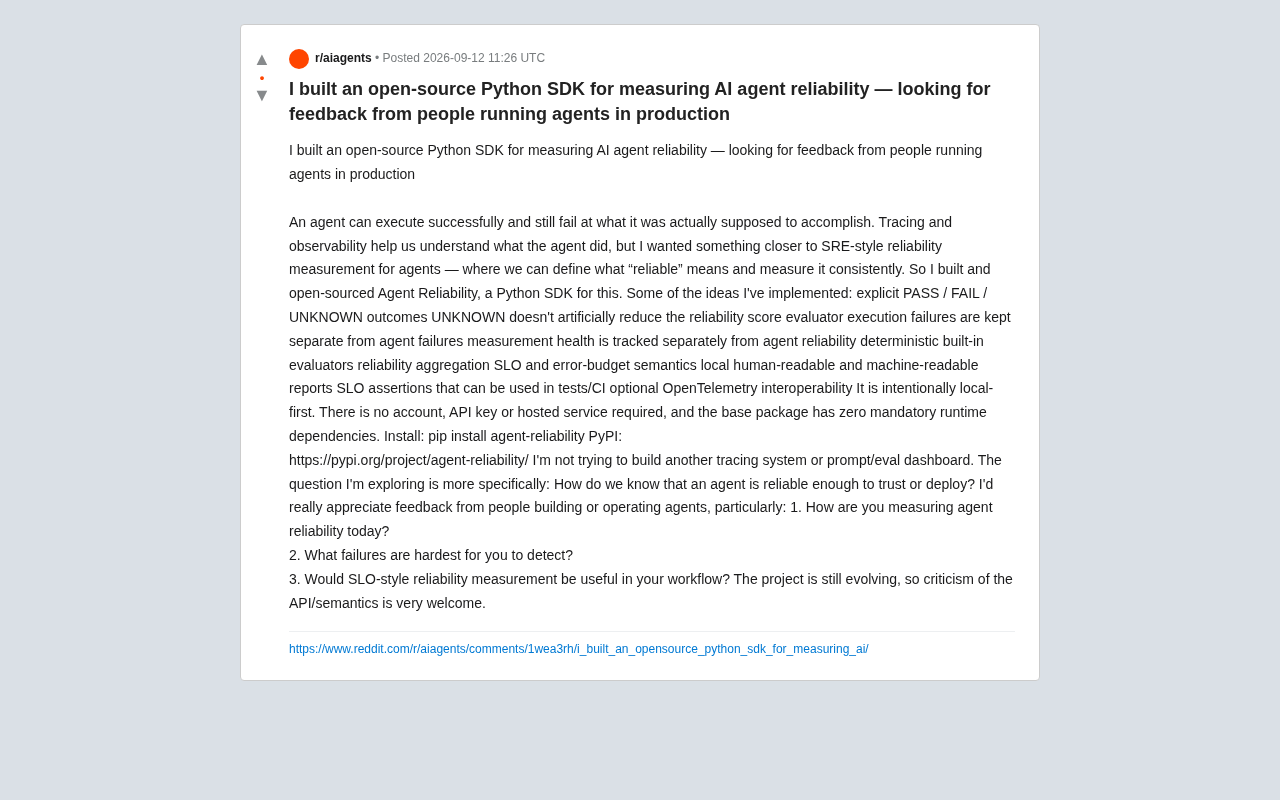
Open-Source Python SDK: Measuring AI Agent Reliability with SRE Principles
Agent Reliability is an open-source Python SDK that applies SRE's SLO and error budget concepts to AI Agent evaluation, with PASS/FAIL/UNKNOWN states, CI assertions, and zero forced dependencies.