Cursor vs Devin vs Claude Code: Which AI Coding Assistant Should You Choose?
Cursor, Devin Desktop, and Claude Code represent three AI coding product philosophies—choose based on workflow fit, not raw capability.
This article compares Cursor, Devin Desktop, and Claude Code, arguing their differences lie not in capability ceilings but in product philosophy. Cursor, a VS Code fork, embeds AI in the editor with its own composer model and up to eight parallel agents. Devin Desktop (formerly Windsurf, acquired by Cognition) centers on a cloud agent for asynchronous, outsourced tasks. Claude Code starts from the terminal, using the entire repo as context and fitting easily into scripts and CI. The key is trusting the right tool for the right scenario; multi-tool use is becoming the norm, and the real cost is establishing clear task routing, review, and ownership norms.
AI coding assistants have evolved from "completing code" to "doing the work for you." Cursor, Devin Desktop, and Claude Code are frequently compared side by side, but their underlying product philosophies are completely different—they're betting on three different futures.
Three tools, three different technical paths
According to an analysis by a YouTube tech channel, Cursor, Devin Desktop, and Claude Code appear similar on the surface, but their underlying design approaches differ enormously. Understanding these differences is more valuable than reading a spec comparison table.
Cursor: AI grown out of the editor
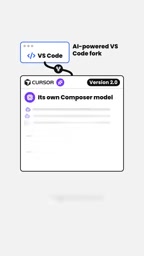
Cursor started as a VS Code fork, embedding AI capabilities into a familiar editor. Version 2.0 added its own composer model, supporting up to eight agents working in parallel.
The core logic of this path: developers still spend most of their time in the editor, so AI should be embedded into existing workflows rather than forcing people to switch environments. The parallel agent design points toward a way of working where "one person commands a squad of AI agents."
VS Code fork refers to a derivative version based on the source code of Microsoft's open-source editor VS Code, maintained and released independently. Since VS Code uses a permissive open-source license like MIT, third parties can freely fork it, retaining its extension ecosystem, keyboard shortcuts, and interface layout while replacing or adding their own core features. For Cursor, forking means users can migrate with almost zero learning curve and directly reuse VS Code's vast plugin marketplace; the cost is needing to continuously track upstream updates, absorb merge conflicts, and forgo some restricted services in Microsoft's official store. This strategy allowed Cursor to focus its R&D on the AI layer rather than the editor itself.
Devin Desktop: Cloud agent first
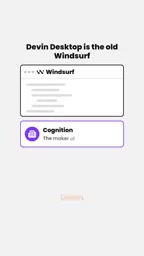
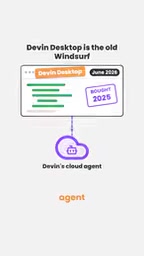
Devin Desktop's predecessor was Windsurf. Cognition (the maker of Devin) acquired it and later renamed it Devin Desktop. The product now centers on Devin's cloud agent.
The assumption behind this path: tasks can be fully delegated to a cloud agent, and a local environment is no longer necessary. Developers describe requirements, and the agent plans, executes, and submits results in the cloud.
Cloud agent differs fundamentally from a local IDE assistant in execution environment and runtime duration. A cloud agent runs in a vendor-hosted container or VM with its own filesystem, dependencies, and terminal. It can run in the background for long periods, process multiple tasks in parallel, and deliver results back to the codebase via pull requests (PRs). It doesn't depend on whether the developer's machine is on, making it suitable for asynchronous, batch task distribution. The trade-offs: environment initialization takes time, projects involving private dependencies or sensitive data require additional access configuration, and debugging is less intuitive than locally. This model is typically billed per task or compute rather than a monthly subscription.
Claude Code: Treating the entire repository as context
Claude Code started from the terminal, understanding the entire code repository as context. It doesn't chase a polished graphical interface; instead, it emphasizes a holistic grasp of the codebase.
Being terminal-native means it integrates more easily into scripts, CI processes, and automation pipelines—very low barrier for teams comfortable with the command line.
Repo-level context means the tool doesn't just read the currently open file but, through indexing or on-demand retrieval, incorporates the entire codebase's file structure, cross-file references, type definitions, and call chains into its understanding. This solves problems that single-file completion struggles with, such as cross-module refactoring and impact analysis of interface changes. Implementations typically involve building a code index, retrieving relevant snippets, and feeding them into the model with a long context window. The challenge lies in token costs and retrieval accuracy for large repositories—wrong context directly leads to bad suggestions, so most implementations combine deterministic tools like grep and symbol navigation to locate code rather than relying purely on semantic search.
The key isn't "who's stronger"
One line from the video is worth remembering: the question isn't which tool will win, but which tool you trust and for what scenario.
That judgment is pragmatic. The differences among the three tools aren't in their capability ceilings but in how well they fit different ways of working:
- If your team spends most of its time doing iterative development in the IDE, Cursor's embedded experience is smoother
- If tasks can be outsourced in batches and need asynchronous execution, the cloud agent model is more suitable
- If your project relies on complex scripts and automation pipelines, terminal-native Claude Code feels more natural
Using multiple tools together is becoming the norm
An easily overlooked detail: many teams now run more than one tool simultaneously. This breaks the traditional "pick the best one" mindset.
Different tools excel at different stages—instant completion in the IDE, batch tasks in the cloud, repo-level understanding in the terminal—they're not mutually exclusive. The real cost isn't the subscription fee but whether the team can establish clear collaboration norms: which tasks go to whom, how results are reviewed, and how code ownership is defined.
Collaboration norms for multi-tool use need to solve three core problems. First, task routing: instant completion work stays in the IDE, cross-file refactoring goes to repo-level context tools, and independently verifiable batch tasks are dispatched to cloud agents. Second, result review: agent-generated code needs clear human review checkpoints, especially for high-risk changes like database migrations and permission logic. Third, ownership and compliance: rules are needed for commit attribution of AI-generated code, license scanning, and audit trails, to avoid style and dependency conflicts when outputs from different tools are merged. Without such norms, multiple tools can actually amplify maintenance costs.
Trends worth watching
The divergence among these three tools points to a bigger question: is the next stop for AI coding "augmenting the editor" or "replacing the developer"? Cursor bets on the former, Devin Desktop on the latter, and Claude Code tries to take a middle path through contextual understanding.
The answer isn't settled yet, but for developers, now is a good time to observe and experiment—no need to pick sides in a hurry; first understand each tool's workflow logic.
Related articles

Gemini 4 Argon Hands-On: Aggressive Pricing, 3D Capabilities Need Coaching
Gemini 4 Argon hands-on: limited-time $2/$10 pricing, million-token output, strong 3D and reverse-engineering work, but weak front-end aesthetics and zero-shot ability need coaching.

Build Your Own ChatGPT with Flutter and Gemini API: Streaming Chat in 200 Lines of Code
Learn to build a ChatGPT-like AI chat app with Flutter and the Gemini API: secure API keys via Firebase AI Logic, stream replies with sendMessageStream, maintain memory with chat sessions—all in under 200 lines of code.

A Practical Guide to Pairing a Wear OS Phone with a Virtual Watch
Based on a YouTube walkthrough, this guide details creating a Wear OS project in Android Studio, configuring phone and watch emulators, and completing pairing, with troubleshooting for five common failure scenarios and three verification criteria.