datasette-explain 0.2.2 Released: EXPLAIN Plans Now Work on Read-Only Stored Query Pages
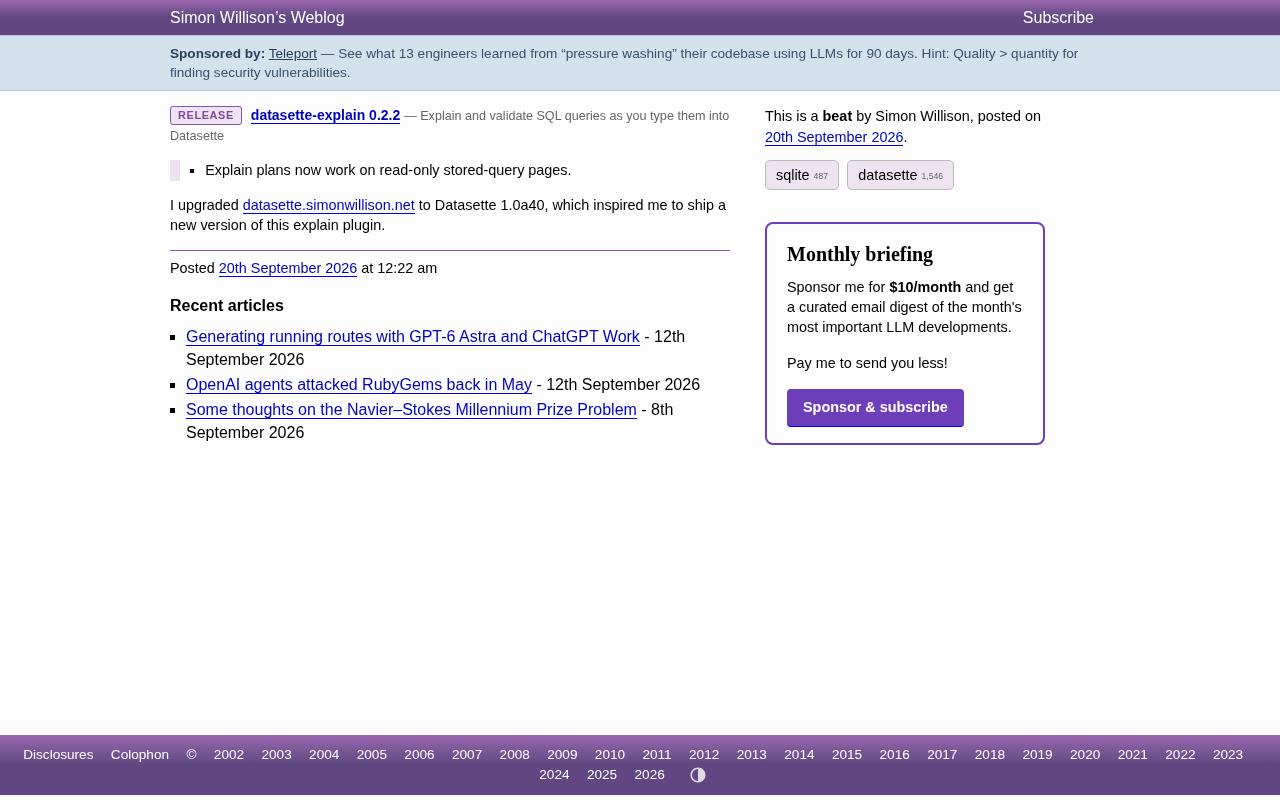
datasette-explain 0.2.2 brings SQL execution plan visualization to read-only stored query pages.
datasette-explain is a Datasette plugin maintained by Simon Willison that visualizes SQLite query execution plans. Version 0.2.2's key improvement is enabling EXPLAIN plan functionality on read-only stored query pages — a predefined query mechanism used to publish fixed data views. Previously these pages couldn't display execution plans, limiting debugging transparency. The update was triggered by the author upgrading his personal site to Datasette 1.0a40, surfacing and fixing compatibility issues in the process. It's a practical incremental improvement for users who publish data via stored queries and care about SQL performance tuning.
datasette-explain Plugin Gets a 0.2.2 Update
The datasette-explain plugin in the Datasette ecosystem has just released version 0.2.2. Maintained by Simon Willison, this plugin's core purpose is to provide a visual EXPLAIN plan for SQL queries executed within Datasette, helping developers understand how queries are actually being run under the hood in SQLite.
The main improvement in this release: EXPLAIN plan functionality now works correctly on read-only stored query pages. This means that even when a query is stored and presented in read-only mode, users can still view its execution plan — expanding the plugin's range of applicable scenarios.
Why This Update Matters
For developers building data exploration or data publishing applications with Datasette, being able to view the execution plan of a SQL query is a practical debugging and performance optimization tool. SQLite's EXPLAIN QUERY PLAN reveals critical information such as whether a query hits an index or triggers a full table scan. datasette-explain integrates this information into Datasette's web interface in a more user-friendly way.
Previously, execution plan display had limitations on read-only stored query pages. Stored queries are a predefined, reusable SQL query mechanism in Datasette, commonly used to publish fixed data views externally. Making these read-only pages support execution plan viewing is especially valuable in scenarios where you want to expose query logic publicly while maintaining transparency.
SQLite's execution plan tooling operates at two levels: EXPLAIN returns the bytecode instruction sequence of the underlying virtual machine (VDBE), useful for deep debugging; EXPLAIN QUERY PLAN describes the query's execution strategy at a higher level — for example, whether a particular index was used (USING INDEX), whether a full table scan occurred (SCAN TABLE), or how subqueries are handled. For most performance tuning scenarios, EXPLAIN QUERY PLAN is the go-to entry point — when a query slows down, confirming whether it hits the expected index is the most direct diagnostic step. datasette-explain renders both outputs in a tree or table format directly in the browser, eliminating the need to manually open the SQLite CLI or DB Browser, and is especially handy for quickly iterating on query design in the browser.
A Coordinated Upgrade with Datasette 1.0a40
Worth noting is that the direct trigger for this plugin update was the author upgrading his own site, datasette.simonwillison.net, to Datasette 1.0a40. This reflects the close collaborative relationship between the Datasette core and its plugin ecosystem — core version iterations often drive synchronized updates across surrounding plugins.
Datasette is an open-source tool for publishing and exploring data, with its 1.0 version currently in the alpha iteration phase. Plugin authors validate compatibility through real-world deployments and ship improvements along the way — a common development rhythm for this open-source project.
The Datasette 1.0 alpha series (currently at 1.0a40+) has introduced several breaking API changes compared to the stable 0.x versions, including adjustments to plugin hook signatures, a refactored permissions model, and changes to JSON API paths. This means plugins written for older versions may encounter compatibility issues after upgrading, which plugin authors typically only discover and fix after upgrading their own production environments. Simon Willison uses his personal site datasette.simonwillison.net as a "canary" deployment — validating the stability of core releases while incidentally triggering maintenance updates for surrounding plugins. It's a textbook example of "dogfooding" in open-source development.
Summary
datasette-explain 0.2.2 is a focused minor release. While the functional change is targeted, it's a practical enhancement for users who rely on stored queries to publish data. If you're using Datasette and care about SQL query performance tuning, this plugin is worth adding to your toolkit.
Interested readers can visit the GitHub Release page for more information.
Related articles

Free Unlimited Claude Code Solution: Agnes AI + CC Switch Setup Guide
No paid subscription needed — pair the free AI platform Agnes AI with the open-source tool CC Switch to provide a backend for Claude Code, enabling unlimited free calls to text, image, and video models. This guide covers the full setup, test results, and usage boundaries.

A Complete Zero-Cost Guide to Getting Started with Claude Code for Beginners in China
A beginner's guide to Claude Code for users in China: two installation methods (command line and IDE plugin), full configuration steps for replacing the official API with the free domestic LongCat model, and a hands-on demo of building a small tool with natural language, plus tips.

When the NSA Gets Involved: The AI Supply Chain Crisis Behind Open-Source CVEs and API Key Hijacking
Multiple open-source projects disclosed severe CVEs in one day, PHP flaws alarmed the FBI, and Railway and OpenCode were breached with API keys stolen. This article breaks down the vulnerability window, AI-accelerated exploitation, and the AI supply chain crisis behind the API key black market, with a developer defense checklist.