De-robotizing AI Emails: 3 Before-and-After Comparisons and a 4-Step Editing Method

AI cold emails get ignored because of generic tone; specific details, a single request, and conversational rewriting fix it.
The article points out that AI-written cold emails are instantly recognizable not because of grammar but because of genericness: openers like "I hope this email finds you well" and buzzwords like innovative and leverage appear in nearly every AI email, and readers immediately sense it wasn't written for them. What actually works is specific information—the recipient's name, something they said, one clear request—which is exactly what models can't provide without context. The original article uses three before-and-after comparisons (cold outreach, LinkedIn post, follow-up email) to show the changes are actually small, and offers a four-step editing process: change the opener, delete buzzwords, one request per email, read aloud to check. Rewriting tools can only optimize "how to say it"; "what to say" still has to come from a human.
AI-written cold emails often get ignored, and the reason is simple: they read exactly like every other AI email. The original article presents three real before-and-after comparisons and a four-step editing process—the point isn't to switch tools but to switch how you write.
Why AI Emails Are Instantly Recognizable
The original article is blunt: the problem with AI drafts isn't grammar—it's "genericness." Openers like "I hope this email finds you well" appear in nearly every AI email, and readers can tell at a glance that it wasn't written for them.
What actually makes an email work is specific information—the recipient's name, something they said, one clear request. AI won't supply any of these by default because it doesn't know who the recipient is. This also explains why simply switching to a stronger model doesn't solve the problem: what's missing isn't language ability, it's context.
Here, "context" in AI writing refers to the information the model has access to during generation—recipient identity, past interactions between the two parties, specific events, and goals. A general-purpose LLM only gets the prompt; without these facts, it can only output high-frequency patterns from its training corpus, producing that "one-size-fits-all" generic tone. There are usually two ways to fix this: explicitly inject recipient information and specific details into the prompt, or have the model ask questions first and fill in context before writing. Understanding this makes it clear why switching to a stronger model yields limited results—better capability doesn't equal complete information.
Three Before-and-After Comparisons: The Changes Are Actually Small
Example 1: Cold Outreach Email
The AI draft said: "I'm reaching out to introduce our innovative solution that can revolutionize your workflow and deliver significant results." The human revision became: "Hi Sara, I saw you mentioned spending hours formatting reports. I built a small tool that cuts that time down. Want a quick demo this week?"
The original article summarizes the changes in four points: added a name, added a specific detail from the reader's life, kept only one clear request, and removed all empty talk. Interestingly, the revised version doesn't even introduce the company—because its priority is getting a reply, not a full introduction.
Example 2: LinkedIn Post
AI draft: "In today's fast-paced digital environment, productivity matters more than ever. Here are three key insights to help you succeed." Revised: "Last month I missed a deadline because I kept switching tabs. Here's the one habit that fixed it for me."
The change is that the opening becomes a real moment that actually happened, and readers immediately know what they'll get from it. The original article's comment: it starts from a real moment, and readers know exactly what they'll gain.
Example 3: Follow-Up Email
AI draft used bureaucratic phrasing like "I'm following up on the aforementioned proposal mentioned previously; please advise at your earliest convenience." Revised: "Hi Ali, wanted to check if you had a chance to look at the proposal. Happy to answer any questions. Even a quick 'not right now' helps me plan."
The revision here is the most practical: plain language, a relaxed tone, and an easy out for a reply. The "even a quick 'not right now'" design actually lowers the psychological cost of responding.
"Cold outreach" refers to scenarios where the sender and recipient have no prior relationship and the recipient isn't expecting the email. Open and reply rates for these emails depend heavily on the judgment made in the first few seconds, which is why templated openers are so damaging. The opposite is a "warm lead"—where the two parties share a mutual contact, a community, or prior interaction. The goal of a cold email usually isn't to close a deal on the spot but to earn a reply or a short meeting, which is why the revised version in Example 1 dares to omit the company introduction.
A Four-Step Editing Process
The process from the original article can be applied directly:
- Replace the opening sentence with something specifically relevant to the reader;
- Delete every buzzword—innovative, revolutionize, leverage, cutting-edge;
- Keep only one idea and one request per message;
- Read it aloud—if you wouldn't say it to someone's face, rewrite it.
Step four is the most easily skipped and the most effective self-check. The gap between written and spoken language is often the source of that "robot feel."
"Buzzwords" here specifically means words overused in business and tech copy whose meaning has been diluted, such as innovative, revolutionize, leverage, and cutting-edge. Their problem isn't that they're wrong—it's that they carry no information: readers can't tell what you can do for them, and instead they trigger the alarm that "this is a mass template." To test whether a word is a buzzword, try the substitution test—if replacing it with a plain-spoken synonym leaves the meaning nearly unchanged, it's just filling tone and is safer to delete.
What Tools Can and Can't Do
The original article notes that if you want a second version of a paragraph for comparison, you can use rewriting tools like RewriteAI to help with wording. But it also stresses a prerequisite: the final text must retain your own details and voice.
This boundary is worth expanding on. Rewriting tools excel at sentence restructuring and softening tone, but they don't know the real relationship between you and the recipient, nor do they know about that missed deadline. In other words, tools can handle "how to say it," but "what to say" still has to come from a human. Throwing an entire email at a tool to rewrite will likely just swap one generic tone for another.
A rewrite tool typically performs sentence restructuring, tone adjustment, or length compression on existing text based on instructions—a "text-to-text" transformation that introduces no new facts. Its difference from generative drafting is that the input already contains details provided by a human; the tool only handles expressive optimization. So the sensible use is to first write a rough draft containing specific information yourself, then use the tool to polish the wording. If you hand a blank prompt to the tool, the output can only come from the model's generic distribution and can't conjure up the real relationship between you and the recipient out of thin air.
Which Scenarios This Method Fits
Looking at the three examples, cold outreach, social platform posts, and follow-up emails are the three types with the most obvious payoff—their common trait is that the reader has no obligation to the sender, so any hint of templating gets filtered out as noise.
Conversely, for people you've been working with long-term, emails can be more casual and don't need this process. The original article doesn't discuss this distinction, but judged by the standard of "will the reader abandon reading because of a generic opener," the scenario difference holds up.
The original article ends with an interactive question: what's the most robotic phrase you keep seeing over and over? The question itself proves the article's point—specific questions get more responses than vague calls to action.
One-line Summary
AI cold emails get ignored because of generic tone; specific details, a single request, and conversational rewriting fix it.
Paragraph Summary
The article points out that AI-written cold emails are instantly recognizable not because of grammar but because of genericness: openers like "I hope this email finds you well" and buzzwords like innovative and leverage appear in nearly every AI email, and readers immediately sense it wasn't written for them. What actually works is specific information—the recipient's name, something they said, one clear request—which is exactly what models can't provide without context, so switching to a stronger model doesn't help. The original article uses three before-and-after comparisons—cold outreach, LinkedIn post, follow-up email—to show the changes are actually small: add a name and specific details, keep only one request, cut the empty talk, open with a real moment, and give the recipient an easy way to reply. The accompanying four-step process is: change the opener, delete buzzwords, one request per email, read aloud to check. Rewriting tools can only optimize "how to say it"; "what to say" still has to come from a human.
Related articles
LLaMA-Factory in Practice: A Complete No-Code Guide to Fine-Tuning Large Models
An introduction to LLaMA-Factory, the open-source fine-tuning tool: its 60.1K-star background, supported models and algorithms, local vs. cloud deployment, and CUDA setup steps.

Zeng Ming's Deep Retrospective: Why OpenAI May Not Be the Ultimate Winner — and Why the Corporate System Will Disappear
Zeng Ming's deep retrospective on the AI endgame: model companies are just infrastructure, OpenAI and Anthropic won't be the final winners; the next battle is the Agent entry point standard; the corporate system will disappear as AI restructures collaboration, and only mission-driven companies can survive the cycle.
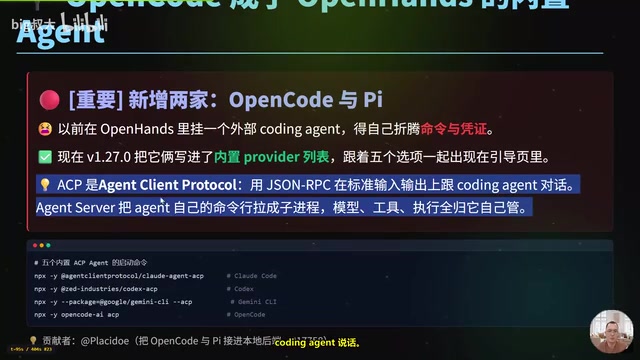
OpenHands v1.28.0: OpenCode and PI Added as Built-in Agents, API Keys Requestable In-Conversation
OpenHands ships 5 releases in 21 days: v1.27.0 adds OpenCode and PI as built-in agents, v1.28.0 enables in-chat key requests. ACP integration, credential reuse, model list changes, and upgrade advice.