DeepSeek Browser Use in Action: AI Autonomously Tops Up an Account and Requests an Invoice

DeepSeek Browser Use lets the DeepSeek model control a real browser to complete tasks like payments and invoicing.
DeepSeek Browser Use is a browser-operating middleware built for DeepSeek Harness, enabling the model to open browsers, read pages, and fill forms autonomously. A Bilibili creator demonstrated two real tasks — topping up an account with 10 yuan and filing a VAT invoice — showing the tool self-checking its environment, identifying balances, understanding form fields, and even searching for company tax information. Security-sensitive steps like login and WeChat payment still required human input, reflecting a deliberate human-in-the-loop design. The project is early-stage but points toward a viable path for integrating domestic AI models into real office automation workflows.
A Middleware That Lets AI Operate the Browser Itself
A Bilibili creator known as Pingping demonstrated a new tool called DeepSeekAd Browser Use. As he described it, this is a browser-operating middleware designed specifically for DeepSeek Harness — in plain terms, it lets the DeepSeek model do more than answer questions. It can actually open a browser, click through pages, fill out forms, and complete entire online workflows on a user's behalf.
The demo centered on two concrete tasks: topping up a DeepSeek account with 10 yuan, and filing an invoice for that transaction. Both involve real web interactions — logging in, making a payment, filling out forms — which is far more complex than the typical "AI helps you search for information" use case, and a much better stress test for a browser automation framework.
Browser Use is a technical direction that has gained traction in the AI Agent space in recent years. The core idea is to let large language models complete tasks by controlling a real browser, rather than relying solely on API calls or static data. Under the hood, it typically leverages headless browser frameworks like Playwright or Puppeteer, converting a page's DOM structure, screenshots, or list of interactive elements into model-readable input. The model then outputs action commands — clicks, text input, scrolling — forming a closed loop of "perceive → decide → act." Unlike RPA (Robotic Process Automation), Browser Use doesn't rely on pre-recorded fixed scripts. Instead, the model interprets page semantics in real time, making it far more resilient to UI redesigns. DeepSeek Harness is a task execution framework built around the DeepSeek model, and Browser Use serves as its browser-operation module — bridging the gap between model inference and real web interactions.
From Starting the Service to Opening the Browser
The workflow begins with configuration. The creator copied a task template from the open-source repository's documentation, updated the project path to match his local directory, and entered a task instruction: "Top up my DeepSeek account with 10 yuan." The model used was DeepSeek's Flash version.
Once execution started, the tool ran a self-check on the environment. It detected that the relevant service wasn't running, automatically started it, and then checked the browser's profile configuration and port availability. With the service up, it launched an internal browser instance.
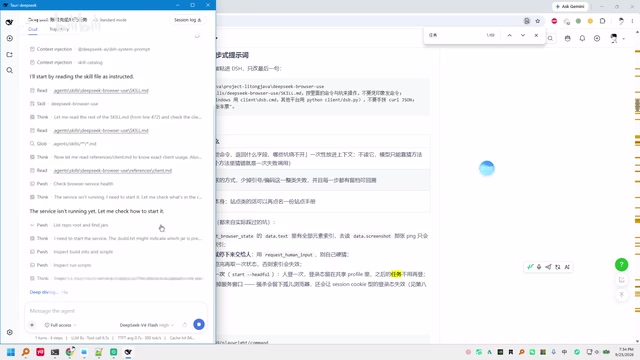
Noteably, the creator was upfront that this project is "still under development" — for example, the getConfig and listMasters methods haven't been implemented yet. This means it's better understood as an early-stage working prototype rather than a polished product, and viewers should calibrate their expectations for stability accordingly.
The Top-Up Task: Login, Scan to Pay, Confirm Balance
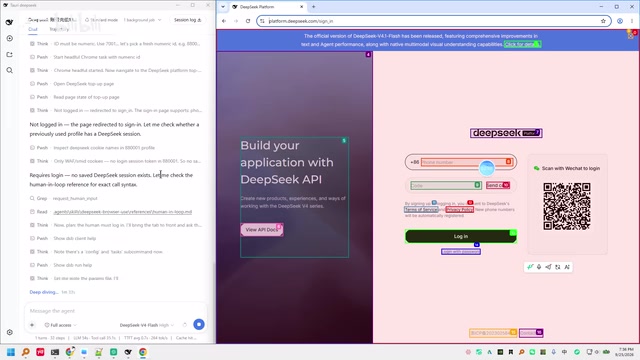
Once the browser instance launched, the AI began reading the page. It quickly determined that a login was required and that no DeepSeek session had been saved. It checked the user help documentation to figure out the correct operational syntax, while the creator manually completed the login step.
After logging in, the AI located the billing page, identified the current account balance as 104.08 yuan, and navigated to the top-up configuration. WeChat was selected as the payment method, and a QR code appeared on screen. After the creator scanned and completed the payment, the page confirmed success and the balance increased by 10 yuan.
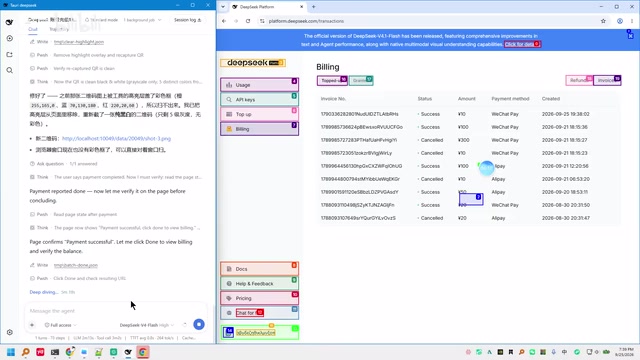
Throughout the process, security-sensitive steps like login and QR code payment still required human intervention — the AI was primarily responsible for page navigation, element identification, and state assessment. Once the task was complete, the tool automatically closed the browser and marked execution as successful.
The Invoice Task: Fill the Form, Look Up Company Info, Submit
The second task better showcases the tool's comprehension capabilities. The creator passed his invoice details to the AI and asked it to file an invoice. Since the session from the previous task was still active, the AI skipped login entirely and went straight into the invoicing flow.
The AI correctly understood that "invoice" meant 发票 (fāpiào), entered the email address, and selected the general VAT invoice type (since the creator is not a general VAT taxpayer). What stood out was the AI's behavior during the company name and tax ID fields — it proactively performed a search, apparently querying a business information service similar to Tianyancha to auto-fill and verify the invoice header details.
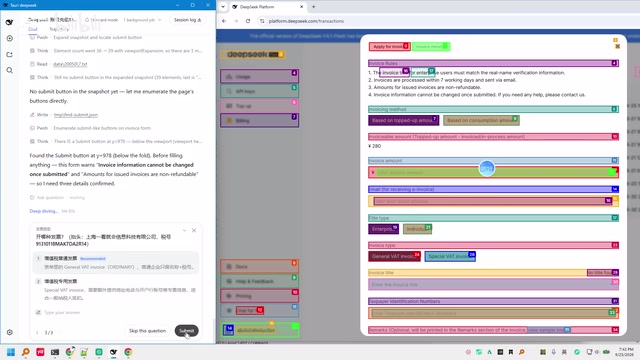
The AI then located the invoice recipient field, entered the company name and tax ID in sequence. After the creator confirmed the details were correct, the AI clicked submit, the invoice was successfully filed, and the browser closed — task complete.
The Value and Limitations of This Kind of Tool
Based on the demo, DeepSeek Browser Use's value lies in connecting a large model's reasoning capabilities to real browser operations — turning tedious tasks like "top up an account" or "file an invoice" that normally require step-by-step manual clicking into automated workflows triggered by a single natural language command. The AI self-checks the environment, reads pages, understands field semantics, and even proactively searches to fill in missing information, demonstrating a meaningful degree of autonomous decision-making.
The limitations are equally apparent. The project is in early development, with some methods still unfinished. Security-sensitive steps like login and QR code payment still require human intervention, so fully unattended operation isn't yet possible. For actions involving money and identity, this kind of "human-AI collaboration" is actually the more responsible design.
For developers and AI Agent enthusiasts, this type of open-source browser automation middleware offers a hands-on direction to explore: connecting a model like DeepSeek to a browser and experimenting with automation tasks that map closely to real office workflows. Readers interested in trying it out can follow the open-source repository — just be prepared for ongoing iteration and the possibility of running into unfinished features.
From a broader perspective, what DeepSeek Browser Use represents falls squarely within the emerging practice of AI Agent deployment. AI Agents are AI systems capable of independently formulating plans, invoking tools, and executing multi-step tasks — and browser operation is one of the most directly relevant capabilities for everyday user workflows. Similar projects in the industry include OpenAI's Operator, Anthropic's Computer Use, and the open-source browser-use library, each making different trade-offs around security boundaries, human-AI collaboration granularity, and model compatibility. For operations involving finances or identity verification, the industry broadly favors retaining a Human-in-the-Loop mechanism — pausing at critical steps to await user confirmation, balancing automation efficiency with operational safety. This is precisely why login and QR code payment were still handled manually in the demo. That's not purely a technical limitation; it's also a deliberate and responsible product design choice.
Related articles
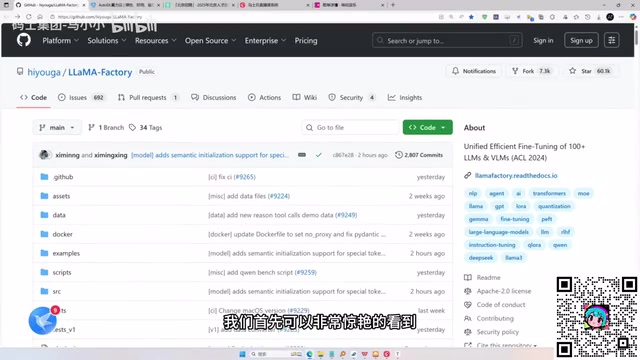
LLaMA-Factory in Practice: A Complete No-Code Guide to Fine-Tuning Large Models
An introduction to LLaMA-Factory, the open-source fine-tuning tool: its 60.1K-star background, supported models and algorithms, local vs. cloud deployment, and CUDA setup steps.

Zeng Ming's Deep Retrospective: Why OpenAI May Not Be the Ultimate Winner — and Why the Corporate System Will Disappear
Zeng Ming's deep retrospective on the AI endgame: model companies are just infrastructure, OpenAI and Anthropic won't be the final winners; the next battle is the Agent entry point standard; the corporate system will disappear as AI restructures collaboration, and only mission-driven companies can survive the cycle.
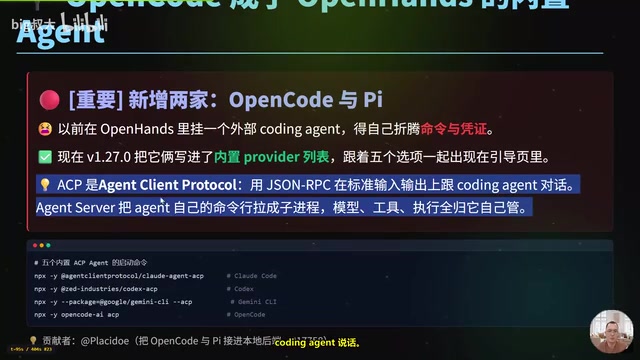
OpenHands v1.28.0: OpenCode and PI Added as Built-in Agents, API Keys Requestable In-Conversation
OpenHands ships 5 releases in 21 days: v1.27.0 adds OpenCode and PI as built-in agents, v1.28.0 enables in-chat key requests. ACP integration, credential reuse, model list changes, and upgrade advice.