DeepSeek Harness Desktop Linux Update: ARM64 Support Added, Image Crash and Tray Icon Issues Fixed

DeepSeek Harness Desktop Linux update adds ARM64 support and fixes image crash and tray icon bugs.
The Linux port of DeepSeek Harness Desktop has received its first patch update, addressing three key issues: ARM64 build support is now included so users on Raspberry Pi and other ARM devices can run the client natively; an image decoding crash has been fixed, restoring multimodal text-and-image interaction; and a system tray icon bug has been resolved, bringing background management behavior in line with Linux desktop conventions. Each fix targets a real usability pain point, and the author's quick turnaround after the initial release reflects a responsive approach to user feedback.
Update Overview
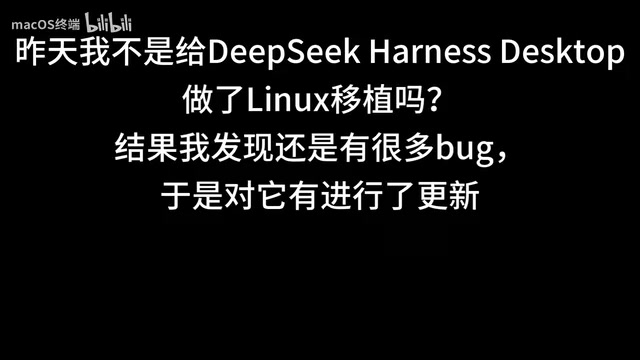
The Linux port of DeepSeekAd Harness Desktop has received an important patch update. According to the original author (a Bilibili content creator), while the first Linux port was functional, real-world usage revealed several problems. This update focuses on addressing three key pain points: missing ARM64 architecture support, crashes caused by image decoding, and a non-functional system tray icon.
For users who want to run the DeepSeek desktop client on Linux, these fixes represent a meaningful improvement in usability and stability. The addition of ARM64 support in particular means more devices — such as ARM-based development boards, laptops, and servers — can now run the client natively.
ARM64 Architecture Support Added
The most anticipated improvement in this update is the addition of ARM64 build support. Previously, the Linux version only targeted the mainstream x86_64 platform. As ARM devices become increasingly common in desktop and edge computing scenarios, the lack of an ARM64 build effectively locked out a significant portion of potential users.
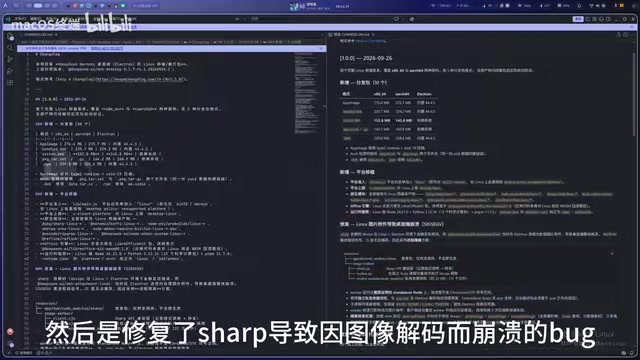
From the build artifacts shown by the author, the release package now includes a dedicated ARM64 version. This allows users on Raspberry Pi, ARM-based Linux laptops, and various domestic ARM platforms to download a matching installer directly — no emulation or cross-execution workarounds needed. Native support typically means better performance and lower resource usage, which matters especially on resource-constrained ARM devices.
Background: ARM64 (also known as AArch64) is the 64-bit instruction set for ARM architecture, and it is completely incompatible with x86_64 at the binary level — a program compiled for x86_64 cannot run directly on an ARM64 device, and vice versa. To support both architectures, developers must perform separate "cross-compilation" steps to produce independent binary packages. This explains why the first port only supported x86_64: ARM64 requires additional build configuration and testing. Common ARM64 Linux devices today include the Raspberry Pi 4/5, Pinebook Pro, Huawei Kunpeng servers, and some laptops running Qualcomm Snapdragon X-series chips (via dual-boot Linux or WSL2). When downloading, users should confirm their device's architecture — you can check by running
uname -m; if it outputsaarch64, your device is ARM64.
Image Decoding Crash Fixed
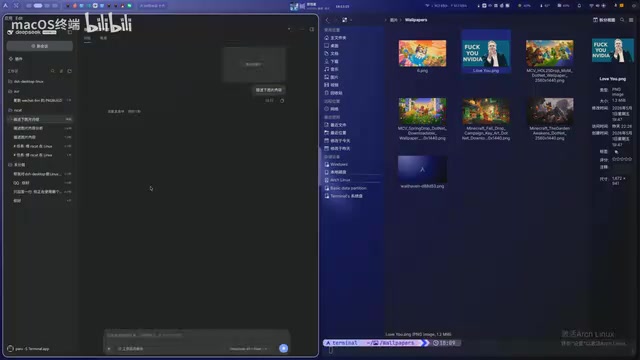
The second fix targets the image handling pipeline. In the previous version, the application would crash outright when processing images due to decoding errors — a critical usability problem for anyone who needs to upload or view image content in conversations.
After applying the update, the author launched an instance to verify the fix: opening a new conversation and testing image reading showed that the client could now properly parse and display image content without crashing. For use cases that rely on multimodal interaction (text + image), this fix directly restores a core feature.
System Tray Icon Bug Fixed
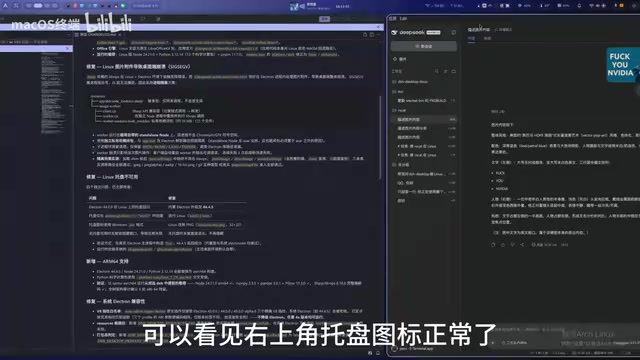
The third fix resolves a bug that caused the system tray icon to be non-functional. In Linux desktop environments, the tray icon is an important entry point for keeping an app running in the background and quickly bringing it up or quitting — when the tray breaks, the user experience becomes noticeably awkward.
After the update, the author demonstrated the full tray interaction flow: after closing the main window, the tray icon reappears correctly in the bottom-right corner of the desktop; clicking it can reopen DeepSeek, or the app can be fully exited from the tray menu. Testing confirmed that clicking "Quit" properly terminates the process. This fix restores background management behavior that aligns with Linux desktop user expectations.
Background: System tray support on Linux desktop environments is far more complex than on Windows. Different desktop environments (GNOME, KDE Plasma, XFCE, etc.) implement tray protocols differently: GNOME does not support the traditional XEmbed tray protocol by default and requires installing AppIndicator or KStatusNotifierItem extensions for tray icons to display correctly; KDE Plasma has good support for the StatusNotifierItem protocol. For desktop applications built on the Electron framework (which DeepSeek Harness Desktop very likely uses), tray functionality depends on correct calls to underlying system libraries — improper configuration results in icons not appearing or clicks going unresponsive. This fix likely involved compatibility work to adapt to tray mechanisms across different Linux distributions.
Summary
This DeepSeek Harness Desktop Linux update is modest in scope, but each fix addresses a real pain point: ARM64 support broadens device compatibility, the image decoding fix restores multimodal capabilities, and the tray fix improves day-to-day interaction.
In terms of iteration pace, the author responded quickly to bug reports after the initial port and shipped fixes promptly — a sign that user feedback is being taken seriously. For users interested in AI desktop tools on Linux, this project is worth keeping an eye on. ARM device users in particular now have a working native option to choose from.
Related articles

Bilibili's Hit Dify Tutorial: A Practical Guide to Building 20+ AI Apps from Scratch
A distilled guide to Bilibili's top-rated Dify tutorial: Windows + Docker deployment, MySQL connection, five app types, model integration strategy, and publishing.

Agent Skills Beginner's Guide: From Concepts to Multi-Agent Collaboration in Practice
A comprehensive guide to Agent Skills: core concepts, components, the importance of Description, standardization, beginner learning paths, and multi-agent collaboration.

One Neuron Detects Both Cats and Cars? We Reproduced It and Found a New Explanation
The cat-car neuron reinterpreted: researcher Cammarata argues it distinguishes pointy from round, not cats from cars. We reproduced the experiment and found the new explanation holds on most inputs—but cars are the exception. The interpretability debate continues on language models.