DeepSeek Harness Source Code Deep Dive: Everything as a Plugin and Main Loop Design
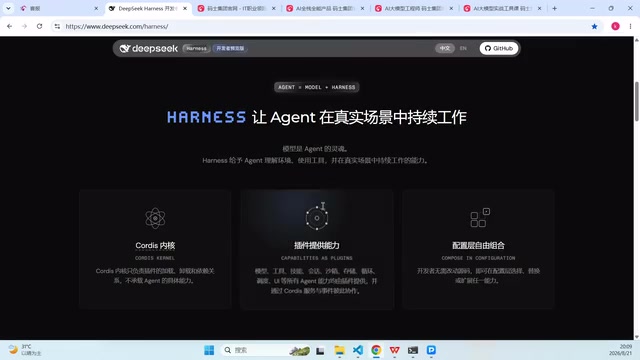
DeepSeek's open-source Agent framework Harness centers on "everything is a plugin," with one-click install and source debugging.
Based on a source code deep-dive video, this article outlines DeepSeek's open-source Agent framework Harness: its developer-preview positioning, the "everything is a plugin" philosophy (including models as plugins), and MCP-based extension. It covers the installed version (one command, Node.js, port 3080) and the source version (clone, pnpm install, build, separate port), then points to the client-side entry under apps/client and the main loop plus event bus skeleton.
DeepSeek's open-source Harness project has sparked extensive discussion in the developer community. This Agent framework, positioned as a "developer preview," sums up its design philosophy with a single line displayed in extra-large text—everything is a plugin. According to a source code deep-dive video by a Bilibili creator, the official introduction deliberately enlarged this phrase to remind developers to first grasp the most eye-catching words when observing new technology. This article, based on the hands-on demonstration and source code walkthrough in that video, outlines Harness's positioning, startup methods, and entry points for reading the source code.
Everything Is a Plugin: Harness's Core Architectural Claim
Harness's official website describes itself very concisely: it is a developer preview whose core feature is "everything is a plugin," and it is already open for testing to Harness developers worldwide. The video author points out that this positioning means the model itself is also treated as a plugin, rather than being hard-coded into the framework.
The practical significance of this positioning lies in extensibility. When models, tools, and even components within the main loop can all be plugged in as plugins, developers no longer need to modify the framework's core code—they only need to write plugins that conform to the interface specification. The "handwritten plugin to connect MCP" mentioned in the video is an extension of this idea—MCP (Model Context Protocol), as a channel for integrating external capabilities, complements the plugin mechanism.
The author also compared the differences between domestic and international open-source ecosystems: DeepSeekAd tends to open-source its core directly, while some overseas products follow a subscription model, where newcomers may get a few days of trial credit, but enterprise-level or daily development still requires a subscription. This comparison explains why Harness chose to enter the Agent framework race with a plugin-based + open-source approach.
MCP (Model Context Protocol) is an open protocol proposed and promoted by Anthropic, aiming to let AI applications connect to external tools, data sources, and services in a unified way. It is often compared to a "USB-C port for the AI world": the model side only needs to implement the protocol once to reuse a large number of existing MCP Servers (such as file systems, databases, search, code repositories, etc.), without writing separate adapter code for each tool. In Agent frameworks, MCP typically plays the role of a "capability integration layer," responsible for exposing external resources to the model in a standardized description. The "handwritten plugin to connect MCP" mentioned by Harness means that developers write a bridge layer according to the plugin interface, mounting the capabilities provided by MCP Servers into the framework, thereby extending the toolset without modifying core code. Understanding the division of labor between MCP and the plugin mechanism is the key to grasping Harness's extension model: plugins determine "how to mount," while MCP determines "what to mount."
Starting from Scratch: Two Paths—Installed Version and Source Version
Installed Version: Run with a Single Command
Starting the installed version of Harness is very straightforward, provided that Node.js is already installed on the machine. Once this condition is met, the same command works on Windows, Linux, or any other system. By default, the service starts in the background, and you can access it locally at port 3080 on 127.0.0.1.
During the video demonstration, a version update prompt appeared—upgrading from version 0.1 to version 0.11 rc.1—which the author explains is exactly why the startup was somewhat slow. If port 3080 is occupied, you can append the --port parameter to the startup command to specify a different port.
Source Version: Clone, Install Dependencies, Build
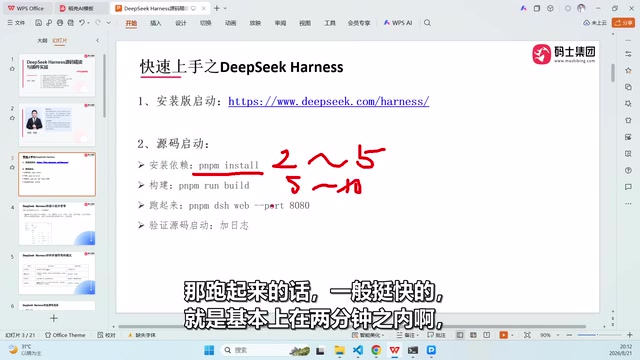
Developers who want to see the source code or debug it themselves can clone the repository from GitHub. The source installation process is to run pnpm install to install dependencies, then execute the build, and then start it with a command like pnpm dsh. The time estimates given by the video author are: the first dependency installation takes about three to five minutes, the build takes five to ten minutes, and startup itself usually takes less than two minutes—the second time will be noticeably faster.
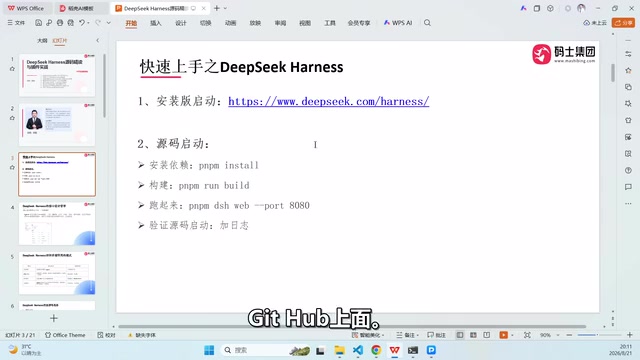
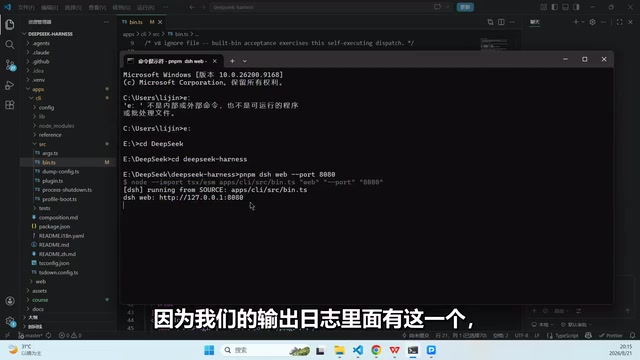
The reason the source version needs to specify a separate port is practical: the installed version auto-updates and occupies port 3080, so if you run the source version at the same time, the two will conflict—therefore the source version can switch to something like port 8080.
To distinguish the two startup methods, the video author added a debug log to the source code that prints a "started via source code" identifier. This log is located in the apps/client/src/bin directory, and the modification is clearly visible, making it easy to confirm that the currently running code is your own modified version rather than the official installation package.
After startup is complete, Harness's chat interface is similar to the DeepSeek web version, and history records load progressively. For users already familiar with the DeepSeek web version, the learning curve is low; but for developers, the real value lies in the architecture behind this interface that can be replaced by plugins.
pnpm mentioned in the article is a package manager in the Node.js ecosystem, belonging to the same category as npm and yarn, but it significantly reduces disk usage and speeds up installation through content-addressable storage and hard-link mechanisms, and is especially common in monorepo (multi-package single-repository) projects. pnpm install installs all dependencies according to the pnpm-lock.yaml lockfile in the repository, ensuring that the same version combination is installed on different machines; commands like pnpm dsh usually correspond to scripts defined in package.json, equivalent to executing the startup logic configured in that script. The apps/client directory structure mentioned in the article is a typical monorepo layout: multiple sub-packages (client, server, etc.) are placed side by side under apps, sharing the dependencies and build configuration of the root directory. This also explains why the first installation and build take a long time—the monorepo needs to resolve and link the entire workspace's dependency graph, while incremental builds reuse the cache on the second run, making it noticeably faster.
Entry Points for Reading the Source Code
After finishing the startup discussion, the video turns to "how to read the source code once you see it." The author's approach is to run it first and then read the code, because the running logs, ports, and directory structure are themselves clues for understanding the framework. From the demonstration, the client-side entry point is located in the bin directory under apps/client, which provides a starting point for subsequently tracing the implementation of the main loop and event bus.
Since the original material ends when it reaches the source code structure analysis, the specific implementation details of the main loop and event bus are not expanded upon in this content. But what can be confirmed is that the design claim "everything is a plugin" and the architectural description of "main loop + event bus" together form Harness's skeleton: the main loop drives the rhythm of the Agent's operation, the event bus handles decoupled communication between plugins, and the plugin mechanism determines how models and tools are dynamically mounted. For developers who want to delve deeper into Agent framework design, this thread is worth following further through the source code.
Event Bus is a communication mechanism based on the publish/subscribe pattern: components do not call each other directly; instead, they publish messages to the bus, and other components subscribed to the corresponding events receive and process them. In Agent frameworks, it is often used to decouple the main loop from various plugins—model outputs, tool calls, and state changes all flow as events, and plugins only need to subscribe to the event types they care about; when adding or replacing plugins, there is no need to modify the caller's code. This is highly consistent with the "everything is a plugin" claim: the reason plugins can be dynamically mounted and not interfere with each other largely depends on the indirect communication provided by the event bus. When reading the source code, you can focus on locating where events are registered and dispatched (such as methods like on, emit, subscribe), as well as which events the main loop triggers in each round and which plugins respond to them, thereby reconstructing the entire framework's operation chain.
Frequently Asked Questions
What is the difference between Harness and the DeepSeek web version? The interface experience is similar, but Harness is a development framework that can be run locally, has modifiable source code, and supports writing plugins, while the web version is a finished service.
Why is it recommended to change the port when starting from source? The installed version occupies port 3080 by default and auto-updates; switching the source version to another port avoids conflicts between the two.
Can it run without Node.js? No, installing Node.js is a prerequisite for startup.
One-line Summary
DeepSeek's open-source Agent framework Harness takes "everything is a plugin" as its core philosophy, supporting one-click installation and source code debugging.
Paragraph Summary
Based on a Bilibili creator's source code deep-dive video, this article outlines the positioning, startup methods, and source code reading entry points of DeepSeek's open-source Agent framework Harness. Harness is positioned as a developer preview, with the core claim that "everything is a plugin"; the model itself is also integrated as a plugin, avoiding modifications to the framework's core code and allowing external capabilities to be extended via MCP. The installed version requires only one command and depends on Node.js, listening on port 3080 by default; the source version requires cloning the repository, installing dependencies with pnpm, building, and starting on a separate port, with the first build taking longer. The author recommends running it first before reading the code; the client-side entry point is in the bin directory under apps/client, and "main loop + event bus" together with the plugin mechanism form the framework's skeleton.
Related articles
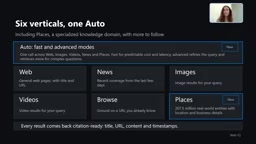
Microsoft WebIQ: Verifiable Real-Time Web Grounding for AI Agents
Microsoft WebIQ gives AI Agents real-time, citable web grounding across web, news, images, videos, and Places—164ms P95 latency, 50% fewer tokens, Scopes source control, and MCP integration.
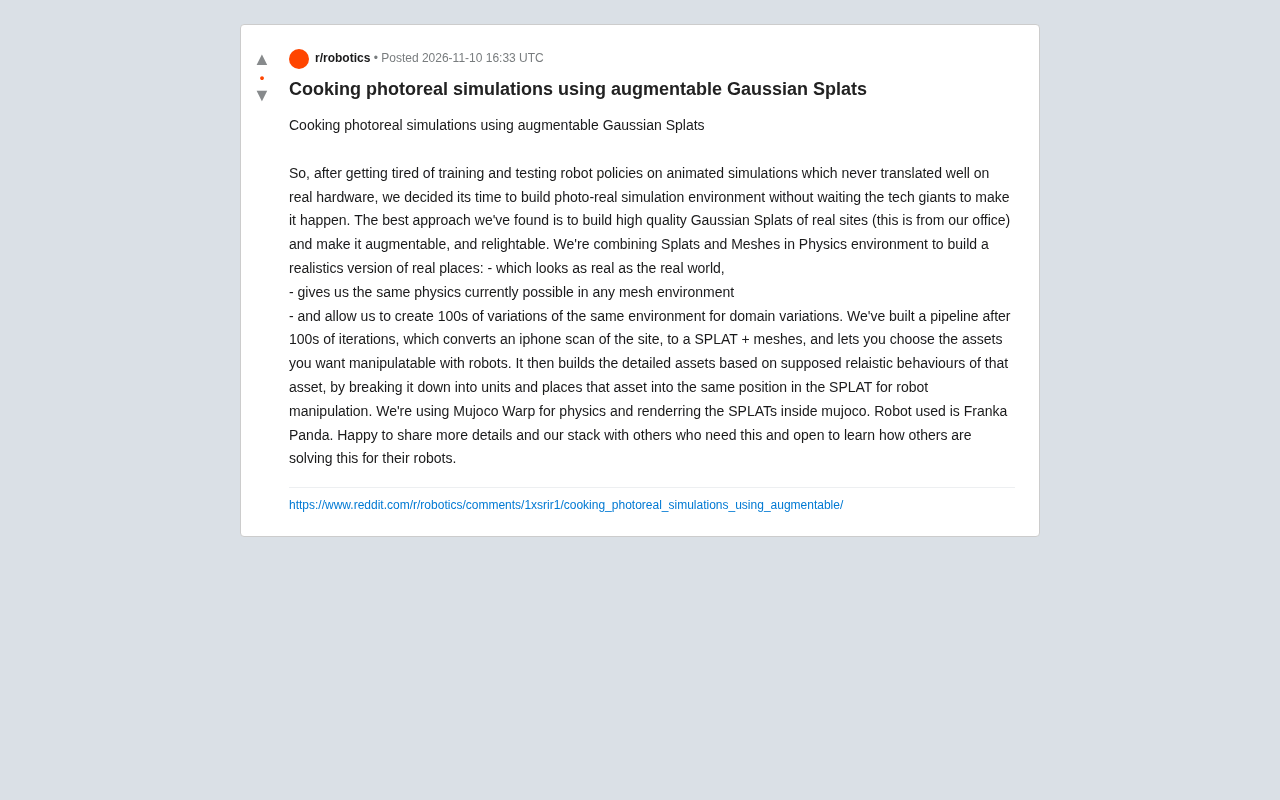
Augmentable Gaussian Splatting: Building Photorealistic Simulation Environments for Robot Training
Team combines Gaussian Splatting with meshes to build photorealistic robot simulation environments, integrating MuJoCo Warp physics and Franka Panda for augmentable, relightable real-site simulation.
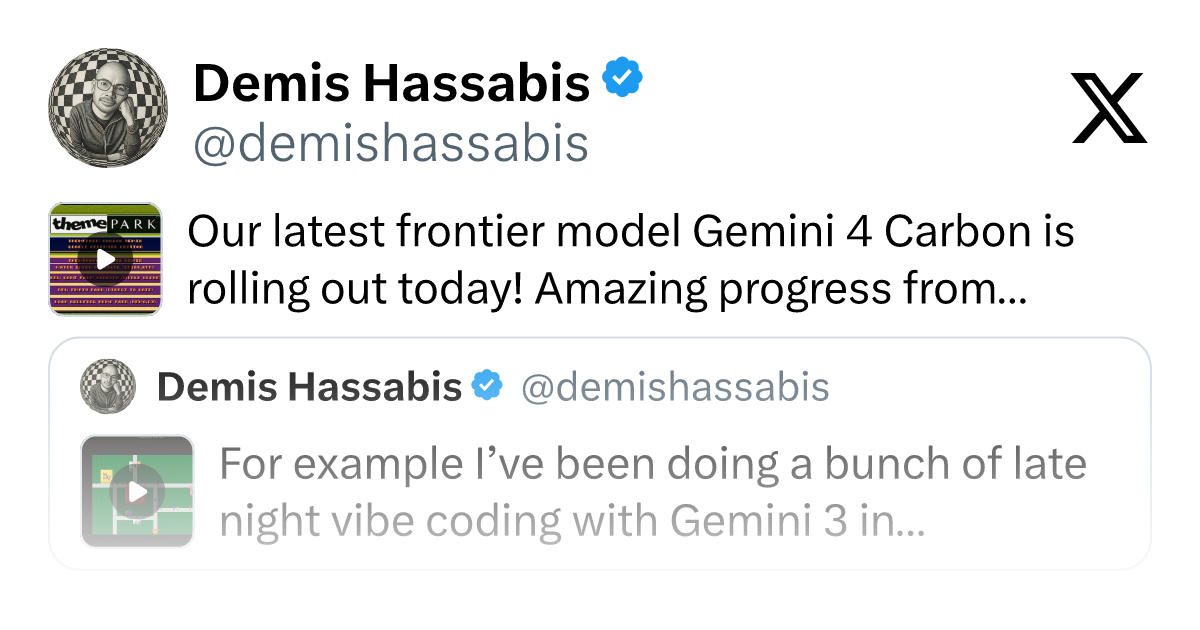
Gemini 4 Carbon Released: The Leap from Gemini 3 to Gemini 4 in Under a Year
Google releases Gemini 4 Carbon, less than a year after Gemini 3. In the official demo, Carbon reverse-engineered the Theme Park binary, added a new DeepMind-themed ride, and ported it to the web in one shot.