DeepSeek Meets REA: Letting AI Reverse-Engineer Apps, Three Real-World Case Studies
Developer reverse-engineers three apps with REA and DeepSeek Harness to rebuild runnable tools, with evidence-backed conclusions at the core.
The article covers a Bilibili developer connecting open-source reverse engineering tool REA to DeepSeek Harness. REA is MIT-licensed and gives AI Agents a local reverse engineering toolset covering native, Electron, .NET, Android, and web apps; Harness is also open-source with an "everything is a plugin" architecture, so REA registers with one command and requires Node 24. Three cases show the results: rebuilding a six-Agent console from Ion UI, discovering IGANT's task-splitting logic in a bundled Python backend, and scraping and rebuilding the developer's own site with a real browser. The key value isn't that AI writes code, but that every conclusion carries evidence and explicitly flags what couldn't be proven. Four methodologies close it out: require evidence files, focus on the app's own code, only analyze owned or authorized software, and write visual requirements in detail.
AI Agents are moving from "generating content" to "understanding and rebuilding software." A developer on Bilibili connected the open-source tool REA to DeepSeek Harness, letting the AI directly open applications on macOS, extract source code evidence, and rebuild three runnable tools following the same architecture. The most valuable part of this whole process isn't that "AI can write code" — it's that every conclusion comes with evidence, and it explicitly tells you which parts it couldn't prove.
REA and DeepSeek Harness: A Combination of Two MIT Tools
According to the Bilibili creator, REA stands for Reverse Engineer Anything, an open-source reverse engineering tool published on GitHub by Moluto under the MIT license, claiming over 438,000 stars. It provides AI Agents with a unified set of reverse engineering tools covering native programs, JavaScript and Electron desktop apps, .NET applications, Android apps, and websites. All analysis runs locally, answers come with evidence, and it also indicates which conclusions cannot be substantiated.
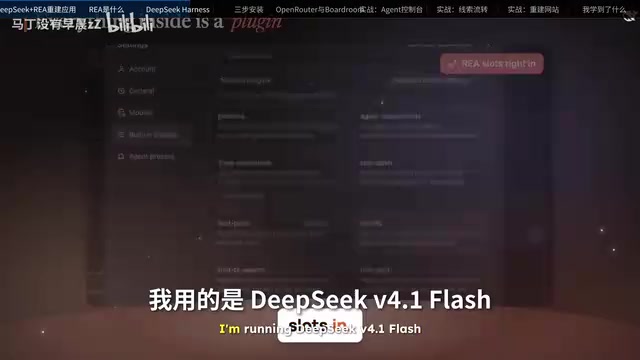
The "brain" side is DeepSeekAd Harness, DeepSeek's official Agent application, also open-source under the MIT license, claiming over 275,000 stars. Its architecture is characterized by "everything is a plugin," which allows REA to be embedded directly. The creator uses DeepSeek v4.1 Flash, citing speed and screenshot capability — which is crucial when the Agent inspects its own output.
Installation requires just one command: npx rea-agents setup --client dsh, which registers REA into the Harness and installs the reverse engineering skills. Note that REA depends on Node 24, and installation will abort if the version doesn't match. Afterward, run npx rea-agents doctor to confirm the Harness line shows healthy, then restart and create a new session. If you encounter quota prompts, the creator's approach is to connect OpenRouter in settings and select DeepSeek v4.1 Flash.
Reverse Engineering refers to the process of inferring a program's architecture, data flow, and business logic by observing its binaries, bytecode, packaged resources, and runtime behavior in the absence of source code. Traditionally this requires manually using disassemblers, debuggers, and packet capture tools — high barrier to entry and time-consuming. The value of tools like REA lies in encapsulating common reverse engineering actions (unpacking apps, locating bundles, mapping module dependencies, tracing session state) into a unified interface callable by Agents, enabling LLMs to initiate analysis on demand and consume structured results.
Agent-tool integration typically takes two forms: first, function calling, where the model requests execution of a tool during conversation; second, plugin/skill registration, where tool descriptions are written into the Agent's runtime manifest so the model automatically perceives their existence during planning. DeepSeek Harness's "everything is a plugin" architecture belongs to the latter — the command npx rea-agents setup --client dsh essentially registers REA's capability manifest and invocation protocol into the Harness, which is why a restart and new session are needed after installation for it to take effect.
Case One: Reverse-Engineering Ion UI to Rebuild an Agent Console
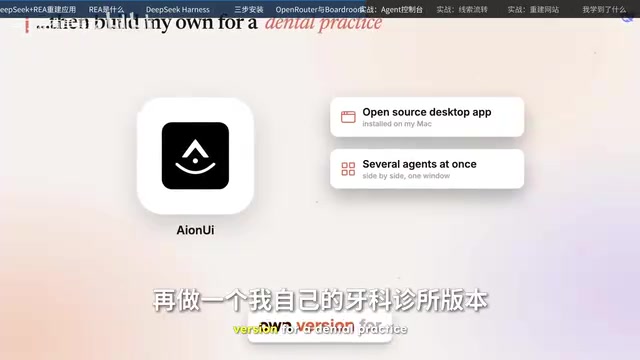
The first target is Ion UI, an open-source desktop app that runs multiple AI Agents side by side. The prompt asks REA to analyze how it schedules Agents in parallel, write the evidence into evidence.md, then rebuild a console with six live Agents, light trails, and a command box.
REA unpacks the app and draws a structure diagram. During the process it encounters two bundles that exceed size limits and can't be read directly. It raises the memory limit itself, narrows the search scope to the app's own code, and continues. The final report clearly distinguishes "conclusions from code" versus "parts that couldn't be read," and locates the app's core Agent manager, the adapter for each Agent type, and how session state is tracked. The rebuild result is a six-Agent panel for a dental clinic, where tasks fly to the corresponding Agent and get taken over after input.
Bundle size limits are a common obstacle when analyzing Electron/frontend apps. These apps typically pack large numbers of dependencies into a few JavaScript files, with individual files reaching tens of MB, which can exceed the model's context window or the tool's memory limits when read directly. Common strategies in practice include: raising the Node process memory limit (e.g., --max-old-space-size), splitting files along module boundaries, and using regex or AST searches instead of full-text reading. The creator having REA "focus on the app's own code rather than third-party libraries" is precisely about reserving the limited context budget for business logic instead of being drowned by vendored dependencies — this is also a key step in reverse analysis: distinguishing "own code" from "packaged dependencies."
Case Two: IGANT's Task Splitting Lives in a Python Backend
The second app, IGANT, can split a task among a group of working Agents. The creator asks REA to find the splitting logic, then rebuild a "lead flow reactor" for a dental clinic.

This case best illustrates REA's value: the desktop app is just a frontend shell, and the real task-splitting logic lives in a Python backend bundled with the app. The creator's assessment is that DeepSeek guessing alone would almost certainly never discover this — it was REA that dug it out. The rebuilt flow works like this: leads enter the reactor and are split into four task types — qualification, reply, booking, and follow-up — dispatched to four work channels, with the entire interface giving celebratory feedback when a booking succeeds.
Electron apps' dual-process structure means logic can be distributed on both sides. Electron consists of a renderer process (Chromium, running frontend JS) and a main process (Node.js), and many products additionally bundle a local service written in Python or Go as a backend, communicating via localhost HTTP or stdio. In this case, the desktop frontend only handles the UI and request forwarding, while the real scheduling, task splitting, and state machines live in the backend binary or scripts. Inferring behavior from JS bundles alone easily leads to the wrong conclusion that "the frontend handles the splitting." REA's ability to locate the bundled Python backend shows that its analysis scope covers non-JS assets within the app package and inter-process communication paths — precisely what a pure language model guessing from code snippets struggles to achieve.
Case Three: Scraping Your Own Website with a Real Browser
The third target is the creator's own juliangoldi.com. The prompt asks to analyze the site structure, fonts, scripts, and button navigation, then rebuild it into a more refined version.
This time REA launched a real browser to load the page, capturing the page structure, fonts, scripts, and where each button points, mapping out 15 sections. DeepSeek then rebuilt the site using real sections and copy, with large serif headings fading in on scroll, preserving all services, results, and genuine testimonials. The first version mistakenly copied an unwanted banner, and the creator requested a fix in the same session — it passed on the first try.
Three Reusable Methodologies
The creator summarized four lessons from the three builds. First, always require an evidence file — this keeps the model honest and makes it easy to verify item by item. Second, for large apps, explicitly require focusing on the app's own code rather than bundled third-party libraries — this was also the key to circumventing size limits in the first build. Third, only analyze software you own or open-source software you're permitted to study, and rebuild on that basis using your own names and design. Fourth, write visual requirements in detail — colors, fonts, animations — this is the gap between an ordinary dashboard and a genuinely usable tool.
It should be noted that the star counts above are figures claimed in the video and have not been independently verified; the specific prompts, evidence lists, and design briefs for the three cases are in the author's paid community, and the original only provides the approach rather than complete prompts. Additionally, the reverse analysis discussed here should be conducted within the bounds of legal authorization — a precondition the original author repeatedly emphasizes.
Background Notes
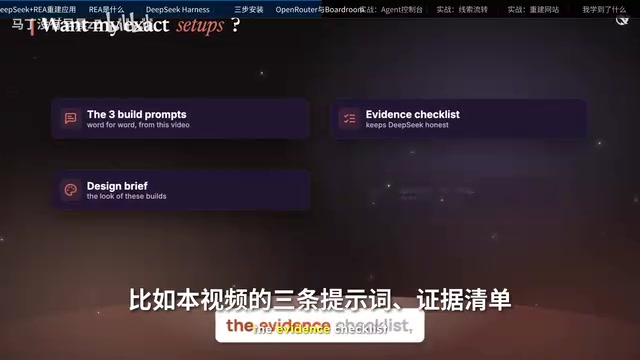
Evidence files in Agent workflows are verifiable intermediate artifacts: each time the model reaches a conclusion, it writes the supporting file paths, code snippets, packet capture records, or screenshots into a structured document, with "unverifiable" items listed separately. Their role isn't just record-keeping — it transforms the model's reasoning from invisible verbal assertions into item-by-item reviewable claims, reducing the probability of hallucinations being directly accepted. In practice, this typically requires a fixed filename (e.g., evidence.md), organization by conclusion number, and having subsequent rebuild steps explicitly reference these numbers, forming a traceable chain of "analysis—evidence—rebuild."
One-line Summary
A developer uses REA plus DeepSeek Harness to reverse-engineer three apps and rebuild runnable tools, with the core being conclusions backed by evidence.
Paragraph Summary
The article describes a Bilibili developer's practice of connecting the open-source reverse engineering tool REA to DeepSeek Harness. REA is MIT-licensed and provides AI Agents with a local reverse engineering toolset covering native programs, Electron, .NET, Android, and websites; Harness is also open-source with an "everything is a plugin" architecture, so REA can be registered with a single command and requires Node 24. The author demonstrates results with three cases: reverse-engineering Ion UI to rebuild a six-Agent console, discovering that IGANT's task-splitting logic lives in a bundled Python backend, and using a real browser to scrape and rebuild their own website. The article emphasizes that the real value isn't that AI can write code, but that every conclusion comes with evidence and clearly labels what couldn't be proven. It concludes with four methodologies: require evidence files, focus on the app's own code, only analyze software you own or are authorized to study, and write visual requirements in detail.
Related articles
VP ≠ VNP: A Major Breakthrough in Computational Complexity Theory
A study claiming to prove VP ≠ VNP over every field sparks heated discussion on Hacker News. This article analyzes the algebraic complexity background of VP and VNP, the proof approach, community controversy, and its potential impact on computational complexity theory.
Developer Naming Woes: The Technical Names That Drive Us Crazy
Why is technical naming so maddening? From Nginx and Vite to Qt and Sudo, a YouTube creator rants about the chaos of developer naming and pronunciation, revealing the tug-of-war between creators' intentions and community habits, and the cultural roots behind spelling traps like PyPI and GNOME.

Figma Workplace Scandal: Employee Sues CEO for Forcing Confrontation with Harasser
Figma and its CEO are sued by a current employee alleging sexual harassment and discrimination, and forcing the victim to confront her harasser. This article outlines the background, potential impact, and industry reflection.