DeepSeek Open-Sources Chat Frontend: Direct API Key Connection, Three Major Extension Capabilities Now Available

DeepSeek open-sources the Chat Demo frontend and opens search, parsing, and voice APIs.
DeepSeek open-sourced its chat frontend Chat Demo under the MIT license — unzip, add an API Key, and it runs. The frontend handles only input, display, and management; model responses and extensions come via API, decoupling UI from capabilities. The opened APIs split Search, Fetch, OCR, ASR, and TTS into independent modules, enabling cited search and retrieval during deep reasoning. The client offers branching chats, code/formula/Mermaid rendering, and local storage; extensions are billed by tokens and tool calls, and the frontend can be self-hosted statically.
DeepSeek has open-sourced the frontend of its own chat product. The project is called Chat Demo, released under the MIT license — just unzip it, double-click the webpage, enter your API Key, and you can start chatting right away. This isn't just a simple UI template: web search, file parsing, and voice input — capabilities that were previously hidden behind the product — are also being opened up as APIs.
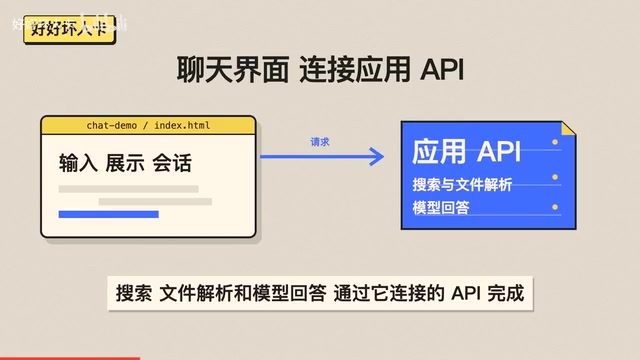
A Ready-to-Use Chat Interface: Just Enter a Key and Go
Chat Demo's deployment is about as close to "zero barrier" as it gets: download the zip, unzip it, double-click the webpage file, and enter your API Key to start a conversation. For teams that want to quickly validate an idea or build an internal tool, this saves the cost of designing the interaction layer from scratch.
This frontend handles three responsibilities: input, display, and management. The actual rendering, search, file parsing, and model responses all happen through the APIs it connects to. In other words, the interface layer and the capability layer are decoupled — you can use just the interface, or use it together with the capabilities.
Three Sets of Extension Capabilities: Search, Parsing, Voice
According to a related introduction on Bilibili, DeepSeekAd has simultaneously opened up application APIs and split the extension capabilities into independently callable modules: Search handles looking up information, Fetch handles reading web pages, OCR parses documents and images, ASR handles transcription, and TTS reads responses aloud. Developers can pick and choose as needed and plug them into their own workflows.
A typical scenario is comparing two product documents: drag the documents into the input box, then add the product's official website links, and let the model organize the commonalities and differences. The file and web content will both enter the context of this conversation.
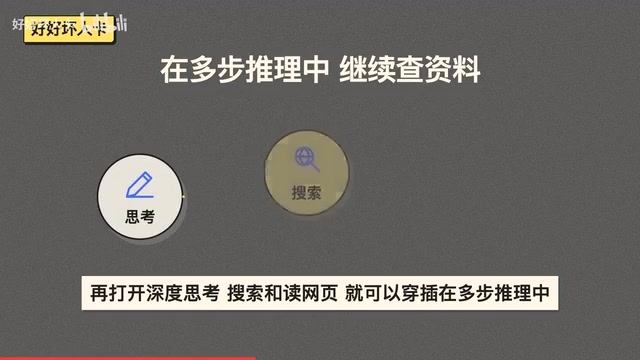
When intelligent search is enabled, the model retrieves web pages based on the question, and answers can include source citations; when deep thinking is also enabled, search and web page reading can be interspersed within the multi-step reasoning process. This combination of "retrieve — read — reason" is a key step toward turning a chat assistant into a research assistant.
A detail worth mentioning is the billing model: these extension capabilities are billed by tokens and tool calls. Web search, document parsing, and voice can be freely combined according to product needs, without forced bundling.
OCR (Optical Character Recognition) and ASR (Automatic Speech Recognition) are two different types of perception technology. OCR detects text regions in images or scanned documents and converts them into editable text, commonly used in document digitization scenarios; ASR transcribes speech signals into text, involving coordination between acoustic models and language models. TTS (Text-to-Speech) goes in the opposite direction, synthesizing text into natural speech. Together, these three form the foundational capabilities for multimodal input and output, enabling chat products to handle non-text content. Once available as APIs, developers no longer need to build their own model inference services — they can obtain these capabilities by paying per call, greatly lowering the barrier to multimodal applications.
Interaction Details: Branching Conversations and Local-First
The client comes with common interactions preconfigured. You can modify a question to regenerate an answer, then switch to another message branch, so the same question can continue along different paths — this branching conversation style is very useful for scenarios that require comparing multiple lines of thought.
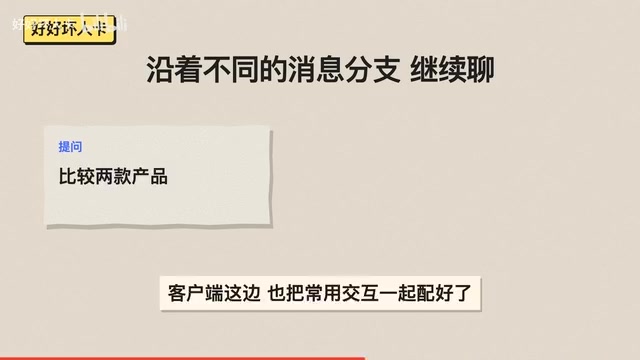
At the rendering level, code highlighting, math formulas, and Mermaid diagrams are all supported, and conversation content can be directly turned into more readable code blocks, formulas, and flowcharts. In settings, you can also import historical conversations exported from DeepSeek and continue chatting from where you left off.
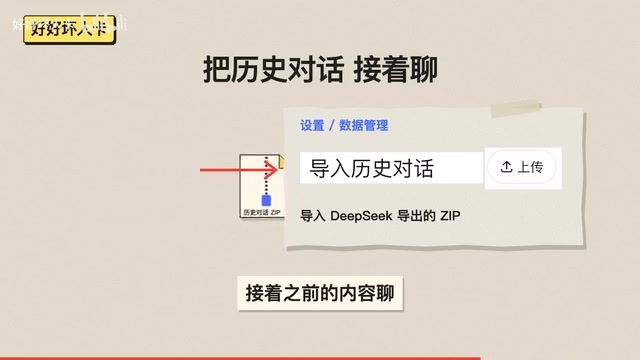
The data storage strategy leans toward local: rendering and attachments are saved locally in the browser, and the frontend itself can also be deployed to your own static website. For users who care about data not leaving their devices, this is more appealing than many cloud-based solutions.
Mermaid is a text-based diagram description language that uses Markdown-like syntax to define flowcharts, sequence diagrams, Gantt charts, and more, with a rendering engine converting them into visual graphics. In chat scenarios, Mermaid code blocks output by the model can be rendered directly by the frontend into diagrams, making it easy to display processes and structures. Math formula rendering typically relies on libraries such as KaTeX or MathJax to convert LaTeX syntax into beautifully typeset formulas. Code highlighting colors different tokens through syntax parsing. These rendering capabilities determine whether conversation content can be directly read and reused, and are an important part of the chat frontend experience.
What It Means for Developers
The MIT license means this code can be freely read, modified, and used commercially. For developers, the chat interface, interaction logic, and API integration already provide a starting point they can use right away — no more agonizing over repetitive work like "how to lay out the message stream" or "how to store branching conversations," freeing up energy to focus on the differentiated parts of the product.
Shortcomings exist as well: as a demo-level project, it assumes by default that you bring your own API Key, and server-side capabilities need to be integrated yourself; although local storage protects privacy, it also means cross-device synchronization must be solved on your own. It's more like a high-quality foundation than a finished house.
From an industry perspective, open-sourcing the frontend and extension APIs together is a way to trade ecosystem for adoption: the interface code lowers the barrier to entry, while the capability APIs billed per call form a commercial loop. For teams that want to build their own chat products, they can indeed start from this code now.
The MIT license is a permissive open-source license that allows users to freely copy, modify, merge, publish, sublicense, and sell the software, requiring only that the copyright notice and license notice be retained in copies, and providing no warranty. Unlike the viral nature of GPL, MIT does not require derivative works to be open-sourced as well, so there are no obstacles to commercial closed-source integration either. This is especially friendly for teams that want to embed Chat Demo into their own products, but note that third-party libraries the project depends on may use different licenses, so a dependency license review should be done before commercial use.
One-line Summary
DeepSeek open-sources the Chat Demo chat frontend and opens application APIs for search, parsing, voice, and more.
Paragraph Summary
DeepSeek has open-sourced its chat product frontend Chat Demo under the MIT license — unzip it, enter an API Key, and it's ready to use. The frontend is responsible only for input, display, and management, while model responses and extension capabilities are handled through APIs, decoupling the interface from the capabilities. The simultaneously opened application APIs split Search, Fetch, OCR, ASR, and TTS into independently callable modules, supporting intelligent search with source citations and interspersed retrieval and web page reading during deep thinking. The client also offers branching conversations, code/formula/Mermaid rendering, and saves rendering and attachments locally in the browser. Extension capabilities are billed by tokens and tool calls, and the frontend can be deployed to your own static website. For developers, this is a foundation they can start using right away, but server integration and cross-device synchronization must be solved on their own.
Related articles

Snapchat Opens AI Assistant Lens Building: Supports Claude Code and Cursor
Snapchat lets Lens creators describe AR filters in natural language, with AI assistants like Claude Code and Cursor handling the full build process, greatly lowering the AR creation barrier.

Is the Planck Length the Smallest Distance? Why Physicists Are Skeptical
The Planck length is often called the smallest distance in the universe, but science videos point out this claim has never been experimentally confirmed. This article explains the origins of the Planck length, the obstacles of microscope thought experiments, and what it really tells us—the scale at which quantum gravity becomes unavoidable, not spacetime pixels.

AI Agents Drive Spend Management: Payhawk Raises $280M
Payhawk raises $280M at a $2B valuation. The 2018-founded enterprise finance platform uses AI agents to track and manage expenses and procurement. This article analyzes its product evolution, valuation signals, and impact on the spend management space.