DeepSeek-Orchestrated Storyboard Comic Tool: Custom iProvider and Storyboard Cropping in Practice

Online comic orchestration tool adds custom iProvider and storyboard cropping to strengthen workflow controllability.
An online comic orchestration tool launches a custom iProvider feature and optimizes its interface, letting users add multiple Providers and switch underlying models during orchestration. Users enter a creative idea, click orchestrate to generate planning points for prompt review, confirm before generating, then benefit from automatic text correction with manual edits and saving. A cropping tool lets users define storyboard regions so AI fills in based on human composition. The demo shows the full pipeline, but effect quality is only called "not bad," and Provider configuration and correction accuracy remain unquantified.
Title
DeepSeek-Orchestrated Storyboard Comic Tool: Custom iProvider and Storyboard Cropping in Practice
Meta Description
An online comic orchestration tool adds custom iProvider support for multi-model switching and storyboard cropping. Based on a Bilibili demo, this article breaks down the complete DeepSeekAd-orchestrated workflow—from creative input and prompt planning to generation—and explores the balance between efficiency and control in AI comic creation.
Article Content
With AI art tools proliferating everywhere, organizing scattered image-generation capabilities into coherent comic narratives remains a pain point for many creators. Recently, an online comic orchestration tool rolled out a custom iProvider feature and refined its interface layout, making the automated storyboard comic generation workflow more flexible. A demo video on Bilibili walks through the complete process from entering a creative idea to producing the final output, and the performance of the DeepSeek-orchestrated version is worth a closer look.
Custom iProvider: Putting Model Choice in the User's Hands
According to the Bilibili creator's demo, the tool has added a custom Provider feature in its settings. Users are no longer limited to the platform's built-in models—they can add multiple Providers themselves and switch between them at any point during orchestration. This means you can choose different underlying models to perform generation tasks based on the complexity or style requirements of a given storyboard. For comic projects that need to blend the capabilities of multiple models, this change offers far greater scheduling flexibility.
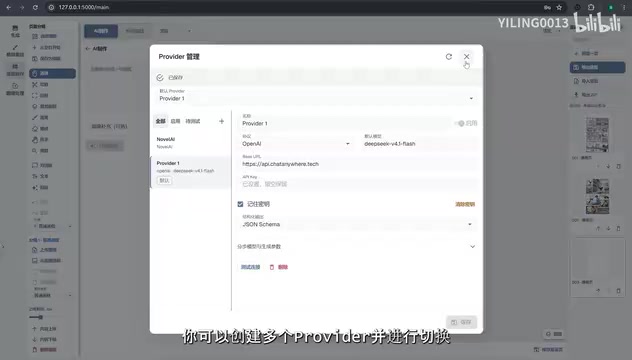
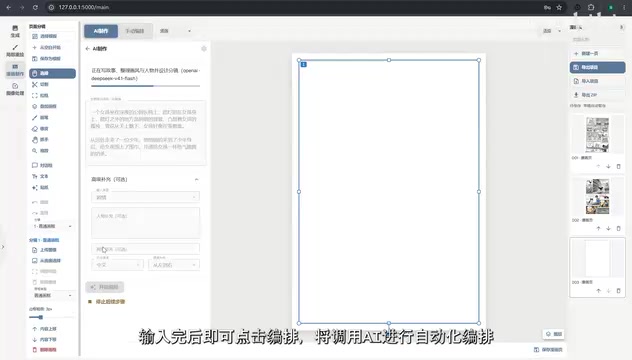
The interface layout has also been moderately optimized, with the creative input area in the sidebar becoming more compact. Users simply enter their creative idea on the side, click the "Orchestrate" button, and the tool calls the Provider for automated orchestration. The entire process shifts from manually piecing together prompts to a streamlined workflow, lowering the barrier to storyboard creation.
iProvider (Provider interface) is a middleware layer in many AI orchestration tools that abstracts "underlying model calls." It encapsulates the API differences between different models (such as text models and image models) into a unified interface, so that the upper-level workflow only needs to call the Provider without worrying about which specific model is being used. A custom iProvider allows users to enter their own API address, key, and model name, thereby connecting to models not built into the platform. For comic orchestration, this means different stages—text planning, prompt rewriting, image generation, etc.—can each be assigned a different Provider, enabling model capabilities to be scheduled stage by stage.
Prompt Planning and Text Correction: Controllable Automation
The biggest fear with automated orchestration is black-box operation. After clicking "Orchestrate," the tool generates a set of planning points, and users can click on each planning point to view the specific prompt content. In the demo, the creator specifically highlighted this step: only after confirming the prompts meet expectations does the user click generate. This "review before generating" mechanism preserves a window for human intervention in the automated process.
After generation is complete, the tool automatically performs text correction, and users can also manually specify the text a second time. Once confirmed, click save, and when you return to other comic pages, the settings are retained. This sequence of actions shows that while the tool pursues efficiency, it doesn't give up control over the quality of the final output. For a content format like comics that demands high narrative coherence, the text correction step is especially critical.
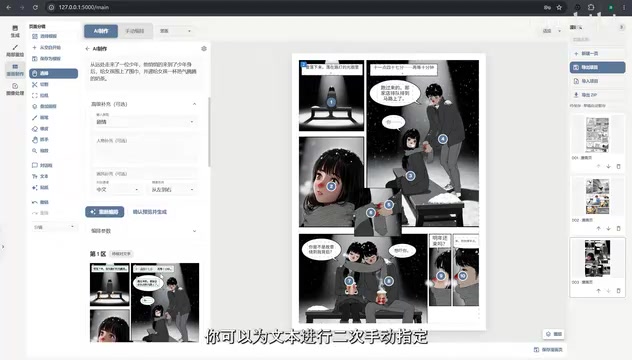
"Planning points" can be understood as intermediate nodes in the automated orchestration workflow: before generating the final image, the tool first breaks down the creative idea into several text outputs such as storyboard descriptions, character settings, and scene prompts, with each planning point corresponding to one or a group of these prompts. When users click on a planning point to view its content, it's equivalent to performing a manual review at a key station on the assembly line, triggering the next generation step only after confirmation. This design draws on the "human-in-the-loop" approach, breaking the large model's one-shot black-box output into multiple checkable steps to reduce the risk of error accumulation.
Custom Storyboard Cropping: Let AI Reference Your Composition Design
After creating a new canvas, the demonstrator showcased the custom storyboard feature. Users can use the cropping tool to divide the canvas themselves, so that orchestration references your storyboard design. The video briefly demonstrated the creation of a five-panel layout: after selecting the storyboard regions, enter the desired plot, click orchestrate, then click generate directly.
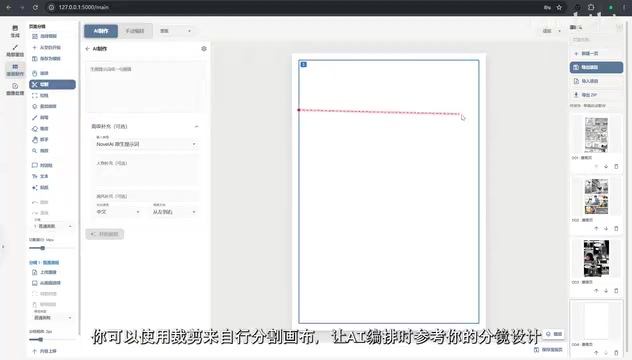
Judging from the demo results, the effect is "not bad." Although the video doesn't go deep into comparing the quality differences between different storyboard approaches, the act of cropping and dividing the canvas effectively puts composition decisions in the user's hands upfront. AI fills in the content, while the rhythm and layout of the storyboard are determined by the human. This division of labor is closer to actual comic creation habits than relying entirely on AI for automatic layout.
Storyboard cropping is essentially providing "composition conditions" for the image generation model. There are two common approaches: one is to pass the cropped region as a mask or reference image to the model, constraining the position and proportion of the generated content; the other is to generate each storyboard region separately and then stitch them back onto the canvas. The former relies more on the model's ability to follow regional prompts, while the latter is more controllable but requires handling style consistency across storyboards. The five-panel layout demonstrated in the article is a multi-panel arrangement, where eye guidance between panels, whitespace, and dialogue space all affect narrative rhythm—so manually determining crop regions is closer to the professional comic storyboarding process than letting the model handle automatic layout.
The Balance Point Between Efficiency and Control
The direction of this tool's update is clear: use models like DeepSeek for orchestration and scheduling, string together the multi-step comic generation workflow, and at the same time preserve the creator's sense of control through features like custom Providers, prompt previews, and storyboard cropping. It's not suited for lazy one-click image generation scenarios, but rather for creators willing to make decisions at key nodes.
However, the demo video also reveals some limitations. For instance, the five-panel generation result is only dismissed with "not bad," lacking multi-round comparisons; the specific configuration details of custom Providers aren't elaborated; and the actual accuracy of text correction isn't quantified. These information gaps mean the tool's real usability still needs more practice to verify. For interested creators, it's worth running through the video's workflow yourself—starting by testing Provider compatibility with a single storyboard, then gradually expanding to multi-panel narratives.
One-line Summary
Online comic orchestration tool adds custom iProvider and storyboard cropping, strengthening workflow controllability.
Paragraph Summary
An online comic orchestration tool has launched a custom iProvider feature and optimized its interface layout, allowing users to add multiple Providers and switch underlying models at any time during orchestration. After entering a creative idea in the sidebar and clicking orchestrate, the tool generates planning points for users to view specific prompts, then generates after confirmation, and automatically performs text correction afterward, supporting secondary manual edits and saving. After creating a new canvas, users can use the cropping tool to customize storyboard regions, letting AI fill in based on human composition. The demo shows the complete pipeline from creative idea to finished product, but generation results are only described as "not bad," and Provider configuration details and text correction accuracy lack quantification—real usability still needs practical verification.
Related articles

M&M's Spent Millions Replacing Artificial Blue Dye — Why Is It So Hard?
Mars spent millions trying to replace artificial blue dye in M&M's with spirulina, but thick material clogs pipes and residue risks mold, forcing a full production-line rebuild. Here's the engineering behind the reformulation.
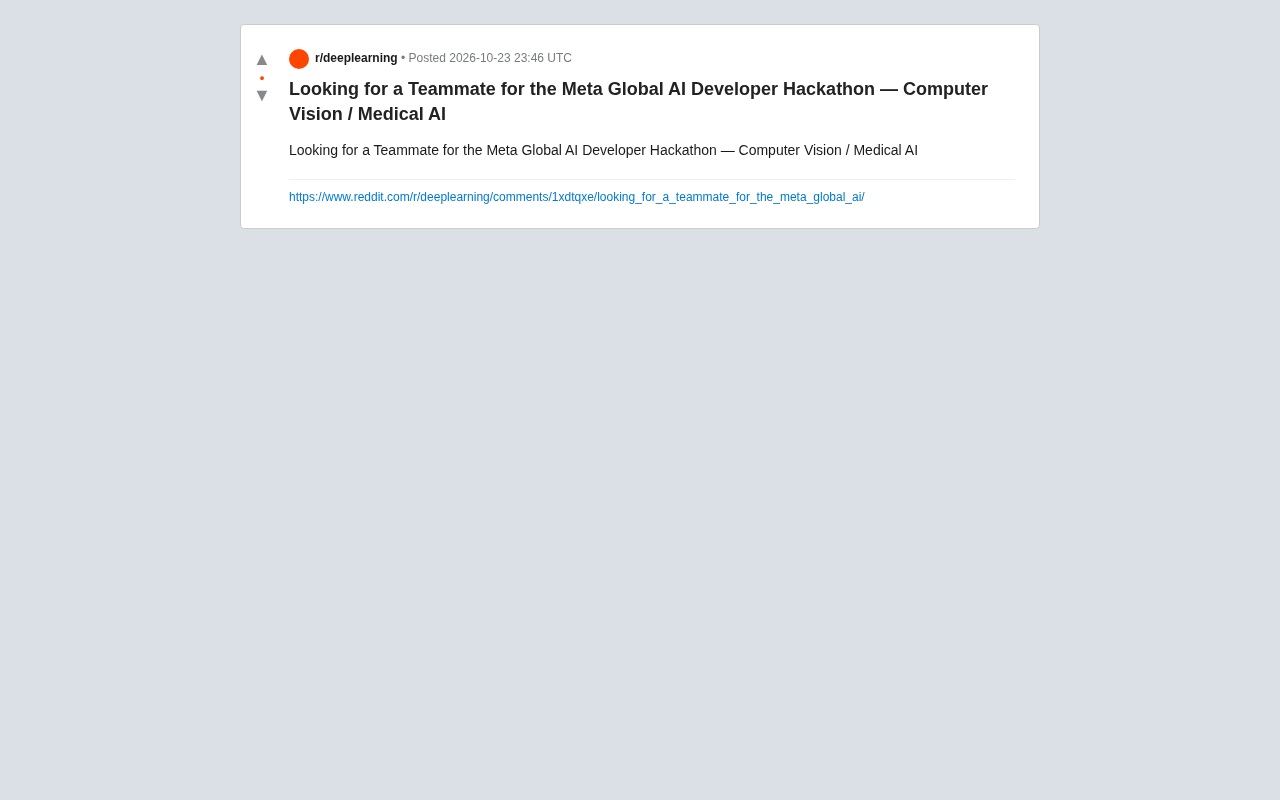
Teammate Wanted for Meta Global AI Developer Hackathon: Computer Vision & Medical AI
A Reddit developer seeks teammates for the Meta Global AI Developer Hackathon, focusing on computer vision and medical AI. This article analyzes the track logic, skills-complementarity needs, and topic selection strategy behind this teaming signal.
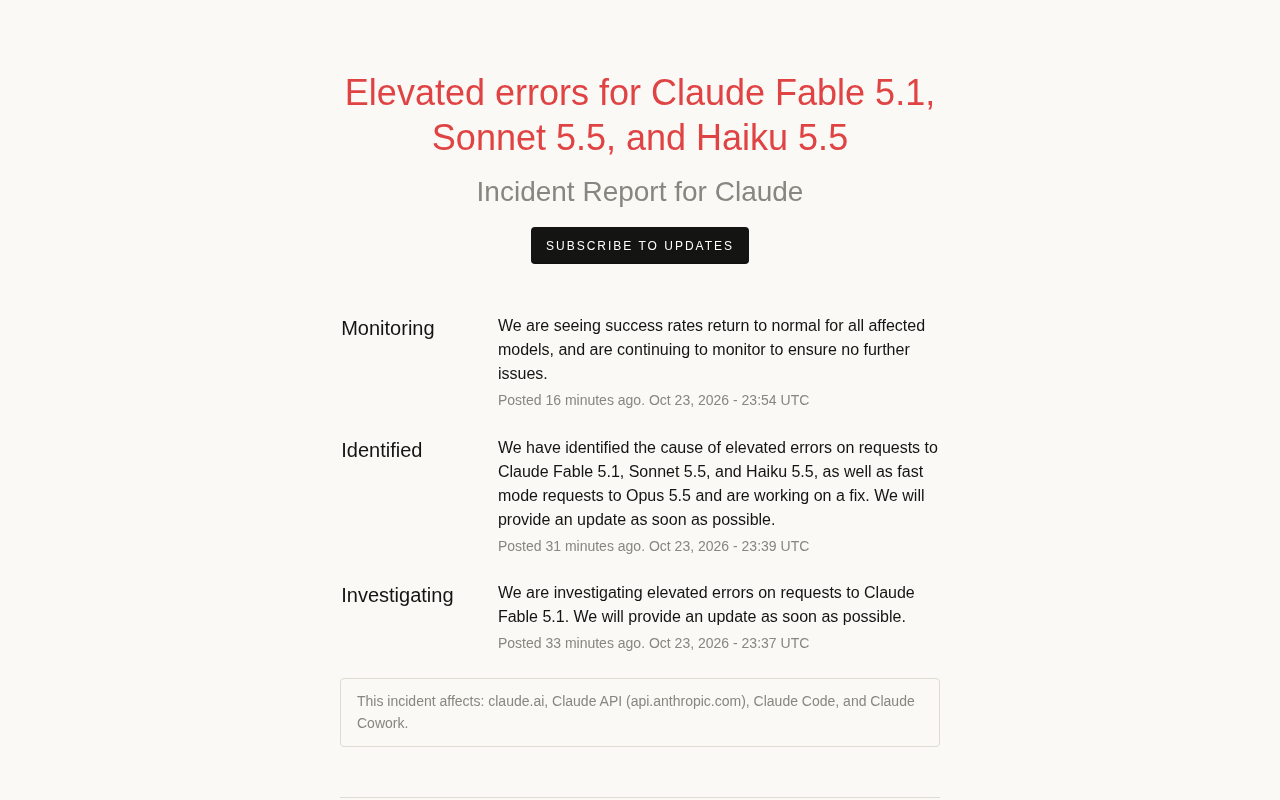
Multiple Claude Models Hit by Errors: A Postmortem of Fable 5.1, Sonnet 5.5, and Haiku 5.5
Claude Fable 5.1, Sonnet 5.5, Haiku 5.5, and Opus 5.5 fast mode saw elevated errors; Anthropic identified and resolved the issue in 17 minutes. This postmortem covers the timeline, the technical reasons for the multi-model cascading failure, and practical lessons for retry and degradation strategies.