Dify Beginner's Guide: Build AI Agents and Workflows Without Writing Code
Dify is a no-code AI app builder with private deployment support, ideal for beginners and security-conscious enterprises.
This article introduces Dify as a low-code/no-code AI application platform. Compared to code frameworks like LangChain, Dify's drag-and-drop interface lets beginners focus on business logic rather than syntax. It covers chat assistants, Agents, text generation, and workflow orchestration, with support for connecting internal knowledge bases. Its key advantage over Coze is on-premises deployment — keeping all data local — making it especially suitable for regulated industries like finance and healthcare.
Why Choose Dify Over Writing Code Directly
For beginners who want to build AI applications, jumping straight into code frameworks is often a steep barrier. Take LangChain as an example — while it can handle complex functionality like RAG (Retrieval-Augmented Generation), it's far from beginner-friendly. You can easily get bogged down in syntax details, wondering "why is this line written this way?" or "why is this so different from Java?", ultimately losing sight of the core logic behind AI applications.
This is exactly where visual tools like Dify shine. With a drag-and-drop interface, even users without any programming background can focus on what they want to build rather than how to write the code. For newcomers, this intuitive approach is far more efficient than starting from scratch. Once you understand the overall flow, going back to look at the underlying code implementation becomes much smoother.
RAG (Retrieval-Augmented Generation) is one of the most common technical patterns in enterprise AI applications today. The core idea is: before sending a question to a large language model, first retrieve relevant document chunks from an external knowledge base, then pass those chunks along with the question to the model to generate an answer. The benefit is that the model no longer relies solely on knowledge it "memorized" during training — it can reference the latest, private document content in real time, significantly reducing hallucinations (where the model fabricates facts). LangChain is one of the most popular RAG development frameworks, but using it requires familiarity with Python syntax, vector databases, embedding models, and a range of other concepts, making the learning curve steep for beginners. Dify wraps this entire pipeline into a visual interface, allowing users to connect knowledge bases and build Q&A applications without needing to understand the underlying implementation details.
What Dify Can Do
Dify is a low-code/no-code platform for building AI applications. Its core capabilities cover the most mainstream AI application scenarios today: chat assistants, Agents, text generation apps, and workflow orchestration. The goal is to let you quickly assemble a working AI agent through a visual, drag-and-drop interface.
Beyond basic app building, Dify also supports connecting knowledge bases. You can plug in internal company documents and let the AI assistant answer questions based on that private knowledge, boosting workplace productivity. For teams that need to work with large volumes of internal materials, this feature is especially valuable.
An Agent is an AI program with the ability to autonomously plan and call tools. Unlike a regular chat assistant that can only passively respond to questions, an Agent can break down a complex task into multiple steps, sequentially invoke tools like search, calculation, or database queries, and decide the next action based on each result — until the goal is achieved. Workflow orchestration refers to chaining multiple AI processing nodes (such as text extraction, model calls, conditional branching, and result output) into a reusable automated pipeline. These two capabilities make Dify more than just a "chatbot builder" — it can handle complex, multi-step business scenarios with branching logic, such as automatically processing customer support tickets, generating marketing copy in bulk, or parsing contract documents.
The Key Difference Between Dify and Coze: Private Deployment
When Dify comes up, many people think of Coze, another similar tool. The two serve comparable purposes, but differ fundamentally in deployment model — and that difference often drives enterprise adoption decisions.
Coze is primarily cloud-hosted, meaning your data is processed on the platform's servers. For personal use, this isn't an issue. But from an enterprise perspective, many companies are uncomfortable entrusting internal data to a third-party cloud.
Dify's advantage is that it supports both cloud-based use and on-premises (private) deployment. On-premises deployment means the entire system runs in your own local environment — your data stays 100% local and never leaves for the cloud. For industries with strict data compliance and security requirements, such as finance and healthcare, Dify can be deployed entirely on-site as long as the underlying business is compliant, keeping data firmly under your control. This is Dify's core competitive edge over purely cloud-hosted solutions.
On-Premises Deployment refers to installing and running a software system entirely on a company's own servers or internal network, where all data storage, transmission, and computation happen locally without passing through any external cloud provider's infrastructure. In contrast, the cloud-hosted SaaS model has users accessing software on a vendor's remote servers via a browser, with data stored and processed by the vendor. The advantage of on-premises deployment is that data sovereignty remains entirely with the enterprise, meeting compliance requirements such as data security and personal information protection laws, and eliminating the risk of trade secrets or customer data being exposed during transmission. Dify is released as open-source code, and enterprises can deploy it locally using containerization tools like Docker at a manageable technical complexity level.
A Learning Path from Beginner to Practitioner
For zero-experience learners, the recommended approach is to first run through a complete AI application workflow using Dify — from creating an app, configuring a model, and connecting a knowledge base, to orchestrating a workflow — building an intuitive understanding of the overall architecture. Once you understand what each step is doing, exploring the underlying code implementation becomes much clearer, and many concepts that once seemed complex will start to click.
It's worth noting that visual tools and code are not opposites. After mastering Dify, if you need more flexible customization, implementing the same logic in code often only takes a few minutes — because you've already thought through the business flow. Tools lower the barrier to entry, while understanding the underlying principles determines how far you can go.
Summary
Dify offers a low-barrier entry point into AI application development. It covers chat assistants, Agents, text generation, and workflow orchestration through a visual, no-code interface, and supports on-premises deployment to meet enterprise data security needs. Compared to Coze, which is primarily cloud-hosted, Dify is a better fit for compliance-sensitive industries where data sovereignty is non-negotiable. For beginners, the most effective and least frustrating learning path is to first use the tool to run through the workflow end to end, then dive deeper into the underlying principles.
Related articles
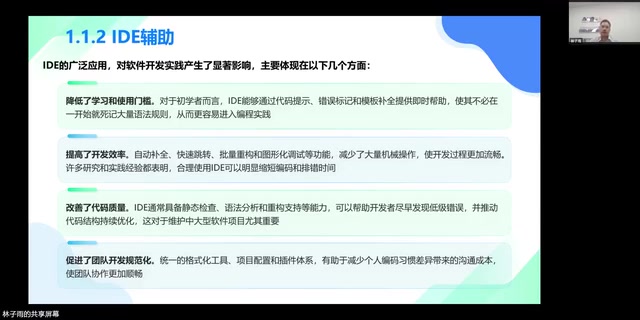
AI Programming at Xiamen University: A Full Breakdown from Textbook to Teaching
Xiamen University's Lin Ziyu shares how he built an AI programming course — covering three coding eras, Claude Code's production-ready milestone, three methodologies, and a fully free, reproducible curriculum design.
A DeepSeek Researcher's Confession: The AI He Trained Is About to Replace Him
DeepSeek V4.1 kernel engineer Liu Shengyu admits the AI he trained will surpass his own skills within a year—yet he keeps pushing forward. Here's why.
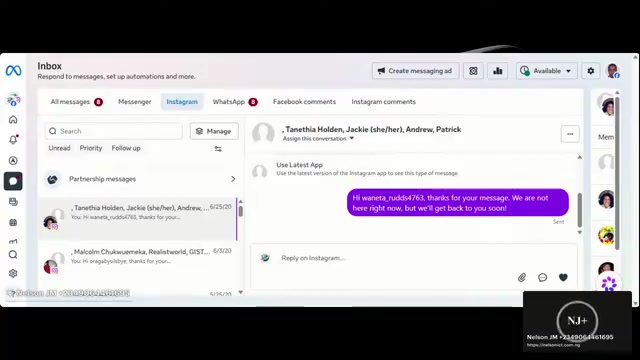
n8n Automation in Practice: How AI Workflows Help SMBs Cut Costs and Boost Efficiency
Learn how SMBs use n8n and AI tools to automate multi-platform messaging, AI customer service replies, and bulk exam data entry — real-world workflows for cutting costs.