Dify Workflow Beginner's Guide: A Complete Tutorial for Building AI Applications from Scratch

A complete beginner's guide to building AI applications with Dify's low-code workflow platform.
This article is an overview of a beginner-friendly tutorial series centered on Dify, a low-code platform that packages LLM calls and workflow orchestration into visual modules. It covers three deployment options (recommending Docker on Windows with MySQL 8), five core application types — Chatbot, Text Generation, Agent, Chatflow, and Workflow — and advises beginners to use affordable cloud models like DeepSeek or Qwen rather than local small models. Finished applications can be published as public web apps, embedded in websites, or exposed via API.
What Is Dify: A Low-Code Platform for Building AI Applications
Dify is a low-code platform designed for AI application development. Whether you're building enterprise-grade solutions or personal projects, it lets you get up and running quickly. Its core value lies in packaging capabilities like LLM calls, workflow orchestration, and data interaction into visual modules — making it possible for users without a deep engineering background to deploy real AI applications.
For those encountering it for the first time, think of Dify as an "AI application factory." You don't need to write code from scratch to call APIs, manage conversation state, or stitch together prompts. Instead, you build the entire application by dragging and dropping nodes and configuring parameters. That's precisely why it's been gaining traction in developer communities lately.
Three Deployment Options: Cloud, Docker, and Source Code
Dify offers flexible deployment options to fit different use cases:
- Official online platform: No setup required — use the officially hosted Dify interface directly. Features are largely the same as the self-hosted version. The downside is that if your application needs to access a local database or local environment, you'll need an intranet tunneling tool to expose your machine's IP to the public internet.
- Docker deployment: The approach used in this tutorial, deploying Dify via Docker on Windows. In this setup, local services like MySQL are directly accessible to Dify, making it well-suited for internal company applications.
- Source code deployment: Best for developers who need deep customization.
The tutorial author emphasizes that self-deployment is recommended for production environments, especially when your application needs to interact with internal databases or local services. Local Docker deployment is more convenient and controllable in those cases.
Why You Should Also Install MySQL 8
The tutorial dedicates an entire section to installing MySQL 8 on Windows, and the reason is straightforward: AI applications built in Dify often need to access a database for data retrieval and AI-driven interaction. So you need a working database environment.
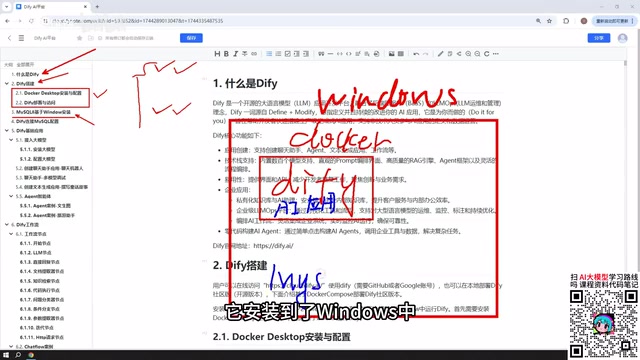
It's worth noting that MySQL can be deployed quite flexibly — you can install it directly on Windows, run it via Docker, or host it inside a VMware virtual machine. Once Docker is set up, Dify's network can communicate with MySQL running on the Windows host as well as MySQL running inside a VM on the same machine. After installation, you'll also need to configure the MySQL connection inside Dify so that your AI applications can successfully read from the database.
Dify's Five Core Application Types
This is the backbone of the entire tutorial. Dify's application creation interface offers five main types, with the first three being foundational:
Chatbot and Text Generation
Chatbot is the simplest form — essentially a conversational interface with an AI model. Text Generation focuses on content output: writing articles, generating documents, crafting stories, or producing other one-shot generation tasks. These two types have the lowest barrier to entry and are the best starting point for beginners.
Agent
The key difference between an Agent and the two previous types is its ability to call tools. An Agent can systematically use multiple tools to complete complex user instructions. Multi-step tasks like "first scrape a webpage, then analyze the content" require an Agent to orchestrate. This elevates the application from "having a conversation" to "executing tasks."
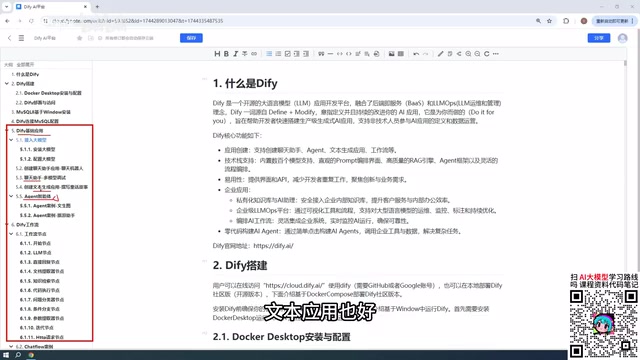
The underlying logic of an Agent comes from the "ReAct" (Reasoning + Acting) framework: the model first reasons about the task, decides which tool to call and what parameters to pass, receives the tool's output, then continues reasoning — looping until the task is complete. This is fundamentally different from the simple question-and-answer mechanism of a regular conversational model. In Dify, tools available to an Agent include web search, code execution, database queries, HTTP requests, and custom tools. The key to understanding Agents is recognizing that they are essentially "model-driven automation pipelines" — the model itself plans the steps rather than a developer hard-coding the execution order. This is what makes Agents more flexible than fixed workflows, while also making their stability harder to guarantee.
Chatflow and Workflow
Workflows are the centerpiece of Dify, and they come in two variants: Chatflow and Workflow. The core difference is simple — Chatflow supports ongoing, multi-turn conversations with the workflow, while Workflow is a one-shot invocation that produces a result and ends.
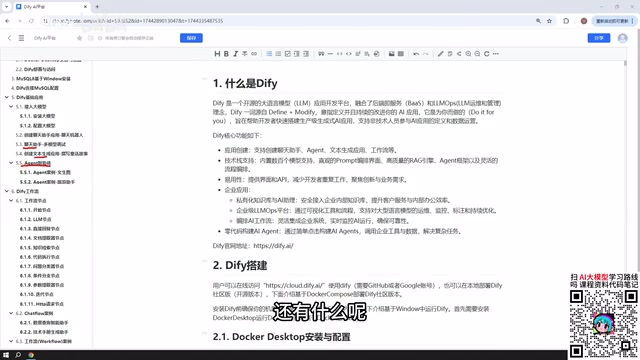
The fundamental building blocks of a workflow are nodes. When creating a Chatflow or Workflow, you assemble a complete pipeline from individual functional modules — each module is a node. The tutorial covers the most commonly used nodes in Dify, which together address the vast majority of capabilities offered by the platform, with hands-on examples for each node.
Model Integration: Prioritize Paid Cloud Models
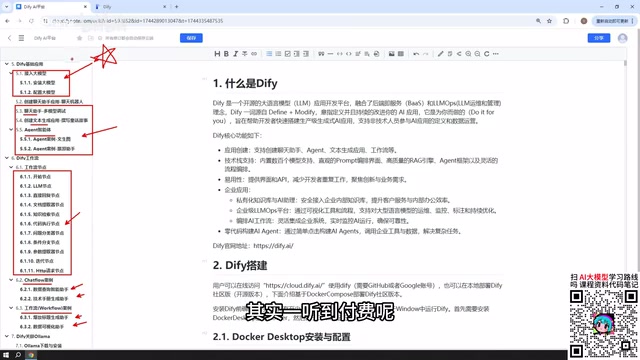
Every AI application needs to interact with a large model, so connecting a model is an unavoidable first step. The tutorial's advice here is practical: prioritize paid cloud-based models.
Available options include:
- DeepSeekAd: Paid, but extremely affordable. The author mentions topping up ¥10 and barely spending ¥1 after extended use.
- ChatGPT: A paid option.
- Baidu ERNIE Bot, Alibaba Qwen: After registration, these typically offer millions of free tokens — more than enough for learning purposes.
Regarding local models, the tutorial does cover integrating Dify with locally deployed Ollama models, but beginners are advised against using local small models. Consumer-grade machines can only run lower-parameter models, and the real-world output quality tends to be disappointing. That said, if you have access to enterprise-grade clusters capable of running large open-source models like DeepSeek's multi-hundred-GB parameter versions (which can exceed 400 GB after download), building enterprise applications with local models is entirely viable and can yield excellent results.
Tokens are the basic unit for measuring LLM usage. As a rough guide, one token corresponds to about 1.5 Chinese characters or 4 English characters. Cloud model billing is typically split into "input tokens + output tokens," with output generally priced higher than input. DeepSeek's API pricing is among the lowest in the industry, which explains why the author topped up ¥10 and has barely spent ¥1 after prolonged use. The millions of free tokens offered by ERNIE Bot and Qwen translate to roughly thousands of complete conversations — more than sufficient for verifying functionality during the learning phase, so cost is not a concern.
Publishing Applications: From Local to Public
Applications built in Dify aren't limited to local use. The platform offers several publishing options:
- Publish as a public web app: Generate a link accessible to anyone, published on the internet for others to use (local deployments require intranet tunneling).
- Embed in a website: Integrate the application into your own website.
- API access: Call your Dify application from other programs via API or languages like Python.
This step is what gives an AI application real external-facing capability, moving it beyond just a personal experiment.
Intranet tunneling tools (such as frp, ngrok, Cloudflare Tunnel, etc.) are an unavoidable step for locally deployed users who want to publish public-facing applications. By default, Dify running in a local Docker container is only accessible via a LAN IP. Tunneling tools open a fixed domain or port on a public server and forward external traffic to the corresponding port on your local machine, making your locally deployed service accessible from the internet. Keep in mind that these tools expose your local service to the public internet — always implement proper access authentication to prevent unauthorized access to sensitive interfaces like database endpoints.
Learning Path Summary
Overall, this tutorial follows a clear learning arc: start by understanding what Dify is and setting up the environment (Docker + MySQL + model integration), then progressively work through the five application types — Chatbot, Text Generation, Agent, Chatflow, and Workflow — and finally learn how to publish your application. Every section includes hands-on examples, with the workflow nodes section having the most, making it the most critical part of mastering Dify. For anyone looking to quickly get started with AI application development, this is a fairly complete and practical learning path.
Related articles

Build an AI Super Employee System at Zero Cost: A Full Breakdown of Automated Agent Workflows
A deep breakdown of the AI super employee system demoed on Bilibili: agent orchestration, digital human voiceovers, map and enterprise lead generation, 24/7 customer service, and legal modules. We analyze the business logic and compliance risks behind zero-cost signup to help entrepreneurs judge the real ROI of this AI digital employee system.

The Essential Difference Between Chatbots and AI Agents: Crossing from Conversation to Execution
What's the difference between a chatbot and an AI agent? Based on the MCP series on the Learn Tech channel, this article uses examples like booking flights and summarizing notes to explain: a chatbot only gives answers, while an agent actually completes tasks through a think-act-observe loop. It breaks down the four core components—model, tools, memory, and goal—as well as MCP's role as a bridge, and discusses agents' applicable boundaries and permission risks.

Free GitHub Repo: 342 Hours of AI Courses, from Math to MCP Servers
A free GitHub repo offers 342 hours of AI courses: 523 lessons across 20 phases, from math fundamentals to agent building and MCP servers. Nearly 100,000 learners have started.