Diurnal: The Mac Scheduling App That Captures Ideas Instantly with Shortcuts and Voice

Diurnal is a native Mac scheduler that captures ideas instantly via global shortcuts and voice.
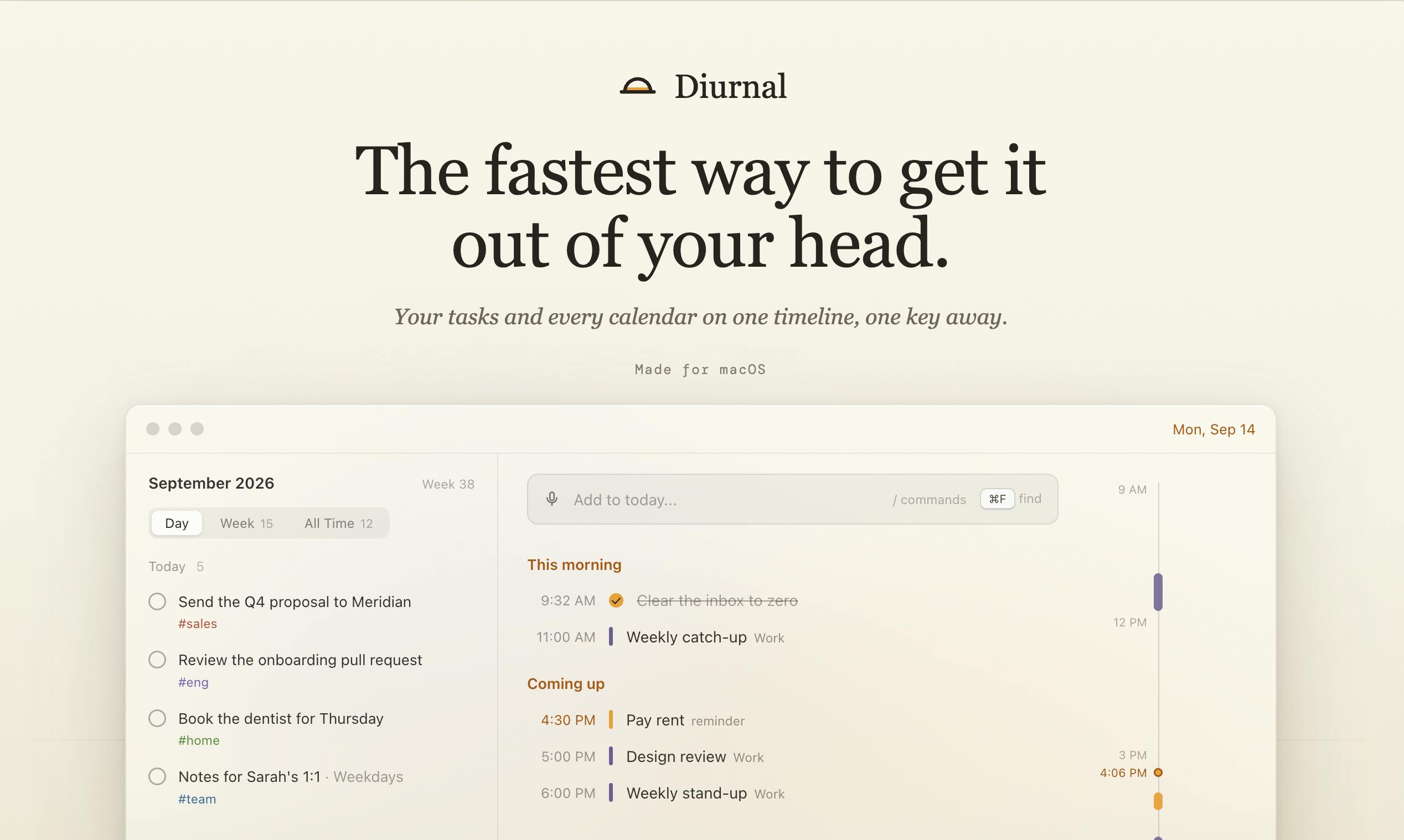
Diurnal is a native Mac scheduling app by indie developer Anshul Sharma, built around one goal: reducing the friction of getting thoughts out of your head to nearly zero. It offers two global input methods — ⌥⌘K for typed entry and ⌥⌘L for voice — both of which automatically route items to the correct date without manual sorting. It integrates Google Calendar in a side-by-side view, supports task reminders, and works fully offline. In a crowded field dominated by Things 3 and Fantastical, Diurnal differentiates on input sharpness rather than feature breadth — ideal for Mac-first users who want a minimal, fast capture workflow. Currently macOS-only; voice accuracy and pricing are still to be verified.
A Native Mac Calendar App Built Around One Thing: Speed of Capture
In a world overflowing with productivity tools, Diurnal takes a deliberately restrained approach. Rather than piling on features, it focuses obsessively on a single goal: getting thoughts out of your head as fast as possible. Built by indie developer Anshul Sharma, this native Mac app recently launched on Product Hunt, earning 81 upvotes and landing at #20 on the daily chart — spanning the productivity, task management, and calendar categories.
Its core premise comes down to one line: The fastest way to get a thought out of your head. That tagline nails the product's positioning — when it comes to scheduling tools, the real barrier isn't features, it's the speed of capture.
Two Ways to Input at Maximum Speed: Shortcuts and Voice
Diurnal's most notable design choice is reducing input friction to nearly zero. It offers two global trigger methods:
Keyboard Shortcut for Typed Entry
From any app, press ⌥⌘K (Option+Command+K) to summon an input box right over your current context. Type your thought directly — no window switching, no opening a specific app. The moment an idea surfaces, it's captured.
Hold to Record by Voice
When your hands are busy or typing isn't practical, hold ⌥⌘L and speak. Your voice is transcribed and automatically filed into the appropriate date. This "say it and it lands" experience eliminates the traditional capture → organize → categorize workflow that slows down most to-do tools.
What both methods share: they both route your thought to the right day automatically, instead of dropping it into an inbox that requires manual sorting later. For anyone whose focus is constantly interrupted by ideas or impromptu tasks, this instant placement significantly reduces cognitive overhead.
The "automatically land on the right date" feature typically relies on Natural Language Processing (NLP) for Temporal Entity Recognition — parsing inputs like "meeting tomorrow at 3pm" or "report due next Monday" and converting relative time expressions into absolute dates. Tools like Things 3 and Fantastical have done this well for years. For Diurnal's voice path to achieve "say it and it lands," it most likely combines Apple's native Speech Recognition framework with its own time-parsing logic — which is exactly why voice accuracy and multilingual support are worth testing in practice.
Calendar, Tasks, and Reminders — All in One View
Diurnal isn't just a notepad. It pulls together the essential pieces of daily planning into a single interface:
- Google Calendar side-by-side: Your Google Calendar events appear alongside your task list, so you can assess your day's commitments and open slots in one glance.
- Tasks with reminders: Captured items can be set to ring at a specific time, so nothing slips through the cracks.
- Offline-first: All features work without an internet connection — a genuine advantage on planes, subways, or anywhere connectivity is unreliable.
Combining calendar and tasks is a goal many productivity tools have attempted. What sets Diurnal apart is the tradeoff it makes: instead of building a complex interface, it organizes everything around a single throughline — fast capture + daily view.
Thinking About Positioning: Where Does a Small Tool Differentiate?
The scheduling and to-do space is deeply crowded — from Things 3 and Fantastical to Apple's own Reminders. Diurnal's bet isn't on having more features; it's on the sharpness of the input experience.
The combination of global shortcuts and voice, paired with automatic date routing, addresses a pain point that's been validated over and over: most task management tools fail because capturing feels like too much work, and eventually people stop using them. When the capture action is fast enough and frictionless enough, a tool finally has a chance of becoming a real habit.
The choice to go offline-first and native Mac also signals a product philosophy that leans local, lightweight, and fast — rather than the heavy cloud-synced, cross-platform approach.
This "capture-first" philosophy has solid theoretical backing in the productivity world: GTD (Getting Things Done) methodology places "collection" at its foundation. One of GTD's core claims is that the brain isn't built for storing to-dos — it's built for thinking. Any tool that lowers the cost of externalizing thoughts reduces cognitive load at the source. Diurnal's design maps directly onto this: the global shortcut removes the switching cost of "the tool isn't in view," voice input removes the physical cost of "my hands are occupied," and automatic date assignment removes the decision cost of "where does this go?" Compressing all three layers of friction simultaneously is where Diurnal's real differentiation lies.
A Few Things Worth Watching
As an early-stage product, Diurnal's available information is still limited. It's macOS-only for now, so cross-platform users — especially those who want to capture ideas from iPhone — aren't covered. Voice recognition accuracy, multilingual support, and the robustness of the date-parsing logic all remain to be verified through real-world use. Pricing details and whether a subscription model is involved are also not yet publicly documented.
For users deeply embedded in the Mac ecosystem who want something minimal and hate cumbersome input flows, Diurnal offers a compelling idea worth trying. It doesn't aim to be everything — it just wants to be the fastest door into your thoughts when a fleeting idea strikes.
Related articles
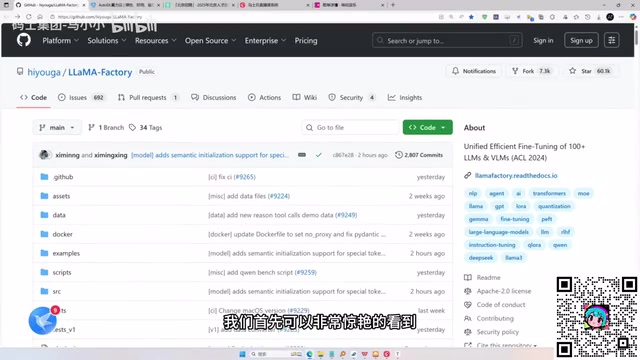
LLaMA-Factory in Practice: A Complete No-Code Guide to Fine-Tuning Large Models
An introduction to LLaMA-Factory, the open-source fine-tuning tool: its 60.1K-star background, supported models and algorithms, local vs. cloud deployment, and CUDA setup steps.

Zeng Ming's Deep Retrospective: Why OpenAI May Not Be the Ultimate Winner — and Why the Corporate System Will Disappear
Zeng Ming's deep retrospective on the AI endgame: model companies are just infrastructure, OpenAI and Anthropic won't be the final winners; the next battle is the Agent entry point standard; the corporate system will disappear as AI restructures collaboration, and only mission-driven companies can survive the cycle.

OpenHands v1.28.0: OpenCode and PI Added as Built-in Agents, API Keys Requestable In-Conversation
OpenHands ships 5 releases in 21 days: v1.27.0 adds OpenCode and PI as built-in agents, v1.28.0 enables in-chat key requests. ACP integration, credential reuse, model list changes, and upgrade advice.