Don't Rush AI to Write Code: 4 Skills That Turn Design into Executable Tasks

In the AI coding era, humans should focus on system design and task planning while agents handle coding, validation, and deployment.
Based on insights from an engineer with 20 years of experience, the article argues that in agentic development, humans should focus on system design and task planning rather than writing code. Of the five software development stages, coding, validation, and deployment can largely be handled by agents. System design has two phases—requirements thinking and technical design—with technical design offering the highest leverage. The author recommends using architecture.md to anchor the global architecture, detailing core components, API definitions, and boundary details like rate limits, and forming a closed loop with four skills: design, architecture review, HTML documentation, and planning. A hands-on demo adds an agent listener to a task management app: brainstorm first, generate and visualize the design document, then cross-review across models, and finally use the planning skill to break it into subtasks linked to an epic, handed off to the task-to-PR skill for automatic implementation.
Why Design and Planning Matter More Than Writing Code
A lot of AI coding content teaches you how to optimize your Claude Code configuration, use the latest agent frameworks, or compare which model is strongest. But these tricks won't help you build better software. An engineer with 20 years of software development experience shared his perspective on Bilibili: in the agentic development model, what humans truly need to focus on is system design and task planning, not writing code itself.
Software development typically has five stages: design, task decomposition, coding, validation, and deployment. Agents can already handle most or even all of the last three stages—they can submit change requests, and you just need to review. Humans stopped writing code by hand long ago. If you're still hand-writing prompts or approaching each task differently every time, it's hard to scale. The ideal state is: hand a well-defined task to the agent, and thanks to the process you've set up, the pull request the agent subsequently raises is essentially ready to use as-is.
The validation stage depends on the project type. An engineer who has developed mission-critical systems with millions of users obviously needs more manual review and testing; but for side projects, he's happy to let the agent do extensive code review and automated validation. Work like system design still requires human involvement—he wouldn't dare let the agent fully evaluate design decisions. Production deployment has long been automated; after merging code, the system deploys automatically. So what developers really need to focus on is: system design (deciding what to do and how), task decomposition, and necessary validation oversight depending on the project.
Agent in this context refers to an AI coding assistant with autonomous planning, tool-calling, and multi-step execution capabilities, such as Claude Code or Codex. Unlike traditional code completion tools, agents can understand high-level task goals, break down steps on their own, invoke CLIs, read and write files, and submit pull requests, while humans step back into the role of designer and reviewer. The "agentic development model" described in the article means delegating execution stages like coding, validation, and deployment to such agents, with humans focusing on system design and task planning.
The Two Phases of System Design
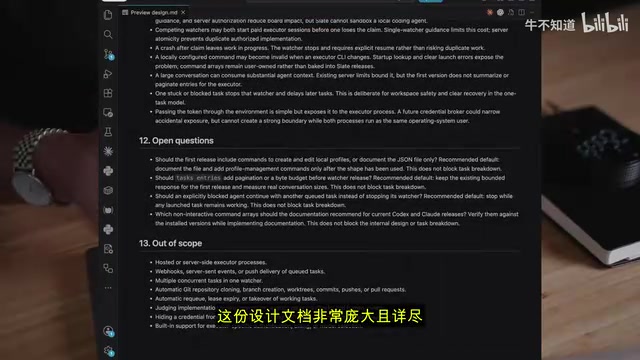
System design has two phases. The first is requirements thinking: what to build, why build it, and for whom. The second is technical design: finalizing the tech stack, database, and architecture, considering edge cases, security, operational metrics, monitoring and alerting, and how the feature will be kept running reliably in production. The technical design phase is where agents can be a huge help. Anyone who has worked at a big company will notice that the most senior engineers spend most of their time on technical design, because this is the highest-leverage core area that most needs careful control.
The video introduces four skills to support this process: the design skill generates technical design documents that make subsequent task decomposition easier; the architecture review skill identifies edge cases, flaws, and errors in the initial design; the HTML documentation skill turns the design into a more elegant visual webpage; and the planning skill automatically breaks the design down into concrete tasks.
Pull Request (PR) is the standard mechanism for submitting changes on code collaboration platforms like GitHub: a developer opens a PR from a branch, requesting that changes be merged into the main branch, with change descriptions and a review process attached. The article mentions that agents can raise PRs on their own, and humans only need to review and merge. After decomposing the design into tasks, each task corresponds to one or a group of PRs, making it easy to track progress, roll back, and review code—this is also the foundation for the "task-to-PR" skill to automatically connect planning and implementation.
architecture.md: The Anchor for the Global Architecture
Whatever project you're building, it's recommended to prepare an architecture.md file recording the top-level architecture of the global system. When building a new project from scratch, this file is an excellent reference for both yourself and any agents involved. It focuses on top-level system design, including core components, database choices, API definitions (such as health check endpoints and dedicated independent APIs for worker nodes), and various limit specifications. These details are the easiest to overlook—developers often forget to consider edge cases, constraints, guardrails, and rate limits.
These protective mechanisms are what truly make software quality solid. For example, if you build a SaaS application but forget to set limits, a customer might generate thousands of resources at once, causing a large financial loss. Only by thoroughly considering limits, edge cases, and rate limits can you build software that holds up in the real world.
Hands-On: Adding an Agent Listener Feature to a Task Management App
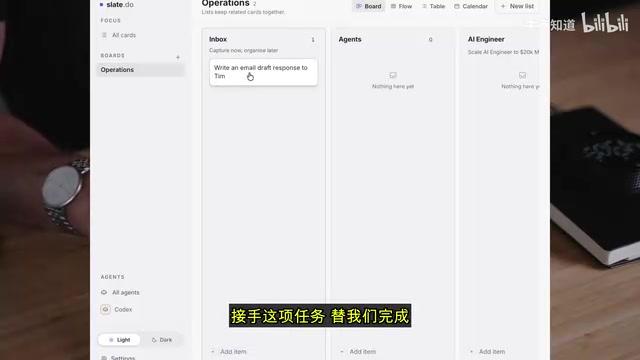
The demo project is a task management app with a task panel, lists, kanban view, table view, and calendar view. The basic idea is to add tasks to a queue and let an agent take over and complete them. To achieve this, the agent needs to continuously listen to and monitor the task board, automatically claiming tasks that meet the criteria.
The first step is brainstorming to clarify the feature idea, rather than writing documentation right away. Design is a critical part of the process, and the agent needs to fully consider various scenarios and edge cases. So he usually turns on a higher reasoning setting, or directly uses the strongest model available for the initial design, whether Claude or GPT.
There's a key detail here: the agent and you may disagree, and you don't have to accept all of its suggestions. For example, the agent suggested automatically updating the status of modified tickets through deterministic logic, which sounds reasonable but introduces a lot of unnecessary complexity. The engineer prefers to just let the agent do the update, because today's agents are powerful enough to handle task updates through CLI tools. As the process moves forward, the agent will make certain decisions you may not agree with—you need to question them or think from a different angle, and repeatedly discuss design decisions with the agent.
Codex completed the initial design, generating a core summary, system background, architecture diagram, and concrete design plan. Building this kind of feature takes a lot of time thinking about user experience—which commands will actually be run, whether they make sense, whether they feel intuitive. The design document contains many critical details, such as: agents can claim tasks, but what if two agents compete for the same task at the same time? These tricky edge cases may not have been considered during the initial brainstorm, and the design phase is exactly the right time to dig up potential problems.
Reasoning Effort is a parameter offered by some large model APIs that controls how deeply the model reasons internally before generating a response. Higher reasoning settings make the model spend more time thinking and exploring more possibilities, which suits complex tasks like system design and architecture review that require thorough consideration of edge cases; lower settings respond faster and cost less, suitable for more deterministic work like coding execution. The article recommends enabling high reasoning or using the strongest model during the design phase precisely to think problems through early.
The HTML Documentation Skill and Cross-Model Review
The initial design document is large and detailed, and reading through the raw draft directly is rather laborious. Invoking the HTML documentation skill converts the design document into an easy-to-read web version—the information content is completely identical, but the layout is more intuitive, with clearer architecture diagrams: the monitoring CLI tool is responsible for listening to the API, with the database on the other side. For visual learners, diagrams help you see the actual underlying runtime logic.
Next, switch models to review the design: the design was done with Codex, so let Claude go through it with the architecture review skill to see whether it produces different results or feedback. The engineer doesn't normally use a second model every time, but investing more tokens in the strongest model during the design phase actually saves money in the long run. If you make a mistake early or implement a flawed design, you'll have to go back and fill the gaps later, and fixing things afterward is expensive—not just in extra tokens, but more importantly in user experience and delayed development progress. Getting the design solid early is better than taking shortcuts at this stage.
Reviewing a design plan needs to consider many aspects: rate limiting to prevent customers from making too many requests per unit of time; scalability—if it runs effortlessly with only 10 users but collapses once in production, that's a common pitfall of live coding; the demo looks impressive but can't scale, which means the architecture wasn't designed well.
Decomposing Tasks with the Planning Skill
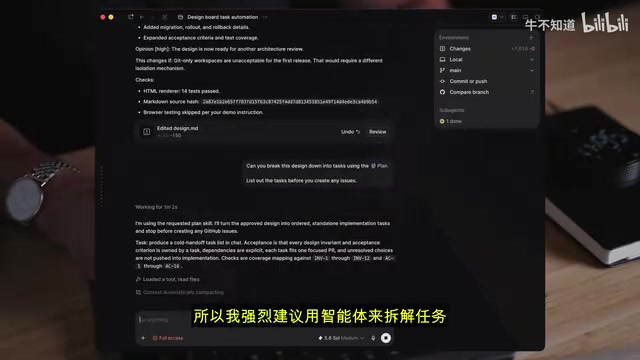
Have the agent break the plan down into a series of concrete tasks and enter them into the issue tracking system. It's strongly recommended to use an agent for task decomposition—humans aren't good at this kind of work because it's extremely complex and full of mechanical, tedious details. The agent needs to ensure all invariants and task conditions are fully covered; doing this manually is very time-consuming, while agents are much stronger at managing details.
In the demo, the plan was broken into five independent tasks, clearly summarizing the task content, expected results, various constraints, and what's in scope versus out of scope. After confirming it matches expectations, the agent creates them as GitHub Issues and links them under the same parent ticket—too many tickets in the task manager gets messy, and these tasks all belong to the same piece of work. Task granularity depends on development needs: if the design is simple, you can put everything into one task; if the project is somewhat complex, requiring testing as you go and continuous iteration in the development process, breaking it into multiple small tasks is very useful.
Finally, a parent ticket is generated, linking all subtasks, specifying delivery order, acceptance criteria (completing all subtasks), and the deployment and launch plan. At this point, you can just hand it to the agent to complete one by one.
Epic is a work item in issue tracking systems (such as Jira, GitHub Issues) used to aggregate a group of related subtasks. It doesn't directly correspond to a single code commit; rather, it defines a larger feature goal and links the multiple decomposed subtasks under it, unifying progress tracking, dependencies, and acceptance criteria. In the article's demo, five subtasks are linked to the same epic, with clear delivery order and completion criteria, so the agent can process them in sequence without losing global context.
Task-to-PR: Turning the Plan into Code
With the task-to-PR skill, you just pass it the epic and the rest is waiting for the agent to process the tasks one by one in order. This skill ensures all changes are tested and pass code review. At this point, from design, review, and decomposition to implementation, the entire chain is connected by clear documentation and executable tasks—humans handle judgment and decisions, agents handle mechanical execution. This is exactly where the leverage of design and planning lies: spend more time early, fill fewer gaps later.
Related articles

New Trailer for 'Everest: The Other Side' Released: Ski Mountaineers Take On Ski Descent of the North Face
National Geographic's 'Everest: The Other Side' trailer follows pro ski mountaineers attempting Everest's Direct North Face and the first ski descent, with rare North Face footage and life-or-death avalanche moments.
Building Automotive Crash AI Surrogate Models with NVIDIA PhysicsNeMo
An analysis of the NVIDIA PhysicsNeMo crash analysis workflow: how to train a Transolver surrogate model with simulation datasets and package it as an inference API via NIM, covering the complete four-step process of geometry parameterization, data splitting, and error validation.

LangGraph in Production: The Pain of Silent API Changes
Explores the challenge of silent external API changes affecting LangGraph agents in production, analyzes monitoring and testing limits, and proposes semantic validation and regression testing defenses.