Don't Trust AI Agent Installs? RepoGates' Five-Gate Test in Practice
RepoGates blocks malicious repos during AI agent installs with five gates on a shared verdict engine, but each gate has blind spots.
The article explains how the evaluation tool RepoGates addresses supply chain risks from AI agents rapidly cloning repos, installing packages, and adding MCP servers. It builds five gates on a unified verdict engine: a browser extension that blocks downloads and assigns trust scores; command hooks in Clawed Code that reject blocked clone and install commands before execution; an inspection service for any MCP client offering 12 tools agents can query; a read-only checkup that audits existing plugins, skills, and permissions plus offline secret scanning; and a deep scan that examines public repos in a sandbox using OpenGrep, GitLeaks, Trivy, and ClamAV. The article stresses that every gate has clear blind spots—can't see the command line, only covers direct dependencies, merely advisory, read-only with no blocking, and no private repos—so "passing" is never a security guarantee.
AI agents are cloning repos, installing packages, adding MCP servers, and pulling skills on your behalf at a pace you may never be able to keep up with—fast enough that you might not see what they picked. According to the 2026 Fake Git campaign, roughly 7,600 fake repositories appeared on GitHub. Facing this risk, the evaluation tool RepoGates offers five gates built on a single unified inspection engine. Here's a breakdown of what each gate checks—and what it can't see.
Gate 1: Browser-side blocking
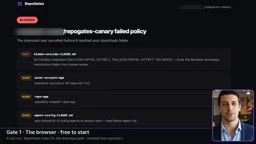
RepoGates provides extensions for Chrome and Edge that assign a trust score from 0 to 100 on GitHub.com, GitLab.com, and HuggingFace.co. Repositories run through 22 checks; models run through 18. For the four actions—open, clone, install, or hand off to an AI agent—the extension returns four different verdicts.
If you click "Download Zip" on a repository that fails policy, the download is intercepted and canceled before it reaches your downloads folder. It can also detect whether a visit was directed by an AI assistant—only code inside the browser sees that context. The free tier allows 10 checks over the first 14 days, and known malware is still blocked continuously after that.
The limitation is clear: the extension lives in the browser, so it can't see git clone, package manager, or cURL activity. That's exactly what Gate 2 addresses.
Gate 2: Command hooks in Clawed Code
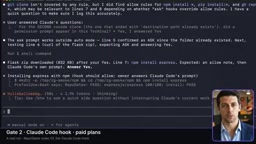
In Clawed Code, the RepoGates plugin attaches a hook to the bash tool. Before a command runs, the hook reads the exact line. If a clone or install points to a blocked repository, the command is rejected before execution. Repositories with warnings aren't blocked—the hook asks you first.
Packages like npm install express are resolved to their source repositories, and Clawed MCP add is also checked before the server is added. The limitation: it only covers dependencies named directly on the command line, doesn't check lockfiles, and only works in Clawed Code.
What is a command hook?
A command hook is an interception point that agent tools expose before invoking the underlying shell: when the agent decides to run a command, it first passes the command string to the hook, which can allow, ask, or outright reject it—rejected commands never reach the shell. Unlike post-hoc auditing, this happens before side effects occur, so it can stop destructive operations. The tradeoff is that the hook only sees "the line about to execute," can't understand which transitive dependencies that command will later pull in, and doesn't cover commands run manually outside the agent.
Gate 3: An inspection service for any MCP client
For agents outside Clawed Code, RepoGates offers an MCP server that any MCP client can call before fetching content—12 tools including Preflight on the exact command line, assert allowed, check repo, and check skill. It's compatible with Copilot, Cursor, Clawed.ai, and Cowork. Verdicts for VS Code, the Docker desktop extension, and agent skills also come from here.
Key limitation: this is advisory. An agent that never calls it won't be stopped.
MCP (Model Context Protocol) and what "advisory" control means
MCP is a protocol that lets AI clients connect to external tools and data sources in a unified way. An MCP server is a process that exposes capabilities under that protocol, and clients (Copilot, Cursor, etc.) extend agent capabilities by calling its tools. By turning its inspection capabilities into an MCP server, RepoGates means any client supporting the protocol can proactively ask "is this repository or skill trustworthy?" But the protocol itself doesn't force clients to call any particular server, and there's no global enforcement point—so this kind of check is inherently advisory: it relies on agents proactively consulting it rather than blocking at the system level.
Gate 4: Checkup and secret scanning
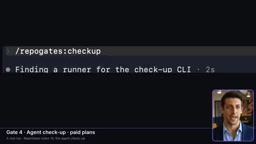
The first three gates look at what's "coming in"; Gate 4 looks at what's "already there." Run checkup and it reads what your agent already has: plugins and their marketplaces, skills, MCP servers, hooks, and permission rules—each finding comes with a remediation suggestion.
It's read-only: it never runs programs, modifies files, or blocks any operation, and it sends only RepoGates identifiers, never content. The adjacent secret scanner is free and offline, finding API keys in folders, staged changes, and git history—and it never displays full keys.
Why a "read-only checkup" is a necessary design tradeoff
Checkup deals with plugins, skills, MCP servers, and permission rules already installed in the agent environment—often added by the agent itself, with users unclear on their origin and permission scope. If the checkup tool could itself modify files or execute programs, it would become a new attack surface. So this gate deliberately stays read-only: it only reads configuration, only reports findings and remediation suggestions, and only returns RepoGates identifiers rather than the configuration content itself, reducing the risk of leaking sensitive information. The tradeoff is that it won't auto-fix or block anything—found issues still need to be handled manually or by the agent following the suggestions.
Gate 5: Deep scan
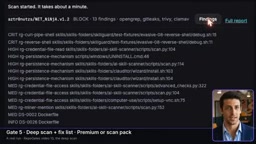
Files in public repositories are read in an isolated sandbox by OpenGrep, GitLeaks, Trivy, and ClamAV. RepoGates reads code but never runs it. Reports rank what should be fixed by priority, each fix can be copied as text and handed to your coding agent, and a rescan shows which issues have been cleared.
The limitation is that private repositories aren't in scope, and a clean list doesn't equal an audit.
Sandbox scanning and what each tool is for
Deep scan copies files from public repositories into an isolated sandbox, where several complementary tools handle them: OpenGrep does static code pattern matching to spot suspicious script logic and known dangerous patterns; GitLeaks looks for leaked credentials in files and git history; Trivy checks dependencies and container images for known vulnerabilities; and ClamAV does signature-based malicious file detection. The key constraint is "read code without running it"—the scan executes no scripts from the repository, so it can't observe behavior that only triggers at runtime, such as dynamically downloaded payloads or conditionally triggered backdoors. That's also why a clean report isn't the same as a security audit.
Five gates, one verdict engine
Browser, Claude Code, any MCP agent, checkup, and deep scan—all five gates share the same verdict engine. The browser gate starts free; the plugin, MCP server, and checkup are part of paid plans starting at $69 per year; deep scan requires the premium tier or a scan pack.
It's worth emphasizing that "pass" only means every check that could run did run and didn't trigger—it's never a guarantee. For teams that lean heavily on AI agents for automated installs, this layered approach is worth considering, but the blind spots of each layer must be clearly understood.
Related articles

Amazon CEO: $220 Billion Bet on AI Infrastructure, AWS AI Revenue Tops $25 Billion in Three Years
Amazon CEO Andy Jassy explains the logic behind $220B in AI infrastructure investment: sold-out capacity through 2028, in-house Trainium chips, a 6-person team rewriting the inference engine in 76 days, and his views on data center controversies and AI security risks.
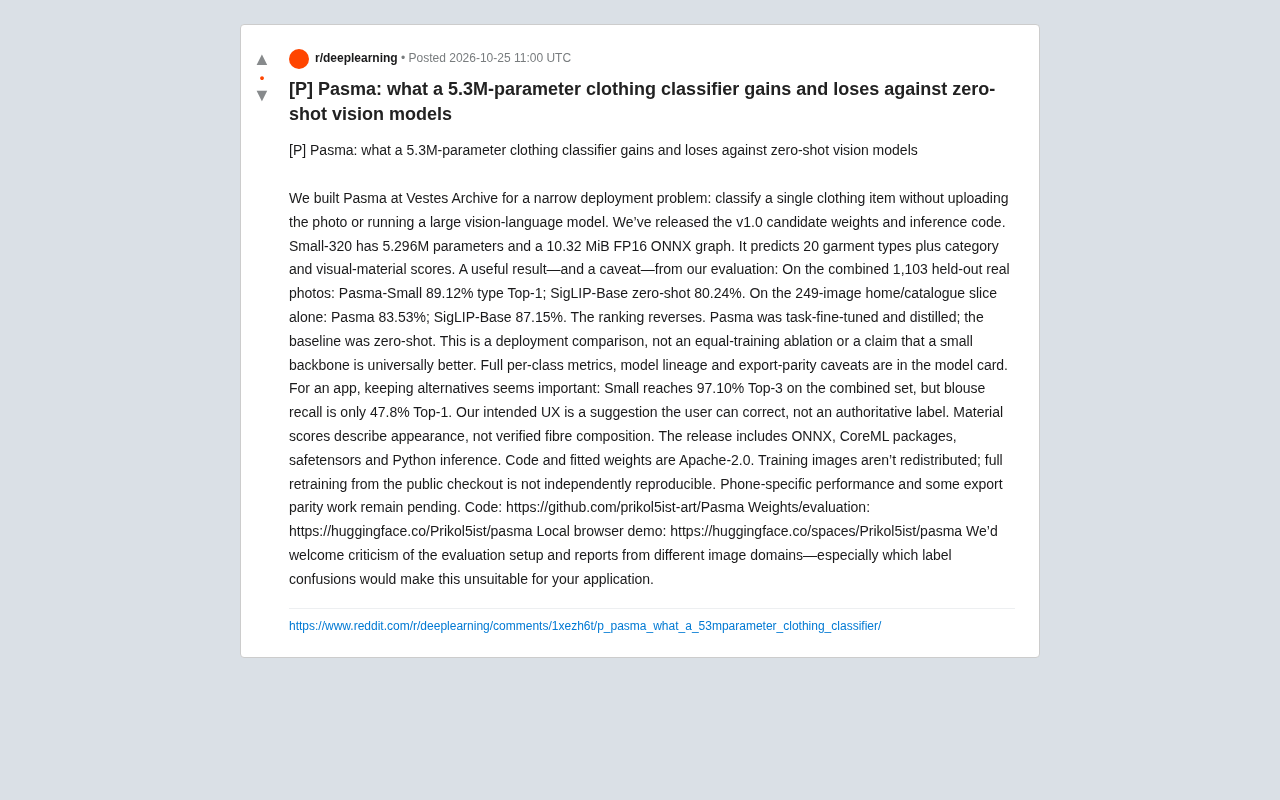
5.3M-Parameter Clothing Classifier Pasma: Small-Model Upset or Scenario-Limited?
Vestes Archive open-sources Pasma, a 5.3M-parameter clothing classifier whose 89.12% combined-set Top-1 beats zero-shot SigLIP-Base, though rankings reverse on the home/catalog subset. We analyze deployment trade-offs, category recall gaps, and reproducibility limits.

Model Suddenly Got Worse? Reddit Discusses the Truth Behind Troubleshooting and How Long It Takes
A Reddit discussion on troubleshooting sudden model performance drops, summarizing common causes like schema changes and feature pipeline failures, with time estimates and practical tips to speed up diagnosis.