DSHbox: Putting DeepSeek Harness on Your Phone to Build a Mobile AI Workstation

Open-source DSHbox brings DeepSeek Harness to Android, turning phones into mobile AI workstations that run commands and operate apps.
DSHbox is an open-source project that fully ports DeepSeek Harness to Android, aiming to upgrade the phone from a chat entry point to a mobile AI workstation capable of executing tasks. It includes a built-in terminal, OpenCode TUI, embedded browser, and plugin system, and can operate phone apps within authorized scope via Accessibility Service or Shizuku. The workflow starts by choosing the Projects private directory or Share shared directory as the workspace, then selecting models such as Flash and Pro and a work mode according to API configuration. The plugin system, scheduled task panel, floating ball switching, and selecting browser elements as AI context form a complete mobile workflow. The article also notes its boundaries: phone compute, storage, and permission limits remain, and Shizuku and Accessibility solutions require some configuration ability.
Putting an entire AI development environment into your phone sounds like a geek's fantasy, but the open-source project DSHbox on GitHub is turning it into reality. This project fully ports DeepSeek Harness to the Android platform, turning the phone from just a chat entry point into a mobile AI workstation that can run commands, operate apps, and analyze web pages.
From Chat Assistant to AI Workstation
The core idea of DSHbox is to move the entire capability layer of DeepSeekAd Harness onto the phone. It comes with a built-in terminal, OpenCode TUI interface, browser, and plugin system. Users can, within the scope of authorization, let the AI operate phone apps through Accessibility Service or Shizuku. This means the AI on the phone is no longer limited to Q&A, but can execute commands, handle files, and complete web automation tasks.
The project has been published on GitHub, and a Bilibili creator demonstrated the complete workflow from initialization to actual use in a demo video. For users who often need to handle lightweight development tasks or automation on mobile, the project's positioning is quite clear: an AI workbench in your pocket.
Shizuku is a mechanism on Android that allows apps to temporarily obtain system-level permissions without Root. It uses ADB or wireless debugging to launch a privileged service process, and other apps call system-protected APIs through this process to install apps, modify settings, simulate input, and more. Compared with Accessibility Service, Shizuku's permissions are closer to the system level and can support more complex automation; however, initial configuration usually requires connecting to a computer or enabling wireless debugging, and the device needs to be reactivated after a reboot. DSHbox provides both Accessibility and Shizuku paths precisely to give users a choice between permission capabilities and configuration cost.
OpenCode TUI refers to the terminal Text User Interface provided by OpenCode. It presents code editing, file browsing, command execution, and other functions as interactive panels within the terminal, without relying on a graphical desktop environment. For scenarios like DSHbox that pack a development environment into a phone, a TUI is lighter than a full IDE, and with a virtual keyboard and common control keys, basic development operations can be completed on a touchscreen.
Initialization and Workspace Management
After opening DSHbox, you first enter the DeepSeek Harness main interface, and the first step is to select a workspace. The app offers two directories: Projects is the app's private directory, and Share is the system shared directory. After confirming the directory, the current conversation and related files will be placed in that workspace, and subsequent terminal commands and browser-captured content will also revolve around this space.
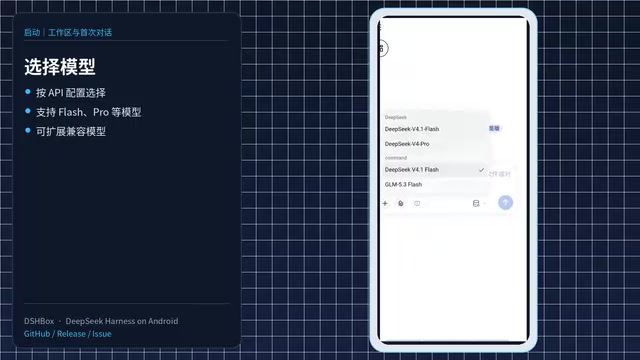
Next, choose a model. Users can select models such as Flash and Pro according to their API configuration, and then choose a work mode. Standard mode is suitable for daily conversations, PTC mode is better for batch processing tasks, and there are also minimalist mode and creative mode available. After completing these settings, you can send the first message from the input box and officially start the conversation.
The chat page supports taking photos, recording videos, uploading from the gallery, and directly uploading phone files, audio, and workspace files. The left sidebar displays different workspaces and historical conversations, making it easy to switch back to previous tasks at any time.
Plugins, Scheduled Tasks, and Phone Assistant
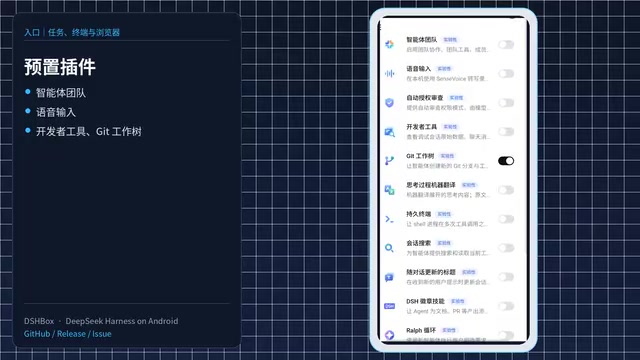
DSHbox's plugin system is the key that distinguishes it from ordinary AI clients. In settings, users can manage model providers and configure custom APIs. The DSH plugin directory lists drawing plugins, workspace instructions, time awareness, and Bash tools. In the work mode configuration, you can view built-in Agent presets and also use creative mode to define your own workflows. The plugin panel is responsible for installing, enabling, and disabling various plugins, and the official presets include plugins such as agent teams, voice input, developer tools, and Git workflows.
The scheduled task panel allows you to create automation tasks and view enabled and completed tasks. The right sidebar gathers workspace files, the DSH Box file area, terminal, and browser entry points. Clicking New Terminal lets you run commands in the current workspace; clicking the browser entry opens the embedded browser. During a conversation, the floating ball lets you quickly switch between the home page, files, terminal, and browser.
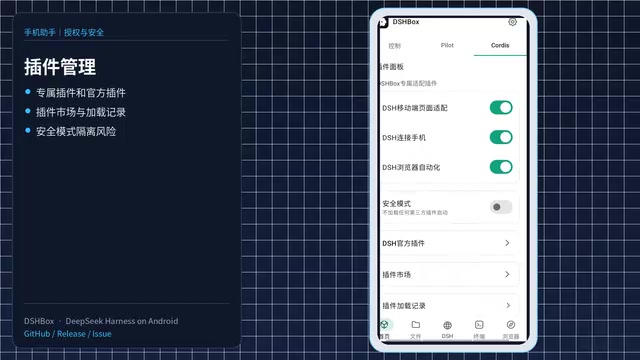
The home page is divided into three modules: Console, Phone Assistant, and Plugin Management. Phone Assistant supports Accessibility and Shizuku privileged modes, and you can also choose foreground or background virtual screen control. Plugin Management provides exclusive plugins, official plugins, and a plugin marketplace, and safe mode can isolate the risks brought by third-party plugins.
Accessibility Service is a system interface provided by Android for accessibility apps. It can read screen content, simulate clicks and swipes, and monitor interface changes. It does not require Root, but users need to manually authorize it in system settings, and different manufacturers vary greatly in background keep-alive and permission control. A virtual screen is a display area created within the system that is not directly shown to the user; apps can run in it and accept programmatic operations, making it suitable for background batch tasks. By letting users choose between foreground and background virtual screens, DSHbox is essentially making a trade-off between "visible and intervenable" and "not disturbing daily use," which is also an interaction boundary that must be handled when mobile AI agents are deployed.
Terminal, Browser, and File Management
On the terminal page, users can execute commands in the workspace. Entering OpenCode opens the TUI interface, and the app provides a virtual keyboard and common control keys adapted for phone operation. The browser module supports web debugging, information capture, and browser automation. Users can select web elements and save them as AI context, or directly select a page area and send the visual content to DSH.
In the demo, the creator opens Bilibili, selects the video area to let DSH analyze the current page, then selects a group of video cards to let it summarize the page theme, and further extends to automation scenarios such as form filling. This "see and understand" interaction turns the browser into an input channel for AI.
File management is divided into sandbox files, workspace, and shared area. The workspace is the app's private directory and supports creating, importing, exporting, or packaging files; the shared area can mount system folders and can be removed at any time, while the original files always remain local. The settings page lets you view the runtime environment, sandbox data, and app cache. After long-term use, clearing the cache and temporary files can prevent the virtual system from taking up too much space. DSH supports online updates, and both the Linux layer and Node layer can be imported or reset online; the environment has been trimmed for phones.
Sandbox here refers to the app's private storage and runtime space isolated from the rest of the system. DSHbox's sandbox files, workspace, and shared area form a three-level isolation: the workspace is the app's private directory, and the shared area mounts system folders but can be removed at any time, with the original files still remaining local. Limiting command execution and plugin operation to the sandbox can reduce the risk of third-party plugins or automation scripts accidentally modifying system files, and this is also the basis for its "safe mode" isolating the risks of third-party plugins. It should be noted that sandbox isolation is not absolute security; after mounting a shared directory, write permissions still need to be granted carefully.
The Boundaries and Imagination of a Mobile AI Workstation
DSHbox integrates DeepSeek Harness, terminal, browser, plugins, scheduled tasks, and phone assistant into Android, providing a complete closed loop for a mobile AI workflow. Its value is not in replacing the desktop development environment, but in bringing "always available" automation capabilities to the phone. Whether it is capturing web information, running lightweight scripts, or letting AI operate apps on your behalf, DSHbox offers a practical open-source solution.
Of course, the compute power, storage, and permission limitations of phones still exist, and Shizuku and Accessibility solutions also require users to have a certain level of configuration ability. But as an open-source project, the direction DSHbox demonstrates is worth watching: AI assistants are moving from "answering questions" to "executing tasks," and the phone is precisely the carrier closest to everyday scenarios.
Related articles
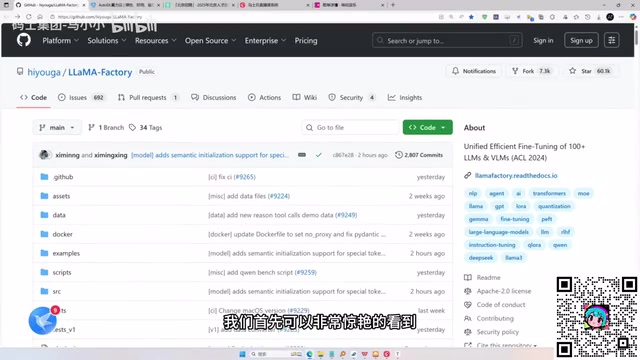
LLaMA-Factory in Practice: A Complete No-Code Guide to Fine-Tuning Large Models
An introduction to LLaMA-Factory, the open-source fine-tuning tool: its 60.1K-star background, supported models and algorithms, local vs. cloud deployment, and CUDA setup steps.
Zeng Ming's Deep Retrospective: Why OpenAI May Not Be the Ultimate Winner — and Why the Corporate System Will Disappear
Zeng Ming's deep retrospective on the AI endgame: model companies are just infrastructure, OpenAI and Anthropic won't be the final winners; the next battle is the Agent entry point standard; the corporate system will disappear as AI restructures collaboration, and only mission-driven companies can survive the cycle.
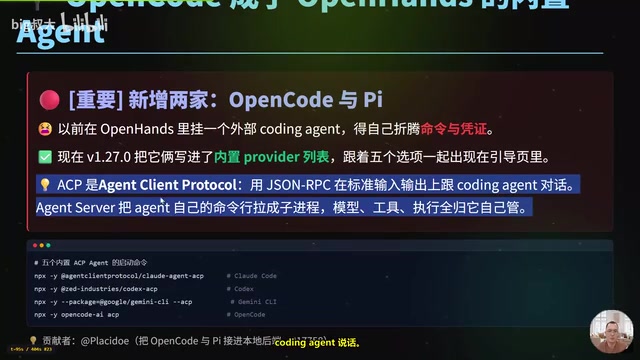
OpenHands v1.28.0: OpenCode and PI Added as Built-in Agents, API Keys Requestable In-Conversation
OpenHands ships 5 releases in 21 days: v1.27.0 adds OpenCode and PI as built-in agents, v1.28.0 enables in-chat key requests. ACP integration, credential reuse, model list changes, and upgrade advice.