EgoLite AI Browser Launches Windows Version: A New Choice for Automation Efficiency

EgoLite browser launches Windows version, boosting AI automation efficiency with space isolation and code-based operations.
EgoLite is an AI automation browser that recently released a Windows version, with an installation process identical to the Mac version that syncs Chrome data and automatically installs the EgoBrowser Skill for AI Agents. Its core innovation is the "Space" concept: each AI task has its own space and Profile, isolated from the user's manual operations to avoid tab conflicts and account mix-ups, and users can take over or terminate tasks at any time. The EgoBrowser Skill provides a Node.js runtime environment and pre-packaged helper functions, allowing AI to write JavaScript code directly to batch-execute multi-step browser operations and reduce the overhead of repeatedly reading pages. High-frequency use by the creator verifies thousands of calls across research, form filling, testing, and video publishing.
Title
EgoLite AI Browser Launches Windows Version: A New Choice for Automation Efficiency
Meta Description
EgoLite AI automation browser officially launches on Windows, supporting space isolation, independent Profiles, and EgoBrowser Skill, enabling AI to efficiently operate the browser by writing code and boosting automation efficiency.
Article Content
As AI automation tools continue to proliferate, an AI automation browser called EgoLite has quietly solved the core pain points of multitasking in parallel and efficiency. Its recent Windows release allows more users to experience this automation approach, which differs from traditional browser extensions.
From Mac to Windows: Belated Cross-Platform Support
According to a Bilibili creator's share, when the EgoLite browser was first recommended several months ago, only a Mac version existed, leaving many Windows users disappointed. Now that the Windows version is officially available, the installation process is almost identical to the Mac version: after downloading from the official website, there is a simple initial setup flow that syncs all existing Chrome browser data and automatically installs a Skill called EgoBrowser for the AI Agent.

The creator installed and tested the Windows version as soon as it was released, finding that the interface and operation logic are exactly the same as the Mac version—operations supported on Mac are equally available on Windows. He even extended support for his self-developed Video Publisher Skill to the Windows platform and has successfully used EgoBrowser to automatically publish videos on Windows.
Space Isolation: Resolving Conflicts Between AI and Manual Operations
The biggest difference between EgoLite and the traditional approach of AI Agents controlling Chrome extensions lies in the concept of "Space." In the traditional approach, an AI Agent directly occupies the user's current browser window and opens multiple tabs, easily interfering with the user's manual operations. EgoLite, by contrast, creates an independent space for each AI task; no matter how many tabs are in the space, it remains isolated from the user's manual space, so they don't clash.

Each space can also be configured with an independent Profile to save different login information. For example, users can use a personal account in one space and a work account in another, making it convenient to handle tasks on different platforms simultaneously. At the bottom of each space is a task operation bar; when the AI encounters a sensitive operation or needs a verification code, it proactively prompts the user to take over. Users can also manually take over or terminate the task at any time, always retaining control.
Browser Profile is an independent configuration directory in browsers such as Chrome used to isolate cookies, login states, extensions, and local storage. Different Profiles do not share session information with each other, so different accounts on the same website can be logged in simultaneously. EgoLite binds Profiles to spaces, meaning each AI task has an independent identity context, which both avoids account mix-ups and prevents AI operations from polluting the user's main account login state. This mechanism is especially critical when multiple accounts need to be handled in parallel for research, operations, or testing tasks.
EgoBrowser Skill: Letting AI Write Code to Operate the Browser
EgoBrowser is a built-in Skill of EgoLite, configured on all AI Agents (such as Codex and Claude) to guide them on how to invoke browser automation capabilities. Its core lies in providing a Node.js runtime environment and a large number of pre-packaged helper functions, allowing AI to directly write JavaScript code to control the browser without introducing external packages.

The efficiency gains from this approach are significant. The traditional automation flow is "read page—execute one step—read page again—execute the next step," with each step requiring waiting for feedback. EgoBrowser, by contrast, allows AI to read the page once and then directly write a series of code to complete multiple steps. For example, when filling out a form, it can enter the account name and password and click login all in one go, eliminating the overhead of repeatedly reading the page in between. The creator points out that Agents themselves are very good at writing JS code, so most pages can gain efficiency improvements this way. For pages where subsequent operations cannot be predicted all at once, it can still fall back to step-by-step execution to ensure compatibility.
Skill mechanism is a way of extending capabilities in the current AI Agent ecosystem, typically referring to a combination of documentation and a supporting toolset that an Agent can dynamically load. When an Agent needs to complete a specific task, it reads the Skill content to learn which interfaces to call and what operating conventions to follow. EgoBrowser is injected into the context of Agents such as Codex and Claude through this mechanism, giving them browser automation capabilities without modifying the model itself. This design decouples "capability" from "model," making it easy to update independently and reuse across Agents.
Node.js runtime environment here serves to provide a sandbox for executing JavaScript. Node.js is based on the V8 engine, allowing JS code to run outside the browser and providing system-level capabilities such as file and network access. With this environment built into EgoLite, AI-generated scripts can directly call pre-packaged helper functions to drive the browser without users manually configuring npm dependencies or setting up a project. The helper functions are essentially simplified wrappers around underlying automation protocols (such as CDP), reducing the error rate of AI-generated code and making scripts easier to read and debug.
Real-World Use Cases and Verification Through High-Frequency Use
The creator has already fully adopted EgoLite as his primary browser in daily use, replacing Chrome. He showed the call count of the EgoBrowser Skill: over several months, the Skill was called thousands of times and script consultations tens of thousands of times. Typical uses include online research, form filling, automated testing for website development, automatic video publishing, tax filing and invoice processing, and more. Official demonstrations also cover scenarios such as research on the X platform, Strapi connection debugging, viewing website traffic data, and advertising configuration.
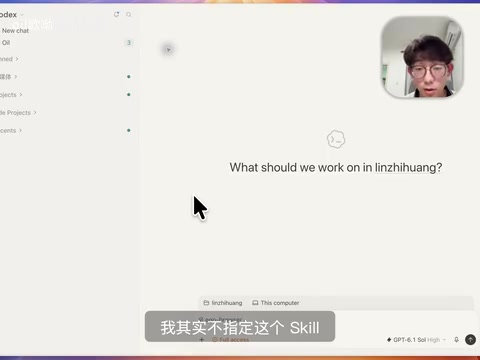
In the demonstration, the creator had the AI launch three sub-Agents to research new model information on Reddit and X respectively. After the task started, the AI read the EgoBrowser Skill and began browser automation operations; users can observe in real time the tabs the AI opens and the operation progress in the space interface, making the whole process clear and controllable.
The Design Philosophy Behind the Efficiency Gains
EgoLite's success lies not merely in piling up features but in its thinking about the boundary between AI and human collaboration. Space isolation solves the resource contention problem, Profile isolation solves the account confusion problem, and code-based operation fully leverages AI's strength in programming. This approach of "letting AI think in code" is closer to the essence of AI's capabilities than traditional step-by-step click simulation, and it also provides a new paradigm for browser automation. For users who need to perform frequent web operations, the arrival of EgoLite's Windows version undoubtedly offers an efficiency tool worth trying.
One-line Summary
EgoLite browser launches a Windows version, improving AI automation efficiency through space isolation and code-based operations.
Paragraph Summary
EgoLite is an AI automation browser that recently released a Windows version. The installation process is the same as the Mac version, syncing Chrome data and automatically installing the EgoBrowser Skill for AI Agents. Its core innovation is the "Space" concept: each AI task has an independent space and Profile, isolated from the user's manual operations to avoid tab conflicts and account confusion, and users can take over or terminate tasks at any time. The EgoBrowser Skill provides a Node.js runtime environment and pre-packaged helper functions, allowing AI to directly write JavaScript code to execute multi-step browser operations in batches and reduce the overhead of repeatedly reading pages. The creator's high-frequency use verifies thousands of calls, covering scenarios such as research, form filling, testing, and video publishing, reflecting the design philosophy of "letting AI think in code."
Related articles

Free Unlimited Claude Code Solution: Agnes AI + CC Switch Setup Guide
No paid subscription needed — pair the free AI platform Agnes AI with the open-source tool CC Switch to provide a backend for Claude Code, enabling unlimited free calls to text, image, and video models. This guide covers the full setup, test results, and usage boundaries.

A Complete Zero-Cost Guide to Getting Started with Claude Code for Beginners in China
A beginner's guide to Claude Code for users in China: two installation methods (command line and IDE plugin), full configuration steps for replacing the official API with the free domestic LongCat model, and a hands-on demo of building a small tool with natural language, plus tips.

When the NSA Gets Involved: The AI Supply Chain Crisis Behind Open-Source CVEs and API Key Hijacking
Multiple open-source projects disclosed severe CVEs in one day, PHP flaws alarmed the FBI, and Railway and OpenCode were breached with API keys stolen. This article breaks down the vulnerability window, AI-accelerated exploitation, and the AI supply chain crisis behind the API key black market, with a developer defense checklist.