Fabric Database Hub Free Public Preview: Unify SQL, Postgres, and Cosmos Management

Microsoft launches free public preview of Fabric Database Hub for unified heterogeneous database fleet management.
Microsoft introduced Fabric Database Hub on Data Exposed, currently in public preview and free without a paid Fabric license, aiming to solve database fleet operations across SQL Server, PostgreSQL, Cosmos, and more. It provides a unified asset view through a single pane, supports filtering by type, subscription, and tags with saved custom views, and generates shareable links for backup DBAs. Security and performance diagnostics cover public network access detection, CPU/memory/IO threshold alerts, and runnable diagnostic queries integrated with SSMS. Built-in AI skills connect to clients like GitHub Copilot and Claude for natural language queries about database asset status, using Kusto queries under the hood and following existing security policies.
Managing dozens or hundreds of databases across multiple engines like SQL Server, PostgreSQL, and Cosmos has long lacked a unified entry point. Microsoft introduced Fabric Database Hub on the Data Exposed show. It's currently in public preview and free to use without a paid Fabric license.
From Database Assets to Observability
The challenge in multi-database environments is fragmentation. With a single database on a single engine, monitoring and security checks are no problem. But when databases number in the hundreds and span multiple platforms, understanding health, security, and performance at scale becomes truly difficult.
Database Hub's core idea is fleet management: observing all heterogeneous databases through a single pane of glass.

According to guest Patrick LeBlanc, users simply select sign-in and choose free Fabric to open Database Hub and start using it. No capacity needs to be started, no additional configuration required.
Fleet management is a term from IT operations, originally used to describe unified deployment, monitoring, and policy distribution across large server clusters. Its core idea is to treat scattered individual resources as a single asset pool, achieving batch operations and global observability through a centralized control plane. In the database context, fleet management means no longer logging into each database to troubleshoot individually, but instead collecting health metrics, security configurations, and performance data uniformly at the "estate" level. Microsoft Fabric Database Hub brings this concept to heterogeneous database operations: whether the underlying engine is SQL Server, PostgreSQL, or Cosmos, everything is abstracted into uniformly queryable asset entries, enabling rapid anomaly detection, compliance checks, and diagnostic action distribution even at the scale of hundreds of instances.
Asset View: Filter, Save, and Share
After entering the Hub, the home page displays all database assets (estate) the user has permission to access. This view proactively surfaces issues users may not have known about—including security or performance risks in databases they don't have direct access to.
The asset view can easily become information overload, so filtering is key. Users can filter by type, subscription, location, status, and tags. Patrick especially recommends filtering by tags to focus only on production databases and exclude dev and test resources.
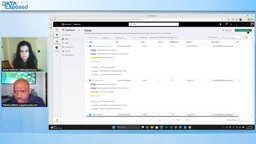
After setting filter conditions, they can be saved as named views. When returning to the overview page, the dashboard automatically focuses on that view, narrowing to the subset of databases the user truly cares about.
Even more practical is view sharing. If a colleague is your backup DBA, you don't need them to reconfigure the filters—just share the link, and they'll see the same filtered view when they open it.
Security and Performance Diagnostics: From Insight to Action
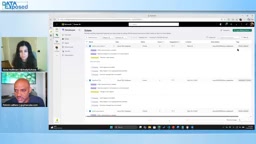
Database Hub's checks cover three dimensions: security, performance, and optimization—and aren't limited to SQL Server. They also support SQL, Postgres, and Cosmos.
Taking security as an example, the system flags databases with public network access enabled and guides users to configure private VNets in the Azure portal to fix the issue. On the performance side, when CPU spikes, memory approaches thresholds, or IO hits limits, the Hub identifies the problem and provides ready-to-run diagnostic queries.
These diagnostic queries are deeply integrated with SSMS: clicking the icon automatically opens SSMS with the correct server and database context, and the query statement is already in place—eliminating the tedious work of manually copying and pasting server names and queries.
SSMS (SQL Server Management Studio) is Microsoft's official graphical database management tool, long serving as the primary client for executing queries, managing objects, and diagnosing performance in the SQL Server ecosystem. The deep integration between Database Hub and SSMS means that when the Hub detects a performance or security issue, users don't need to manually note the server name, database name, and open SSMS to fill in connection details one by one. Instead, they simply click the diagnostic icon, and the Hub automatically launches SSMS with the correct connection context and pre-loaded query statement. This "insight to action" closed loop significantly reduces friction across tools, especially for DBA teams that need to respond quickly to production alerts.
Real-Time Performance Dashboard and AI Skill
The Performance tab provides real-time monitoring information for database assets. Users can create custom real-time dashboards based on metrics like CPU, storage, and memory.
But not everyone wants to stare at dashboards all day. Patrick pointed out that the database team has built a skill for Database Hub that allows it to connect to AI clients like GitHub Copilot, Claude, and Codex. Users simply type a prompt like "How is my database estate doing?" in their preferred tool, and the skill reads information from the backend repository via CLI.

The entire process follows existing security policies: users can only see databases they have permission to access. The skill runs Kusto queries under the hood, delivering an asset summary in seconds to a minute—for example, listing 526 SQL and Postgres databases, discovered security issues and IO bottlenecks, and 10 SQL authentication resources. Users can continue asking for details, even using LLMs to explore solutions. This skill only needs to be registered on the client, and dedicated documentation will cover the configuration.
Kusto queries refer to the Kusto Query Language (KQL), originally designed by Microsoft for Azure Data Explorer to perform fast interactive analysis on massive volumes of log and telemetry data. Its syntax is intuitive and supports pipeline-style operations, capable of aggregating and filtering billions of records in seconds. In Database Hub's AI skill, KQL reads database asset status information from the backend repository, so after users ask questions in natural language, the system returns structured summaries within seconds to a minute—for example, listing 526 SQL and Postgres databases, discovered security issues, and IO bottlenecks. KQL's efficiency ensures the real-time nature of this "conversational operations" experience.
Usage Recommendations
Patrick's advice: the first thing to do after getting started is configure your asset views. DBAs often gain access to large numbers of databases due to temporary needs, but those databases may not be their daily focus. Filtering by subscription, tags, and other conditions and saving as custom views significantly reduces information noise.
Database Hub is currently in public preview and free to use without a Fabric subscription or capacity. For teams managing heterogeneous database assets, this may currently be the lowest-barrier unified observability solution.
Public preview is a stage in Microsoft's product release process, typically between private preview and general availability (GA). At this stage, features are open to all users, but there may still be behaviors that aren't fully stable, and Microsoft doesn't provide GA-level service level agreements (SLAs) or production support commitments. For Database Hub, public preview means users can use all core features for free without a paid Fabric license or capacity, but should be aware that its interface, APIs, or underlying behavior may change before general release. For teams looking to evaluate unified database observability solutions early, this is a low-barrier trial window.
One-line Summary
Microsoft launches free public preview of Fabric Database Hub for unified heterogeneous database fleet management.
Paragraph Summary
Microsoft introduced Fabric Database Hub on Data Exposed, currently in public preview and free without a paid Fabric license, aiming to solve database fleet operations across SQL Server, PostgreSQL, Cosmos, and more. It provides a unified asset view through a single pane, supports filtering by type, subscription, and tags with saved custom views, and generates shareable links for backup DBAs. Security and performance diagnostics cover public network access detection, CPU/memory/IO threshold alerts, and runnable diagnostic queries integrated with SSMS. Built-in AI skills connect to clients like GitHub Copilot and Claude for natural language queries about database asset status, using Kusto queries under the hood and following existing security policies.
Related articles

Qwen 4 First Test Leaks: Performance Rivals Opus 5.5, DeepSeek V4 Series Surfaces
Early Qwen 4 test outputs leak, with front-end generation said to rival Opus 5.5; DeepSeek V4 Mini, Flash, and Pro names appear in a code repo; Ant Group's Ling-3.1-flash surfaces too. Here's the latest on model tiering and on-device lightweight models.

OpenCode Makes DeepSeek V4.1 Flash Free, AI Daily Roundup
AI daily roundup: OpenCode makes DeepSeek V4.1 Flash free, StepFun Step5 Preview and Ling 3.1 Flash open-sourced, Grok Voice 3.0 tops speech leaderboard, Matrix Game 4.0 open-sourced, and the EU opens its first AI Act enforcement probe into OpenAI and Anthropic.

DeepSeek V4.1 Flash 1017 Released: Reasoning and Coding Upgrades, Search and Fetch API Now Available
DeepSeek releases V4.1 Flash 1017 with major gains in reasoning, coding, and agentic tasks, plus web search and fetch APIs at 5 yuan per 1,000 requests. Tencent Hunyuan open-sources High Memory 2.0, Perplexity open-sources multimodal decision models, and MOFCOM seeks comments on AI export catalog.