Figma AI Agent Deep Dive: From Design Canvas to Production Code with an AI-Native Pipeline

Figma embeds AI Agents into the design canvas,重构 design tool logic with deterministic constraints and code sync.
At Config 2026, Figma announced the end of public beta for its AI Design Agent. Its core is not a model upgrade but a complete canvas-embedded architecture. Spatial context lets the LLM "see" interfaces through DOM-like structured data and supports real-time Chat Piles collaboration; Custom Skills use Markdown files to define design guidelines and anti-patterns, locally enforcing model constraints to prevent hallucinations from damaging the design system; Figma Weave decomposes complex tasks on a node-based canvas, integrating generative plugins, WebGPU shaders, and Motion timelines; Code Layers and the MCP server enable bidirectional sync between design and React/CSS code, with external coding Agents able to directly read and write design tokens. The design canvas is ultimately reconstructed as a programmable compiler, verifiably transforming design intent into production data flows.
At Config 2026, Figma officially announced the end of public beta for its AI Design Agent. This is not a simple feature update, but a重构 of the underlying logic of design tools: AI is no longer an isolated chat box, but is directly embedded into the real-time grid of the design canvas, sharing the same working environment with human designers.
This raises a core question: when an AI Agent gains the ability to directly edit design layers, how does it work without breaking the enterprise design system? Figma's answer is not a single model upgrade, but a complete architecture composed of spatial context awareness, deterministic Markdown constraints, node-based multi-model orchestration, and bidirectional MCP synchronization.
Spatial Context: Letting the LLM "See" Interface Structure
Large language models cannot directly "see" images. They process structured data, not pixels. Therefore, the first step for the Figma Agent is to scan the existing UI framework, extract its underlying elements—text nodes, vector layers, active styles—and load this DOM-like data into the LLM's context window, giving the model spatial awareness of the file.
This spatial awareness is not limited to a single frame. The Agent can traverse the entire Figma platform and retrieve related files. After a designer selects an image model, they can deploy it onto the canvas and perform precise edits on a single layer. This turns the coarse operation of "prompting to generate a new image" into the surgical operation of "editing a specific layer in an existing file."
Spatial awareness also brings a new collaboration mechanism: Chat Piles. Team members can gather their cursors around a specific node on the canvas and watch the Agent perform structural edits in real time in a shared chat pile. The AI's work process changes from a black box into a visualized collaboration scene.
DOM (Document Object Model) is the standard representation by which browsers parse HTML/XML documents into a programmable node tree. The document.querySelector, node insertion/deletion/update operations familiar to front-end developers are all built on this tree. Figma files are also fundamentally a hierarchical node structure: frames, text, vectors, and styles each correspond to nodes on the tree, with properties and parent-child relationships. The article compares Figma's underlying elements to the DOM precisely to explain that what the LLM needs is this kind of structured, semantically labeled node data, not rendered pixels. Understanding this makes it clear why "scanning the UI framework to extract underlying elements" gives the model spatial awareness—what it receives is an addressable, precisely locatable interface structure description, enabling deterministic operations such as "change the font size of the Nth text node" rather than generating something out of thin air.
Custom Skills: Locking Down Design Language with Markdown
The biggest risk of letting an LLM directly operate on enterprise files is hallucination: absurd color schemes, inconsistent typography, disregard for design specifications. Figma's solution is to front-load constraints with Custom Skills and Library Guidelines.
Teams write standard Markdown files and upload them to the Figma design library. These files contain two types of data: company-specific design guidelines, and explicit anti-patterns—operations the Agent is forbidden to perform. Telling AI "what not to do" is often more effective than telling it "what to do," because anti-patterns directly block destructive edge cases.
In the workflow, the system forces the AI Agent to cross-reference this Markdown library before processing each user prompt, acting as a programmatic validation engine. This engine intercepts prompts and overrides invalid variables with approved tokens, forming a deterministic constraint—the model is structurally locked and cannot make probabilistic guesses about design execution. The entire filtering process is strictly completed locally within the Figma environment, with no need to call external APIs for validation.
When the design system changes, updating the central Markdown file instantly pushes new rules to the AI's editing behavior across the entire team's canvas. Custom Skills transform AI from an unpredictable creative engine into a strictly controlled design system assistant.
Figma Weave: Node-Based Task Orchestration
Production-grade UI components are rarely completed with a single prompt; they require a series of continuous actions. Figma Weave is a node-based logic canvas designed for this, located next to the main visual canvas, used to chain and sequence multiple generative AI workflows.
The core mechanism of Weave is task decomposition. Users route a single prompt into divergent and parallel workflows, for example separating layout generation from asset retrieval. These independent models each evaluate their own constraints, then the paths merge inward and integrate the results into a cohesive component. This process abandons the random output of basic prompting and establishes a deterministic engineering logic pipeline.
Weave includes several main execution nodes:
- Generative plugin nodes: Designers create custom native tools in natural language and set new parameters on the fly.
- WebGPU shader nodes: The Agent uses the WebGPU rendering pipeline to build highly parameterized visual effects directly from text input or reference images, bypassing the need for front-end developers to manually write complex shader code.
- Motion timeline nodes: The Agent connects to Figma's built-in timeline system, autonomously generates initial keyframes, orchestrates complex text animations, and even layers synchronized audio tracks directly onto the timeline.
The outputs of these nodes are ultimately merged to jointly control the final UI component on the canvas. Weave provides the logic engine needed to turn a single text prompt into synchronized multi-model execution.
WebGPU is a new-generation web graphics and compute API, regarded as the successor to WebGL. Compared with WebGL, WebGPU is closer to the underlying architecture of modern GPUs (such as the design philosophies of Vulkan, Metal, and DirectX 12), offering lower driver overhead, native support for compute shaders, and more flexible parallel computing capabilities. In the context of Figma, WebGPU shader nodes mean the Agent can produce not only static images, but visual effects rendered in real time and parameterized by the GPU—colors, shapes, and textures can all be dynamically adjusted through parameters, with rendering quality and performance approaching native applications. This turns the design artifact from "an image" into "a tunable rendering program," providing a programmable intermediate form for the handoff between design and development.
Code Layers and MCP: Bidirectional Sync Between Design and Code
Digital product creation has long had a hard boundary: the divide between visual design iteration and the actual developer codebase. Figma attempts to bridge this gap through Code Layers and an enhanced MCP (Model Context Protocol) server.
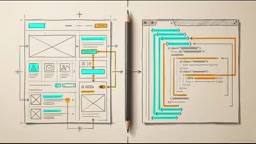
Code Layers allow AI Agents and human developers to turn specific design layers into interactive React or CSS code. It works through true bidirectional synchronization: designers clone the active code repository into Figma, make edits, and smoothly sync the changes back to the core codebase.
The MCP server acts as the primary external tool connector for the entire Figma environment. Through MCP, third-party external coding Agents can directly connect to Figma files and gain permission to read, cross-reference, and directly manipulate Figma design tokens and graphic assets. Even complex Motion animations created by Weave can be read and controlled by external coding Agents through MCP.
Because the connection is bidirectional, external coding Agents can push changes back, and even directly modify the structure of the Figma UI. From a data flow perspective, the design file and the code repository become real-time living mirrors of the same data source.

MCP (Model Context Protocol) is a standardized protocol proposed and open-sourced by Anthropic at the end of 2024, aimed at establishing a unified connection method between large language models and external tools and data sources. It can be understood as the "USB-C interface" of the AI world: before MCP, every AI application that needed to connect to an external system (such as a database, code repository, or design tool) required custom integration code; MCP defines a standard client-server communication specification (based on JSON-RPC), allowing any MCP-compatible model or Agent to discover and call external tools in a unified way. Figma uses an MCP server as the external connector for the entire environment, meaning third-party coding Agents do not need to develop a separate plugin for Figma to read design tokens and modify layer structures through a standard protocol—this is precisely the technical foundation that makes "bidirectional synchronization" possible at the protocol level.
Unified Architecture: The Design Canvas as a Programmable Compiler
Integrating the above systems, the complete pipeline is clearly visible:
- Local AI Agent: strictly constrained by the Markdown governance of Custom Skills.
- Figma Weave: orchestrates complex generative tasks through deterministic multi-task node paths.
- Canvas-local execution: completed through parameterized WebGPU shaders and native Code Layers synchronization.
- MCP server: permanently binds local execution to external global engineering infrastructure.
The design canvas has evolved from a static illustration surface into an active unified compiler. Designers and autonomous Agents can build synchronized production systems in real time. Standard generative AI operates in a vacuum—input a prompt, get a flat image that cannot be edited. Production-grade UI design rejects this vacuum; it demands strict spatial logic, precise layer operations, and accurate token adherence.
This architecture from Figma shows that the true value of AI in design is not replacing designers to generate images, but transforming design intent into programmable, verifiable, and synchronizable production data flows. For design teams, this means a shift in work paradigm: from drawing interfaces to governing a constraint system for human-AI collaboration.
One-line Summary
Figma embeds AI Agents into the design canvas,重构 the underlying logic of design tools with deterministic constraints and code synchronization.
Paragraph Summary
At Config 2026, Figma announced the end of public beta for its AI Design Agent. Its core is not a model upgrade, but a complete architecture embedded in the canvas. Spatial context lets the LLM "see" the interface through DOM-like structured data and supports real-time collaboration via Chat Piles; Custom Skills use Markdown files to define design guidelines and anti-patterns, locally enforcing constraints on the model and preventing hallucinations from damaging the design system; Figma Weave uses a node-based canvas to decompose complex tasks, integrating generative plugins, WebGPU shaders, and Motion timelines; Code Layers and the MCP server enable bidirectional synchronization between design and React/CSS code, allowing external coding Agents to directly read and write design tokens. Ultimately, the design canvas is reconstructed as a programmable compiler, and design intent is verifiably transformed into production data flows.
Related articles

Free Unlimited Claude Code Solution: Agnes AI + CC Switch Setup Guide
No paid subscription needed — pair the free AI platform Agnes AI with the open-source tool CC Switch to provide a backend for Claude Code, enabling unlimited free calls to text, image, and video models. This guide covers the full setup, test results, and usage boundaries.

A Complete Zero-Cost Guide to Getting Started with Claude Code for Beginners in China
A beginner's guide to Claude Code for users in China: two installation methods (command line and IDE plugin), full configuration steps for replacing the official API with the free domestic LongCat model, and a hands-on demo of building a small tool with natural language, plus tips.

When the NSA Gets Involved: The AI Supply Chain Crisis Behind Open-Source CVEs and API Key Hijacking
Multiple open-source projects disclosed severe CVEs in one day, PHP flaws alarmed the FBI, and Railway and OpenCode were breached with API keys stolen. This article breaks down the vulnerability window, AI-accelerated exploitation, and the AI supply chain crisis behind the API key black market, with a developer defense checklist.