From Function Calling to MCP and Agents: How LLM Tool Calling Really Works
Function Calling is the foundation of MCP and Agents — explained step by step with a real code walkthrough.
This article systematically explains how Function Calling works and why it's the foundational layer beneath MCP and Agents. It breaks the mechanism into five steps — define, reason, generate call, execute, return — and contrasts it with Agents, which add multi-step planning and memory. A hands-on weather query demo using OpenAI's gpt-4o-mini API illustrates tool description, tool_choice configuration, and result parsing. The key takeaway: hand-writing Function Calling is for understanding; real-world development should use Agent frameworks. Recommended learning path: Function Calling → MCP → Agent/Workflows → A2A.
Why Understanding Function Calling Is a Prerequisite for Learning MCP
Before diving into MCP (Model Context Protocol), A2A (Agent to Agent), and agentic workflows, you need to understand a more foundational concept — Function Calling. A Bilibili content creator made this key point explicit in their tutorial: MCP is essentially an optimization of tool calling, or more precisely, a standardized protocol built on top of tool calling — and the underlying mechanism of tool calling is Function Calling.
In other words, if you don't understand how Function Calling works, jumping straight into MCP and Agents leaves you knowing what without knowing why. Once you grasp function calling, everything from MCP to Agent-to-Agent protocols starts to make intuitive sense.
Function Calling was originally pioneered by OpenAI. Its core purpose is to allow LLMs to connect with external tools, converting natural language into API calls. This solves a fundamental problem: once a model finishes training, its knowledge is frozen — it can't access information created after its training cutoff. By calling external or internal functions, the model can gain access to new capabilities and real-time data even after training is complete.
Today, virtually all mainstream general-purpose LLMs support Function Calling, including Gemini, Claude, and DeepSeek V3. It's worth noting that DeepSeek R1 (the DeepThink reasoning variant) does not support Function Calling, while V3 does. Some models, like Zhipu AI, also have partial support.
MCP (Model Context Protocol) is an open standard proposed by Anthropic in late 2024, designed to unify how LLMs interact with external tools and data sources. Before MCP, every model vendor and every framework had its own format and interaction flow for tool calling — developers had to write custom adapters for each model, making maintenance extremely costly. MCP provides a universal "plug standard": tool providers simply expose their interfaces according to the MCP spec (called an MCP Server), and any model or Agent framework that follows the protocol (an MCP Client) can use them directly, no custom integration layer needed. A2A goes a step further, describing how multiple agents collaborate, and how tasks are decomposed and handed off — a higher-level orchestration protocol built above MCP. Understanding this protocol stack — Function Calling as the underlying mechanism, MCP as the tool integration standard, and A2A as the multi-agent coordination protocol — gives you a clear mental model of what each technology solves and at which level of abstraction.
The Five-Step Mechanics of Function Calling
The tutorial breaks function calling down into five clean steps — a foundational framework for understanding all subsequent agent technology:
Step 1: Define the Function
When defining a function, you must clearly describe three things: the function name, its description and purpose, and its parameters along with their types. This information determines whether the model can correctly understand and use the tool.
Step 2: The Model Reasons and Decides
After the function information is passed to the LLM, the model decides whether to call this function. You can force the model to always call a function, but that's generally not the recommended approach — the standard practice is to let the model decide autonomously.
Step 3: Generate the Function Call Instruction
When the model determines a function call is needed, it generates a function call. The most important output of this step is preparing the required parameters — constructing them before any actual execution happens.
Step 4: Actually Execute the Function
Note that the model hasn't actually run anything through the first three steps — it has only made a decision and prepared the parameters. Step 4 is where the developer's code actually executes the function.
Step 5: Return the Result and Generate a Final Answer
The function's output is passed back to the LLM, which then uses it to generate a final natural language response.
The Fundamental Difference Between Function Calling and Agents
Many beginners conflate Function Calling with Agents, but the tutorial draws a clear distinction:
An agent's decision-making generates a plan. It needs to determine whether to call function A or function B first, and whether to continue calling other functions afterward — this is a multi-step, goal-oriented process. In contrast, the model reasoning in Function Calling only decides "should I call this function?" — there's no plan, and once a function is called, the process ends. There's no automatic chaining to the next step.
Additionally, Function Calling has no memory by default. Without an explicit memory mechanism added by the developer, it is stateless — a single, isolated call. These two differences are exactly what makes Agents a step above raw function calling.
From an engineering perspective, Agents typically rely on a pattern called "ReAct" (Reasoning + Acting): the model reasons about the current state, decides on a next action, observes the result after execution, and then reasons again — repeating this loop until the task is complete or a maximum step limit is reached. This loop gives Agents "autonomous planning" capability, allowing them to dynamically adjust strategy in uncertain environments, unlike a one-shot Function Call that terminates after a single invocation. Memory is typically divided into short-term memory (current conversation context) and long-term memory (historical information stored in vector databases). Agent frameworks like LangChain or LangGraph explicitly manage both types, while the raw Function Calling interface involves no memory management whatsoever — each call knows nothing about previous state. This is why even for relatively simple multi-turn tool-calling scenarios, modern practice tends to reach for an Agent framework rather than manually stitching together message lists to simulate state management.
Hands-On: A Complete Weather Query Walkthrough
To ground the concepts, the tutorial uses "querying real-time weather in Beijing" as a worked example, walking through the complete code flow step by step. Weather was chosen because LLMs don't have access to real-time weather data — they must rely on an external function to retrieve it.
Define the Function and Tool Description
First, define a get_weather function that accepts a location parameter. The tutorial uses mock data instead of a real web API, returning weather information in JSON format.
The key step is converting this function into a JSON-formatted tool description (tools), which includes: type as function, the function name get_weather, a description like "Get weather information for a specified city", and the request parameter location (a string type, described as a city name such as Beijing or Shanghai). A particular emphasis is placed on writing a clear parameter description, and using required to indicate which parameters must be provided.
Call the Model and Pass in the Tools
The example skips LangChain entirely and calls the OpenAI API directly, using the more cost-effective gpt-4o-mini model. The API key is managed via a .env file, and a domestic proxy base_url is configured.
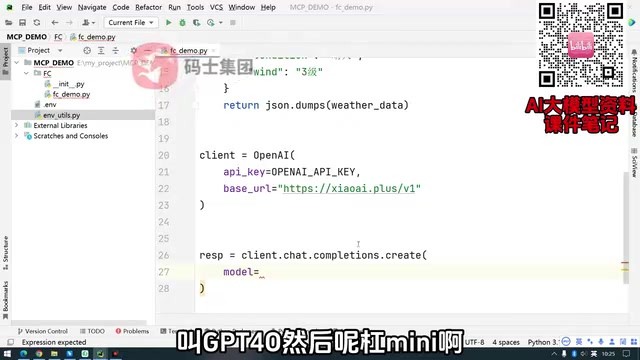
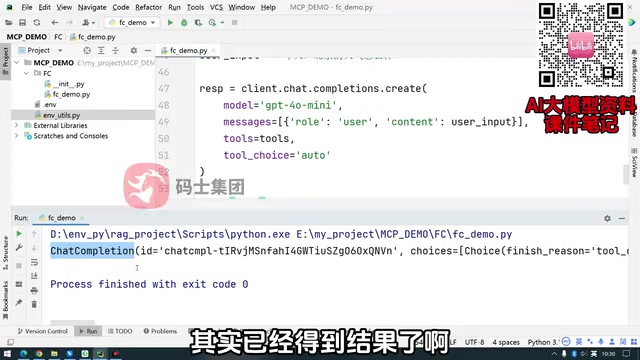
When calling client.chat.completions.create, you pass in the model, messages (user input: "What's the weather in Beijing today?"), tools (the tool list), and the critical parameter tool_choice="auto" — meaning the LLM decides on its own whether to call a tool. tool_choice also supports none (never call) and required (must call).
Parse the Model's Call Instruction
The first response from the model is not a final answer — it's an "instruction to call a function." This is a key point the tutorial emphasizes repeatedly: the first response is fundamentally a decision — it tells you which function to call and what parameters to pass.
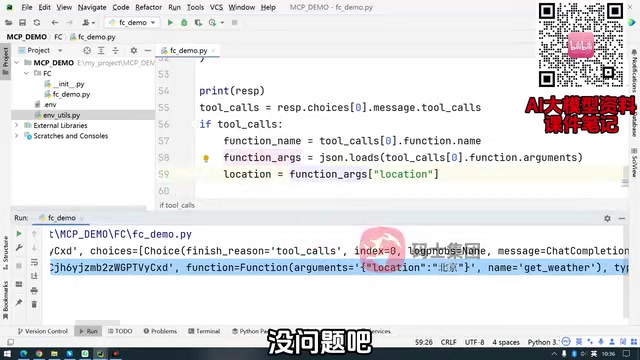
You retrieve this instruction object from response.choices[0].message.tool_calls. It contains the function details: the function to call is get_weather, and the location parameter equals "Beijing". Note that tool_calls is an array, meaning the model can return multiple function calls at once — if there are multiple, you'll need to handle them with a for loop.
The finish_reason field in the model's first response will have the value tool_calls (rather than the usual stop) — this is the standard signal that the model is requesting a tool call. In production code, you should check this field first before deciding whether to enter the tool execution branch, rather than relying solely on whether the tool_calls array is empty, since different model vendors may behave differently in edge cases. Additionally, the tool_calls array supports parallel function calling — where the model requests multiple functions in a single response, such as querying the weather for both Beijing and Shanghai simultaneously. OpenAI's GPT-4 series already supports this capability. When handling parallel calls, each tool call must be executed separately and its result returned as an independent role: tool message, each carrying the corresponding tool_call_id so the model can match them up. Handling parallel calls correctly both improves efficiency and lays the groundwork for understanding concurrent tool execution in Agent frameworks.
Execute the Function and Return the Result
After extracting the function name and parameters (the parameters arrive as a JSON string and must be parsed with json.loads into a dictionary), the code checks whether the function name is get_weather, calls it if so, and retrieves the result. Finally, the tool call information and execution result are packaged back into the messages list, and the model is called again to produce the final answer: "Today in Beijing the weather is sunny, with a temperature of..., wind speed of..."
Hand-Writing Function Calling Is for Learning — Production Code Should Use Agents
The tutorial closes with a practical and valuable takeaway: manually writing Function Calling at this low level is no longer done in real development. The creator is direct: this approach exists to help you understand how function calling works — but in modern LLM development, "the bare minimum is to write an Agent."
This ties back to the technical evolution outlined at the start: Function Calling is the foundation, MCP is the standardized protocol built on top of it, and Agents along with A2A represent higher-level orchestration capabilities. Once you understand this chain from first principles to production practice, learning MCP, LangGraph, Zhipu AI agents, and other higher-level technologies becomes a matter of understanding which problem each layer is designed to solve.
For anyone looking to systematically enter the world of LLM application development, this progression — Function Calling → MCP → Agent/Workflows → A2A — is a well-grounded learning path worth following.
Related articles
AI Agent Fundamentals: The Three Core Components — Brain, Memory, and Tools
A beginner's guide to AI Agents: covering the three core components (brain, memory, tools), four stages of LLM deployment, and why Agents matter for real business use cases.
Boycotting Software That Doesn't Support Linux: One Developer's Philosophy of Choice
A Linux-only developer shares his philosophy of boycotting non-Linux software — without sacrificing productivity — and explains how coding agents like Claude Code are closing the gap with commercial tools.
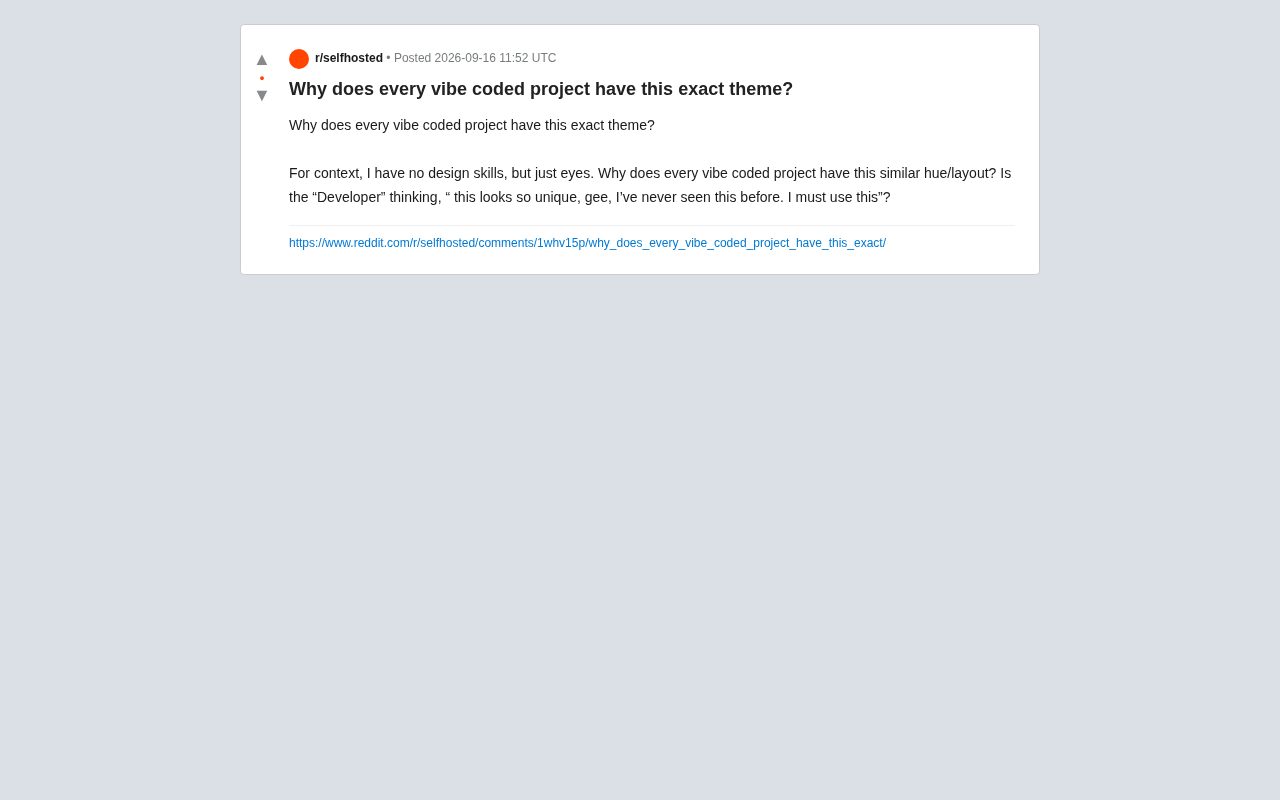
Why Do All AI-Generated Projects Look the Same? The Aesthetic Homogenization Problem in Vibe Coding
Why do vibe coding projects all use purple gradients and dark glassmorphism? We break down the technical roots of AI aesthetic homogenization and how to escape it.