Gemini Audio TTS Hands-On: Create Your Own Custom AI Voice

Google Gemini Audio launches next-gen TTS with prompt control, preset voices, multi-speaker directing, and safe voice cloning.
Google has significantly upgraded Gemini Audio's text-to-speech capabilities across four dimensions: generating emotionally controllable speech from simple prompts; offering over a thousand preset voices with fine-grained pitch and timbre adjustments; supporting multi-speaker dialogue scenes with director-style performance guidance; and enabling safe personal voice cloning via quick verbal identity verification. Google's goal is to evolve TTS from a basic reading tool into a full voiceover workstation for short-form video, advertising, and audio content creators. Pricing and launch details have not yet been disclosed.
Google has brought a next-generation text-to-speech (TTS) capability to Gemini Audio, with a core pitch of letting creators generate consistent, expressive voices through simple prompts — and even safely clone their own voice. The official demo uses the production of a promotional video as a through-line to showcase several key features of the new model.
From Prompt to Expressive Speech
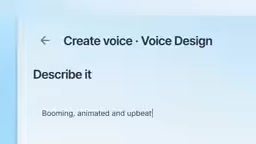
The demo opens with a relatable creative scenario: a production team needs to record a voiceover for the new TTS model, but isn't happy with the tone of the first take, leading to repeated adjustments — "No, more like this," "Introducing… text-to-speech." This process neatly illustrates the model's core value: turning simple prompts into consistent, expressive speech output.
Unlike the robotic sound of traditional TTS systems, Gemini Audio emphasizes generating controllable emotion and tone on demand. For short-form video creators, advertisers, and podcasters who frequently revise their voiceovers, this kind of instantly adjustable capability can dramatically shorten production cycles.
Over a Thousand Preset Voices — and Full Customization
When the script moves into a scene requiring multiple characters, the presenter mentions being able to choose from "over a thousand ready-to-go voices." Such a vast voice library means creators can match the right tone to different characters with virtually no additional recording needed.
Beyond that, these voices aren't set in stone. The demo presents a direct request: "What if we made this voice a bit deeper?" — and the system obliges immediately, emphasizing that you can "change it however you want." This fine-grained control over pitch and timbre multiplies the practical value of the preset voice library many times over.

Multi-Speaker Dialogue and "Director-Style" Control
One of the new model's standout features is support for multi-speaker scenes. Creators can drag and drop multiple saved preferred voices into a single piece of dialogue, quickly building back-and-forth conversations.
Even more interesting is the concept of being able to "direct them" — not just specifying who speaks, but guiding how each character performs. The appearance of filler responses like "mm-hmm" in the demo shows that the model can handle natural pauses and reactions in conversation, rather than simply reading text word by word. This gives AI-generated speech the kind of scene-direction capability that was previously only possible with real voice actors.
Traditional TTS systems typically handle only a single speaker at a time. To produce multi-character dialogue, producers had to call separate voice models for each character and manually stitch the audio clips together — a tedious process that made it hard to maintain conversational coherence. Multi-speaker support means the model can perceive dialogue structure during generation, automatically adjusting tone and pacing as characters switch, rather than simply concatenating independent segments. This relies technically on modeling conversational context — the model needs to understand "who is responding to whom" so that each subsequent line naturally carries the emotional and tonal weight of the one before it. This is precisely why director-style guidance can produce results that feel close to real actors playing off each other.
Safely Clone Your Own Voice
Near the end of the demo, the creator suggests "maybe we should use my own voice," then reads a vivid piece of narration: "The lighthouseAd keeper watched the silver horizon as the morning mist slowly lifted." This segment showcases the voice cloning feature.
The key emphasis here is safety — the official demo explicitly states that cloning your own voice requires passing "a quick verbal identity check" for protection. This is a direct response to the risks of voice cloning abuse: only the original speaker can authorize the cloning of their voice, preventing unauthorized voice forgery. In an era where deepfakes are increasingly prevalent, this kind of identity verification is an important part of responsible AI deployment.
Voice cloning technology itself has been developing for years. Early systems required hours of recorded samples to produce a usable voice model, but recent neural network approaches have compressed the required sample length to just a few seconds. However, the lower technical barrier has also introduced serious risks of abuse: bad actors can use small amounts of recording to forge someone's voice for phone scams, fabricated evidence, or disinformation campaigns. Google's introduction of "verbal identity verification" here is similar to the "voiceprint authorization" mechanism used by some platforms — users must actively read specific text aloud, and the system uses this to confirm that the person performing the action is the original owner of the voice. This mechanism can't completely eliminate misuse, but it anchors the chain of accountability to a real identity. Combined with platform terms of service, it can form a meaningful layer of protection on both legal and technical fronts.
What This Means for Creators
Putting these features together, what Gemini Audio is aiming for is a complete voice creation workflow: from prompt-based generation, to selecting from a massive library of presets, to fine-tuning timbre, directing multi-character scenes, and finally safe personal voice cloning. The demo closes with "Give your words a voice," which neatly captures the product's positioning.
This official material is primarily a feature showcase and lacks specific details on pricing, release timelines, and technical benchmarks. But judging by the completeness of the demo, Google clearly wants to evolve TTS from a simple "reading tool" into a "voiceover workstation" for content creators. For short-form video, advertising, and audio content professionals, the maturation of tools like this means the barrier to professional-quality voiceover is dropping fast.
Related articles

Free Unlimited Claude Code Solution: Agnes AI + CC Switch Setup Guide
No paid subscription needed — pair the free AI platform Agnes AI with the open-source tool CC Switch to provide a backend for Claude Code, enabling unlimited free calls to text, image, and video models. This guide covers the full setup, test results, and usage boundaries.

A Complete Zero-Cost Guide to Getting Started with Claude Code for Beginners in China
A beginner's guide to Claude Code for users in China: two installation methods (command line and IDE plugin), full configuration steps for replacing the official API with the free domestic LongCat model, and a hands-on demo of building a small tool with natural language, plus tips.

When the NSA Gets Involved: The AI Supply Chain Crisis Behind Open-Source CVEs and API Key Hijacking
Multiple open-source projects disclosed severe CVEs in one day, PHP flaws alarmed the FBI, and Railway and OpenCode were breached with API keys stolen. This article breaks down the vulnerability window, AI-accelerated exploitation, and the AI supply chain crisis behind the API key black market, with a developer defense checklist.