Gemini Image Compositing in Practice: Photobashing Prompt Framework & Techniques

A practical guide to using Gemini for Photobashing with structured prompt frameworks and iteration techniques.
This article explains how to use Gemini for Photobashing—combining multiple images into cohesive composites. It covers the core prompt structure (task declaration, material roles, fusion requirements, output specs), provides reusable templates for clothing-body combinations, shares techniques for lighting consistency, and discusses limitations, compliance considerations, and complementary tools like ControlNet and Inpainting.
What Is Photobashing?
Photobashing is a digital art creation technique that involves combining multiple different images, elements, or assets into a single new, cohesive image. This technique was first widely adopted in concept design, game art, and film visual development, where artists quickly build visual concepts by compositing existing materials and then refine the details.
Historically, Photobashing traces back to traditional collage art and montage photography. Before the digital era, film concept artists were already using physical cut-and-paste methods to quickly construct scene atmospheres. In the digital age, this technique was widely adopted by top VFX studios like ILM (Industrial Light & Magic) and Weta Workshop, where artists layer, warp, and color-match dozens of reference photos in Photoshop to produce concept designs in hours that would otherwise take days. Concept design masters like Craig Mullins and Feng Zhu were early pioneers of this approach. Today in AAA game development pipelines, Photobashing has become a standard workflow during the pre-production phase, allowing art teams to quickly validate visual directions early in a project and significantly reduce the cost of trial and error.
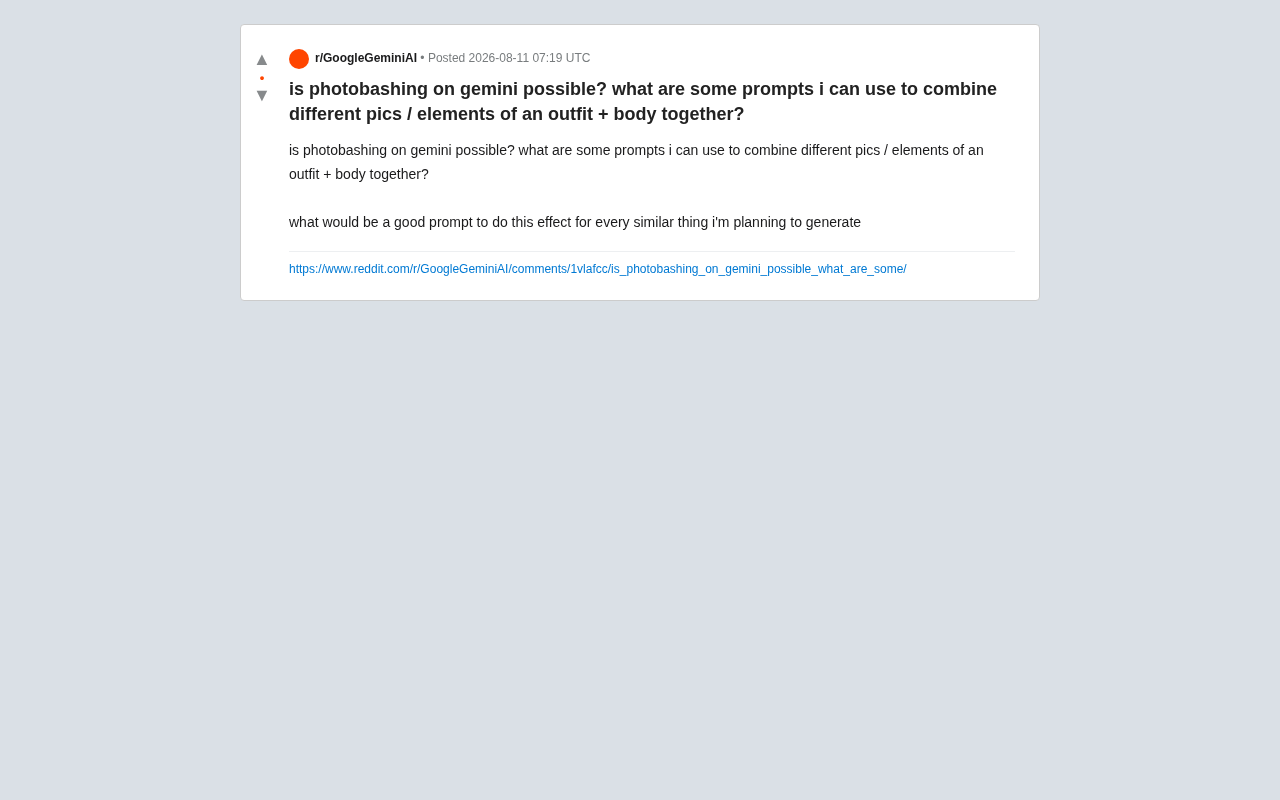
As multimodal AI models have matured, more and more users are experimenting with tools like Gemini to achieve compositing effects that previously required professional software (like Photoshop) and extensive manual work. A Reddit user posed a very practical question: Can Gemini be used to combine clothing, bodies, and other elements from different images? If so, what kind of prompts should be used to reliably reproduce this effect?
Behind this question lies a broader trend in AI image generation evolving from "text-to-image" toward "image-to-image" and "multi-image fusion." This evolution has gone through several distinct stages: early text-to-image (Text-to-Image) could only generate images from text descriptions, with representative tools like DALL·E and early versions of Midjourney; then came image-to-image (Image-to-Image), allowing users to upload a reference image for style transfer or partial modification, such as Stable Diffusion's img2img feature; further development led to multi-image fusion (Multi-Image Conditioning), where models can simultaneously accept multiple reference images as conditional inputs, extracting different dimensions of information from each. The technical foundations behind this evolution include CLIP image-text alignment, IP-Adapter (Image Prompt Adapter), ControlNet multi-condition control, and other innovations. Gemini's multi-image compositing capability is a product of this technological evolution.
Gemini's Image Compositing Capabilities and Boundaries
The answer is yes, but you need to understand its capability boundaries. Gemini's multimodal capabilities (particularly versions with integrated image generation, such as Gemini 2.0 Flash's image generation ability) support users uploading multiple reference images and using natural language descriptions to guide the model in combining elements.
From a technical perspective, Gemini's multimodal capability is based on a large-scale Transformer architecture that can simultaneously process inputs from different modalities including text, images, and audio. Its image understanding ability relies on a Vision Encoder that converts images into token sequences the model can understand, while its image generation ability integrates diffusion model technology. Unlike pure text-to-image models, multimodal models can "see and understand" user-uploaded reference images, extracting semantic information (such as clothing style, pose structure, color atmosphere), and then incorporating that understanding into the generation process. This "understand-then-regenerate" paradigm is fundamentally different from traditional image editing software's "pixel manipulation" paradigm—the former is semantic-level reconstruction, while the latter is pixel-level precise manipulation.
What Gemini Image Compositing Can Do
- Element extraction and recombination: Extract clothing from one image, extract a person's pose or body from another, and composite them together.
- Style transfer: Apply the visual style of a reference image to the composite result.
- Scene fusion: Place a subject into a different background environment.
Limitations of Gemini Compositing
It's important to clearly recognize that Gemini essentially "understands and regenerates" rather than performing pixel-level layer compositing like Photoshop. This means:
- Composite results are often redrawn by the model rather than precisely cut and pasted from original materials—details may differ from the source images.
- For precise clothing textures, logos, and facial consistency, deviations or "drift" may occur.
- Compositing involving real human portraits requires extra attention to ethical and compliance issues.
How to Build High-Quality Photobashing Prompts
The key to reliably reproducing a specific compositing effect lies in structured and explicit prompts. Here's a reusable prompt framework.
Core Prompt Structure
A high-quality photobashing prompt typically includes four parts:
- Task declaration: Clearly tell the model what you want to do.
- Source material role definition: Assign a purpose to each uploaded image.
- Fusion requirements: Describe how to combine elements and which details to preserve.
- Output specifications: Requirements for lighting, style, and resolution consistency.
Example Prompt Template
For "clothing + body" combination scenarios, you can use a prompt like the following (English prompts tend to perform more consistently):
Combine the following images into a single cohesive photo:
- Image 1: Use the outfit/clothing shown here.
- Image 2: Use the body pose and figure shown here.

Seamlessly integrate the outfit onto the body, ensuring natural fit,
consistent lighting, matching shadows, and realistic fabric draping.
Maintain the original color and texture of the clothing.
Keep the final result photorealistic with unified lighting.
A Chinese version can be organized like this:
请将以下图片合成为一张连贯统一的照片:
- 图1:使用这里展示的服装。
- 图2:使用这里展示的身体姿态和体型。

将服装自然贴合到身体上,确保比例合理、光照一致、
阴影匹配、布料垂坠真实。保持服装原有的颜色和纹理。
最终结果应为写实风格,光照统一。
Key Techniques for Improving Compositing Consistency
- Explicitly specify what to preserve: Use phrases like "maintain the original..." and "keep the exact..." to emphasize critical details that must be retained.
- Unify lighting descriptions: Inconsistent lighting is the most common giveaway in composite images—always request "consistent lighting" and "matching shadows."
- Iterate and refine: After the first generation, use follow-up messages for local corrections, such as "the collar looks off, make it match Image 1 more closely."
- Build reusable templates: Once you find an effective prompt structure, use it as a template that can be applied to all similar generation tasks by simply swapping out source materials.
Practical Advice and Considerations
For users looking to systematically approach AI image compositing, here are some practical recommendations:
First, manage expectations. AI compositing excels at quickly producing concept images and creative drafts, but if precision requirements are extremely high (such as commercial product photography), you may still need traditional tools to refine AI outputs.
Second, leverage multi-turn conversational iteration. Gemini supports conversational editing—don't expect a single prompt to achieve perfection. Treat the generation process as an iterative conversation with a designer, gradually converging toward the ideal result.
Third, be aware of compliance boundaries. When compositing involves real people's portraits or copyrighted clothing designs, always confirm usage rights. Combining real people's bodies with others' clothing or likenesses may involve portrait rights and deepfake ethical controversies. Since deepfake technology gained widespread public awareness in 2017, it has sparked legal and ethical discussions globally. Multiple countries and regions have enacted or are developing relevant regulations: the EU AI Act classifies deepfake content as a high-risk application category requiring AI-generated labeling; China's "Deep Synthesis Management Regulations" explicitly prohibit using deep synthesis technology to infringe on others' portrait rights or reputation; and multiple US states have legislated against unauthorized deepfake pornographic content. In commercial scenarios, when using AI compositing involving real human portraits, you need to consider not only legal compliance but also platform policies (such as Google and Meta's labeling requirements for AI-generated content) and brand risk.
Fourth, consider tool combinations. Gemini isn't the only option. For photobashing, you can also combine other specialized image-to-image tools for more precise control. ControlNet, a neural network architecture proposed by Stanford researcher Lvmin Zhang in 2023, allows users to precisely control diffusion model generation through additional condition signals (such as edge detection maps, depth maps, human pose skeleton maps, semantic segmentation maps, etc.). In photobashing scenarios, ControlNet's value lies in its ability to separate "structure" and "appearance" dimensions: users can use one image's pose skeleton as a structural condition and another image's texture as an appearance reference, enabling more precise and controllable element recombination. Additionally, Inpainting (image restoration/local redrawing) technology is an important component of the compositing workflow. Its principle involves having the model intelligently fill areas covered by masks based on contextual information from surrounding pixels. When elements from two different source images are joined together, the boundary often has lighting mismatches and color discontinuities. By applying inpainting to the boundary area, the model can automatically generate smoothly transitioning pixels for a more natural composite result. Combining Gemini's semantic understanding with ControlNet's precise control and Inpainting's edge blending creates a complete compositing workflow from coarse to fine.
Summary: Mastering the Prompt Framework Is Key
Gemini can indeed accomplish photobashing tasks to a certain degree. The core lies in using structured, explicit prompts to clearly define each source material's role and fusion requirements for the model. While it cannot fully replace professional pixel-level editing, its efficiency advantage as a tool for rapid creative compositing and concept exploration is clear.
For general users, mastering the "task declaration + material definition + fusion requirements + output specifications" prompt framework and iterating through multi-turn conversations can produce satisfying composite results in most scenarios. As multimodal model capabilities continue to evolve, the barrier to AI-assisted image compositing will only get lower.
Key Takeaways
Related articles

Uber Deploys ChatGPT Work Company-Wide: AI in the Workplace Enters the Scaled Implementation Phase
Uber deploys ChatGPT Work to 30,000+ employees, extending it from engineering to all roles. We analyze its expert-engineer pairing, end-to-end automation, and questions of AI control and power concentration—insights for scaling AI in the workplace.

Shift at Midnight Hands-On: When "ID Verification" Becomes Alien Hunting
Shift at Midnight blends ID verification with horror survival in a four-player co-op game. We break down its inspection mechanics and chaotic humor.

Zelensky Recounts the Outbreak of War: I Need Ammunition, Not a Ride
Zelensky recalls the first day of war in a YouTube interview: farewell to family, rejecting Biden's evacuation offer with "I need ammunition, not a ride," and how Bucha shaped his stance on compromise and peace talks.