Getting Started with Claude Code from Scratch: A Practical Beginner's Guide to Terminal Agents

A beginner's guide to choosing Claude Code as a safe, controllable terminal Agent paired with DeepSeek for AI coding.
This guide introduces Claude Code as a terminal-based AI coding Agent, explaining why it's preferable to device Agents for safety and controllability. It covers the distinction between terminal Agents (project-scoped, sandboxed) and device Agents (full system access, higher risk), then recommends pairing Claude Code's mature tool framework with DeepSeek's cost-effective model for an optimal AI programming setup.
Why Choose Claude Code
For most users just getting into AI, conversational products like DeepSeekAd and Doubao are probably more familiar, while Claude Code remains relatively niche. The reason is simple—it's a more specialized tool designed primarily for development scenarios.
Specifically, Claude Code is a command-line programming tool launched by Anthropic, and its core characteristic is that it runs in the terminal (command line). The reason for choosing this company's product is that Anthropic has deep expertise in the AI field: Anthropic was founded in 2021 by former OpenAI Research VP Dario Amodei and his sister Daniela Amodei, with the core mission of developing safe, controllable AI systems. Their Claude model series, from Claude 1 to the current Claude 4, has continuously pushed boundaries, consistently ranking at the top in coding ability on authoritative benchmarks like SWE-bench (Software Engineering Benchmark). It particularly excels in understanding complex codebases and generating production-grade code. The concepts we frequently hear about today—MCP, Skills, and others—were originally proposed and promoted by this company.
Among these, MCP (Model Context Protocol) is an open standard proposed by Anthropic in late 2024, designed to provide AI models with a unified way to connect to external data sources and tools. Think of it as the "USB port" of the AI world—with this standard protocol, AI can access databases, file systems, APIs, and various other external resources in a unified manner. Skills, on the other hand, is a mechanism in Claude Code that allows users to save commonly used workflows, preferences, and project specifications as reusable "skill packages." The AI automatically references these skills in subsequent interactions, becoming increasingly attuned to your project over time.
In other words, choosing Claude Code means choosing not just a tool, but an entire mature technology ecosystem.
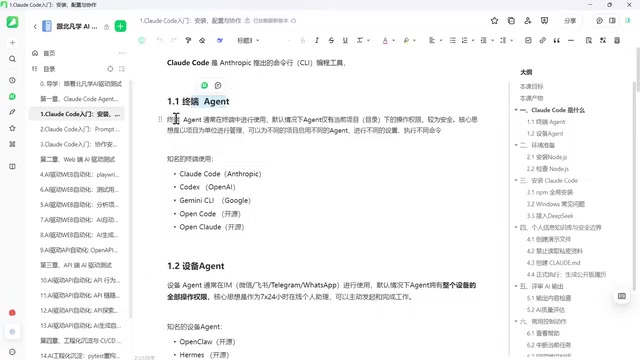
Two Types of Agents: Terminal Agents vs. Device Agents
Before diving into installation, we need to clarify a key concept: AI coding Agents can be broadly divided into two categories—Terminal Agents and Device Agents. Understanding the difference between them is a prerequisite for making informed technology choices.
An Agent (intelligent agent) is an AI that thinks autonomously and drives tasks forward until the goal is achieved. It differs from simple Q&A-style AI—traditional AI conversations follow a "one question, one answer" pattern, while Agents possess capabilities for autonomous planning, tool invocation, and iterative execution. In programming scenarios, this means an Agent can do more than just generate code snippets—it can independently read project files, run tests, fix errors, and form a complete development loop. Based on differences in how they run and what permissions they have, Agents split into two distinctly different approaches.
Terminal Agents: Project-Scoped, Safe, and Controllable
The first characteristic of Terminal Agents is that they're used in the command line—which is also the preferred working method of many coding experts in the past, though it has a slight learning curve for regular users. The command line (Terminal/CLI) is a way of interacting with computers through text commands. Compared to graphical interfaces, it's more efficient for batch operations, script automation, and development workflows.
The second—and more important—characteristic is that they manage work on a per-project (directory) basis. This means your entire computer hasn't been handed over to the AI. You remain the ultimate decision-maker, only assigning a specific directory or project for the AI to work on. From a technical perspective, this essentially leverages the operating system's file permission mechanism—the AI can only read and write files within the designated directory and cannot access other paths without authorization. This is similar to a Sandbox mechanism, strictly confining the AI's activity range within a safe boundary. Even if the AI behaves abnormally, the impact is contained within a single project and won't affect the entire system.
This design aligns perfectly with actual enterprise needs. A computer is an asset that shouldn't be casually entrusted to an uncertain AI. Limiting the control scope to a single project harnesses AI's capabilities while preserving human control over the overall device. Therefore, Terminal Agents are currently the most mainstream and reassuring solution in enterprise environments.
Additionally, since work is organized by project, you can set different configurations and execute different commands for different projects on the same computer, offering greater flexibility.
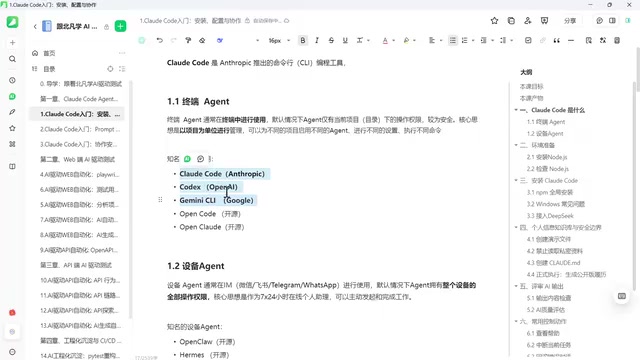
Notable Terminal Agents include:
- Commercial solutions: Claude Code (Anthropic), Codex (uses GPT by default), Gemini CLI (uses Gemini by default). These tools share the characteristic of "you can use our tool, but you must use our model by default."
- Open-source solutions: Open Code, Open Claude, etc. As their names suggest, they all reference and benchmark against Claude Code. The core value of open-source solutions lies in "model agnosticism"—you can freely choose the underlying model (such as DeepSeek, Qwen, Llama, etc.) without being tied to any commercial company's API. This is particularly important for data-sensitive enterprises, as they can deploy models on their own servers to achieve zero code data leakage. This "tool-model decoupling" architecture is also an important trend in current AI tool development.
This also shows that users actually have considerable freedom of choice and don't necessarily need to be locked into any particular commercial company.
Device Agents: Full Delegation, Low Barrier but High Risk
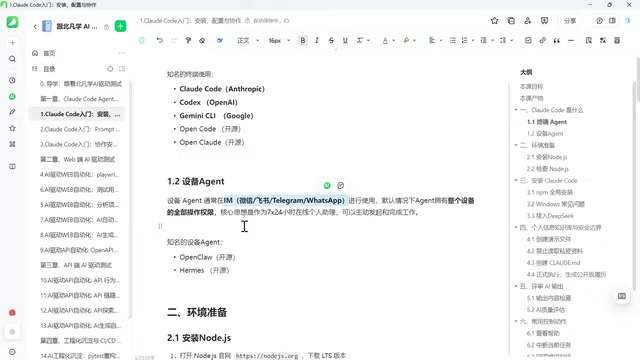
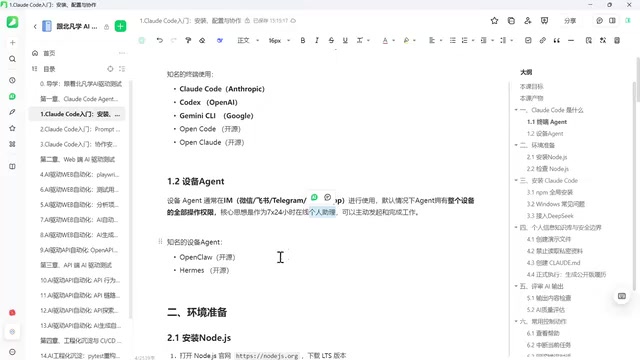
In contrast to Terminal Agents, Device Agents work completely differently. Device Agents are typically used through IM tools (WeChat, Feishu, DingTalk, and other chat applications)—you simply send instructions via chat.
The biggest advantage of this approach is an extremely low barrier to entry—you don't need to open your computer or be familiar with the command line; you can operate using the chat tools you're already comfortable with. Instructions are sent to a backend gateway, and then the AI executes a series of complex tasks.
But precisely because you're not at your computer, the AI needs more than just permissions for a single project—it requires complete control over the entire device. Specifically, the permissions a Device Agent typically needs include: full read/write access to the file system, Shell command execution rights, network access, and potentially even screen control and keyboard simulation. This means the AI could theoretically execute destructive commands like rm -rf / (delete all files). Furthermore, during task execution, the AI sends project code and environment variables (which may contain API keys and passwords) to cloud models for processing, creating a potential data leakage channel. Having the entire computer managed by AI means it can do a great deal, but the downsides come with it.
There have already been quite a few painful real-world cases: some AIs deleted system files causing system crashes, while others leaked confidential information. Between 2024 and 2025, multiple production incidents caused by AI Agent misoperations have been publicly reported. National security agencies have also issued related risk warnings, alerting users to the security risks of such tools.
Notable Device Agents include Open Claude and the newer elmas. The latter is characterized by its ability to self-evolve, resulting in higher token consumption and greater potential—but also more uncertainty.
The core positioning of Device Agents is "personal assistant," making them more suitable for individual use. In enterprise projects, many companies explicitly notify employees not to use such tools, because entrusting company assets or even confidential information to an uncertain AI carries too much risk.
Technology Choice: Claude Code + DeepSeek
After comprehensive consideration, the technical direction for this tutorial becomes clear:
Choose Terminal Agent over Device Agent—because while maintaining excellent capabilities, we prioritize "controllability" to avoid the embarrassing situation of turning on your computer the next morning to find everything has crashed.
Among Terminal Agents, choose Claude Code—because it's excellent in its own right, and the many open-source tools paying homage to and referencing it demonstrate its ecosystem maturity.
Pair it with DeepSeek at the model layer—DeepSeek is a large language model series from the DeepSeek company. Its V3 and R1 versions have reached levels comparable to top models like GPT-4 and Claude across multiple benchmarks, particularly excelling in mathematical reasoning and code generation. For users in China, DeepSeek offers three core advantages: first, extremely low API pricing (approximately 1/10 to 1/20 of GPT-4), significantly reducing usage costs; second, direct domestic access without VPN; and third, more natural understanding of Chinese-language contexts.
Combining Claude Code's tool framework with DeepSeek's model capabilities is essentially a "best tool shell + most cost-effective model engine" combination strategy. Through Claude Code's tool capabilities paired with DeepSeek's model capabilities, you can smoothly complete the entire process from installation to coding practice in a domestic Chinese environment.
Environment Setup: Starting with Node.js Installation
With the technical direction determined, the next step is environment setup. The process requires a few basic components, and the first step is installing Node.js.
Node.js is a JavaScript runtime environment built on the Chrome V8 engine that allows JavaScript to run on the server side outside of browsers. Claude Code depends on Node.js because it's itself an npm package (a package in the Node Package Manager) written in JavaScript/TypeScript. When installing Node.js, it's recommended to choose the LTS (Long Term Support) version—currently versions 18.x or 20.x are recommended. After installation, you can verify success by typing node -v and npm -v in the terminal. macOS users can also install via the Homebrew package manager with the command brew install node.
If your computer already has Node.js installed, you can skip this step; if not, you'll need to complete the Node installation before proceeding with Claude Code configuration.
For complete beginners, it's recommended to follow the sequence "Install Node → Install Claude Code → Configure DeepSeek model → Code practice" step by step. None of the steps are complicated—the key is understanding the core principle mentioned earlier: Let AI work within a controlled project scope, with humans always retaining ultimate decision-making authority.
Summary
The core of this article isn't about specific installation commands, but about helping beginners establish the right cognitive framework:
AI coding Agents are divided into two major schools—Terminal and Device. The former is safe, controllable, and suitable for enterprises; the latter has a low barrier but high risk, suitable for personal use. Based on the principle of "controllability first," Claude Code as the representative Terminal Agent, paired with the DeepSeek model, offers a reliable path for Chinese users to get started with AI programming. Once you understand this logic, the subsequent installation and practice will follow naturally.
Related articles

Amphibious Transforming Drone: Beyond 100x Power Savings, What Are the Real Needs?
Is the amphibious transforming drone just a gimmick? Starting from the 100x power difference of the M4 Morphobot, explore real application scenarios and thesis topic ideas, analyzing boundary conditions where pure drones and pure ground robots both fail.

Warhound Raises $200 Million: Genetically Engineered "War Dogs" Paired with Anduril Gear
Warhound raises $200M, backed by Ben Lamm and Palmer Luckey, to genetically engineer dogs for military and law enforcement use and equip them with Anduril gear. This article analyzes its technology direction, funding logic, and ethical controversy.

Claude API Comes to Google Cloud: IAM Integration and SDK Access Guide
Anthropic hosts the full Claude API on Google Cloud with IAM-controlled permissions and unified billing. This guide covers the Vertex AI and Anthropic-hosted entry points, IAM role configuration, and SDK access.