Getting Started with Codex Programming Agent: From Installation to Agent Development

OpenAI Codex is a programming agent that autonomously reads code, fixes bugs, and runs tests—making requests is the new core competency.
Based on a Bilibili hands-on tutorial, this article covers OpenAI Codex's positioning and usage. Codex isn't a chat window but a programming agent that enters projects, reads codebases, fixes bugs, executes commands, and runs tests and debug on its own—forming a "talking" vs. "doing" division of labor with ChatGPT, which only explains and provides snippets. The article notes that AI-era development is shifting from hand-writing code to "make a request—AI executes—human reviews and optimizes," with programmers' focus moving to review and optimization. Codex currently has four forms—CLI, web, IDE plugin, and standalone app—with similar capabilities but different scenarios: web for beginners, plugin and CLI for daily development, and the standalone app with the most complete Agent capabilities. The conclusion: the form is just the starting point; the ability to clearly articulate task boundaries, acceptance criteria, and constraints is the developer's long-term competitiveness.
OpenAI's Codex is not just another chat window—it's a programming agent that can autonomously read code, fix bugs, and execute commands. For developers, it's changing the way we "type every line of code by hand." Based on a hands-on tutorial from Bilibili, this article covers Codex's core positioning, its fundamental differences from ChatGPT, its four usage forms, and why "knowing how to make requests" is becoming a developer's new core competency.
What Codex Is: A Programming Agent That Goes from "Talking" to "Doing"
Codex is an AI programming agent launched by OpenAI. Unlike ordinary code generation tools, its capabilities span the entire programming workflow: generating code, reading and understanding codebases, fixing bugs, running tests, and executing commands and scripts. In other words, it doesn't just tell you "here's how this code should be written"—it enters the project and gets the job done.
The tutorial uses an intuitive analogy: ChatGPT is like a teacher. When you ask how to implement a Spring Boot login feature, it explains the principles and gives you code examples, but after generating them you still have to copy and paste into your development tools yourself. Codex is like a programmer sitting next to you—you say "build me the login feature," and it examines the project, modifies code, generates code, completes testing and debugging, and once everything runs, tells you "it's done."
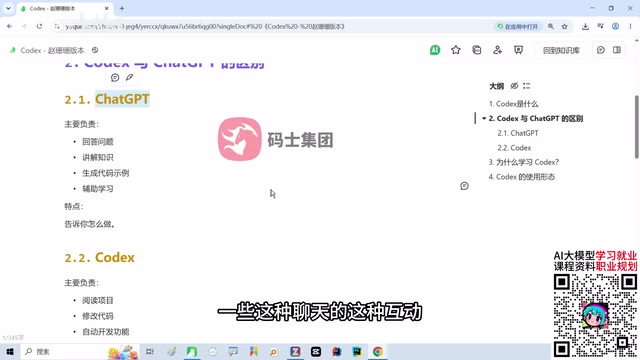
This difference determines the use cases for each: ChatGPT handles "talking"—good for answering questions, explaining concepts, and supporting learning; Codex handles "doing"—good for actually advancing development tasks.
Codex vs. ChatGPT: Same Underlying Models, Different Forms
Many beginners wonder when they first see Codex: isn't the underlying large model still ChatGPT? Why not just use ChatGPT directly? The tutorial points out that although the two share origins, their product forms are completely different.
ChatGPT's core interaction is conversation; its output is knowledge, explanations, and code snippets that users must transport and integrate themselves. Codex's core interaction is task execution; it can perceive local project context and autonomously complete the loop of modification, testing, and debugging. According to the tutorial demo, Codex runs tests and verifies results on its own while completing tasks—this is precisely the dividing line between an "agent" and a "chatbot."
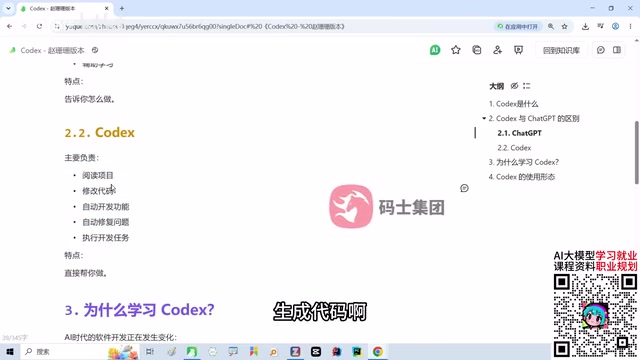
Understanding this makes it clear why Codex isn't a replacement for ChatGPT, but rather fills the missing link between "knowing how to do it" and "doing it for you."
Background: AI Agents
An agent can be understood as a software system capable of autonomously "perceiving—deciding—acting": it doesn't just generate text from input, but calls tools (reading/writing files, executing terminal commands, running tests) and self-corrects based on execution results. ChatGPT is a "conversational generative model" whose output ends with text; Codex is a "task-oriented agent" whose output is code changes and test results in the repository. The key distinction between the two lies in closed-loop capability: an agent first plans steps, observes errors during execution, then rolls back or corrects until acceptance criteria are met. This is also why Codex needs project context, file permissions, and a command execution environment, while a chat window does not.
Why Learn Codex: Development Is Shifting from Writing Code to Directing AI
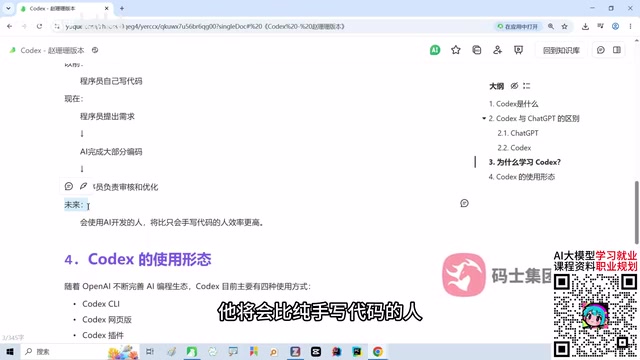
The tutorial repeatedly emphasizes one judgment: in the AI era, how developers work has changed—from purely hand-writing code to a process of "make a request—AI executes—human reviews and optimizes." This doesn't mean programmers are being replaced; rather, the focus of responsibility is shifting. Review and optimization still require solid programming understanding, otherwise you can neither review effectively nor optimize meaningfully.
The conclusion: people who can develop with AI will be significantly more efficient than those who write code purely by hand; and the truly scarce skill in the future will belong to those best at making requests to AI. This is the core reason to learn tools like Codex and Claude Code—they don't replace developers, they amplify developers' output.
Codex's Four Usage Forms and Their Use Cases
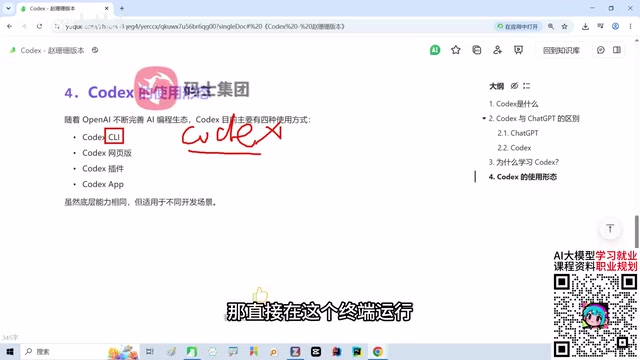
The Codex ecosystem is still maturing. It currently offers four usage modes with similar capabilities but different scenarios.
CLI Command-Line Version
Execute Codex commands through the terminal. Suitable for programmers and developers familiar with the command line, it's currently one of the mainstream usage modes.
Background: CLI (Command Line Interface)
CLI refers to interacting with a program through text commands, for example typing codex in a terminal followed by natural language instructions. Its advantages are that it's scriptable, can be chained with other Unix tools, and works on remote servers or in environments without a graphical interface—making it popular among backend and operations developers. CLI-form agents typically run directly in the project root directory, can access the local file system and Git history, and output primarily text diffs and command logs, making it easy for developers to review each change using their familiar terminal workflow.
Web Version
Access directly in a browser, ready to use out of the box, no installation required. The downside is limited control over local projects—good for beginners to try out and get a feel for the workflow, but not recommended as a primary development method.
IDE Plugin
Integrated into editors like VS Code, it lets you write and modify side by side, seamlessly combined with your project. The daily development experience is good, suitable for programmers doing high-frequency iteration within the editor.
Background: IDE (Integrated Development Environment) and Plugin Form
An IDE is development software that integrates code editing, debugging, building, and version control, such as VS Code and IntelliJ IDEA. IDE-plugin-form agents can directly read the currently open file, cursor position, and project symbol index, presenting AI changes as inline diffs that developers can accept or reject—avoiding copying back and forth between browser and editor. This form sacrifices some autonomous execution capability (such as long unattended task runs) in exchange for lower context-switching costs and finer-grained human oversight, making it better suited for daily high-frequency small-step iteration.
Standalone App Client
The most complete flagship form: full graphical interface, the strongest Agent capabilities, support for multi-task management, connection to local projects, and complex development workflows—and the most convenient to operate. The tutorial itself uses this form as its primary demonstration.
Practical Advice: Choose the Form First, Then Practice Making Requests
For developers new to Codex, choose your entry point by scenario: use the web version for a quick trial; use the IDE plugin for daily coding to reduce switching costs; when handling complex tasks and managing multiple projects, the standalone app's Agent capabilities are more suitable; and if you're used to terminal workflows, go straight to the CLI.
The form is just the starting point—the real barrier is describing requirements clearly. The clearer the task boundaries, acceptance criteria, and constraints, the more controllable the agent's execution results. This is the core message the tutorial aims to convey: Codex is a tool, but the ability to make requests is the competency developers need to hone over the long term.
Related articles
 Tech Frontiers
Google Omni 1.2 Flash: 15-Second AI Video at Just $0.07 per Second
Google DeepMind releases Gemini Omni 1.2 Flash: 15-second video, 720p at $0.07/sec (30% cheaper), multi-turn editing without regeneration, draft upscaling to 4K.
 Tech Frontiers
No AI Ghostwriting: Writer's Quarter Reinvents Novel Writing with a Visual Workbench
The Writer's Quarter is an AI-free novel writing and planning tool that unifies character building, story planning, and manuscript writing in one visual workbench. This article analyzes its positioning, target users, and differentiated value amid the rise of AI writing tools.
 Tech Frontiers
Fleeep: A Unified Inspiration Collection Notes App for Creatives
Fleeep is a notes app for creatives that unifies screenshots, bookmarks, saved posts, and inspiration into one calm, cross-device, offline-capable space. This article analyzes its positioning, differentiation, and target users.