Ghostty 1.4.0 Released: Performance and Experience Upgrades for the Terminal Emulator

Ghostty 1.4.0 released, focusing on performance, rendering accuracy, and everyday experience improvements.
The Ghostty terminal emulator has released version 1.4.0, which officially focuses on terminal performance, rendering accuracy, and everyday usability. Led by Mitchell Hashimoto, the project is written in Zig and adapts to each platform's native UI framework rather than Electron or web technologies, trading for advantages in startup speed, memory usage, and input latency. The release earned 286 points and 101 comments on Hacker News, showing strong developer community interest. The article considers 1.4.0 an incremental release in the 1.x series that continues the project's emphasis on low-level rendering and compatibility, with consistent cross-platform experience as its differentiation against mature terminals like iTerm2, Windows Terminal, and Kitty, and offers upgrade and rollback advice.
Ghostty 1.4.0 Officially Released
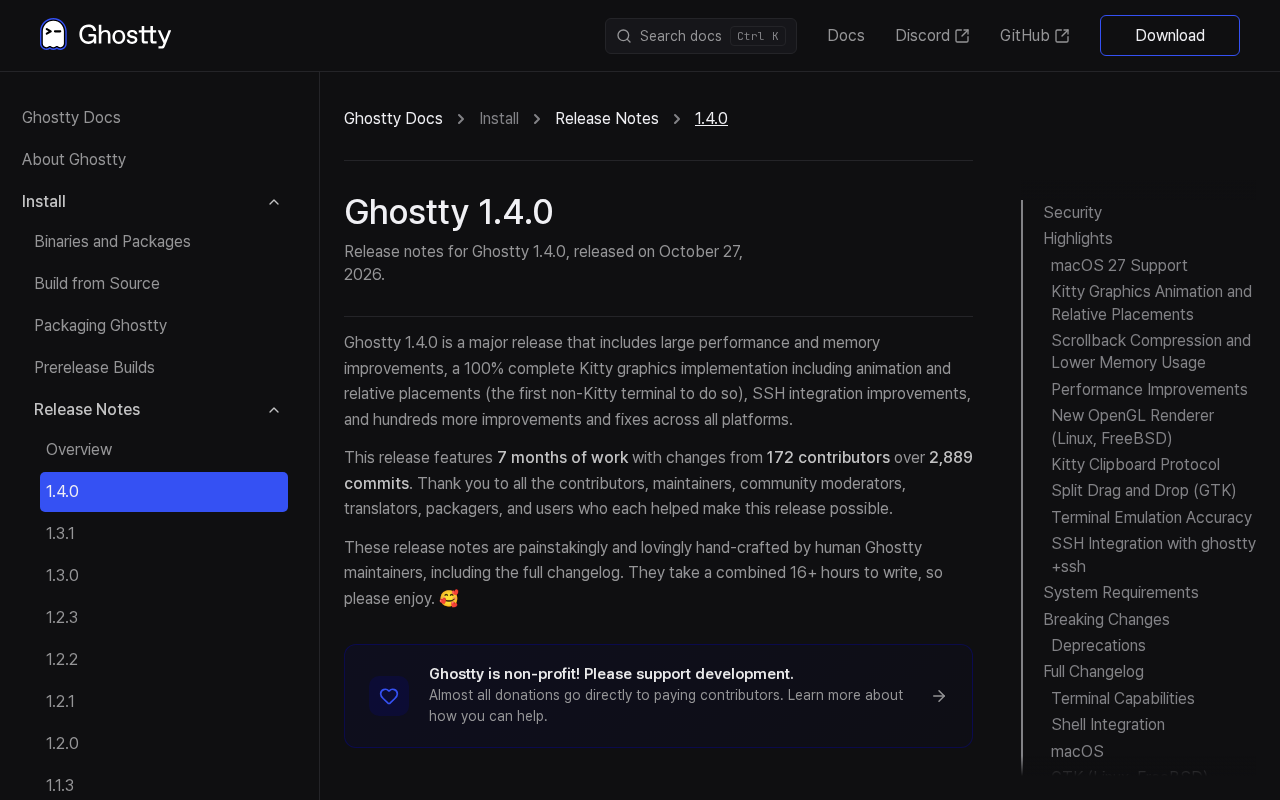
The Ghostty terminal emulator has released version 1.4.0. According to the official release notes, this version focuses on improvements to terminal performance, rendering accuracy, and everyday usability. Ghostty is led by Mitchell Hashimoto and seeks to strike a balance between native performance and cross-platform consistency.
This release earned 286 points and 101 comments on Hacker News, indicating that the developer community maintains strong interest in updates to terminal tools.
Positioning of This Release
Judging by the iteration cadence of the 1.x series, Ghostty 1.4.0 is an incremental release that continues the project's emphasis on low-level rendering and compatibility. Terminal emulators may seem simple, but correctly rendering characters, handling input methods, and maintaining low latency across different operating systems involves a great deal of platform-specific detail.
Community Feedback
The level of discussion on Hacker News reflects Ghostty's position among developer tools. The terminal is one of the pieces of software developers spend the most time using every day, so any change in experience gets scrutinized closely. A score of 286 points is relatively high among comparable tools, though the comments also include plenty of discussion about behavior on specific platforms.
Why Ghostty Is Worth Watching
The Native Performance Path
Ghostty is written in Zig and adapts to each platform's native UI framework, rather than taking the Electron or web-technology route. This approach offers inherent advantages in startup speed, memory usage, and input latency, but it also means higher costs to maintain multiple platform backends. The 1.4.0 release notes show that the team continues to invest in this path.
Zig is a modern systems programming language initiated by Andrew Kelley in 2016, emphasizing explicit memory management, no hidden control flow, and no hidden memory allocations. It provides compile-time computation through comptime and supports seamless interoperability with C code, which is why it is often used for low-level software that requires fine-grained control over performance and resource usage. Zig has no built-in garbage collector and no macro system, allowing developers to understand program runtime behavior more directly. For tools like terminal emulators that need to respond to keyboard input with low latency and continuously refresh the screen at high frequency, Zig's predictable performance and cross-platform compilation capabilities are important considerations. Ghostty leverages Zig to build multiple platform backends simultaneously while maintaining consistency.
Differences from Mainstream Terminals
Compared with mature terminals such as iTerm2, Windows Terminal, and Kitty, Ghostty's differentiation lies in pursuing both cross-platform coverage and a native experience. For developers who need to switch between macOS and Linux, consistent configuration and behavior can reduce the cost of adaptation.
A terminal emulator and a shell are not the same kind of software: the shell (such as bash, zsh, or fish) is responsible for parsing commands and invoking programs, while the terminal emulator is responsible for hosting the shell's input and output, interpreting ANSI escape sequences, managing the character grid and scrollback buffer, and drawing the results to the screen. iTerm2, Windows Terminal, Kitty, and Alacritty are all terminal emulators. Differences between them typically lie in the rendering backend (CPU or GPU acceleration), the degree of support for true color and font ligatures, window management capabilities such as split panes and tabs, and configuration methods. Ghostty's positioning among these mature products is to cover both macOS and Linux desktop environments with native widgets and unified configuration.
Upgrade Recommendations
If you are already using Ghostty, 1.4.0 offers a straightforward upgrade path, with installation methods covering macOS and various Linux distributions. If you are evaluating terminal tools, this version can serve as a reference point for observing Ghostty's stability.
The choice of terminal tool depends heavily on personal workflow, so it is advisable to check the known issues section of the release notes before upgrading and to keep the old version for rollback.
The main upgrade risks for terminal emulators come from changes to the rendering and input paths: font metrics, handling of wide and combining characters, input method candidate window positioning, clipboard and mouse reporting protocols, and more can all exhibit subtle behavioral changes after a version update. Keeping the old version and knowing how to roll back allows you to quickly recover if you encounter a regression that affects your daily work. In addition, the configuration file format is generally kept backward compatible within the 1.x series, but new options are still worth confirming one by one against the release notes to avoid unexpected effects from combining old configurations with new defaults.
One-line Summary
Ghostty 1.4.0 is released, focusing on performance, rendering accuracy, and everyday experience improvements.
Paragraph Summary
The Ghostty terminal emulator has released version 1.4.0. According to the official notes, this update focuses on terminal performance, rendering accuracy, and everyday usability. The project is led by Mitchell Hashimoto and is written in Zig with adaptations to each platform's native UI framework, rather than the Electron or web-technology route, in exchange for advantages in startup speed, memory usage, and input latency. The release earned 286 points and 101 comments on Hacker News, showing that the developer community maintains strong interest in terminal tool updates. The article considers 1.4.0 an incremental release in the 1.x series that continues the project's emphasis on low-level rendering and compatibility; a consistent cross-platform experience is its differentiation strategy against mature terminals such as iTerm2, Windows Terminal, and Kitty, and upgrade and rollback recommendations are provided.
Related articles

64-Microphone Acoustic Camera Hands-On: Seeing Sound for $800
Hands-on review of the $800 TD2E acoustic imaging camera: a 64-microphone array localizes sound in real time, covers 2000–100000 Hz including ultrasound, and suits industrial inspection—though the software ecosystem is thin.

Manufacturing Accelerator Re:Build Raises $2.1B, Spins Out Slate Auto
Manufacturing accelerator Re:Build closes $2.1B funding, calling itself "America's answer to Shenzhen," and spins out Slate Auto. Known facts, positioning, and information gaps.

OpenAI's Public Breakthroughs Draw Academic Criticism: Research Transparency in the Spotlight
OpenAI announces math, CS, and physics breakthroughs and claims improved communication, but researchers tell The Verge dissatisfaction is mounting, criticizing selective disclosure and lack of reproducible details as the tension between corporate research and open science resurfaces.