GitHub Repo Publicly Releases System Prompts for 30+ Top AI Tools, Free to Learn

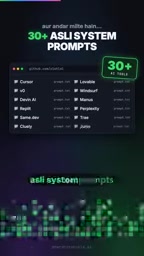
GitHub repo Exploring freely releases real system prompts for 30+ AI tools, valuable for learning agent design from top AI companies.
A GitHub repository called Exploring has over 1k stars and freely collects real system prompts for 30+ mainstream AI tools including Cursor, Lovable, and v0. The article explains that system prompts are underlying behavioral guidelines written by product developers, determining agent roles, output formats, boundary conditions, and chain of thought—fundamentally different from regular prompts. These prompts are refined through extensive user feedback and serve as rare reference samples for building AI applications and optimizing agents. The core value isn't copy-pasting but understanding how billion-dollar AI companies design agent behavior. The article offers four usage steps—comparative reading, structural analysis, hands-on adaptation, and staying updated—and notes that similar content sells as courses for 5,000 rupees while this repository is completely free.
A GitHub repository has exposed the "complete brains" of AI tools like Cursor, Lovable, and v0. This isn't an ordinary prompt collection—these are system prompts, the core instructions that dictate how these products orchestrate AI agents at a fundamental level.
According to a YouTube video, this repository, called "Exploring," has earned over 1k stars and contains the real system prompts of more than 30 mainstream AI tools. More importantly, the entire collection is completely free.
What's Actually in This Repository
System Prompts vs. Regular Prompts
Many people's understanding of "prompts" stops at the few lines typed into a chat box. But system prompts are entirely different—they are the underlying behavioral guidelines that product developers write for the AI, determining the agent's role setup, output format, boundary conditions, and chain of thought.
Copy a system prompt, and what you get isn't just a piece of text—it's the complete thinking behind how a multi-billion-dollar company designs AI interactions.
According to the video description, the repository contains system prompts for over 30 AI tools, covering a remarkably wide range.

System Prompt is a separate role layer in large language model APIs, alongside user messages and assistant messages. In OpenAI Chat Completions, for example, the request body consists of three message types: system, user, and assistant. The system message is injected before the conversation begins, and the model prioritizes it when generating any response. Anthropic's Claude API passes it through a top-level system parameter with a similar effect.
Compared to regular prompts typed by users in a chat box, system prompts differ in three fundamental ways: First, higher priority—most models are trained to prioritize system instructions over user instructions. Second, invisible to users—users only see their own input and the model's output, not the system instructions injected by the product. Third, longer lifecycle—system prompts typically persist throughout the entire session, while regular prompts only apply to the current turn. Because of this, system prompts become the primary means for product teams to control agent behavior, persona settings, and safety boundaries.
Why This Content Is Valuable
Products like Cursor, Lovable, and v0 have achieved massive market success, and their system prompts have been refined through extensive user feedback and iteration. For developers looking to build AI applications or optimize their own agents, these prompts offer rare reference samples.
What you see isn't theory—it's instruction design that actually runs in products and has been validated.
AI Agent refers to a form of large model application capable of autonomous planning, tool invocation, and multi-turn task execution, distinct from single-turn Q&A chatbots. A typical coding agent (like Cursor), upon receiving a user request, goes through a cycle of "understanding intent → breaking down tasks → selecting tools (reading files, searching, editing, running commands) → observing results → adjusting plans." This cycle is commonly called the agentic loop.
System prompts play the role of an "operating system" in this architecture: they specify which tools the agent can use, in what order to think (e.g., search before editing), how to retry on errors, and when to confirm with the user rather than executing directly. The competitiveness of products like Cursor, Lovable, and v0 largely doesn't come from the models themselves (most of them call the same batch of foundation models) but from the fine-grained orchestration of agent behavior through system prompts. This is why publishing these prompts has reference value—it exposes product-layer rather than model-layer engineering experience.
From Copying to Understanding: The Real Learning Value
One line in the video captures the core: you're not copying prompts—you're learning how a billion-dollar AI company instructs its agents.
This shift in perspective matters. Simple copy-paste only solves one-off needs, but understanding the structure of system prompts—how to define roles, constrain output, handle edge cases—is what transfers to your own projects.

Who Should Check Out This Repository
- AI application developers: Reference the prompt architecture of mature products to avoid pitfalls
- Prompt engineers: Learn system-level prompt design patterns from real products
- AI product managers: Understand the behavioral design logic of top AI tools
- Learners: The video mentions that some people package similar content into courses sold for 5,000 rupees, while this repository is freely open
When reading these system prompts, you'll encounter several recurring design patterns. Understanding them helps you quickly deconstruct:
- Persona definition: A paragraph defining the agent's identity, tone, and capability boundaries, e.g., "You are a senior frontend engineer who only answers code-related questions."
- Output format constraints: Specifying that responses must use Markdown, include code blocks, cite file paths, etc., reducing post-processing costs.
- Tool invocation specifications: Explaining when to call which tool, how to fill parameters, and how to fall back on failure.
- Boundary and refusal rules: Clarifying which requests to reject and how, involving safety and compliance.
- Chain-of-thought guidance: Requiring the model to list steps or self-check before giving conclusions—a productized application of Chain-of-Thought prompting technique.
Reading different products' prompts against these dimensions makes it easier to see design intent and trade-offs than reading word by word.
The Gap Between Free Resources and Paid Courses
The video specifically mentions a phenomenon: the same content is being sold as a course for 5,000 rupees, while this GitHub repository is completely free.
This reflects a reality—the knowledge gap in AI is being rapidly leveled by the open-source community. High-quality prompt resources are no longer secrets of big companies; public repositories let anyone access the design thinking of cutting-edge products.
Of course, free resources require your own time to filter and understand. The value of paid courses may lie in structured explanations and Q&A, but if you just want to see what real system prompts look like, this repository is enough.
How to Make the Most of These Resources
Getting the system prompts is just the first step. Recommended approach:
- Comparative reading: Look at system prompts from several similar tools (e.g., multiple AI coding tools) simultaneously to identify common designs and differences
- Structural analysis: Analyze how role definitions, output constraints, and exception handling are written
- Hands-on adaptation: Apply learned patterns to your own agents or workflows rather than copying directly
- Stay updated: Such repositories typically continue to add new tools, worth revisiting regularly
The public release of system prompts essentially turns the "behavior design" of AI products into a publicly learnable discipline. For developers, it's a low-cost window into the internal logic of top-tier products.
Related articles
Hands-On Comparison: Astra 6.2 vs Neon — Which Is Stronger? A Full Breakdown of Token Consumption and Interaction Details
Bilibili host tests Astra 6.2 vs Neon generating a crocodile-riding-bicycle animation, comparing Token use, time, and interaction. Astra is 3.3x slower and burns 2.7x more Tokens; Neon wins on speed, cost, and playability, though Astra's picture-book style is more durable.

Amy Poehler's Pizza Interview: From Cooking Fears to Healing Pizza Trauma
Amy Poehler and Geraldine Viswanathan make pizza on the New York Times Cooking channel, discussing cooking fears, hometown flavors, and kitchen confidence—from pizza peel trauma to sourdough starter.

Former Prisoner Exposes U.S. Prison System: How Solitary Confinement Destroys the Mind
Former inmate Larry Lawton reveals the psychological devastation, corruption, and injustice of the U.S. prison system on the Lex Fridman podcast, describing how solitary confinement destroys the mind and how he fought back through lawsuits.