GoHighLevel Conversational AI Adds MCP: Agents Can Call 40+ External Apps
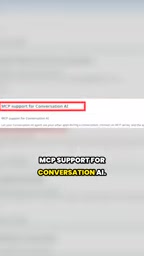
GoHighLevel's conversational AI integrates MCP in Labs, letting agents call external apps directly during chats to execute tasks.
GoHighLevel has added MCP (Model Context Protocol) support to its conversational AI agents, currently in Labs. Once connected, agents can check availability, book appointments, send payment links, or write to spreadsheets during conversations, shifting from answering questions to executing tasks. Users can pick from 40+ apps or add their own server, control per-tool permissions and triggers, and audit calls via logs. Limits: up to 5 MCP servers per bot; outbound suggestive mode and flow bots not yet supported; full rollout expected in 20 days. Start with one server and two tools to minimize errors, prioritizing high-frequency, low-risk tasks like appointments.
Title
GoHighLevel Conversational AI Adds MCP: Agents Can Call 40+ External Apps
Meta Description
GoHighLevel's conversational AI now supports MCP, enabling agents to call 40+ external apps during conversations to book appointments, send payments, write to spreadsheets, and more. Learn about limitations, configuration, and launch timing.
Article Content
GoHighLevel's conversational AI agents are gaining a key capability: calling external apps directly during conversations. This feature, called MCP (Model Context Protocol) support, is currently in the Labs experimental phase, but it marks a substantive step for AI agents from "answering questions" to "executing tasks."
MCP Support Lets Agents Actually "Do Things"
According to the official documentation, once an MCP server is connected, the AI agent can check availability, book appointments, send payment links, and even add a row to a spreadsheet during a conversation. This means the agent is no longer limited to text replies but can complete real business operations across systems.
Users can choose from over 40 apps in the marketplace or add their own MCP server via an HTTPS link. When each tool is invoked is up to the user, and unneeded tools can simply be unchecked. All invocations are logged in the agent logs for traceability and auditing.
What is MCP (Model Context Protocol)
MCP is an open protocol proposed and open-sourced by Anthropic in late 2024, designed to establish a unified connection standard between AI models and external tools and data sources, often compared to the "USB-C port of the AI world." It uses a client-server architecture: the AI application acts as the client, requesting capabilities from MCP servers via standardized JSON-RPC messages, while servers expose their functionality through three primitives: "tools," "resources," and "prompts."
Before MCP, integrating each third-party service (such as calendars, payments, CRM) often required custom API integrations and function-calling definitions. MCP abstracts this layer into a general protocol, so any server following the protocol can be reused by any MCP-supporting AI client, significantly reducing integration costs. This is why GoHighLevel chose to support MCP directly rather than building individual integrations itself—a single integration covers the rapidly expanding MCP ecosystem.
Configuration Logic: You Decide When and Which to Use
The core design philosophy of MCP support is "controllability." Users not only decide which apps to connect but can also finely control the trigger conditions for each tool. For example, you can set the agent to call the calendar tool only when a customer explicitly asks about booking, while keeping pure conversation mode in other scenarios.
This granular control is especially important for business scenarios. A wrong tool call in a sales conversation could mean sending the wrong payment link or writing incorrect data, and per-tool toggles and logging provide the necessary safety net.
Current Limitations and Launch Timeline
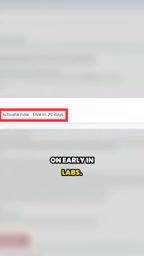
The experimental phase has several explicit limitations: each bot can connect to at most 5 MCP servers; outbound suggestive mode and flow bots are not yet supported. The official statement says the feature will open to all users in 20 days, and those who don't want to wait can enable it manually in Labs in advance.

These limitations reflect the team's cautious approach to stability. The 5-server cap is sufficient for most small and mid-sized agencies, while excluding flow bots avoids potential complex interactions between automated flows and MCP calls.
Labs Experimental Phase and Outbound Suggestive Mode
Labs is GoHighLevel's entry point for gray-release experimental features; users must enable it manually, features may be adjusted or rolled back at any time, and the official team typically collects feedback and fixes stability issues during this phase.
Outbound suggestive mode refers to AI providing suggested replies (sent after human confirmation) to operators in outbound or proactive outreach scenarios, rather than fully automated execution. This mode does not yet support MCP, meaning MCP tool calls are currently limited to inbound conversation scenarios. Flow bots are GoHighLevel's automation bots based on visual flow orchestration; their deterministic flows conflict with MCP's dynamic tool selection over control ownership, so they are temporarily excluded to avoid interference between the two automation logics.
Practical Advice: Less Is More
The video author's advice is worth noting: start with one server and two tools. The fewer tools, the lower the probability of the agent making wrong calls. This experience aligns with the general consensus in the current AI agent field—increasing the number of tools significantly raises the probability of selection errors and parameter errors, especially in unstructured input scenarios like conversations.
For agencies, priority tools should focus on high-frequency, low-risk areas, such as availability checks and scheduling. Transaction-related tools like payment links should be opened only after thorough testing.
"Selection Errors" and "Parameter Errors" in Tool Calling
When the number of tools available to an agent increases, the model must pick the correct tool from a larger candidate set at each decision step and fill in the correct parameters. Research shows a clear negative correlation between tool count and call accuracy: the more tools, the easier it is to confuse semantically similar tools (e.g., "check calendar" vs. "book appointment"), and the more complex the parameter schemas, the higher the probability the model misses required fields or passes the wrong types.
Conversational input is unstructured and full of ambiguity, further amplifying this risk. Common industry mitigations include: streamlining the tool set, writing clear descriptions and parameter constraints for each tool, limiting trigger conditions in prompts, and continuously tuning through log replay. This is the technical basis for the article's advice to "start with one server and two tools"—validate accuracy on a small tool set first, then expand gradually.
What It Means for Agencies
GoHighLevel's main user base is marketing agencies, and MCP support directly addresses their core pain point: customer communication is scattered across multiple systems, and manually switching apps mid-conversation is both slow and error-prone. Letting AI agents complete cross-app operations directly during conversations can theoretically shorten response times and reduce manual intervention.
Notably, MCP is becoming one of the de facto standards for AI tool integration. GoHighLevel's choice to implement this protocol first in its conversational AI, rather than waiting for self-built integrations, shows its emphasis on ecosystem compatibility. The pace of support for outbound scenarios and flow bots will determine whether this feature can evolve from a "nice-to-have" into an essential component of agency workflows.
One-line Summary
GoHighLevel's conversational AI integrates MCP in the Labs phase, letting agents call external apps directly during conversations to execute tasks.
Paragraph Summary
GoHighLevel has added MCP (Model Context Protocol) support to its conversational AI agents, currently in the Labs experimental phase. Once an MCP server is connected, the agent can check availability, book appointments, send payment links, or write to spreadsheets during conversations, shifting from "answering questions" to "executing tasks." Users can choose from over 40 apps in the marketplace or add their own server via an HTTPS link, control per-tool invocation permissions and trigger timing, and audit all calls via agent logs. Current limits: up to 5 MCP servers per bot, with no support yet for outbound suggestive mode and flow bots; full rollout expected in 20 days. The official recommendation is to start with a single server and two tools to reduce erroneous calls, prioritizing high-frequency, low-risk areas like appointments.
Related articles
Three New Metapunk Skills: Building a Closed Loop for AI Software Development
Metapunk's new version adds Implement Spec, PR, and Retro skills to complete the AI software development loop. This article analyzes each skill's features and workflow to help improve AI Agent development efficiency and code quality.

6 Dark Tales of Terror: TED-Ed Uses Animation to Illustrate Fables of Human Nature
TED-Ed's six horror stories collection includes The Monkey's Paw, the Japanese tale of Oiwa, Death's Godfather, Beowulf, Poe's The Masque of the Red Death, and Hoichi the Earless. This article analyzes how these animated shorts use cross-cultural fables to explore desire, betrayal, and the price of death—and why they suit classroom discussion.
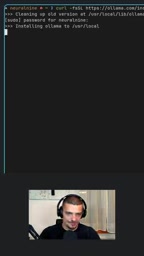
A Practical Guide to Calling Lightweight Ollama Models from Python
A complete hands-on guide to installing Ollama, pulling a 0.8B lightweight model, and calling it from Python—covering service startup, model name matching, first-load delays, and other pitfalls, with a measured 0.23s per call.