Googlebook Review: Impressive Hardware, Undermined by Immature Software

Googlebook has great hardware but buggy software and a weak ecosystem—not ready for prime time.
In testing, Google's Googlebook laptop shows a sharp "strong hardware, weak software" contrast. Build quality, display, and keyboard are solid, but Googlebook OS is plagued by app crashes, window stuttering, and notification delays, with users comparing it to an Android tablet. The app ecosystem is thin, and cross-device integration—the headline feature—suffers from unstable connections and latency. The direction is right, but the product feels unfinished; users seeking stability should wait.
Google's recently launched Googlebook laptops have attracted considerable attention, but after spending time testing them, we found an awkward truth: the hardware design is excellent, yet the software experience frequently leaves users frowning.
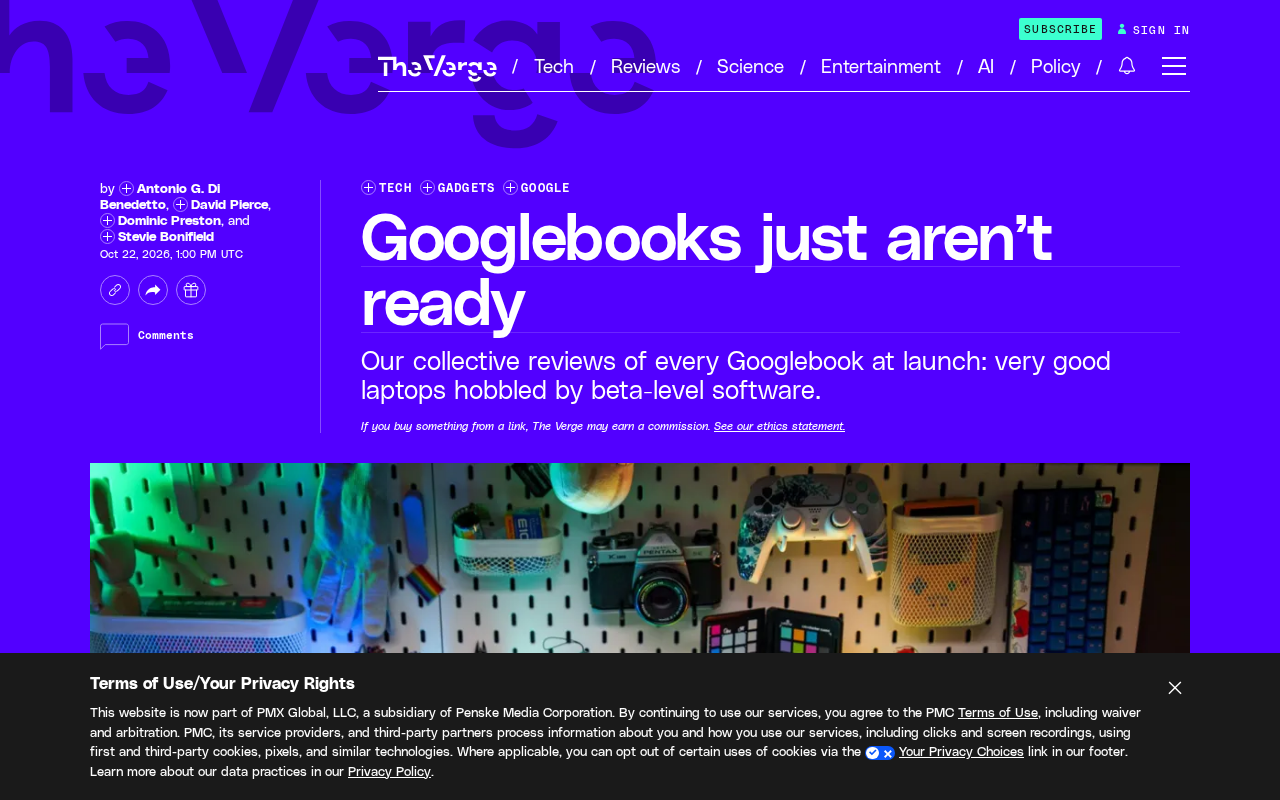
Hardware Performs Well, Design Is Commendable
Looking at every Googlebook we've tested, the hardware is nearly beyond reproach. Solid build quality, good displays, comfortable keyboards—the overall industrial design continues Google's signature minimalist style. For users who prioritize portability and aesthetics, the Googlebook makes a strong first impression.
However, hardware is only the foundation. What truly determines the daily experience is the software.
Software Experience: Great Ideas, Harsh Reality
Googlebook OS does bring some exciting concepts—such as deep integration between laptop and phone. You can answer calls directly on the computer, sync notifications, and even drag files across devices. These features look cool in demos, but frequently fall apart in actual use.
Frequent Bugs and Questionable Stability
According to testing feedback, the system exhibits various annoying quirks in daily use: apps crashing, window stuttering, notification delays. While none of these are fatal, they accumulate and wear down patience. As one reviewer put it, it "often feels like using an Android tablet"—a remark that precisely captures the awkward positioning of Googlebook OS today.
Behind the "feels like an Android tablet" assessment lies a mismatch in window management and input paradigms. Android apps are inherently designed for touch and full-screen use. In a laptop's mouse, keyboard, and multi-window scenario, they require forced scaling and re-layout through freeform mode, which easily leads to broken layouts, undersized touch targets, and missing right-click menus. ChromeOS addressed this challenge by running Android apps in a containerized ARC environment and gradually pushing apps to adapt to larger screens. If Googlebook OS follows a similar architecture, its stability depends heavily on the maturity of coordination between the container and the desktop window manager—something that requires many version iterations to refine.
Weak App Ecosystem
Beyond system stability, app support is another shortcoming. Many desktop-class applications have yet to be adapted for Googlebook OS, forcing users to rely on web versions or Android apps as workarounds. For users accustomed to the Windows or macOS ecosystem, this fragmentation is especially noticeable.
Googlebook OS is an operating system Google designed for laptops, positioned somewhere between ChromeOS and Android: on one hand, it inherits ChromeOS's desktop window management and keyboard-mouse optimizations; on the other, it deeply integrates the Android app ecosystem and Google Play Store. The advantage of this "dual-track" strategy is the ability to quickly reuse mobile apps, but the cost is that the system simultaneously runs a Linux kernel, Android runtime, and Chrome browser engine—significantly increasing the complexity of resource scheduling and compatibility issues. Early ChromeOS went through a similar phase of app scarcity and limited functionality, eventually maturing through years of iteration and Android app translation. The stability and ecosystem shortcomings Googlebook OS currently faces are, in some sense, a repeat of that evolutionary path.
Cross-Device Integration: Both Highlight and Pain Point
The biggest selling point of Googlebook OS is seamless phone-to-laptop connectivity. In theory, you can seamlessly hand off tasks from your phone to your laptop and continue working. But in practice, unstable connections and noticeable latency occur frequently. This feature should be a bonus, yet it has become the biggest source of user complaints.
Cross-device continuity typically relies on low-latency wireless protocols for device discovery, state synchronization, and task migration—common technologies include Wi-Fi Direct, Bluetooth Low Energy broadcasting, and cloud-based session relay. Google's approach uses Google Play Services as the hub, syncing phone notifications, calls, and clipboard data to the laptop through the same account system. Such features place extremely high demands on network conditions and background process persistence; once the wireless link fluctuates or system power-saving policies kick in, connection drops and increased latency follow. Apple's Handoff and Microsoft's Phone Link achieve relatively stable experiences largely thanks to end-to-end control over hardware and protocol stacks. Google, by contrast, must support numerous OEM manufacturers and Android device models, making fragmentation an inherent constraint on the stability of continuity features.
Worth Waiting For, but Not the Right Time to Buy
Overall, the Googlebook has a solid hardware foundation, and Google's software direction is sound—cross-device integration is indeed the future of work. But at this stage, system bugs and ecosystem gaps make the product feel more like a work in progress. If you prioritize a stable and efficient productivity experience, we suggest waiting a while longer. If you're willing to be an early adopter and tolerate minor issues, the Googlebook's hardware and integration concept are still worth experiencing.
Software maturity takes time. Whether Google can turn its reputation around through future updates remains to be seen.
One-line Summary
Googlebook has excellent hardware but buggy software and a weak ecosystem—not the right time to buy.
Paragraph Summary
In real-world testing, Google's Googlebook laptop shows a clear "strong hardware, weak software" contrast. The hardware is solidly built with good display and keyboard performance, continuing Google's minimalist industrial design for an excellent first impression. But Googlebook OS suffers from frequent bugs in daily use—app crashes, window stuttering, and notification delays wear down patience, with the experience described as "like using an Android tablet." The app ecosystem is weak, with insufficient desktop-class software adaptation forcing users to rely on web or Android apps. Cross-device integration, the biggest selling point, has become the biggest complaint due to unstable connections and noticeable latency. Overall, the product's direction is right but it currently feels like a work in progress—users seeking stable productivity should wait, while early adopters can still experience its hardware and integration concepts.
Related articles

GPT-Next Leak, Gemini 4 Argon Imminent: AI News Roundup
GPT-Next leak suggests extreme efficiency; OpenAI's 28-day shipping pledge boosts speed 50%; Gemini 4 Argon nears release; Anthropic subscription value report sparks debate.

GPT-Next Leaked, Gemini 4 Argon Speeds Up, Fable 5.5 May Launch Today
OpenAI's GPT-Next model leaks, expected to be extremely low-cost and possibly part of the 28-day release plan; Gemini 4 Argon internal testing accelerates, NanoBanana 2.1 is live; Semi Analysis tests show Claude Max's equivalent API value is about 5 times that of ChatGPT Pro; Fable 5.5 may launch today.

Gemini 4 Argon Launches Globally: Key Highlights from the AI Daily Brief
Google opens Gemini 4 Argon globally across Pro and Ultra subscriptions and the API, and demonstrates robot control. This article rounds up open-source models, Agent infrastructure, cost transparency, and safety governance updates.