Grok Bot in Action: AI Teammates Automate Research and Shopping

Grok Bot demo shows three AI bots autonomously researching, price-comparing, and learning workflows, pausing for human approval at key steps.
Based on a YouTube demo, the article explains how Grok Bot advances AI from a chat window to an autonomous "digital colleague." Each Bot has independent memory and a persistent cloud PC with browser, files, and terminal, running in the cloud even after the laptop closes. The demo builds three Bots: Scout retrieves a week of AI news in about four minutes, verifying each against official sources and flagging unsupported claims; Shopper autonomously checks reviews, compares prices, and adds a microphone to the cart, stopping before checkout; Desk learns a channel-tracking skill from a single recorded demonstration, even adding an unstated rule on its own, and saves it as a weekly automated routine. Multi-Bot group chats support task handoffs from topic selection to scheduling without copy-paste. The article emphasizes the approval model as the core design and notes that cross-platform support, subscriptions, and model integrations await official confirmation.
AI assistants are evolving from "you ask, I answer" chat windows into digital colleagues that can open browsers, click through web pages, and organize files on their own. In a recent YouTube video, a creator walks through the full setup of Grok Bot: three AI bots each take on research, purchasing, and channel operations tasks, all without human intervention—pausing only at critical moments involving spending money or publishing to request confirmation.
From Chatbot to AI Teammate: What's the Difference
The video's author sums up the product logic in one sentence: a chatbot answers your questions and you still do the work yourself; Grok Bot takes on a goal, works on its own cloud computer, and comes back with completed work—or a question that needs your judgment.
Each Bot has its own chat history, memory, and a cloud computer equipped with a browser, files, and a terminal. All Bots share the same persistent cloud computer, each with its own screen, but files and login states are shared across them. More importantly, these Bots keep running in the cloud even after you close your laptop.
This positioning pushes AI from "assistive tool" to "execution unit." The user is no longer the operator, but more of an approver.
Cloud PC here refers to a persistent virtual desktop environment running in a data center, where users see its screen via streaming and issue commands. Its key difference from a traditional virtual machine is "persistence": after shutdown, disk state, logged-in accounts, browser tabs, and downloaded files are all retained, and the next connection resumes where you left off. For AI Agents, this is crucial, because Agents often need to accumulate context across multiple rounds of tasks—for example, staying logged into e-commerce sites, saving intermediate files, and maintaining the runtime environment for scheduled tasks. Cloud PCs also free Agents from the power and network constraints of local devices; tasks continue running in the cloud after the laptop is closed, at the cost of compute and storage billed against subscription quotas.
Building Scout: Four Minutes for a Week of AI News Research
The first Bot is called Scout, tagged AI research. The creation process is nearly instant—give it a name, no complex configuration. The author's task for it: find the five most important AI news stories from the past week, verify each against official sources, rank them by video potential, and save them as a briefing file.
One tip is to have it perform checks in Chrome so the user can watch the process in real time. Scout opens the official announcement pages of OpenAI, Mistral, Anthropic, and Google in turn, checking dates and claims. The entire run takes about four minutes.
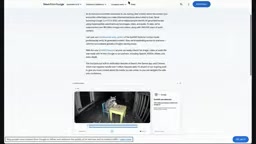
The result is five ranked news items, each with an angle and source link, saved as AI briefing.md. The author particularly highlights that Scout flagged three claims that didn't hold up after checking official pages, rather than parroting everything it found. This is exactly the dividing line between "trustworthy research" and "simple summarization."
Shopper: Autonomous Price Comparison and Add-to-Cart, Must Ask Before Checkout
The second Bot is called Shopper, again requiring just a name and a tag. Its task: find a USB-C microphone under $150 for voiceover work, compare the top three, add the best choice to the Best Buy cart, then stop before checkout.
In Chrome, Shopper first checks Tom's Guide and Wirecutter, then goes to Best Buy to search models, verify prices and stock. When pages fail to load, it skips them and continues on its own. The whole process takes about ten minutes, without touching any purchase button.
What comes back is a clean comparison table with prices, pickup availability, bit depth, and reviewers' actual assessments. Its choice is the Rode NT-USB Mini, the item is in the cart, and it then stops to ask whether to purchase.
This reflects the product's approval model: actions like sending, purchasing, deleting, and publishing all wait behind the user's "approve." The author also mentions a rule-conflict detail—when an "ask first" rule collides with an "allow" rule, the ask-first rule takes precedence.
Human-in-the-loop Approval is a common safety design in Agent products: actions are graded by risk, low-risk actions (reading web pages, organizing files) execute automatically, while high-risk actions (paying, sending messages, deleting data, publishing publicly) are suspended pending explicit human confirmation. Implementation usually takes two forms: one is a rule-based policy engine that configures allow / ask / deny tiers for different tool calls; the other is intent-based interception that forcibly pauses before calling payment or publishing interfaces. When multiple rules conflict, priority must be defined—the "ask-first over allow" mentioned here is a conservative strategy: better to ask one extra time than let the Agent act on its own. This design lets Agents run unattended for long periods while keeping the final decision on irreversible operations in human hands.
Desk: Record a Demo Once, Teach the Bot a Skill
The third Bot is called Desk, responsible for a recurring workflow: tracking the channel's latest video performance every week. Instead of writing instructions, the author used the "teach a skill" feature.
He opens Desk's computer and starts recording, then performs the operation as usual—opening the channel's videos tab, confirming sort by latest, browsing new uploads, scrolling down the video list. Desk watches and learns in real time. After stopping the recording, Desk analyzes the demonstration and within minutes turns it into a reusable skill.
Opening this skill reveals the inputs, steps, and reporting method it learned, all editable. The author notices a detail: Desk added a rule on its own that he never stated—numbers must be copied verbatim, never estimated.
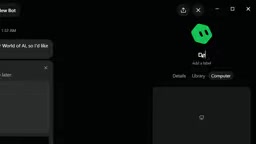
Afterward, the skill can be invoked anytime with a slash command. The author has it check the channel and save the latest six videos to a spreadsheet; Desk runs the entire process on its own computer and returns an Excel tracking sheet with titles, view counts, upload age, and links, plus comparison with last week's data.
Going further, Desk proactively suggests automation. The author asks for a new snapshot every Monday at 9 AM plus a report on the video with the biggest view growth, and Desk creates the routine directly in chat, showing a full panel with pause, edit, and delete support. For the test run, Desk even used a copy to keep the real tracking sheet clean until Monday.
teach a skill is the Agent-product embodiment of "learning from demonstration." The traditional approach is for users to hand-write prompts or workflow orchestrations, abstracting steps into text; recording a demonstration instead lets the system extract action sequences, target elements, and decision conditions directly from screen operations, then generalize them into reusable skills. The key is the level of abstraction: the system must distinguish fixed steps (open the tab, sort by latest) from variable inputs (channel name, time range), and infer implicit rules the user didn't state—such as "numbers must be copied verbatim, not estimated." Once generated, skills are typically saved as structured documents, support manual editing and correction, and can be invoked via slash commands or scheduled routines. Compared with prompts, skills are more sensitive to interface changes, so robust element location and failure-retry mechanisms are needed.
Multi-Bot Collaboration: One Instruction Strings Together a Complete Workflow
The final piece is collaboration between Bots. The author creates a group chat containing Scout and Desk and gives a single instruction: have Scout pick the best topic from this week's briefing and hand it to Desk. Scout selects a relevant story and writes a working title and angle, while Desk adds it to the tracking sheet as next week's planned video. The entire chain from research to scheduling involves zero copy-paste.

In one demonstration, Scout completed verified news research, Shopper filled the cart and awaited approval, and Desk learned a workflow from a single demonstration and set up a weekly automated run.
Cross-Platform and Subscription Information
Grok Bot supports Windows, macOS, and Linux, and is also available on Android and iOS devices. The video also mentions an update reportedly launching with a unified X subscription: bundling Grok, Cursor, and X Premium into a single plan with four paid tiers—Plus at $8/month, Premium at $30/month, Super at $100/month, Ultra at $200/month, plus a free tier. The official claim is that each tier offers more AI model usage per dollar than the plans it replaces.
The author also claims Grok Bot will integrate Anthropic's Claude models (such as Opus 5.5, Sonnet 5.5), Midjourney, and Suno models to enhance capabilities. This part is a single-source claim from the video; specific support scope and pricing remain subject to official announcements.
What This Kind of Product Changes
The core of the Grok Bot demonstration isn't "AI can browse the web"—that's long been unremarkable—but rather stringing execution, approval, and learning into a closed loop: Bots do the legwork, humans retain final decision authority, and repetitive operations are solidified into skills through a single demonstration and scheduled automatically.
For content creators, operators, and small teams, this means handing off low-judgment-density tasks like "finding information, comparing prices, watching data" and saving energy for decision points that require judgment. The limitations are also clear—the approval model makes it better suited for "reversible, confirmable" tasks; actions involving funds and public publishing still rely on human oversight.
Related articles

Qwen 3.8 Beats Opus at Coding—But Can Your Mac Run It?
Open-source Qwen 3.8 beats Opus 4.6 at coding at just 18GB, but how much Mac memory do you need? 24GB crashes; 32GB is the sweet spot. Full config guide inside.

Claude Code + Agent: Building a Fully Automated AI Testing Loop
Bilibili course breakdown: how test developers can use Claude Code terminal-based Agents to build a fully automated AI testing loop. Compares permission boundaries of terminal vs. device Agents, explains why enterprise projects choose Claude Code over Open Claude-type tools, and outlines the Node.js environment setup and DeepSeek model integration path.

Working with AI Agents Requires Nerves of Steel
The more autonomous AI agents become, the heavier the user's psychological burden. Drawing from a Hacker News discussion, this article analyzes black-box anxiety, behavior drift, and monitoring fatigue in agent collaboration, and offers practical approaches like sandbox isolation, permission control, and task granularity management to reduce cognitive load.