Harden-CI: Turn Your AI Agent into a CI/CD Security Auditor

Harden-CI turns AI agents into CI/CD security auditors via a read-only 16-step checklist, no installation required.
Harden-CI is a lightweight CI/CD security hardening project — not a tool to install, but a plain-text checklist for AI agents like Claude Code and Codex to read. Paste the project URL into your agent, and it runs 16 read-only audits covering code, dependencies, secrets, pipeline pinning, container signing, and infrastructure config. It then generates a prioritized findings report and, with your approval, implements fixes via separate branches and PRs — keeping full control with the developer. Open source on GitHub, it's ideal for smaller projects without dedicated security teams.
The Pipeline Holds the Keys — But Who Guards the Pipeline?
Modern software delivery depends on CI/CD pipelines, and those pipelines often hold release secrets, tokens, and a wide range of deployment permissions. That's precisely why supply chain attacks are increasingly targeting the build process rather than the application layer. Once the build environment is compromised, attackers can inject malicious code directly into production.
The problem is that pipelines often go unmonitored. They may have tests, but those tests don't necessarily catch newly introduced vulnerabilities or malicious code. Actions and images get pinned to latest instead of deterministic SHAs. Images go unsigned. Transitive dependencies are never reviewed. Main branches have no protection against force pushes. Each issue seems minor and easy to fix in isolation — but every single one is an open door for attackers.
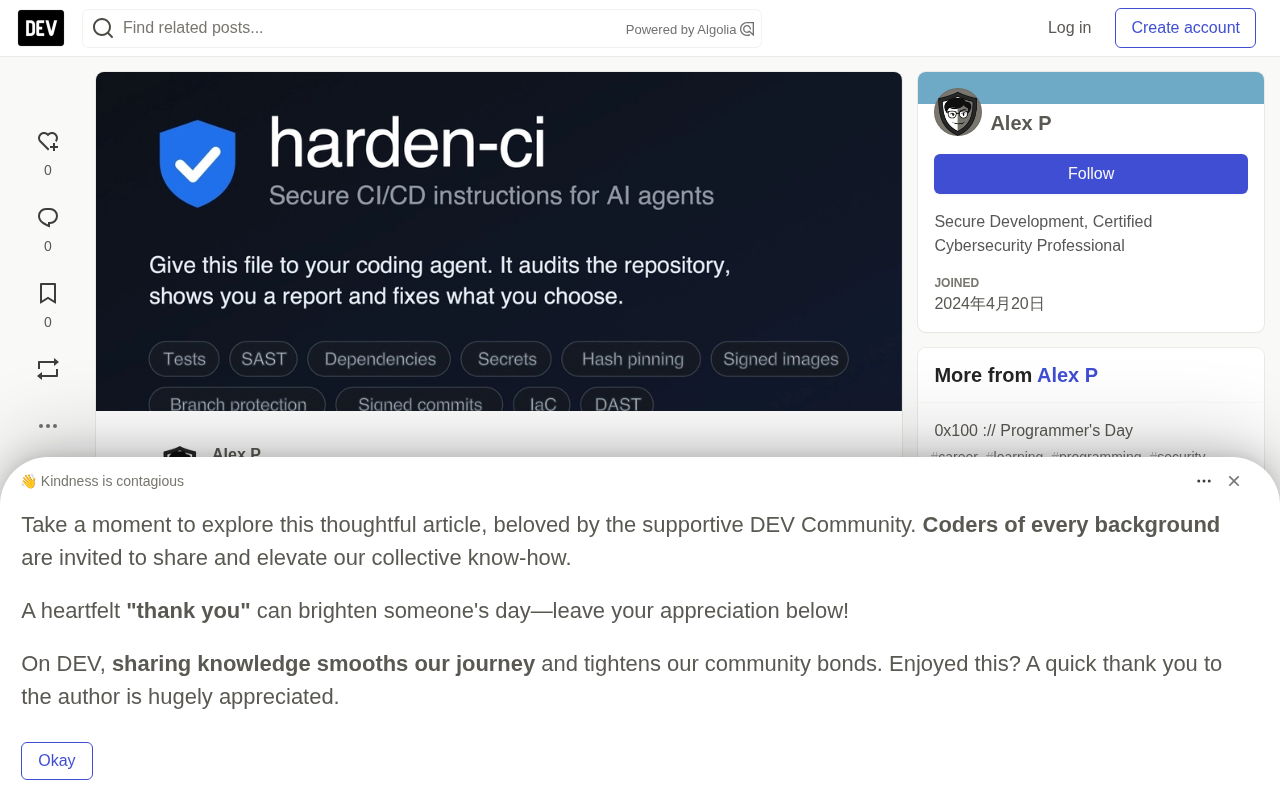
What Is Harden-CI?
Harden-CI is deliberately scoped: it's not a tool you install — it's simply a document for AI agents (Claude Code, Codex, Antigravity, etc.) to read. Usage is remarkably straightforward. Open your AI agent in the repository directory and send it this link: https://harden-ci.secmy.app/. No software to install, no subscription required, and no need to hand over repository access to a third party.
The workflow has four stages:
- Audit: The agent runs 16 checks in read-only mode — no files, branches, or project settings are modified.
- Report: You receive a status matrix (✅ ⚠️ ❌ ❓) and a prioritized list of findings from critical to low severity. Each finding includes supporting evidence. For items that can't be automatically verified, the agent honestly marks them with ❓ and suggests how to manually check (e.g., via the GitHub/GitLab web UI).
- Your choice: You decide what to fix and what to skip. The agent makes no changes without your explicit approval.
- Fixing: The agent makes changes in a separate branch and opens a PR or MR for each fix. You simply review and merge.
This design keeps full control in the developer's hands, eliminating the most common risk with automation tools: unsanctioned changes.
What Do the 16 Checks Cover?
Harden-CI's 16 steps span the complete delivery chain from code to production, organized across eight dimensions:
Code & Dependencies
On the code side, checks cover application asset inventory, threat modeling, unit testing, and Static Application Security Testing (SAST). On the dependency side, the focus is vulnerability scanning — with special emphasis on transitive dependencies, which are the most hidden entry point for supply chain attacks. One practical recommendation: new versions should be at least seven days old before adoption, to avoid a window where malicious code is injected immediately after a release.
What are transitive dependencies? These are the dependencies pulled in by your direct dependencies — and their dependencies, and so on. A modern Node.js or Python project might have dozens of direct dependencies, but the full dependency tree often contains hundreds or thousands of packages, most of which developers have never actively chosen or reviewed. Supply chain attacks exploit this blind spot: instead of compromising a well-known library you use directly, attackers target a small, widely-depended-upon package deep in the tree (as seen with the 2022
colors.jsincident and the 2021ua-parser-jshijacking), affecting tens of thousands of downstream projects. The "wait seven days" recommendation specifically addresses the "publish and poison" attack pattern, where attackers rely on automatic update mechanisms to rapidly propagate malicious versions — a seven-day observation window gives the community time to detect anomalies.
Secrets & Pipeline
Secret scanning is performed via betterleaks, and sensitive values should never be exposed verbatim in reports. The core of pipeline security is pinning Actions and images to a SHA rather than a floating latest or other tag, ensuring reproducible and traceable builds.
Why SHA pinning matters: When you reference something like
actions/checkout@v3, that tag is mutable — repository maintainers (or attackers) can point it to an entirely new, potentially malicious commit without changing the tag. When you switch toactions/checkout@abc1234...(a full commit SHA), the reference becomes immutable: any change to the Action's content produces a different SHA, which would be immediately detectable at build time. The 2021 Codecov incident and the attack ontj-actions/changed-filesboth demonstrated the danger of floating tags — an attacker only needs write access to an upstream repository to silently plant malicious code across all downstream pipelines. Tools like Dependabot and Renovate can automatically lock and periodically update SHAs, making this practice both secure and maintainable.
Containers & Infrastructure
Containers should be scanned for vulnerabilities with tools like Trivy, have their signatures verified with Cosign, and include an SBOM (Software Bill of Materials) file. Infrastructure covers two areas: Infrastructure as Code (IaC), and platform-level security settings such as branch protection rules on GitLab/GitHub and Git commit signing.
What are SBOMs and Cosign? An SBOM is a structured inventory of all software components — direct dependencies, transitive dependencies, version numbers, and license information. Think of it as a nutritional label for software: when a new vulnerability is disclosed (like Log4Shell), teams with an SBOM can confirm whether they're affected in minutes rather than manually trawling through their codebase. Cosign is a container image signing tool from the Sigstore project. It writes signature information into the immutable records of a container image registry, allowing consumers to verify that an image was produced by a trusted build system and hasn't been tampered with since signing. Together, they provide an auditable chain of evidence for "what exactly is in this container and who built it" — the foundation of zero-trust supply chain security.
API, Production & Security Hygiene
The API and production checks inspect API specification files like Swagger, run Dynamic Application Security Testing (DAST), and flag debug features accidentally bundled into Docker images. The final "security hygiene" dimension covers license compliance, account protection, and whether a SECURITY.md file is in place.
Why Does This Project Exist?
The author's motivation is straightforward: now that everyone has their own AI agent, building a secure CI/CD pipeline has never been easier — there's no excuse to cut corners anymore. Harden-CI is essentially a checklist that helps the author, their friends, and perhaps you.
The author emphasizes a pragmatic attitude: you don't have to follow every rule. Some items may not apply to your environment, and it's perfectly fine to skip them. "Even doing just 2–3 more steps is better than doing nothing." If you disagree with certain rules, the project is open source on GitHub — feel free to clone it, customize your own checklist, or submit suggestions.
Getting Started in One Minute
Harden-CI works for solo developers and teams alike. Its biggest selling point is "zero third-party trust" — all changes happen on your own machine, based on publicly transparent rules, and reviewed by you. The entire thing is a plain-text document, and you can read and understand every stage and rule yourself.
Getting started takes three steps:
- Launch an AI agent in your repository (Claude Code / Antigravity / Codex, etc.);
- Paste the link
https://harden-ci.secmy.app/; - Read the results.
Conclusion
Harden-CI represents a lightweight approach to security governance: no new tools, no new dependencies, no external services — just turning an existing AI agent into a security auditor. Against a backdrop of supply chain attacks increasingly targeting the build process, this "checklist as capability" approach lowers the barrier to hardening. It doesn't aim for exhaustive mandatory compliance; instead, it encourages incremental improvement — start by closing the doors that have been "easy to fix but long left open." For small and medium-sized projects without a dedicated security team, this may be the highest-ROI first step available.
Related articles

Free Unlimited Claude Code Solution: Agnes AI + CC Switch Setup Guide
No paid subscription needed — pair the free AI platform Agnes AI with the open-source tool CC Switch to provide a backend for Claude Code, enabling unlimited free calls to text, image, and video models. This guide covers the full setup, test results, and usage boundaries.

A Complete Zero-Cost Guide to Getting Started with Claude Code for Beginners in China
A beginner's guide to Claude Code for users in China: two installation methods (command line and IDE plugin), full configuration steps for replacing the official API with the free domestic LongCat model, and a hands-on demo of building a small tool with natural language, plus tips.

When the NSA Gets Involved: The AI Supply Chain Crisis Behind Open-Source CVEs and API Key Hijacking
Multiple open-source projects disclosed severe CVEs in one day, PHP flaws alarmed the FBI, and Railway and OpenCode were breached with API keys stolen. This article breaks down the vulnerability window, AI-accelerated exploitation, and the AI supply chain crisis behind the API key black market, with a developer defense checklist.