Hermes Agent Deep Configuration Guide: The Open-Source AI Agent for Everyone

Hermes Agent is Nous Research's open-source full-stack AI agent platform with desktop, multi-channel, and self-hosting support.
Hermes Agent by Nous Research is positioned as an open-source AI agent for everyone, differentiating itself with a desktop app, deployable remote server, and dashboard in one complete infrastructure package. It supports messaging integrations via Telegram, Discord, and WhatsApp with cross-message session memory, and features progressive skill loading to reduce token costs. Users can deploy remotely via Hostinger hosting or Tailscale tunnels to avoid local security risks. The dashboard enables multi-user profile management and MCP server configuration, making it suitable for enterprise private deployments. Overall, Hermes is one of the rare open-source agent solutions that is friendly to non-developers, though stability remains a work in progress.
Why Choose Hermes Agent
There's no shortage of capable AI agents on the market, but most share a common pain point. Take PyAgent and OpenCode — frequently discussed on platforms like Bilibili and YouTube — they're powerful, but primarily designed to run in terminal environments. For everyday users — say, a friend who isn't comfortable with the command line — the learning curve alone can be a dealbreaker.
That's exactly where Hermes Agent steps in. Developed by Nous Research as an open-source project born out of research, it offers several capabilities that terminal-based tools rarely deliver together: an out-of-the-box desktop application, a deployable remote agent, and a "channels" mechanism that integrates with messaging platforms like Discord, WhatsApp, and Telegram. In short, it aims to be an agent for everyone — not just a developer's toy.
As for the name — whether "Hermes" should be pronounced the Greek god way or the luxury brand way — even the original authors aren't sure, and it doesn't really matter. What does matter is the design philosophy behind it: an open-source desktop client, an open-source dashboard, and an open-source server, assembled into a self-hostable, extensible agent system.
Desktop App: The Fastest Way to Get Started
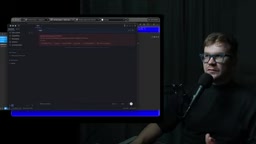
You can download Hermes from the Agent section of the Nous Research website. Once installed, launch the desktop client with the hermes desktop command. The interface supports creating sessions by default — these are the spaces where you interact with the agent.
On first launch, Hermes will notify you that no model API is connected. It supports multiple providers; the demo video uses OpenRouter — simply go to Settings > Providers / API Key, select OpenRouter, and enter your key. Once configured, switch to a model like DeepSeekAd Flash and the agent is ready to go.
With just this one configuration step, you could already hand this agent off to a friend — just set a usage cap on the OpenRouter side to avoid unexpected charges. For anyone who simply wants a desktop assistant that can chat and get things done, this is more than enough.
Skills, Tools, and Progressive Loading
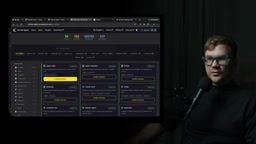
Like other mainstream agents, Hermes supports "skills" that can be enabled per profile. The demo video shows creating a default profile and a Stream Profile, each with its own independently toggled skills and tool lists. It also comes with a large collection of platform connectors and a plugin directory.
One design decision worth highlighting is progressive skill loading. Hermes ships with a massive number of skills, but doesn't dump them all into the context at once. It keeps only skill descriptions in memory, and only installs and loads the relevant skill into context when you actually mention a relevant scenario in conversation — such as Apple Notes, Codex, Airtable, DocsX, or PDF processing. This mechanism directly reduces token consumption, which is a meaningful cost optimization for long-running agents.
The technical logic behind progressive skill loading is worth unpacking. A large language model's context window is a finite resource — there's a hard limit on how many tokens can fit in a single conversation. Pre-injecting the full definitions of every skill (function signatures, parameter descriptions, usage examples) into the system prompt not only consumes a large chunk of available context, but also dilutes the model's attention on the tools it actually needs. Hermes addresses this by splitting skills into a "description layer" and an "implementation layer": lightweight skill summaries (think of them as an index) live permanently in memory, and only when conversational semantics trigger a match does the full tool definition get dynamically fetched and injected into context. This mirrors the logic of Retrieval-Augmented Generation (RAG) — retrieve on demand rather than load everything upfront — except here, what's being retrieved is tool definitions rather than knowledge documents. For agents that run for extended periods with large skill libraries, this mechanism effectively controls per-API-call token billing and is a critical piece of scalability design.
Messaging Channels: Connecting the Agent to Telegram
Hermes refers to multi-platform integration collectively as "messaging." The demo video walks through the full flow for connecting to Telegram: select the Telegram connection in the interface, go through a pairing process, run a few authorization commands as prompted, and the bot goes live.
Once connected, the agent's replies show up directly in Telegram. Interestingly, the demo presenter had previously instructed the agent to include a "fun fact" with every message — and sure enough, every subsequent reply came with a piece of trivia, illustrating the agent's ability to remember and persistently follow instructions.
Beyond conversation, channels support rich artifact handling: generated files are stored in the artifacts area, images are displayed as images, and videos and links can be sent directly. The standout feature here is memory — asking "what was the latest joke?" in Telegram and having it recall the answer demonstrates that session context is preserved across messages.
Scheduled Jobs and Blueprints: Turning the Agent into a Daily Assistant
Hermes has a built-in cron-style jobs system. The demo shows a task that sends a dead joke every day, with options to specify which model generates it, which Telegram account it's delivered to, and which profile to use.
Taking it further are "blueprints" — preset templates for common tasks. The demo presenter mentions that the first thing they do after connecting any agent is set up a morning briefing email: the agent reads your inbox and calendar at dawn, filters important messages, and organizes the day's schedule. Other templates include habit trackers and meal plans. Taken together, Hermes starts to look less like a chatbot and more like a "cron job builder" — wrapping the agent into an orchestratable daily assistant.
Remote Deployment and Security Isolation
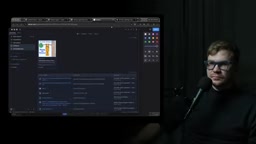
Running locally carries an inherent risk: when you send a Telegram command asking the agent to cut a video with FFmpeg, it's actually executing on your own machine — with the potential for accidental operations or unauthorized access to local files. While permissions can be configured manually, remote deployment is the safer default if you want the agent isolated within a security boundary.
The simplest remote option is to use a server with hosted Hermes support (the video mentions Hostinger). You can also download the Hermes server yourself, configure access permissions, and forward ports using a tool like Tailscale. The connection type is selected in Gateway settings:
- Local Gateway: runs on the local machine
- Hermes Cloud: runs on the official cloud
- Remote Gateway: connects to a remote server, configured by the hosting provider who supplies login credentials and a link
The benefits of remote deployment are clear — you don't need to keep your laptop running all day; the agent lives on a cheap, always-on machine.
Tailscale is a zero-configuration virtual private network (VPN) tool built on the WireGuard protocol. Its core value: no public IP required, no complex firewall rules — just encrypted peer-to-peer tunnels between devices. In a Hermes deployment context, Tailscale can securely map specific ports on a remote server to the local network, allowing the desktop client to connect to a Hermes server running on a cloud instance or VPS as if it were a LAN device, without exposing any ports to the public internet. For users who want to self-host but don't want to manage Nginx reverse proxies and TLS certificates, this is a low-friction security solution. A similar tool is Cloudflare Tunnel — both fall under the "intranet tunneling" category, enabling remote access without opening server firewall ports.
Dashboard: Multi-User Management and Enterprise Control
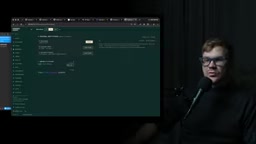
Hermes also includes a fully featured dashboard that serves as the control panel for the entire system. It's particularly well-suited for "one agent, many users" scenarios: you can configure independent profiles for each user and view their individual sessions, run files, token consumption, logs, and available model lists from the panel.
The dashboard also provides centralized management of cron jobs, per-session skill toggling, Telegram channel configuration, MCP server setup, and per-user profile management. The video author's recommended deployment sequence: set up the Hermes server and dashboard first, complete global configuration there, then distribute profiles and connection details to each client.
The MCP server (Model Context Protocol) mentioned here is an open protocol proposed by Anthropic in late 2024, designed to standardize how AI models connect to external tools and data sources. Think of it as the "USB port" of the agent world: tool providers expose a server endpoint according to the MCP spec, and any MCP-compatible agent framework can call it directly — no custom adapters needed for each framework. Managing MCP servers centrally in Hermes's dashboard means administrators can uniformly control which external tools (code execution environments, database connections, file system access) are visible to which users, enabling fine-grained permission isolation in multi-user scenarios. The protocol is being adopted by a growing number of agent frameworks — including Claude, Cursor, and Windsurf — and is becoming a de facto standard for tool integration.
Who It's For, and Its Limitations
Hermes's value lies in being a fully open-source agent infrastructure stack: open-source desktop client, dashboard, and server, with the flexibility to connect to closed-source models like Gemini via OpenRouter or to locally hosted models. Enterprises can deploy it internally, restrict the context it can access and the models it can use, and even point it exclusively at models running in a private cluster — keeping data firmly within a closed loop.
For developers who want to build agents from scratch, Hermes provides a ready-made, hackable foundation — rather than reinventing the wheel, you extend from what's already there. The downsides are real though: as a "for everyone" open-source project, it occasionally crashes and requires manual restarts; its stability doesn't yet match commercial products. But taking the full package together — desktop app, multi-channel integration, skills system, MCP support, and scheduled tasks — Hermes is one of the rare open-source agent solutions that is both self-hostable and genuinely practical.
Related articles

Uber Deploys ChatGPT Work Company-Wide: AI in the Workplace Enters the Scaled Implementation Phase
Uber deploys ChatGPT Work to 30,000+ employees, extending it from engineering to all roles. We analyze its expert-engineer pairing, end-to-end automation, and questions of AI control and power concentration—insights for scaling AI in the workplace.

Shift at Midnight Hands-On: When "ID Verification" Becomes Alien Hunting
Shift at Midnight blends ID verification with horror survival in a four-player co-op game. We break down its inspection mechanics and chaotic humor.

Zelensky Recounts the Outbreak of War: I Need Ammunition, Not a Ride
Zelensky recalls the first day of war in a YouTube interview: farewell to family, rejecting Biden's evacuation offer with "I need ammunition, not a ride," and how Bucha shaped his stance on compromise and peace talks.