Hexel Editor: A Native macOS Hex Editor That Actually Understands File Structures

A native macOS hex editor with built-in file format parsing for reverse engineers and security researchers.
Hexel Editor is a native macOS hex editor designed for reverse engineers and security researchers. It goes beyond raw byte display by offering built-in structural parsing for Mach-O, ELF, PE, PNG, and ZIP formats. Key features include instant opening of files of any size via memory mapping, real-time byte decoding at the cursor position, checksum computation, and entropy analysis for identifying encrypted or compressed regions — making binary analysis significantly more efficient.
For reverse engineers, security researchers, and low-level developers, hex editors are indispensable daily tools. However, most hex editors on the market stop at "raw byte display" — users stare at screens full of hexadecimal numbers and still have to manually interpret file structures based on experience and documentation. Hexel Editor, which recently launched on Product Hunt, aims to change that. It's a native macOS application that claims to have "a brain that understands file formats," and garnered 71 upvotes on its launch day, ranking 20th on the daily leaderboard.
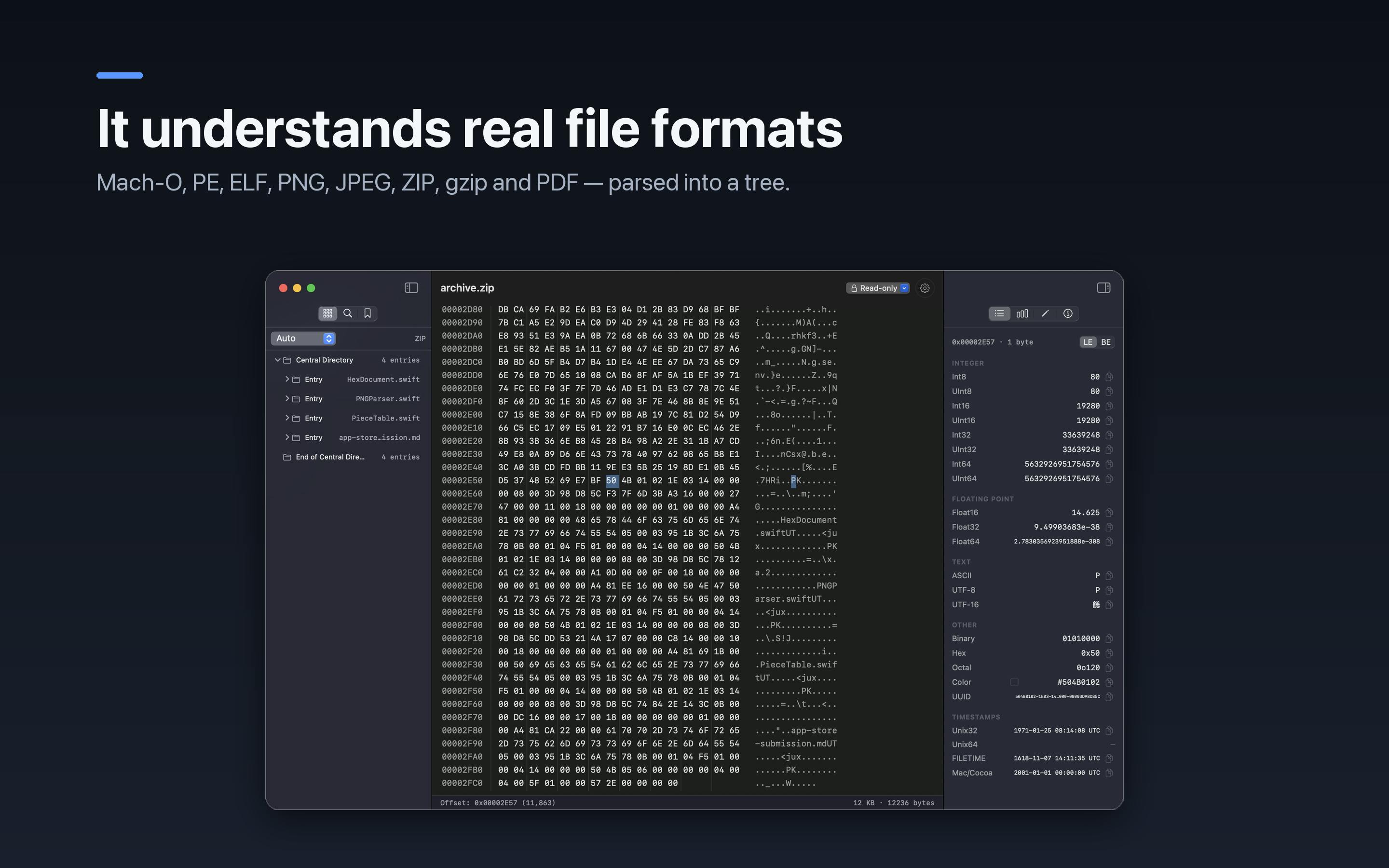
More Than Displaying Bytes — It Parses File Structures
Built by developer Shaun Hirst, Hexel Editor is positioned as a professional hex editor for developers, reverse engineers, and security researchers. What sets it apart from traditional hex editors is its built-in ability to structurally parse multiple mainstream binary file formats.
According to the official description, Hexel can directly parse the Mach-O, ELF, and PE executable formats, as well as the internal structures of common container formats like PNG and ZIP. These three executable formats correspond to the binary standards of the three major operating systems: Mach-O (Mach Object) is the native executable format for macOS and iOS, composed of hierarchical structures including headers, load commands, and segments — Apple's dyld dynamic linker relies on this information to load programs; ELF (Executable and Linkable Format) is the standard format for Linux and most Unix systems, using program headers and section headers to serve runtime loading and link-time resolution respectively, with a design that emphasizes flexibility and extensibility; PE (Portable Executable) is the Windows platform's executable format, evolved from the earlier COFF format, containing a DOS header, PE signature, section table, and other structures — it's also the format most frequently encountered in malware analysis. The ability to parse all three formats means Hexel covers the vast majority of cross-platform reverse engineering scenarios.
This means that when you open a binary file, Hexel won't just dump a pile of meaningless hex bytes at you. Instead, it can identify logical units like file headers, sections, and chunks, helping you quickly locate critical information.
For security researchers who frequently analyze executables, this "format-aware" capability significantly reduces cognitive overhead — no more manually counting offsets against format specifications, as the tool proactively presents the structure for you.
Instant Large File Opening: Say Goodbye to Freezing and Crashing
A classic pain point with hex editors is performance when handling very large files. Many tools freeze or outright crash when opening files hundreds of megabytes or even gigabytes in size.
Hexel Editor emphasizes that it can "Open files of any size instantly." This is particularly important for users analyzing large firmware images, disk dumps, or memory snapshots. As a native macOS application, Hexel can fully leverage system-level capabilities and techniques like memory-mapped I/O to load files on demand, rather than reading the entire contents into memory at once.
Memory-mapped files are an operating system mechanism that maps disk files directly into a process's virtual address space — on macOS, the corresponding system call is mmap(). The core advantage is that the OS's virtual memory subsystem loads file contents on a page-by-page basis (typically 16KB per page on Apple Silicon), and only pages that are actually accessed are read from disk into physical memory. Unaccessed portions consume no memory resources whatsoever. This means opening a 10GB file is virtually indistinguishable in initialization speed from opening a 10KB file. When system memory is under pressure, the OS automatically pages out inactive pages. For applications like hex editors that need random access to arbitrary offsets in large files, memory mapping is the ideal I/O strategy.
Real-Time Byte Decoding Under the Cursor
Beyond overall structure parsing, Hexel also provides real-time byte decoding at the cursor position. When you hover your cursor over a byte, the editor automatically displays interpretations of that data under different data types — such as 8/16/32/64-bit integers (distinguishing big-endian and little-endian), IEEE 754 single/double-precision floating-point numbers, ASCII/UTF-8 character encodings, and more.
This "what you see is what you get" decoding approach is extremely useful when analyzing unknown data structures, helping researchers quickly determine what a particular sequence of bytes actually represents. For example, when reverse engineering an undocumented proprietary protocol, by observing decoded results at different offsets, researchers can rapidly infer field types and semantics without having to mentally perform base conversions and byte-order calculations.
Built-in Analysis Tools: Checksums and Entropy Calculation
Hexel Editor also integrates a suite of analytical utilities, with the most noteworthy being checksum and entropy calculation.
-
Checksums can be used to quickly verify the integrity of a file or a segment of data — a common requirement in reverse engineering and forensic work. Checksums and hash functions play multiple roles in binary analysis: the most fundamental use is integrity verification, where computing a file's MD5, SHA-1, or SHA-256 value confirms it hasn't been tampered with during transfer or analysis. In digital forensics, the hash values of evidence files are critical for proving chain-of-custody integrity in legal proceedings. In reverse engineering, checksums are also used to identify known samples — security researchers can compare hash values against malware databases like VirusTotal to quickly determine whether something is a known threat. Additionally, some file formats (such as PNG chunks and ZIP entries) embed CRC32 checksum values internally to protect data block integrity, and a hex editor's instant checksum calculation helps researchers verify whether manually modified data still satisfies format requirements.
-
Entropy analysis is an important technique in security research. Shannon Entropy is a mathematical measure of data randomness — when calculated per byte, it ranges from 0 to 8. An entropy value of 0 indicates completely uniform data (such as zero-filled padding), while a value approaching 8 indicates data that is nearly perfectly random. High-entropy regions typically indicate encrypted or compressed data. By observing entropy distribution, researchers can quickly identify areas in a file that may contain encrypted payloads, compressed archives, or random keys. This technique is especially common in malware analysis: if a legitimate PE file's .text code section exhibits abnormally high entropy (close to 8), it's almost certain that a packer like UPX or Themida has been used to conceal the actual code. Normal code and data sections typically show moderate entropy values of 4-6, while plain text content has even lower entropy. Through entropy distribution maps, analysts can form quick assessments of a file's overall structure and suspicious regions without diving deep into reverse engineering the code.
The tool also supports a bookmark feature, allowing users to mark noteworthy positions in a file for easy navigation during extended analysis sessions.
Product Positioning: A Professional Tool Focused on Native Experience
From a product categorization standpoint, Hexel Editor falls under Mac, Productivity, and Developer Tools — a clear and focused positioning. It doesn't aim to be a do-everything general-purpose tool but instead focuses on the relatively vertical and specialized domain of binary analysis.
Notably, Hexel emphasizes that it's a native macOS application, which is increasingly rare in an era dominated by cross-platform frameworks like Electron. Electron is a cross-platform desktop application framework built on the Chromium browser engine and Node.js — well-known applications like VS Code, Slack, and Discord are built on it. Its advantage is that developers can write once using web technologies and run across multiple platforms. However, Electron applications essentially run a full browser instance, with baseline memory consumption typically exceeding 100-300MB, and JavaScript's garbage collection mechanism can introduce unpredictable stuttering. In contrast, native macOS applications are written in Swift or Objective-C, calling system APIs directly through the AppKit or SwiftUI frameworks, with memory usage that can be an order of magnitude lower. UI rendering goes through Core Animation's hardware-accelerated pipeline, offering qualitative advantages in frame rate and response latency. For tools like hex editors that require high-frequency scrolling, real-time rendering of large amounts of data, and precise cursor interaction, native implementation offers particularly pronounced advantages in smoothness and resource efficiency — qualities that professional users value highly during extended tool usage.
Summary: Embedding Domain Knowledge into Tools
Hexel Editor represents a trend in professional tooling: no longer settling for providing raw capabilities, but instead embedding domain knowledge (format parsing, entropy analysis, etc.) to lower the barrier to entry and crystallize expert experience into the tool itself. For developers and security researchers who regularly work with binary files, a native macOS hex editor that can "read" file formats and instantly open large files is undeniably appealing.
This trend toward "tool intelligence" is becoming increasingly prevalent in the developer ecosystem — from semantic-level code completion in IDEs, to automatic protocol parsing in network sniffing tools, to query performance analysis in database clients. The best professional tools are evolving from "general-purpose Swiss Army knives" into "knowledgeable domain experts." Hexel is walking precisely this path in the seemingly niche yet critically important domain of hex editing.
As a newly launched product, Hexel still needs time to prove itself in terms of breadth of format support, scripting extensibility, and cross-platform adaptation. But given its clear positioning and solid feature design, it has already found a niche market well worth cultivating.
Related articles
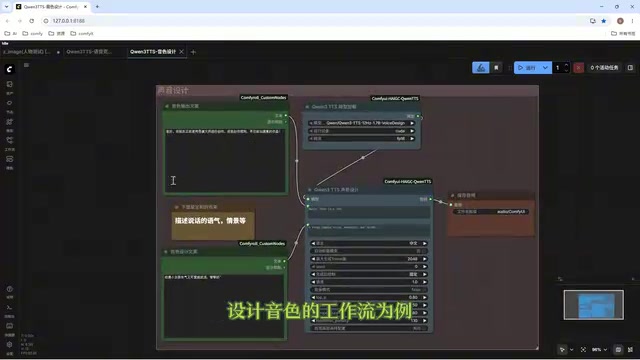
Director Master Tutorial: Full Workflow for AI Character Voice Design and Binding
Based on a Bilibili tutorial, this guide details how to design and bind AI character voices in Director Master: uploading voices, generating them via ComfyUI workflows, producing voice profiles alongside character design, and automatically inheriting voices in storyboard prompts.
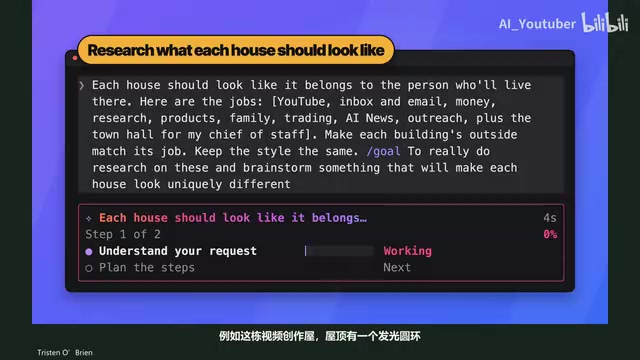
3.5 Hours and $47: Building an AI Agent Village Step by Step
A Bilibili creator built an AI Agent village in 3.5 hours for about $47: Claude Code handles logic and behavior, Higgs Field generates art. Seven steps cover maps and buildings, chief of staff and director roles, walkable areas and behavior rules, connecting to real tools like email and calendars, proving ground meetings, and retaining final human approval—including a cost ledger and prompt design thinking.

WorkBuddy Complete Beginner's Guide: Master Your AI Digital Employee in 7 Days
A detailed breakdown of the WorkBuddy beginner's guide: how this domestic Codex alternative works, its four advantages over traditional AI, and a learning path for newcomers.