How to Build a Daily AI News Briefing Agent with n8n: A Hands-On Guide

Build a zero-code daily AI news briefing workflow by connecting RSS feeds and Google Gemini in n8n.
This article walks through a zero-code approach to automating a daily news briefing: using n8n as the orchestration platform, quickly grabbing RSS feeds by appending "/feed/" to category URLs, connecting Google Gemini (free API key from aistudio.google.com) to summarize fetched articles, and using a scheduled trigger to push the compiled briefing to email or Telegram. The entire pipeline requires no coding and can be set up in an afternoon. The article also addresses limitations — summary quality depends on source material and free-tier rate limits — while noting the setup is practical as a personal information filter and can be extended with multi-source aggregation and keyword filtering.
Why You Need a News Briefing Agent
Opening a dozen websites every day to track AI industry developments is time-consuming and easy to miss the key points. Handing this task off to an "Agent" — an automated workflow that fetches the latest news, calls a large language model to summarize it, and pushes it to you — is one of the most practical AI use cases out there right now.
This article breaks down an n8n hands-on tutorial, showing you how to build a daily news briefing assistant with zero code. The whole process comes down to three things: finding reliable news sources, connecting a free LLM for summarization, and wiring everything together in n8n as an automated pipeline.
Step 1: Create a Workflow in n8n
n8n is an open-source workflow automation tool that lets you connect different services together like building blocks. Open your browser, go to n8n.io, log in, and once you're on the main dashboard, click the orange Create Workflow button in the top-right corner to create a new workflow.
To keep your dashboard organized, double-click the default "My Workflow" title in the top-left corner and give it a descriptive name — something like "Daily AI News Briefing." It might seem like a small detail, but when you have multiple workflows running later, clear naming will save you a lot of time hunting around.
n8n (pronounced like "n-eight-n") uses a node-based visual editor where each "node" represents a specific action — reading an RSS feed, calling an API, sending an email, and so on — with data passed between nodes via connecting lines. It offers both a cloud-hosted SaaS version and self-hosted deployment via Docker or npm, so you can keep full control over your data and workflow logic. Compared to similar tools like Zapier and Make (formerly Integromat), n8n's open-source nature means fewer restrictions on trigger frequency, making it better suited for personal automation that runs often. Its built-in "AI Agent" node has been steadily improved since 2023, allowing you to connect LLMs like OpenAI and Google Gemini directly into your workflows — no hand-written API calls required.
Step 2: Configure Your RSS News Source
Before building the automation, you need to identify a reliable news source. An RSS feed is essentially a "live link" that websites use to automatically publish new articles — it's the ideal entry point for automated fetching because it's structured, timely, and doesn't require scraping complex web pages.
The process is straightforward: open a new tab and navigate to a news site you follow regularly (the tutorial uses TechCrunch as an example), go to its Artificial Intelligence category page, and copy the URL from the address bar. For TechCrunch's AI section, simply append /feed/ to the end of the category URL to get the dedicated RSS address for that section.
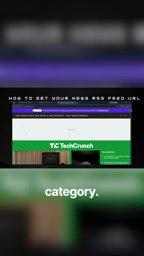
This trick of appending /feed/ to a category URL works for most WordPress-based media sites and is a reliable general method for quickly finding RSS feeds in a specific vertical. Once you have the link, you can use an RSS node in n8n to pull the latest articles on a schedule.
RSS (Really Simple Syndication) is an XML-based standardized data format that emerged in the late 1990s, originally designed to solve the problem of users having to actively visit multiple websites to check for updates. When a site publishes new content, its RSS feed automatically updates a structured list containing article titles, links, publication times, and summaries. Readers simply subscribe to the feed URL and receive updates from dozens of sites in a single RSS reader, without visiting each page individually.
For automated workflows, RSS has clear advantages over direct web scraping: the data structure is consistent, there's no need to deal with anti-scraping mechanisms, and it doesn't break when the site's HTML changes. Most major media outlets and blogging platforms (WordPress, Substack, Medium, etc.) support RSS natively, and some even offer separate feed URLs for different categories or tags, making it easy to subscribe by vertical.
Step 3: Get a Google Gemini API Key
Once you're pulling in raw articles, the next step is having an LLM compress long pieces into a briefing. The tutorial uses Google Gemini because it offers a free usage tier, making it well-suited for this kind of personal automation.
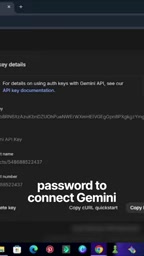
Open a new tab and go to aistudio.google.com. Sign in with your Google account, then click the blue Create API Key button. The page will generate a long string of text — that's your API Key. Copy it and store it somewhere safe. This key acts as a password for connecting to Google Gemini; if someone else gets hold of it, they can use your quota to call the model. Never paste it directly into a public workflow or codebase.
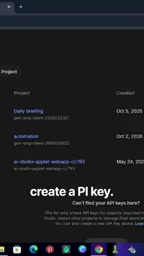
Once you have the key, go back to n8n, import and bind it in the corresponding Gemini node, and you're done connecting the LLM. From that point on, your workflow can pass the article content fetched via RSS to Gemini and receive a concise summary in return.
Putting the Three Pieces Together into an Automated Pipeline
Once the news source, LLM, and n8n are all set up, the remaining work is connecting them:
- Trigger node: Set a scheduled trigger (e.g., every morning at 8:00 AM) to run the workflow automatically at a fixed time
- RSS node: Read the feed URL configured earlier and pull the latest articles
- AI node: Send the article content to Google Gemini to generate a summary
- Push node: Deliver the compiled briefing to your email, Telegram, or whatever channel you prefer
Once this pipeline is running, you've achieved true "unattended" operation — you no longer need to actively visit multiple sites. The system gathers and summarizes the day's most important AI developments and delivers them to you on schedule.
The Value and Limitations of This Kind of Agent
Zooming out, this news briefing assistant is a lightweight example of the "agentic AI" philosophy: using automation tools to orchestrate data flow, with the LLM handling the step it's best at — understanding and summarizing. The barrier to entry is extremely low: zero code, and most people can have it up and running in an afternoon.
That said, it's worth understanding its limits. The quality of RSS summaries depends on the original article and the model's comprehension; Gemini's free tier has rate limits; and summaries can occasionally drop key details. But as a first filter for your personal information flow, it's more than practical. You can take it further by merging multiple news sources, having the model cluster stories by topic, or adding filters like "only keep items that mention keywords I care about" — gradually shaping it into an information assistant that truly fits your needs.
Note: The original tutorial contained some clear transcription errors (for example, the description of the API Key step was garbled). This article has been reorganized and corrected to reflect the actual workflow.
The core difference between "Agentic AI" and traditional automation scripts is this: traditional scripts follow fixed rules and break when they encounter unexpected input, while an Agent with an LLM can "understand" unstructured content to some degree — for example, extracting key information from news articles of varying lengths and formats. This lets it handle tasks where rules can't cover every case. But it also introduces new uncertainty: model outputs are probabilistic, so the summary of the same article might vary slightly between runs, and the model may amplify unimportant details or omit data that expert readers consider critical. For high-precision use cases (such as financial data monitoring), it's usually necessary to add a human review or rule-based validation step after the AI node, rather than relying entirely on the model's judgment.
Related articles
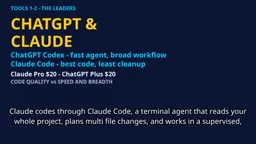
2026 AI Coding Tools Comparison: Claude, ChatGPT, Gemini — Which Is the Best?
A 2026 comparison of five mainstream AI coding tools — Claude Code, ChatGPT Codex, Gemini, DeepSeek, and GitHub Copilot — on real projects, pricing, and code quality, to help you decide where that $20/month should go.

ChatGPT Codex Can Clone Any Software? Testing the Risks and the Truth
YouTube shorts claim ChatGPT Codex or Claude Code can clone Adobe, Excel, and Figma for lifelong free use. We break down the feasibility, legal risks, and DM-funnel tactics—and explain what AI coding tools are truly good for.

Kilo Code Is Free to Install but Charges for API: Cost Estimation and Configuration Guide
Kilo Code is free to install, but connected AI models are billed per token. This guide covers VS Code extension and CLI setup and shows how to estimate API costs.