How to Choose a Local LLM Runtime? Five Mainstream Options Explained

Five local LLM tools, each with a distinct role—pick by scenario.
The article covers five tools for running open-source LLMs locally. llama.cpp is a C++ inference engine that introduced the GGUF quantization format and underpins most tools; Ollama wraps it with model downloads and an OpenAI-compatible API for fast prototyping; LM Studio offers a GUI for browsing quantization variants and switching models by hardware; vLLM targets production multi-user serving with PagedAttention and continuous batching, while SGLang's Radix Attention speeds up shared-prefix RAG and multi-turn dialogue; MLX LM is built for Apple M-series unified memory, loading models that would need multiple GPUs on a PC. The author gives a clear selection path and notes the barrier has shifted from "can it run" to "how to choose."
Open-source models have become capable enough that many scenarios no longer require hosted APIs. Running a model directly on your laptop means neither your conversations nor your data leave the machine. But with a string of names like llama.cpp, Ollama, LM Studio, vLLM, and MLX LM, which one should you actually use? Based on a Bilibili tech explainer video, this article lays out the positioning, underlying principles, and use cases of all five tools.
The Foundation: llama.cpp and the GGUF Format
llama.cpp is an inference engine written in C++, capable of running on CPUs, GPUs, and Apple chips. It started as a hobby project—someone wanted to run LLaMA on a MacBook—but went on to become the foundation of most local tools.
Its biggest contribution to the local ecosystem is the GGUF standard file format. A single GGUF file packages the weights, tokenizer, and metadata, and supports quantization down to 4 bits or even lower. This is precisely what makes large models fit on ordinary computers. Download a GGUF from Hugging Face, pass the model and a prompt to llama.cpp, and you get output tokens back.
If you want the lightest possible runtime, or need to deploy to resource-constrained hardware—edge devices, laptops without a discrete GPU—go with llama.cpp.
Quantization is the technique of compressing model weights from high precision (e.g., 16-bit floating point) to low precision (e.g., 4-bit integers). Model parameters are essentially a pile of numbers; originally each number takes 2 bytes or more, but after quantization each parameter might take only half a byte. The trade-off is a slight loss of precision, though conversational quality usually degrades only marginally, while model size and memory footprint can shrink to a quarter or less of the original—which is exactly why a 7-billion-parameter model can be squeezed from over ten GB down to around 4GB and fit on an ordinary laptop. Names like Q4_K_M commonly seen for GGUF denote a particular 4-bit quantization variant.
KV Cache is the intermediate state a large model maintains when generating text token by token. Generating each new word requires attending to all previous words; to avoid recomputation, the model stores the key-value vectors of already-processed content—this is the KV cache. It grows linearly with context length and concurrency, and in multi-user scenarios it often occupies more VRAM than the model weights themselves. How to manage the KV cache therefore becomes key to inference engine performance—vLLM's PagedAttention, discussed below, is an optimization aimed squarely at it.
Developer's First Choice: Ollama
Ollama wraps llama.cpp and turns it into a developer tool. Model downloads, choosing quantization variants, starting a local service—it handles all of it, and then you can chat with any large model. Running a command like ollama run gemma pulls the weights, starts a local service, and gives you a chat interface, all without manual fiddling.
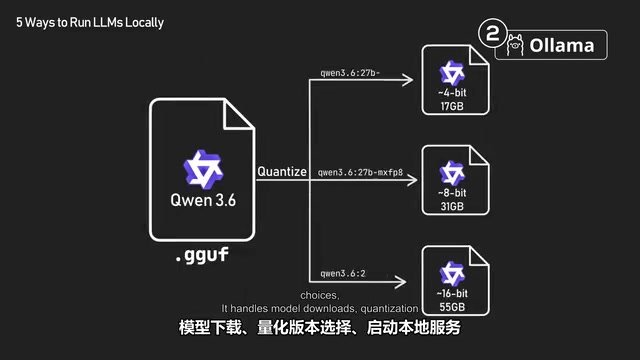
The service exposes an OpenAI-compatible API, so any OpenAI client library works just by changing the BaseURL. To go from picking a model to calling it in code as fast as possible, choose Ollama—engineers building AI system prototypes most often start here.
The GUI Option: LM Studio
LM Studio is a desktop application for running large models with a graphical interface—no terminal, no config files, installable on Linux, Mac, and Windows. Search for a model in the app, click download, and start chatting; underneath, it also wraps llama.cpp.
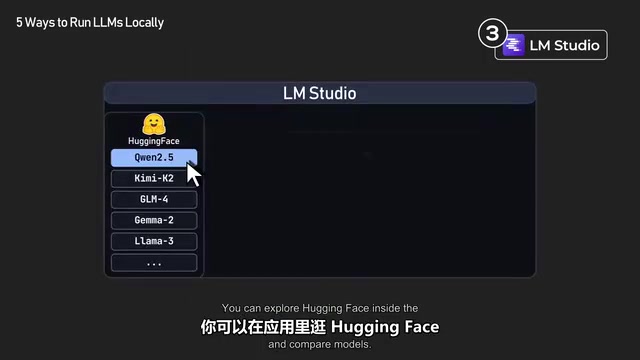
Before downloading, the interface tells you the hardware requirements, quantization variants, quantization options, and GPU offload settings; if a model is too large to run, it warns you in advance. You can browse Hugging Face within the app to view all quantization variants, download several, and switch between them at any time without restarting—making it easy to find the model that suits your hardware and task. For ordinary users who just want a simple interface to chat with a large model, LM Studio is the least hassle.
Production Engines: vLLM and SGLang
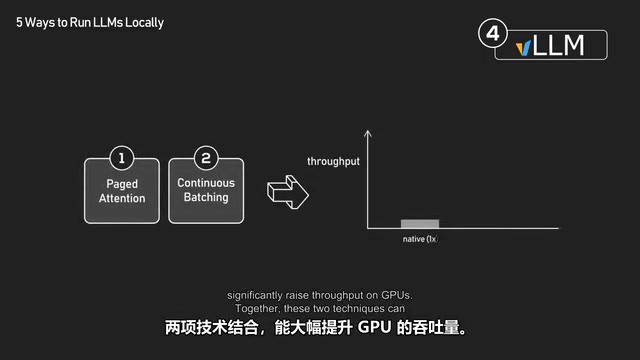
vLLM is an inference engine built specifically for serving many concurrent users. Ollama is great for quick prototyping; vLLM targets production—high-throughput inference across multiple GPUs. Its speed rests mainly on two techniques:
- PagedAttention: a more memory-efficient attention algorithm. Without it, the KV cache must be stored as one contiguous block of memory, which is very wasteful; PagedAttention splits the KV cache into fixed-size blocks that need not be contiguous in VRAM, and the freed-up VRAM supports larger batches, boosting both throughput and concurrency.
- Continuous Batching: a request scheduling technique. Without it, the GPU must wait for all requests in a batch to finish before starting the next batch; with continuous batching, new requests can join a running batch as soon as a slot frees up.
Combined, the two techniques dramatically increase GPU throughput. Many companies' internal chatbots, coding assistants, and batch-processing pipelines run on vLLM behind the scenes.
An alternative to vLLM is SGLang, from UC Berkeley's LMSYS team, which uses a technique called Radix Attention to cache shared prompt prefixes across requests in a tree structure. This makes it especially fast in scenarios like RAG and multi-turn dialogue, where prompts often share long identical prefixes. xAI and many production DeepSeekAd deployments run on SGLang.
If you're past the prototyping stage and need local models to handle real traffic—launching a company chatbot, deploying a coding assistant for your team, running large-scale internal tasks—use vLLM or SGLang.
Throughput and Latency are two different performance metrics. Latency is the time from when a single request is sent to when the result comes back—what users care about most when chatting; throughput is how many requests a system can process or how many tokens it can generate per unit time—what service operators care about most. Tools like Ollama prioritize low latency for a single user, whereas engines like vLLM batch multiple requests together, sacrificing a little per-request latency for multiplied throughput. Production environments must serve hundreds or thousands of users simultaneously, GPU costs are billed by the hour, and throughput directly determines the cost per request—this is the fundamental reason the two have diverged in positioning.
Apple Silicon Exclusive: MLX LM
MLX LM is a tool from Apple built specifically to run large models on devices with M-series chips; its key advantage lies in the memory architecture.
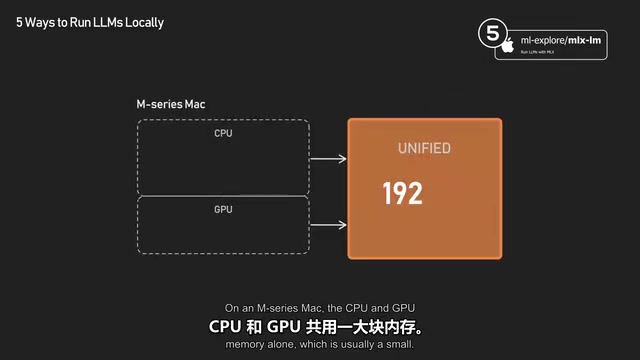
On ordinary computers, CPU and GPU memory are separate, and models can only go into GPU VRAM, which is usually not large. On M-series Macs, the GPU shares a large pool of memory—a Mac Studio with 192GB of RAM can load models that would require several expensive GPUs on a PC. MLX LM exists to take full advantage of this. If you use an Apple-silicon Mac and want the fastest speed, this is the one to choose.
Unified Memory Architecture means the CPU and GPU share the same physical memory rather than each having its own separate memory pool. On traditional PCs, a model must be copied entirely into GPU VRAM for efficient computation; if VRAM is insufficient, you have to buy another card. On M-series chips, the GPU can access system memory directly, so a model only needs to be loaded into memory to participate in computation. The trade-off is that this memory's bandwidth is lower than that of high-end discrete GPUs, so Apple chips excel at "fitting" very large models but may not match multi-GPU workstations in raw compute. MLX is Apple's open-source array-computing framework designed for this architecture, and MLX LM is its large-model inference tool built on top.
Recommendations and Trend Assessment
Recommendations by user type can be summarized as: for quick development and prototyping, start with Ollama; ordinary AI users, use LM Studio; production deployment, choose vLLM or SGLang; Apple-silicon users, MLX LM is a good choice; and llama.cpp is the foundation beneath these tools—use it directly if you want to dig deeper or adapt to niche hardware.
Two years ago, running frontier models on your own computer was unrealistic; today, pick any of these five tools and you can be up and running in under an hour. The barrier to local inference has dropped from "can it run?" to "which one suits me best?"—the most direct signal that the open-source model ecosystem has matured.
One-line Summary
Five local LLM tools, each with its own niche—just pick by scenario.
Paragraph Summary
The article surveys five tools for running open-source large models locally. llama.cpp is a C++ inference engine that introduced the GGUF quantization format and underpins most other tools; Ollama wraps it with model downloads and an OpenAI-compatible API, ideal for quick prototyping; LM Studio offers a graphical interface so ordinary users can browse quantization variants and switch models based on their hardware; vLLM targets production multi-user scenarios, using PagedAttention and continuous batching to boost throughput, while SGLang's Radix Attention is faster for shared-prefix RAG and multi-turn dialogue; MLX LM is designed for the unified memory of Apple M-series chips, able to load models that would require multiple GPUs on a PC. The author's selection path is clear and notes that the barrier to local inference has shifted from "can it run" to "how to choose."
Related articles

64 Releases in 40 Days: How Strata Uses Release Velocity to Define Its AI Local Inference Roadmap
Strata shipped 64 releases in 40 days with 460k+ characters of notes. From 0.1.0 to 0.2.10, a three-step path: make it run, make it fast, make it trustworthy.
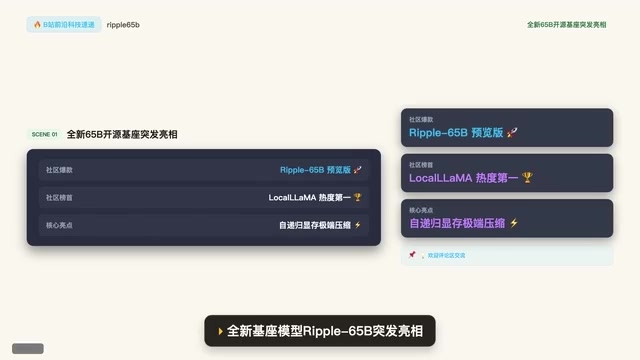
Ripple-65B Open-Source Model Tops Community Charts
Ripple-65B open-source LLM debuts atop community charts, using a self-recursive architecture to slash long-context KV cache for low-latency hundred-billion-scale inference on ordinary GPUs, with preview weights, quantized files, and one-click Olema & VLM deployment.

Deploy Open-Source Video Model MiniMax H3 Locally in 5 Minutes and Skip Cloud Generation Fees
Bilibili creator tests local deployment of open-source video model MiniMax H3: three-step ComfyUI install, 5-minute setup, no coding. Same prompt generates in 2 minutes locally vs 4 minutes online with queuing, saving about 30 RMB per 15-second 720P video. Includes VRAM requirements and RTX 5080 test results.