How to Read System Prompts: A Four-Step Method Using Cursor, v0, Devin, and Lovable as Examples
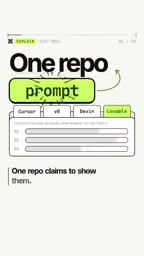
A four-step reading method for extracting product design patterns from community-collected system prompts.
The article introduces a GitHub repository claiming to collect system prompts from products like Cursor, v0, and Devin, while stressing these are unverified and should be treated as clues, not evidence. It proposes a four-step reading method: verify sources and stay skeptical, identify the role/rules/tools structure, compare similar products to reveal design priorities, and read before typing to optimize collaboration.
Why System Prompts Are Worth Reading
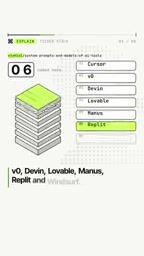
Before you type anything into an AI product, its system prompt has already set the rules for you. The system prompt is the rulebook that the product's AI reads before it ever sees your message—it defines the AI's role, behavioral boundaries, and available tools. A GitHub repository called x1xhlol claims to have collected system prompts from products including Cursor, v0, Devin, Lovable, Manus, Replit, and Windsor. But one caveat comes first: these are only the repository's unilateral claims, and every file should be treated as unverified. The value of reading them lies not in taking them literally, but in spotting the patterns.
The Four-Step Reading Method
Step 1: Verify the Source First, Stay Skeptical
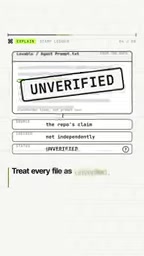
The x1xhlol repository claims to cover multiple products ranging from coding assistants to general-purpose agents, but everything comes from community collection rather than official releases. Before reading any file, ask yourself: is this really the system prompt this product uses? Is there version or timestamp information? Treat every file as a clue rather than evidence—this attitude determines whether you actually learn anything from them.
According to the repository's description, its collection covers Cursor, v0, Devin, Lovable, Manus, Replit, and Windsor. The original video's author also explicitly cautions: these are the repository's claims, so treat each file as unverified.
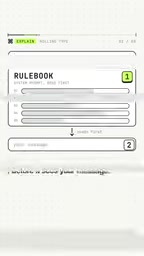
A system prompt is an instruction set that an AI product injects in the background, invisible to users, usually written in natural language and placed at the very front of the conversation history. It differs from the "prompts" users type manually—it's preset by the product developers. Due to commercial confidentiality, most companies don't publish their system prompts, so community-collected versions often come from model leaks, reverse engineering, or user-induced outputs, with varying reliability. When reading, distinguish between "claimed" and "verified": check whether a file contains product-specific tool names, internal terminology, or version numbers—these details raise credibility—while being wary of overly generic or obviously cobbled-together content. Skepticism isn't about denying value; it's about avoiding mistaking speculation for fact, so you analyze patterns more carefully.
Step 2: Identify the Three Core Structures
The original video's author actually examined two of them—Lovable and v0—and found that both set three common elements: role, rules, and tools. This is a reusable reading framework: first find what role the AI is asked to play, then find what it's forbidden or encouraged to do, and finally see which tools it can call. These three parts form the skeleton of a system prompt, and all the remaining details grow from this skeleton.
Role in a system prompt usually begins with "You are a..." and defines the AI's identity, tone, and knowledge boundaries—for example, "You are a helpful coding assistant." Rules include prohibited behaviors (such as "don't fabricate APIs"), formatting requirements (such as "reply in Markdown"), and process constraints (such as "confirm requirements before generating code"). Tools refer to external functions the AI can call, such as code execution, file read/write, and web search, and the prompt explains when and how to use them. These three aren't isolated: the role affects the tone of the rules, and the rules restrict the scenarios in which tools are used. Once you understand this structure, you can quickly locate the key parts of any system prompt without being overwhelmed by lengthy details.
Step 3: Compare Side by Side to See What Each Team Cares About
Looking at a single prompt only shows you one company's preferences; putting two side by side lets the differences speak. The original video's proposed method is: have v0 and Lovable face the same task, then compare their respective rulebooks. The different choices the two teams make in role definition, constraints, and tool permissions directly reflect what each cares about most—generation speed, code safety, or interactive guidance. This kind of comparison reveals a product's design philosophy better than watching a product demo.
When comparing side by side, focus on a few dimensions: the breadth of the role definition (general assistant vs. domain expert), the number and strictness of rules (especially safety and ethical restrictions), and the openness of tool permissions (whether autonomous code execution or network access is allowed). For example, v0 may emphasize generation speed and UI accuracy, while Lovable may focus more on code safety and interactive guidance. These differences reflect each team's trade-offs in product positioning: aimed at professional developers or beginners, prioritizing efficiency or controllability. For comparison, it's recommended to apply both prompts to the same task (such as "build a login page") and observe how the rules guide the AI's response path, thereby inferring design priorities.
Step 4: Read Before You Type
The practical value of system prompts for users is this: it teaches you how to collaborate with the product faster than any demo. Knowing what role the AI has been assigned, which rules constrain it, and which tools it can use lets you adjust your questioning style, avoid areas it's weak in, and leverage the capabilities it's been optimized for. So before you type your first prompt, read the rules.
Practical Advice
Treat these four steps as a checklist: verify source credibility, break down role/rules/tools, compare similar products side by side, and finish reading before you start. Since these files aren't officially verified, what you should learn from them is patterns rather than facts—for example, how a certain category of product generally constrains output formats and allocates tool permissions. These patterns remain useful even when you switch products.
The original video's author says that commenting "sysprompt" will get you the repository link and a reading list. If you plan to dig deeper, it's recommended to go through the steps above yourself first, then compare conclusions with others.
One-line Summary
A four-step reading method teaches you to extract product design patterns from community-collected system prompts.
Paragraph Summary
The article introduces a GitHub repository that claims to have collected system prompts from products like Cursor, v0, and Devin, but emphasizes that this content is unverified and should be treated as clues rather than evidence. The author proposes a four-step reading method: first verify the source and stay skeptical, then identify the three core structures of role, rules, and tools, then compare similar products side by side to reveal team design priorities, and finally read before typing to optimize collaboration. The article argues that system prompts teach users how to collaborate with AI faster than product demos, and that the value of reading lies in discovering reusable patterns rather than blindly trusting specific content.
Related articles
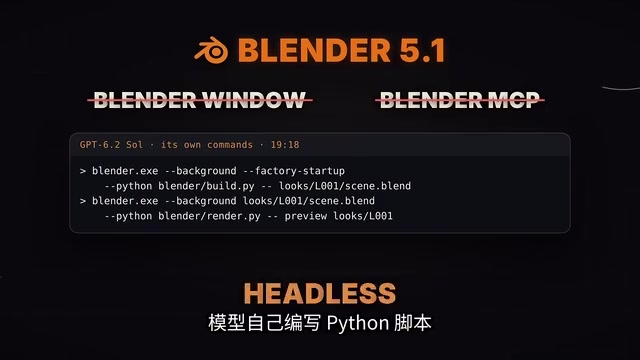
GPT-6.2 Dual-Model Hands-On Test: Astra Burns $419, Sol Just $5
OpenAI GPT-6.2 Astra vs Sol tested on Blender clock, neon shooter, and Formula racing. Astra costs $419, Sol $197, cheapest clock under $5. Cost comparison and selection advice.

After GPT-6 Ultra's Launch: A Complete Guide to Plus/Pro Subscriptions
How to subscribe to GPT membership after GPT-6 Ultra's launch? This article covers the complete Bilibili tutorial: registering a Google account from scratch, Alipay top-up walkthrough, and a comparison of Go, Plus, and Pro plans.
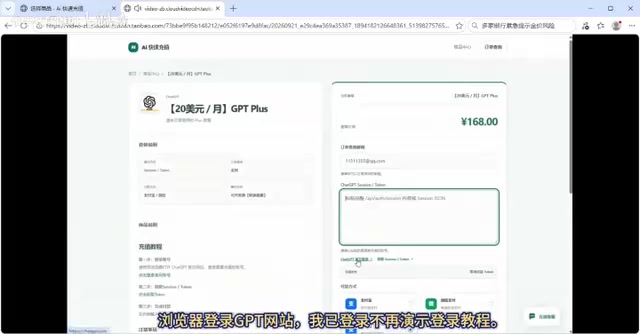
Real-World Test: Subscribing to ChatGPT Plus/Pro 5x/10x in China — Self-Service Channels and Account Maintenance Guide
A Bilibili creator tests self-service top-up channels for ChatGPT Plus and Pro 5x/10x in China, covering Session acquisition, plan selection, credit card and mobile in-app purchase pitfalls, plus account maintenance tips like fixed devices and networks to reduce ban risk.