Is GPT-6.2 Astra Speaking Gibberish? Codex Lead and OpenAI's Official Prompt Guide
GPT-6.2 Astra is capable but verbose; this article compiles four Chinese prompts from official and Codex lead guidance to fix it.
After GPT-6.2 Astra's release, developers widely complained about its verbose, unfocused expression — strong at code review but often turning simple questions into four long paragraphs of theory. Codex lead Tibo suggested ELI5 prompts, but some found the effect limited. OpenAI's official guide notes Astra is already more concise by default. The article compiles four Chinese instructions: speech (conclusion first, explain terms), work (clarify authorization, reduce confirmations), code (reuse first, avoid over-engineering), and frontend (specify style, fonts, layout, screenshots). These can go into custom instructions or AGENTS.md; it also recommends deleting old length-limiting, forced-confirmation, and heavy-testing instructions after upgrading.
Why GPT-6.2 Astra Is Being Criticized for "Not Speaking Plain English"
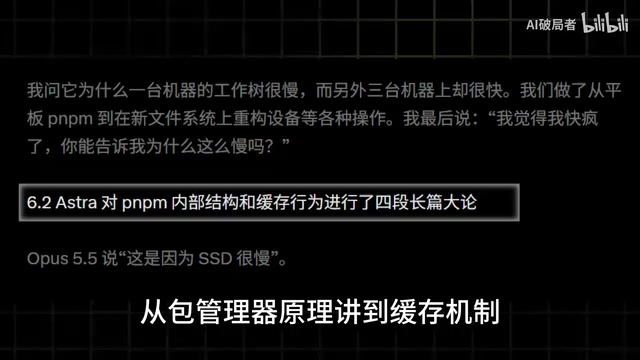
When OpenAI released GPT-6.2 Astra and Soul, the company emphasized that Astra's per-task cost is less than one-third that of GPT-6 Astra, but community feedback quickly focused on the communication experience. According to a breakdown by Bilibili creator "破局者," some developers posted long complaints on launch day saying they "hate GPT-6.2 Astra," acknowledging its strong code review capabilities while noting that all the problems stemmed from how it communicates.
For example, when a developer asked "why does the workload run particularly slowly on a certain computer," Astra wrote four long paragraphs covering everything from package manager principles to caching mechanisms, while the comparison model OPUS 5.5 pointed out the key issue in a single sentence: "Because your SSD is slow." The developer eventually developed a habit: after Astra finishes a long task, have OPUS 5.5 translate it.
The core of this experience gap is that users really only care about three things — where the problem is, what was changed, and whether it runs now. Astra, however, dumps a bunch of variable names on you to check yourself, essentially handing the work back to you.
Tibo's ELI5 Prompt: Effective, But Limited
In response to the complaints, Codex lead Tibo replied to the relevant post, suggesting that users add a line to their Codex custom instructions: default to speaking to me in the simplest terms possible. ELI5 stands for Explain Like I'm 5, meaning explaining things as if teaching a five-year-old. Tibo also added that the team is already working on the issue.
But one noteworthy detail: the developer who raised the criticism responded that this was the first thing he tried, and the effect was very limited. In other words, simply asking for "plain language" isn't enough to solve Astra's expression problems — more structured instructions are needed.
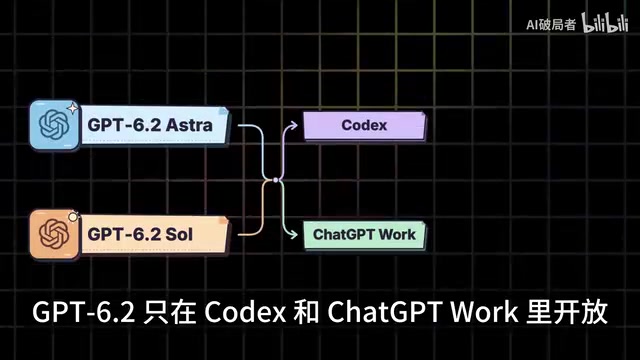
Another easily overlooked prerequisite: GPT-6.2 is only available in Codex and ChatGPT Work, and only for paying users.
ELI5 (Explain Like I'm 5) originates from Reddit's Explain Like I'm 5 subreddit, where users originally asked for complex concepts to be explained in a way a five-year-old could understand, and it later became a common internet expression paradigm. In the context of prompt engineering, ELI5 belongs to the "audience setting" category of instructions, constraining the model's output depth and wording by specifying the target reader's cognitive level. Its limitation is that the semantics are too broad: the model might interpret it as "use fewer technical terms," or as "simplify the reasoning process," or even omit key premises. This is exactly why the developer reported "limited effect" — a single audience instruction cannot simultaneously constrain structure (conclusion first, then reasons), terminology handling (retain but explain), and information completeness (don't omit key variables). Therefore, a more effective approach is to break ELI5 down into multiple executable, specific rules.
OpenAI's Official Four Instructions (Chinese Version)
The most critical line in the official documentation is: GPT-6.2 Astra is by default more concise than the previous generation. So if your old instructions still say "answer as briefly as possible," it may well be compressed too much. The following four instructions are organized according to official recommendations, targeting speaking, working, coding, and frontend respectively.
First: Governing Speech
State the conclusion first, then the reasons; technical terms can be retained, but explain them clearly when they appear; don't use abbreviations and variable names in place of complete explanations; after a long task ends, have it rewrite the results for someone who hasn't seen the whole process. Note: don't just write "answer in plain language," because pursuing plainness at all costs may cut out key details.
Second: Governing Work
Specifically targeting Codex's habit of asking you at every step. After analyzing the problem and listing options, it still asks "should I execute?" The solution is to clearly define the scope of authorization: let it make small, reversible decisions on its own and proceed with reasonable assumptions; only stop to ask when the task scope changes significantly, when it's genuinely stuck and you must make the call, or when something needs to be deleted.

Third: Governing Code Writing
Specifically for over-engineering. Some bloggers have complained that when a parameter is passed from the entry point to the database, Astra validates it at every layer. The official instruction is exactly the opposite: prioritize reusing existing code, don't add unnecessary abstractions and dependencies; more tests aren't always better — unless you explicitly request them, project standards require them, or there's regression risk (i.e., changes might break previously working functionality), don't write extra tests. If you're working on a legacy project, you can put this directly into the project's AGENTS.md.
AGENTS.md is a project-level configuration file convention that has been gradually gaining popularity in the AI coding tool ecosystem since 2025, functioning like a README for AI coding agents. Developers can specify the project's tech stack, code style, testing requirements, prohibitions, etc., and tools like Codex and Cursor will automatically include it in context when reading the repository. Its difference from user-level configuration lies in scope: user-level AGENTS.md is placed in the home directory and applies to all projects of the current user; project-root AGENTS.md only affects that project and is typically committed along with the codebase, letting team members share the same set of AI behavior standards. Writing rules like "don't over-engineer, don't write extra tests" into project-level files is more stable than repeating them in every conversation, and avoids standard conflicts between different projects.
Fourth: Governing Frontend
Specifically for "AI aesthetic" deviations. When you say "make it look nicer," what it understands as nice may be completely different from what you have in mind. The official recommendation is to clearly specify the style, fonts, layout, and references — if you have screenshots, just send them; it's more effective than describing in words ten times over.

A common cause of "AI aesthetic" deviations is that adjectives in prompts lack verifiable anchors. Words like "exquisite," "modern," and "premium" correspond to vastly different visual styles in training data, and the model can only output the statistical average, often resulting in homogenized gradients, rounded corners, and stacked shadows. The way to mitigate this is to convert subjective descriptions into objective constraints: specify a concrete design system (e.g., Material Design, Apple HIG), font families and size hierarchy, spacing baseline (e.g., 8px grid), color sources (brand color values or reference sites), and layout structure (sidebar width, card column count). Screenshots are effective because they turn style from a fuzzy mapping in text space into a direct comparison in visual space, from which the model can extract specific features like color schemes, whitespace, and component shapes.
Where to Put These Instructions
For Codex users, the simplest way is: just tell Codex to add these requirements to custom instructions; write the same rules into user-level AGENTS.md to apply to all projects; project-specific code standards go into the project-root AGENTS.md. ChatGPT users can find "Personalization" in settings and add them to custom instructions. If four instructions feel too long, the creator combined them into three sentences that you can screenshot and use directly.
Final Step: Delete Old Instructions
When models upgrade, sometimes what you need to do is subtract. Things that old models needed repeated emphasis on may now be default behavior for new models; stacking more and more repeated or even conflicting instructions will only make things worse. After upgrading to GPT-6.2, go through your custom instructions and AGENTS.md and focus on deleting three types of content: length-limiting, forced-confirmation, and requiring large numbers of tests every time. How much Astra's expression improves remains to be seen in the next version.
One-line Summary
GPT-6.2 Astra is capable but verbose; this article compiles four Chinese prompts from official and Codex lead guidance to correct it.
Paragraph Summary
After GPT-6.2 Astra's release, developers widely complained about its verbose, unfocused expression — while its code review is strong, it often turns simple questions into four long paragraphs of theory. Codex lead Tibo suggested using ELI5 prompts for plain expression, but some developers found the effect limited. OpenAI's official guide notes that Astra is already more concise by default, and old "answer as briefly as possible" instructions may cause over-compression. The article compiles four Chinese instructions: governing speech (conclusion first, explain terms), governing work (clarify authorization, reduce step-by-step confirmation), governing code (reuse first, avoid over-engineering and extra tests), and governing frontend (specify style, fonts, layout, and provide screenshots). These can be written into custom instructions or AGENTS.md, and it also recommends deleting old instructions that limit length, force confirmation, or require extensive testing after upgrading.
Related articles
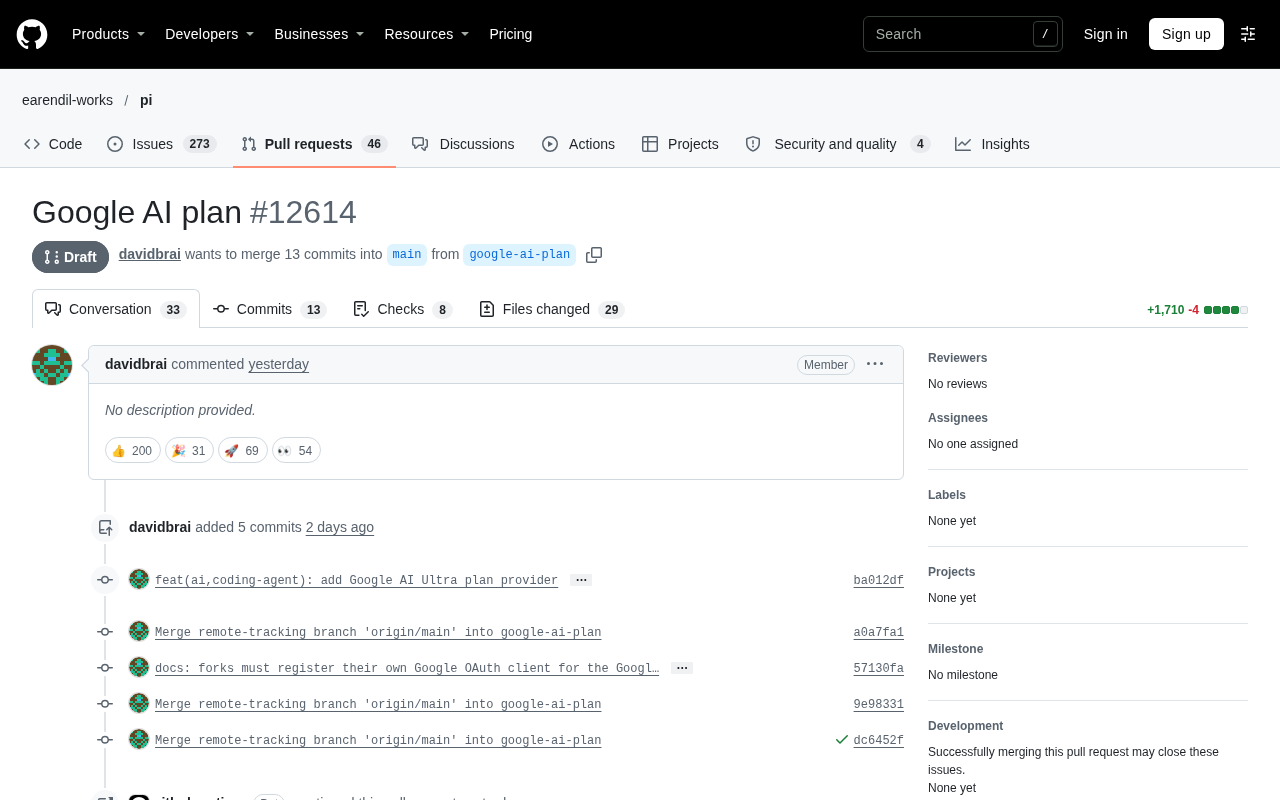
Google Officially Supports Pi Coding Agent: The AI Programming Tool Ecosystem Expands Further
Google adds official Google AI plan support for the open-source coding agent Pi, signaling accelerating integration between large model vendors and coding agent tool ecosystems. This article analyzes the impact on developer workflows, the tool ecosystem landscape, and model binding relationships.

Loom: One Machine for Weaving, Knitting and Braiding
Loom is a device that aims to seamlessly combine weaving, knitting and braiding in a single machine, drawing attention on Hacker News. This article examines its engineering challenges, significance for flexible manufacturing, and lessons for makers and hardware developers.
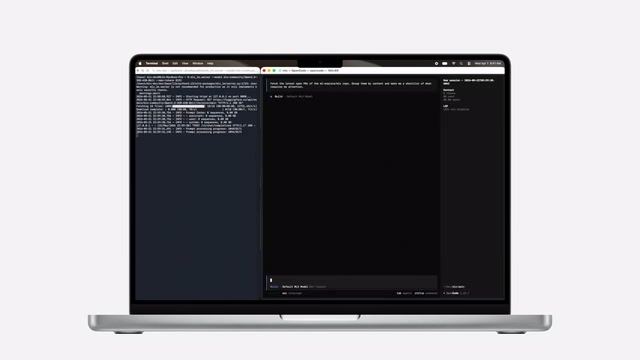
Running Local AI Agents on Mac: A Full Breakdown of the MLX Four-Layer Stack
A breakdown of Apple engineer Joanna's local Mac AI agent solution: the MLX four-layer stack, a three-step setup, and how the neural network accelerator, continuous batching, and distributed inference solve local agent performance bottlenecks.