Keysake: A macOS Input Method That Teaches You English While You Type
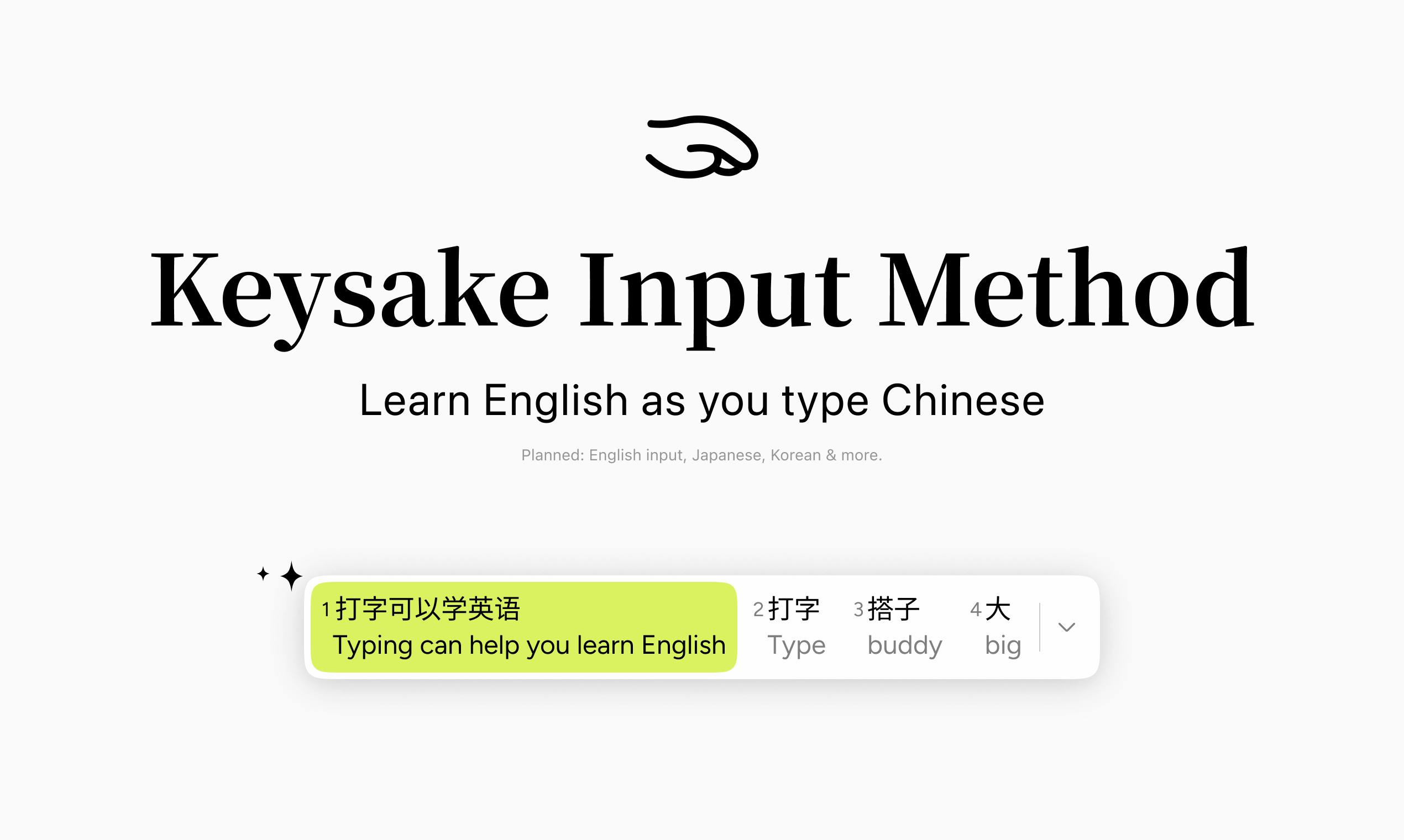
Keysake embeds English learning directly into your Chinese typing — no extra study time required.
Keysake is a free macOS input method that displays real-time English translations as you type in Chinese, making language learning a natural byproduct of everyday typing. Built on behavioral design principles like Habit Stacking and Comprehensible Input theory, it lets users save words, phrases, and sentences into a personal learning library. It launched on Product Hunt with 185 upvotes and a #4 daily ranking, with AI-powered translations ensuring natural, context-aware output. Currently macOS and Chinese-to-English only, with Japanese and Korean support on the way.
Turning Your Input Method Into a Language Classroom
Language learning tools are everywhere, but most of them demand something users rarely have: extra time — for flashcards, drills, or lessons. Keysake takes a different approach: it embeds learning into something you already do every day — typing.
This free macOS input method, which launched on Product Hunt, is built around a simple idea: "Learn English as you type Chinese." As you type in Chinese, the app simultaneously displays the corresponding English expressions alongside your input. No app-switching, no dedicated study sessions — learning happens naturally, in every moment you use your computer.
At launch, Keysake earned 185 upvotes, 62 comments, and ranked #4 for the day, appearing under categories including Education, Languages, Artificial Intelligence, and OpenAI Day.
Core Feature: Real-Time English Alongside Your Chinese Input
Keysake's most direct value lies in contextual learning. Traditional vocabulary books are notoriously ineffective, largely because they're disconnected from real usage — you memorize a word but have no idea when to actually use it.
Keysake flips this around: whatever you want to express, it shows you the English equivalent right there. Every word and phrase you encounter is directly tied to something you genuinely wanted to say. Whether you're chatting, writing an email, or sending a message in Chinese, the English translation appears in real time.
Beyond that, Keysake lets users save content — individual words, common phrases, or full sentences. You can bookmark expressions you often struggle with in English, building a highly personalized learning library. This "save as you go" model is far more relevant to your actual communication needs than any generic word list.
The real-time translation display taps into a well-established principle in language acquisition research: Comprehensible Input, proposed by linguist Stephen Krashen. His theory holds that the most effective way to acquire a language is through extensive exposure to target-language content that is slightly above your current level but still understandable. When users type Chinese expressing their own thoughts, the meaning is fully known — making any English translation naturally "comprehensible" while simultaneously providing authentic English phrasing. This "meaning first, form follows" sequence aligns more closely with natural acquisition than the traditional approach of presenting English first and asking learners to guess meaning. The personalized save library also echoes the Output Hypothesis: linguistic gaps that learners notice when trying to express themselves are more likely to be remembered and internalized than passively encountered vocabulary.
Why This Approach Is Worth Paying Attention To
From a product design perspective, Keysake targets a high-frequency touchpoint that's often overlooked: the input method itself. For Chinese-speaking users, the input method is one of the most frequently used pieces of software on a computer. Embedding learning into this unavoidable "chokepoint" creates near-zero-cost, continuous exposure.
This is classic behavioral design logic — attaching a new habit to an existing one. Users don't have to consciously decide to study; learning becomes a byproduct of typing. This "painless learning" design, in theory, can dramatically improve long-term retention and consistency.
The fact that Keysake is tagged under Artificial Intelligence and OpenAI Day also hints that its English translations and content processing likely leverage large language models — ensuring translations feel natural and contextually appropriate, rather than the mechanical, word-for-word output that would undermine effective language learning.
In behavioral design, this strategy is known as Habit Stacking — systematically articulated by BJ Fogg and later popularized by James Clear in Atomic Habits. The core idea: attach a new behavior you want to build onto an existing, highly automated behavior (an "anchor habit"), borrowing its stable trigger mechanism to drive the new one. Input methods are ideal anchor habits — they're used constantly throughout the day, spread across every context, and crucially, users are in an active expressive state, meaning their attention is naturally focused on language itself. It's similar in spirit to sticking vocabulary cards in an elevator, but with far higher trigger frequency and stronger contextual relevance. Research consistently shows that contextual vocabulary learning — encountering words in authentic, meaningful situations — significantly outperforms isolated memorization in both long-term retention and real-world recall. This is the theoretical foundation of Keysake's design philosophy.
Limitations and What's Coming Next
For now, Keysake is macOS-only and focuses on a single learning direction: Chinese users learning English. This limits its potential audience — Windows users and those primarily on mobile devices are left out for the time being.
That said, the team has announced that Japanese, Korean, and other languages are in development. If Keysake can expand its "type to learn" model across more language pairs and platforms — supporting, say, English speakers learning Chinese, or bringing the experience to mobile where typing is even more frequent — its potential grows considerably.
For Chinese speakers who want to improve their English but feel like they never have the time, Keysake offers an almost zero-friction option. As a free tool, the barrier to download is low. It's worth trying for anyone hoping to pick up English expressions as a natural side effect of their daily typing.
Summary
Keysake represents a product philosophy worth watching: rather than competing for users' already scarce focused attention, it embeds value into existing high-frequency behaviors. In the crowded, endlessly iterated world of language learning apps, entering through the input method is a fresh and clever angle. Whether it can genuinely help users master English remains to be seen — but at the very least, it dramatically lowers the barrier to getting started.
Related articles
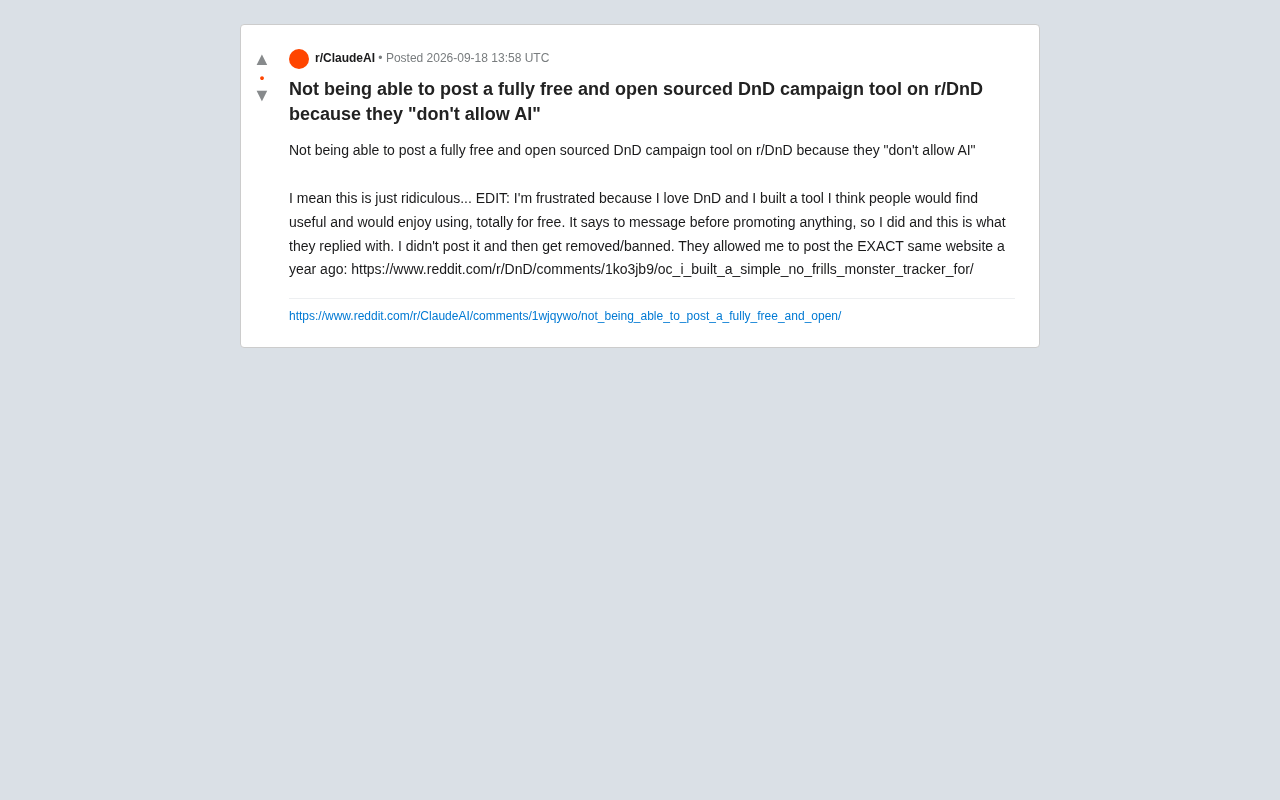
Free Open-Source Tool Rejected: The Community Controversy Sparked by r/DnD's AI Ban
A free open-source DnD campaign tool was rejected by r/DnD's AI ban — yet the same tool was approved a year ago. The case highlights the blurry line between AI tools and AI-generated content.
What LLMs Can You Run with 1.9TB of RAM? Exploring the Ceiling of Local AI Deployment
A Reddit user with 1.9TB of RAM sparked debate about local LLM deployment. We break down what massive RAM enables, where CPU inference falls short, and the real bottlenecks.
Researchers Use Claude to Hack OpenAI Systems: A New Wake-Up Call for AI Security
Security researchers used Anthropic's Claude to breach OpenAI systems, taking over employee accounts and accessing internal repos. What this means for AI security.