Kimi K3.1 Pro Hands-On: Can an Open-Source Model Challenge Opus 5.5?
Kimi K3.1 Pro hands-on: Opus-like speed, DeepSeek-like cost, but complex 3D tasks remain a weak spot.
The article compares Kimi K3.1 Pro, Claude Opus 5.5, and DeepSeek V4.1 Flash across three hands-on tasks. On benchmarks, Kimi leads open-source models with a lower cost per intelligence unit, but ranks only 8th in Arena's coding category; it's also the least verbose of the three. In practice, all three completed the NumPy CNN visualization and thumbnail tasks, with Kimi near Opus in speed and near DeepSeek in cost. But on the tougher Ursina-engine MOBA prototype, Kimi trailed Opus, even after a rerun. The author concludes Kimi K3.1 Pro is the top open-source pick but can't yet fully replace Opus 5.5.
Kimi K3.1 Pro arrived with impressive benchmark scores, but how does it perform in practice? A YouTube creator ran three real-world tasks comparing it against Claude Opus 5.5 and DeepSeek V4.1 Flash, and found an interesting sweet spot.
Benchmarks: Impressive on Paper, But Not the Whole Story
According to official figures, Kimi K3.1 Pro ranks first on multiple benchmarks, beating virtually every other open-weight model across the board. On terminal benchmarks, it not only performs well but also costs significantly less than closed-source models like GPT-6 Astra and Opus 5.5. In the intelligence ranking from independent evaluator Artificial Analysis, it sits behind Opus 5.5, Sonnet 5.5, and Muse Wonderful—but its cost per intelligence unit is lower.
On the Arena AI user-voting leaderboard (coding and web development category), it ranks only 8th, though it remains one of just two open-source models in the top 11. This suggests a gap between benchmark scores and real user preferences.
The creator also ran a homegrown "Neural Yap Benchmark" measuring verbosity. Kimi K3.1 Pro is among the least verbose models, far outperforming its predecessor Kimi K3 on response length, with common-phrase control also in the top tier. By contrast, Opus 5.5 was criticized for "writing a mini-essay no matter what you ask."
The Gap Between Arena AI Rankings and Benchmarks
Arena AI (formerly Chatbot Arena, now LMArena) uses anonymous head-to-head matchups: users see two model responses side by side, vote for the better one, and an Elo-style algorithm aggregates the votes into a ranking. Its strength is closeness to real-world preferences, but samples are user-generated and skewed toward casual chat, code snippets, and small web pages—with limited coverage of long-horizon engineering tasks or multi-file codebase refactors.
Benchmarks like MMLU, SWE-bench, and terminal-operation suites, meanwhile, are mostly fixed question sets: reproducible and comparable, but easy to game through targeted optimization (i.e., "benchmark chasing"). Hence a common pattern: a model ranks high on benchmarks but mid-pack in Arena user votes. Kimi K3.1 Pro placing only 8th in Arena's coding and web development category reflects exactly this gap—it suggests the model's strengths may lie in the question types benchmarks cover, rather than the open-ended needs users encounter daily.
Cost per Intelligence Unit
This is a value-for-money metric proposed by independent evaluators like Artificial Analysis: first measure model capability via a composite intelligence score (weighted across multiple benchmarks), then divide by the per-token API price to get "how much it costs to buy one point of intelligence."
Its value lies in correcting two one-sided views: looking only at scores ignores the high inference costs of closed-source flagship models, while looking only at unit price underestimates the hidden overhead of weaker models that retry repeatedly and produce verbose output. For production scenarios that call models heavily (e.g., batch asset generation, automated testing), this metric often offers more decision value than absolute ranking. The article notes that Kimi K3.1 Pro ranks below Opus 5.5 and others in intelligence but has a lower cost per intelligence unit—a textbook use of this metric: it doesn't chase the absolute best, but achieves a better ratio between capability and price.
Hands-On Test 1: CNN Visualization in Pure NumPy
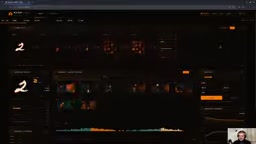
The first task was to implement a convolutional neural network trained on MNIST using only NumPy, and visualize the full training and inference process in the browser, with a minimalist pixel-art style and an orange-and-black color scheme.
All three models completed the task successfully. Kimi K3.1 Pro's interface was functionally complete, with adjustable sample count, batch size, learning rate, and other parameters, plus real-time display of loss and accuracy. Opus 5.5's design was smoother with more refined animations; DeepSeekAd V4.1 Flash's interface was information-overloaded, and its animations, though fluid, were dizzying.
Cost and time differences were significant: Opus 5.5 was fastest (about 1 minute) but cost roughly $2.30; DeepSeek was cheapest ($0.32) but took nearly an hour; Kimi K3.1 Pro landed in the middle, with speed close to Opus and cost close to DeepSeek.
Why Implement a CNN in Pure NumPy
Standard deep learning frameworks (PyTorch, TensorFlow) wrap convolution, backpropagation, and optimizers into one-line calls, so model capability shows up as "can it use the API." Requiring a pure NumPy implementation means the model must write its own im2col or direct sliding-window convolution forward pass, hand-derive the gradients for cross-entropy and softmax, implement backpropagation for convolutional and pooling layers, and code SGD/Adam parameter updates—where a single dimension or transpose error causes training to fail to converge.
Such tasks are therefore treated as a stress test of "low-level understanding + long-code consistency": it simultaneously checks whether the math is correct, whether hundreds of lines of code are self-consistent, and whether the training loop is correctly wired to the front-end visualization. All three models succeeded, showing that current frontier models are quite reliable on medium-scale, single-file, logically clear numerical code; differences show up mainly in UI polish, cost, and time—not correctness.
Hands-On Test 2: Thumbnail Asset Generation
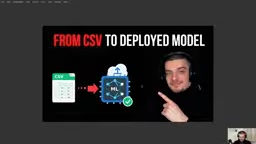
The second task was to take a half-finished thumbnail and generate a transparent-background asset of "a CSV file transforming into a deployed machine learning model," then composite the final thumbnail.
All three models produced usable assets, but the placement was off in each case (too far left or too low). Quality was hard to distinguish; the main differences remained cost and time: Opus 5.5 took 38 seconds at $0.38; DeepSeek took 6 minutes 47 seconds at $0.04; Kimi K3.1 Pro was close to Opus in time and close to DeepSeek in cost.
The creator noted that if Kimi can handle such tasks reliably, it would substantially cut thumbnail production costs—currently generating each asset with Opus costs 20-40 cents.
Hands-On Test 3: Building a MOBA Prototype in the Ursina Engine
The third task deliberately raised the difficulty: build a MOBA game prototype using Python's Ursina 3D game engine (which isn't designed for game development), featuring one hero, three abilities, and a respawning dummy target.
This was the only task where Kimi K3.1 Pro clearly lagged. The first run took 44 minutes (including a white-screen issue that needed fixing) and cost more than Opus; the resulting ability effects were vague and auto-attack feedback was weak. Opus 5.5 took about 30 minutes and produced a more complete game experience: visible auto-attacks, card projectiles, teleportation, and mirror beams. DeepSeek was laggy but still more complete than Kimi's first run.

The creator gave Kimi a second chance, rerunning with the same prompt. The second run took 21 minutes at a lower cost than Opus, and the result improved noticeably—auto-attacks showed damage numbers and abilities were recognizable—but it still fell short of Opus's completeness. The creator speculated the issue may lie with the Ursina engine, since other users have shown excellent 3D rendering results from Kimi.
The Ursina Engine and Failure Modes in Long-Horizon Tasks
Ursina is a lightweight Python 3D engine built on top of Panda3D, known for "getting a 3D scene running in a few lines of code." Its API is simple, but its abstractions over low-level rendering, physics, and state synchronization are thin, and its community resources are far scarcer than Unity's or Godot's—meaning models see fewer correct-usage examples in their training data.
This explains the observed behavior: Kimi's first run produced a white screen, vague ability effects, and weak auto-attack feedback—essentially a failure to correctly wire up cross-file, cross-state long-horizon dependencies like the render loop, entity update ordering, and input event binding. The markedly better second run suggests part of the problem stems from sampling randomness—under the same prompt, the model may take different architectural paths, one self-consistent and another breaking down midway. This suggests that when evaluating long-horizon coding tasks, a single result isn't conclusive; running multiple times and taking the median better reflects a model's true stability.
Conclusion: The Value Pick Among Open-Source Models
Overall, Kimi K3.1 Pro is not a full replacement for Opus 5.5, especially given the gap on complex 3D tasks. But on most tasks, it delivers Opus-like speed at DeepSeek-like cost, carving out a unique "sweet spot."
The creator states plainly that if limited to open-source models, Kimi K3.1 Pro would be the first choice—better than the GLM series (poor task performance) and DeepSeek (decent quality but too slow). For developers iterating quickly on large codebases, waiting 30-40 minutes is hard to accept, and Kimi's balance of speed and cost is more practical.
Interestingly, the video is sponsored content, though the creator claims the opinions were not filtered. A link to the technical blog is provided in the video description.
One-line Summary
Kimi K3.1 Pro hands-on: Opus-like speed, DeepSeek-like cost—but complex 3D tasks remain a weak spot.
Paragraph Summary
The article compares Kimi K3.1 Pro, Claude Opus 5.5, and DeepSeek V4.1 Flash across three hands-on tasks. On benchmarks, Kimi leads open-source models in most tests with a lower cost per intelligence unit, but ranks only 8th in Arena's user-voted coding and web category; the Neural Yap Benchmark found it the least verbose of the three. In practice, all three models completed the NumPy CNN visualization and thumbnail asset tasks, with Kimi near Opus in speed and near DeepSeek in cost—a unique value sweet spot. But on the tougher Ursina-engine MOBA prototype, Kimi's first run took 44 minutes and needed fixes, trailing Opus in completeness; a rerun improved but still lagged. The author concludes that if limited to open-source models, Kimi K3.1 Pro is the top pick, but it can't yet fully replace Opus 5.5.
Related articles

Let the Agent Be the Director: A Vision for a Fully Local AI Production Workstation
A Bilibili creator envisions building a local AI director workstation with NVIDIA RTX Spark, letting an Agent orchestrate script, storyboard, video generation, voiceover, auto-editing, and review for full AI production.

Zen Browser: The Perfect Replacement for Arc?
Zen Browser, an open-source alternative to Arc, inherits vertical tabs and sidebar workspaces while enhancing privacy and customization. This article analyzes its design philosophy, feature comparison, and community ecosystem, exploring why it's a new choice for Arc users.

Behind a Million Elevator Maintenance Jobs: How TK Elevator Uses AI to Unlock Decades of Knowledge
TK Elevator shares in Cologne how technology gives maintenance technicians fast access to decades of shared knowledge, reducing search time and improving elevator and escalator maintenance efficiency. This article analyzes its knowledge reuse logic and implications for AI in field service.