Krea 3 Launches: 2K Image Editing in 8 Seconds for Just $0.06 per Image

Krea 3 enters the batch image editing market with native 2K, 8-second edits, and $0.06 per image.
Krea launched Krea 3 on Product Hunt, an image model that performs native 2K editing in under 8 seconds at $0.06 per image. It supports up to 6 reference images to maintain product, character, and style consistency across a campaign, allowing background, material, or lighting changes while preserving subject details. Aimed at independent creators and production teams, it emphasizes low trial-and-error cost and predictable batch output. The article notes that competition is shifting from generation quality to editing precision, consistency, and unit economics, but Krea 3 currently has only official data, lacks independent comparisons, and its speed and cost stability under real workloads still need verification.
The AI image editing race has a new speed contender. Krea has launched Krea 3, its next-generation image model, on Product Hunt, touting "native 2K resolution editing completed in under 8 seconds" at a cost of just $0.06 per image. For content teams that need to produce images at scale, this combination is worth a serious look.
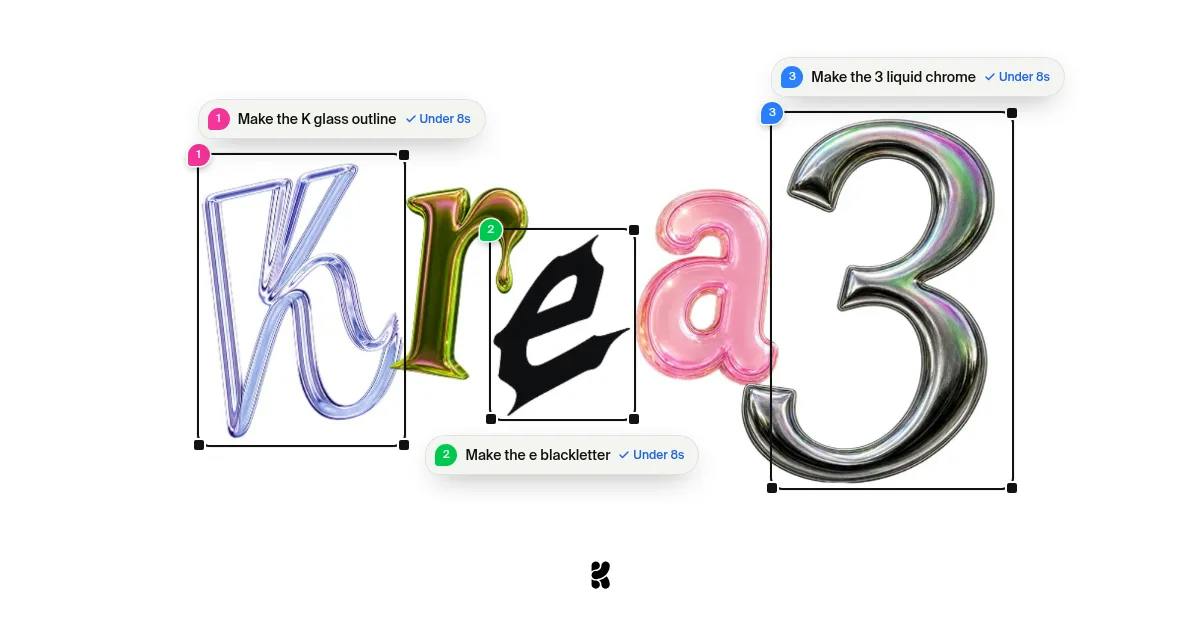
Speed and Cost: Krea 3's Two Hard Metrics
Krea 3's most direct selling point is speed. According to official figures, it completes an image edit at native 2K resolution in under 8 seconds, at $0.06 per image.
These two numbers only make sense together. Many tools can be fast, but speed often comes at the cost of reduced resolution and lost detail; tools that can output 2K tend to take longer. Krea 3 attempts to hold both lines at once — "native 2K" and "under 8 seconds" — which means it is aimed not at casual early adopters but at creators and production teams facing real capacity pressure.
At $0.06 per image, batch-editing 100 images costs $6. For scenarios that require large numbers of variants — e-commerce, ad creative, social media content — this price range has entered "try it freely" territory. The official language — "less waiting, fewer unwanted changes, more room to experiment" — points squarely at high-frequency iterative workflows.
Native resolution refers to the pixel dimensions a model outputs directly when generating or editing an image, rather than first generating a low-resolution image and then upscaling it through interpolation algorithms. The latter can quickly produce a large image, but the upscaling process introduces blur, artifacts, and lost detail — especially noticeable in areas such as text, textures, and product edges. Native 2K means the model's computational load is designed from the start around 2048-pixel-level output, which places higher demands on VRAM, inference architecture, and sampling steps. This is why the combination of "native 2K + under 8 seconds" is more technically demanding than either high resolution or speed alone: it requires the model to maintain detail density without sacrificing inference efficiency, typically supported by model distillation, quantization, or more efficient attention mechanisms.
Consistency: The Power of 6 Reference Images
Krea 3 supports up to 6 reference images to maintain consistency of products, characters, and style across an entire campaign.
This is the key capability that moves generative image tools from "one good image" to "a usable series." In real production, the hardest part is often not generating a single good image, but making the same product look like the same thing across different backgrounds, lighting, and compositions. The reference image mechanism is designed to constrain that consistency.
Content teams can use it to: change backgrounds while preserving product details, change materials or lighting without altering the subject, and place the same character into different scenes. The official emphasis on "preserving the details you want to keep" carries an implicit message: the model minimizes damage to non-target areas during editing — which is also the dividing line between image editing models and pure generation models.
Reference image conditioning is fundamentally different from traditional img2img. Img2img typically starts from a single input image and applies an overall transformation on top of it, which easily alters non-target areas as well; reference image conditioning instead injects multiple images into the model as "conditioning signals," telling the model which visual features (product appearance, character faces, color and style) need to be preserved, while the edit instruction applies only to the specified region. The value of multiple reference images lies in covering different angles, lighting, and materials, allowing the model to build a more complete representation of the object. This capability depends on the model's strong identity preservation and region awareness, and is one of the core technical benchmarks in the current image editing model competition.
Who It's For: From Independent Creators to Production Teams
Krea 3's positioning is stated clearly: aimed at creators and production teams.
Independent creators care about cost and speed — no queueing for renders, low cost of trial and error, and the ability to quickly validate an idea when inspiration strikes. Production teams care about stability and controllability — a fixed reference image set, predictable processing time, and a per-image cost structure that can go straight into a budget spreadsheet.
That said, it should be noted that the currently available public information comes mainly from the official launch page, and independent side-by-side benchmark tests are lacking. Whether numbers like "8 seconds" and "$0.06" hold up under real workloads still needs more hands-on feedback to verify. The early Product Hunt data — 66 upvotes and 1 comment — also indicates that it has only just entered public view and that community discussion is still building.
Unit economics here refers to the production cost per image, a key metric for judging whether an AI image tool can enter commercial workflows. $0.06 per image may look very low in absolute terms, but its real significance lies in how it changes trial-and-error strategy: when the per-image cost is low enough, teams can adopt a wide-funnel workflow of "generate many + select," rather than carefully crafting prompts and running only once or twice. This model is especially friendly to scenarios requiring high-frequency output, such as e-commerce hero images, ad variants, and social media assets. Note, however, that the true total cost should also account for human review, rework, and post-processing time — $0.06 is only the model invocation fee, not the full cost of the final deliverable.
The Next Battleground for Image Editing Tools
Krea 3's arrival reflects a trend: competition among image models is shifting from "how well does it draw" to "how accurately, how quickly, and how cheaply can it edit."
Generation quality has gradually become commoditized, and what truly sets products apart is editing precision, consistency, and unit economics. By putting the three numbers — 2K, 8 seconds, $0.06 — on the table, Krea 3 effectively sets a comparable yardstick for similar products. That's good for users: the more concrete the competition between tools, the more informed the choice.
If you're working on projects that require visual assets at scale, Krea 3 deserves a spot on your shortlist for a hands-on trial. Focus on two things: whether consistency under reference image constraints is truly stable, and whether it can still hold the 8-second line under high load.
One-line Summary
Krea 3 enters the batch image editing market with native 2K, 8-second editing, and $0.06 per image.
Paragraph Summary
Krea launched its next-generation image model Krea 3 on Product Hunt, highlighting image editing at native 2K resolution in under 8 seconds at $0.06 per image. The model supports up to 6 reference images to maintain consistency of products, characters, and style across an entire campaign, and can change backgrounds, materials, or lighting while preserving subject details. Its positioning covers both independent creators and production teams, emphasizing low trial-and-error cost and predictable batch output. The article notes that competition among image models is shifting from generation quality to editing precision, consistency, and unit economics, but Krea 3 currently offers only official data, lacks independent side-by-side comparisons, and the stability of its speed and cost under real workloads remains to be verified.
Related articles

Frontend to AI Agent Development: A Frontline Architect Explains Career Paths and Opportunities
A frontline AI architect explains the industry changes and practical paths for frontend developers transitioning to AI Agent development: why pure frontend jobs are disappearing, why Agent + full-stack has become mainstream in hiring, and three transformation routes—Agent development engineer, FDE, and remote contracting—along with corresponding learning strategies.

How to Choose an AI Agent Development Course: Five Pitfall-Avoidance Guidelines
A mechanical-engineering career changer's two-year pitfall-tested checklist for screening AI Agent development courses: complete delivery pipeline, resume-worthy projects, real development perspective, update frequency, and coaching feedback—with concrete judgment methods and pitfall-avoidance tips.

Coze AI Agent Building for Beginners: A Zero-Code AI Agent Development Guide
Coze, ByteDance's one-stop AI application development platform, supports zero-code drag-and-drop AI agent building. This article outlines Coze's core concepts, three advantages, differences between the domestic and international versions, and the distinction between agents and apps, helping beginners quickly get started with AI Agent development.